The best procurement software depends on your team size and the accounting system you already run. For small and mid-sized teams, Tradogram, Precoro, ProcureDesk and Procurify cover purchase requests, approvals and purchase orders. If purchases start in an intake form or on a card, Zip, Ramp and Spendesk are built that way. Large companies on an ERP typically evaluate Coupa, SAP Ariba or Oracle Fusion Cloud Procurement.
Procurement software is a tool that manages how a company buys: the purchase request, the approval, the purchase order, the receipt and, in most tools, the supplier invoice. We compared ten tools from vendor pricing and help pages, and we say plainly what each entry plan leaves out, which accounting systems it syncs to, and who has to run it.
- tools compared
- 10
- bands by team size and stack
- 3
- publish a price for the procurement product
- 4
- Match the tool to your size and stack. Tradogram, Precoro, ProcureDesk and Procurify suit teams that want purchase requests, approvals and POs. Zip, Ramp and Spendesk start from intake or spend. Coupa, SAP Ariba and Oracle suit large ERP-led companies.
- Only four of the ten publish a price for the procurement product itself: Tradogram from $99 per month, Precoro from $499, ProcureDesk from $830 and Oracle at a list price of 625 USD per named user per month. The rest are a quote or an add-on without a price.
- Entry plans leave things out. Tradogram sells requisitions and receiving as add-ons, Precoro puts real-time budget tracking on its $999 plan, and Ramp sells purchase orders and three-way matching as a separate add-on. Ask what the quote covers.
- None of the ten pages we read says who decides a software renewal before its notice date. That's a gap between buying and renewing.
Our picks by situation
One tool rarely fits every team, so these picks follow the situation, not a score. Each tag says what the tool is best at and the entry says what it leaves out.
 Best published entry priceTradogramEssentials from $99 per month covers POs, but requisitions, receiving and custom approvals are add-ons there.
 Best for published plans and budget-aware approvalsPrecoroCore from $499 per month with approval steps by budget, department, amount, entity, location or project.
 Best for punchout carts that become POsProcureDeskFrom $830 per month with 10 users included and more than 150 punchout catalogs.
 Best for a hard stop on over-budget approvalsProcurifyBudgets by department and account code, with an option that blocks approving requests over budget.
 Best for one front door in front of an ERPZipA single intake form and no-code approvals that sync POs to NetSuite, SAP, Oracle, Workday and others.
 Best when cards and bill pay come firstRampA $0 plan for cards and bill pay, with POs and three-way matching in a separately quoted add-on.
 Best for requests, cards and invoices in one toolSpendeskBuilt for roughly 50 to 250 people, with committed spend shown once a PO is approved.
 Best for fine-grained approval chains at scaleCoupaGuided buying, budget meters and a hard stop on requisitions over budget, sold by quote.
 Best for SAP-based buyingSAP AribaGuided buying and invoice reconciliation that sit on SAP Business Network and an SAP back end.
 Best if you already run Oracle Fusion ERPOracle Fusion Cloud ProcurementRequisitions and POs on the same data as Fusion Payables, with 2-, 3- and 4-way matching.
 For the software contract after the purchase orderThe Procurement ManagerRoutes the renewal decision to the business owner, Finance and IT before the notice deadline.
What procurement software is and the five kinds
Procurement software is software that runs the buying process: a person asks for something, the right people approve it, a purchase order goes to the supplier, goods or services are received and the invoice is matched and paid. The phrase covers five kinds of tool that overlap, and search results mix them. Knowing which kind you need is more useful than any ranking.
| Kind of procurement software | What it controls | Where it starts | Read next |
|---|---|---|---|
| Purchasing and PO software | Requests, approvals, purchase orders and receiving | A purchase request | Purchase order software, purchase requisition software |
| Procure-to-pay software | The same chain plus invoice matching and payment | A purchase request | Procure-to-pay software |
| Spend management software | Cards, expenses, bills and budgets next to purchasing | A card swipe or a bill | Spend management software |
| Sourcing software | RFx events, auctions and award decisions | A sourcing event | Strategic sourcing software |
| Supplier and contract management | Supplier records, risk and contracts | A supplier or an agreement | Supplier management software, contract management software |
The ten tools below sit mostly in the first three rows, because that is what buyers mean by procurement software when they compare products. Coupa, SAP Ariba and Oracle also sell sourcing and contract modules, and we point to the sibling guides where that matters.
The ladder below shows how we grouped the tools. It follows team size and stack because those decide which tool is realistic before any feature does.
- Small team, accounting softwareStart with a published price. Tradogram from $99 a month, Precoro from $499 and ProcureDesk from $830 all sync to QuickBooks or Xero. Check what the entry plan leaves out.
- Mid-sized team, budgets and approversProcurify, Precoro and Zip add budget checks and approval rules by department, amount or category, and sync to NetSuite or Sage Intacct. Prices are mostly quotes or higher tiers.
- Cards, bills and intake firstRamp and Spendesk start from spend, and Zip starts from an intake form. Purchase orders are part of the product or an add-on, depending on the tool.
- Large company on an ERPCoupa, SAP Ariba and Oracle Fusion Cloud Procurement are sold by quote or list price, connect deeply to an ERP and usually need an implementation project.
Procurement software compared
The table shows what each tool is, what it hands on, its price status and the review rating we could read. Review sources and scales differ because G2, Capterra and TrustRadius blocked several direct reads, so each rating names its source. A missing rating means we couldn't read a primary review source for it.
| Tool | Type | What it hands on | Price status (USD unless noted) | Review rating |
|---|---|---|---|---|
| Tradogram | Procurement suite for SMB and mid-market | Requisitions with budget checks, rule-based approvals, POs and receiving | From $99 per month (Essentials) | 4.2 (36) |
| Precoro | Procurement and AP for mid-sized teams | Requests, multi-step approvals with thresholds, POs and 3-way match | From $499 per month, annual | 4.7 (222) |
| ProcureDesk | Purchasing and AP for SMB and mid-market | Punchout carts, department and category workflows, POs and invoices | From $830 per month, annual | 4.8 (GetApp, 38) |
| Procurify | Procurement and procure-to-pay | Approved requests to POs, receiving, AP and contract records | Custom quote | 4.6 (GetApp, 208) |
| Zip | Intake-to-procure orchestration | One intake form, cross-functional approvals, POs synced to the ERP | Custom quote | 4.7 (Capterra, 32) |
| Ramp | Spend management with bill pay and a procurement add-on | Intake, approvals, auto-generated POs, item receipts, 3-way match and bill payment | Free plan; Procurement add-on quoted | 4.8 (2,274) |
| Spendesk | Spend management with purchase requests, cards and invoices | Purchase request, committed budget, card or invoice payment, audit trail | Quote only, amounts not shown | 8.1/10 (TrustRadius, 17) |
| Coupa | Enterprise spend management and procurement | Guided buying, prioritized approval chains, POs sent to suppliers | Custom quote | 7.2/10 (TrustRadius, 168) |
| SAP Ariba | Enterprise source-to-pay and sourcing | Sourcing events, buying and invoicing, SAP Business Network supplier collaboration | Price upon request | 7.6/10 (TrustRadius, 757) |
| Oracle Fusion Cloud Procurement | ERP procurement module | Self-service requisitions, POs, receiving and 2-, 3- or 4-way matching in Oracle Payables | List price 625 USD per user per month | 4.4 (Gartner Peer Insights, 104) |
| The Procurement Manager Our product | Contract renewal decisions | Routes renewal reviews to the business owner, Finance and IT before the notice deadline | From $49 per month, flat, no per-seat fees (Starter, up to 50 contracts) | No reviews yet |
Prices checked on vendor pages between October 20 and 28, 2026. Rating sources and scales differ: Spendesk, Coupa and SAP Ariba show TrustRadius out of 10, Procurify and ProcureDesk show GetApp, Oracle shows Gartner Peer Insights.
Which accounting and ERP systems each tool names
Procurement software syncs with QuickBooks, NetSuite and other accounting or ERP systems, and all ten tools name at least one, but the list depends on the plan. "Named" means a vendor page lists the system, and "Not named" means we didn't find it on the pages we read, so confirm your own system in a demo.
| Tool | QuickBooks | Xero | NetSuite | Sage | SAP | Oracle |
|---|---|---|---|---|---|---|
| Tradogram | Named | Named | Named | Named | Not named | Not named |
| Precoro | Named | Named | Named | Named | Not named | Not named |
| ProcureDesk | Named | Named | Named | Named | Named (Enterprise) | Not named |
| Procurify | Named | Not named | Named | Named | Not named | Not named |
| Zip | Named | Not named | Named | Named | Named | Named |
| Ramp | Named | Named | Named (Plus) | Named (Plus) | Not named | Named (Enterprise) |
| Spendesk | Not named | Named | Named | Named | Named | Not named |
| Coupa | Named | Named | Named | Not named | Named | Named |
| SAP Ariba | Not named | Not named | Not named | Not named | Named | Not named |
| Oracle Fusion Cloud Procurement | Not named | Not named | Not named | Not named | Not named | Named |
The plan matters as much as the list. Tradogram sells ERP integrations as an add-on, Precoro puts ERP systems on Enterprise, and Ramp adds NetSuite and Sage Intacct on Plus and Workday and Oracle Fusion Cloud on Enterprise. GetApp rates Procurify's NetSuite integration 2.7 from 3 ratings against 4.5 for QuickBooks Online, a small sample that is still worth testing.
SAP Ariba and Oracle Fusion Cloud Procurement are different: they belong to an ERP vendor's own stack. Oracle's module shares supplier, item and accounting data with Fusion Payables, and SAP Ariba payments run in the back-end ERP. If you already run that ERP, test its own purchasing module before adding a separate tool, and if you don't, the standalone tools above are the ones built to sit next to an accounting system.
Purchasing software vs procurement software
Purchasing software handles the transaction: a request, an approval and a purchase order for something you already know you will buy. Procurement software is the wider process around it, which can include supplier selection, contracts and sourcing as well. Vendors use the two words as near synonyms, and most tools in this list do the purchasing job first.
The practical test is what happens before the request and after the invoice. If the tool starts at the request and ends at the PO, it's purchasing software. If it also finds suppliers, runs sourcing events or tracks contracts, it's closer to a procurement suite. The three enterprise tools below do both, and the small-team tools mostly do the first.
How we compared the tools
We read vendor pricing, product and help pages and review sites between October 20 and 28, 2026. Each entry answers the same four checks, in the same order, so a $99 tool and a quote-only suite can be read side by side.
- What the entry price buys: the first plan or module, and what it covers.
- What costs extra: add-ons, higher tiers and user charges that change the bill.
- Accounting or ERP sync: which systems the pages name.
- Who runs it: whether finance, operations or an implementation partner configures it.
We also give the price status, the review basis and a skip-if for each tool. The read is documentation and reviews: we didn't run a purchase through every product, and a feature we mark as not described may still exist.
Procurement software for small and mid-sized teams
Tradogram, Precoro, ProcureDesk and Procurify are purchasing-led. A request becomes an approved PO, goods are received and the record syncs to the accounting system. They differ in what the entry plan includes, so the most useful question for this group is what you get for the first price.
Tradogram
Procurement and purchase order software with the lowest published entry price in this list, but requisitions and custom approvals are add-ons on that plan.
Tradogram is a procurement and PO suite with the lowest published entry price in this list, $99 per month for Essentials, but requisitions, receiving, budgets and custom approvals are add-ons on that plan.
Tradogram: what the entry price buys. Essentials at $99 per month, or $950.40 per year, covers purchase orders and AP invoices. Approved requests convert to POs in one click, and TradoScan AI can create a PO from a sales quote.
Tradogram: what costs extra. Requisitions, receiving, budgets, custom approvals, ERP integrations, SSO and API access are add-ons on Essentials, and extra users are $32 each. The quote-only Premium plan, for 20 or more users, includes requisitions and custom approvals.
Tradogram: accounting or ERP sync. Approved POs, item details and vendor data sync to QuickBooks Online and Desktop, Xero, NetSuite, Sage and Microsoft Dynamics 365 Business Central, with ERP integrations sold as an add-on.
Tradogram: who runs it. Finance or operations sets approval rules by amount, department, supplier, project, location, category or GL code, with up to 10 levels and 5 alternates per level.
- you want detailed approval rules with up to 10 levels and alternates for each approver
- you need connectors to a long list of accounting systems and punchout suppliers
- you expect requisitions in the $99 plan, because they're an add-on there and included on the quote-only Premium plan
- you need to adapt form fields freely, which G2 reviewers name as a limit
- Users like
- Easy setup and personal, engaged customer service, and POs that go to suppliers automatically once approval completes.
- Users dislike
- Fields that can't be adapted, modules sold as a package, and one report of approvers being bypassed despite thresholds.
- Source: G2, 36 reviews

Price and what reviewers say
Tradogram publishes $99 per month for Essentials (checked October 20, 2026). On G2 it holds 4.2 out of 5 from 36 reviews, praised for easy setup, personal customer service and POs that go to suppliers automatically once approval completes. Reviewers also name fields that can't be adapted, modules sold as a package and one report of approvers being bypassed despite thresholds. Capterra lists 4.5 from 109 reviews.
- Starting price
- From $99 per month (Essentials); requisitions are an add-on there
- Approval levels
- Up to 10, each with up to 5 alternates
- Extra users on Essentials
- $32 per user
Precoro
Procurement and AP automation for small and mid-sized companies, with published plan prices and per-approver amount thresholds.
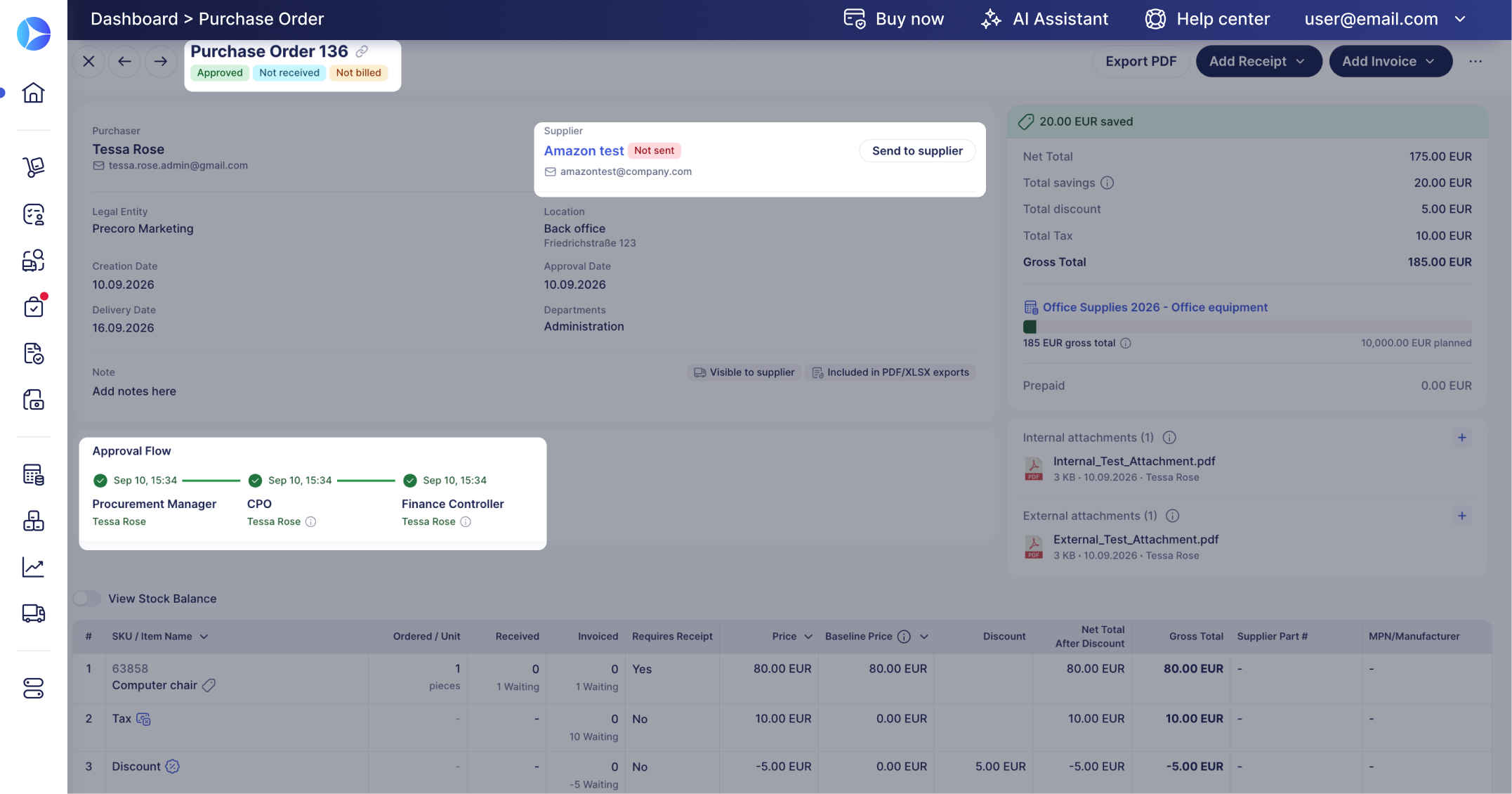
Precoro is procurement and AP software for small and mid-sized companies, with published plan prices and approval steps that depend on budget, department, amount, entity, location or project.
Precoro: what the entry price buys. Core starts at $499 per month, billed annually. It covers purchase requests, approvals, POs and the matching of invoices to POs and receipts with tolerance limits. Requesters, approvers and budget owners see the available budget before ordering.
Precoro: what costs extra. Real-time budget tracking and intake management sit on the Automation plan from $999 per month, not on Core. The AP Module starts at $499 per month, and Enterprise is a custom annual quote.
Precoro: accounting or ERP sync. The pricing page names QuickBooks Online, Xero, Slack and Microsoft Teams on Core, adds API access and SSO on Automation, and puts ERP systems and custom integrations on Enterprise.
Precoro: who runs it. A finance owner designs the approval workflow. Each step can have several approvers with thresholds, plus a Direct Manager step, and an Overbudget step fires only when a transaction exceeds budget and the Budget module is active.
- you want a published price and configurable approval steps without an enterprise suite
- approved requisitions should become POs without a second approval unless something changes
- you need advanced inventory management, which Precoro doesn't document
- your budget doesn't stretch to an annual plan starting at $499 a month
- Users like
- G2 reviewer tags list ease of use, the approval process, simplicity and support as top positives.
- Users dislike
- G2 reviewer tags list 'not intuitive', missing features, invoice problems and a learning curve as top negatives.
- Source: G2, 222 reviews
Price and what reviewers say
Precoro publishes Core at $499 per month, Automation at $999 and an AP Module at $499, all billed annually (checked October 22, 2026). Our Precoro pricing guide breaks down the annual cost and the renewal terms. On G2 it holds 4.7 out of 5 from 222 reviews, with ease of use, the approval process and support as top positives, and a learning curve, missing features and invoice problems among the negatives. GetApp shows 4.8 from 255.
- Starting price
- From $499 per month, billed annually (Core)
- Next tier
- Automation, from $999 per month billed annually
- Accounting sync
- QuickBooks Online, Xero, NetSuite, Sage Intacct, Business Central
- Real-time budget tracking
- Automation plan ($999/mo) and above, not Core
- Savings dashboard
- Savings and overspend by month and supplier against a baseline price per PO line
- Overbudget step
- Fires only when a transaction exceeds budget and needs the Budget module
ProcureDesk
Purchasing and AP automation for 50 to 250 employee companies, with published plans, more than 150 punchout catalogs and Slack approvals.
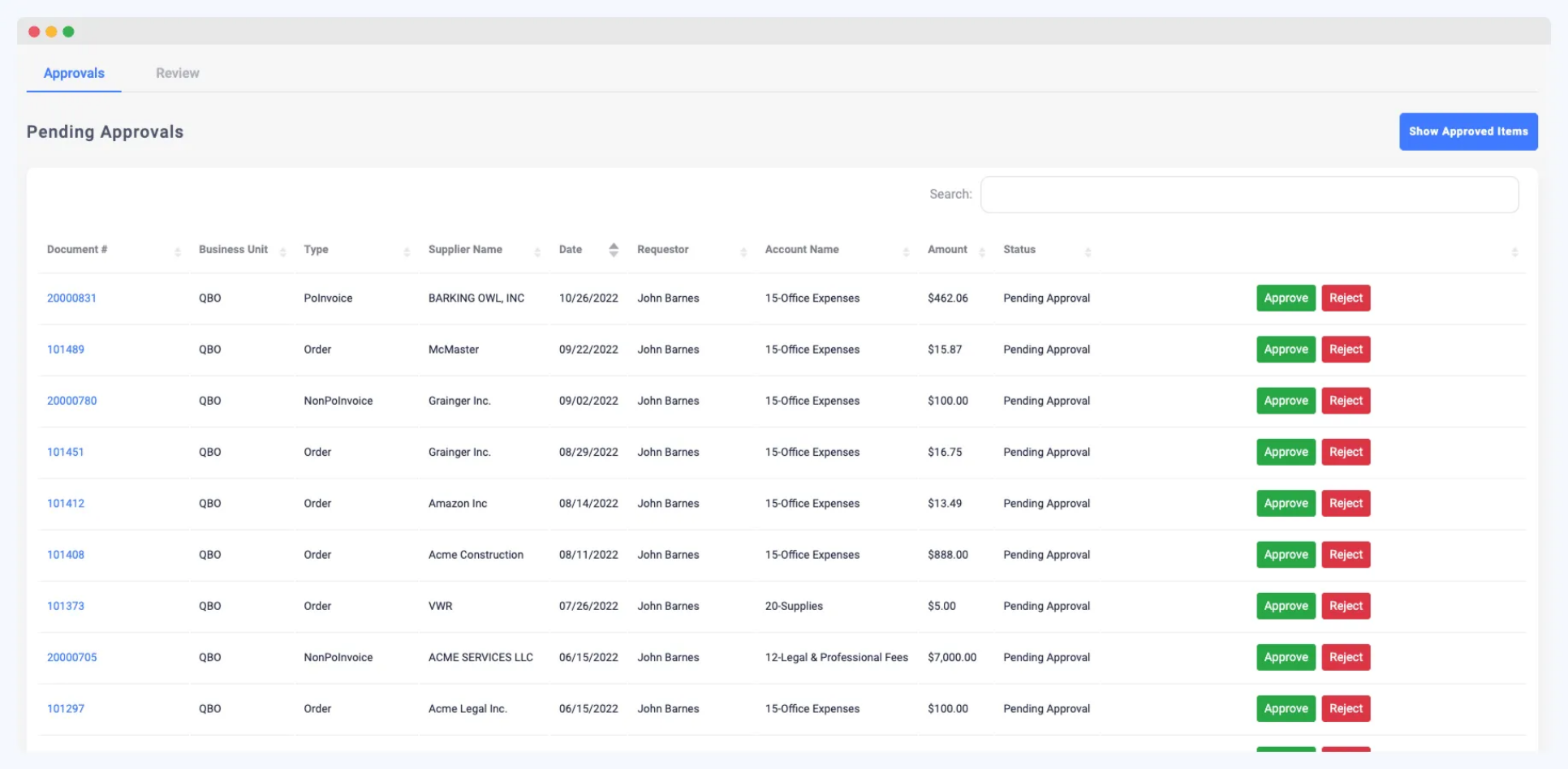
ProcureDesk is a requisition-to-pay tool for companies of roughly 50 to 250 employees, with punchout carts that turn into POs and published plans from $830 per month.
ProcureDesk: what the entry price buys. The Startup plan costs $830 per month billed annually and includes 10 users. It covers threshold-based approvals, punchout catalogs, basic three-way matching, OCR and budget tracking with alerts.
ProcureDesk: what costs extra. Growth is $1,250 per month for 20 users and adds advanced three-way matching, unlimited OCR and a cash flow forecast from approved POs. Extra users cost $20 per month. Auto-escalation and unlimited punchouts are Enterprise features, which is quote only.
ProcureDesk: accounting or ERP sync. QuickBooks, Xero, Bill.com, NetSuite, Sage Intacct and Microsoft Dynamics 365 Business Central are listed, and SAP S/4HANA on Enterprise.
ProcureDesk: who runs it. Operations or finance sets rules by department, category, vendor or project, for example auto-approving under $500 and sending orders over $2,000 to the CFO. Approvers answer by email, mobile or web.
- your requesters buy from Amazon, Staples, Grainger or Dell and you want one cart across vendors
- you run QuickBooks, Xero, NetSuite, Sage Intacct or Business Central and want a published price
- you have many occasional requesters, because users beyond the included 10 or 20 cost $20 each per month
- you want a large review base before buying
- Users like
- A straightforward approval workflow with notifications that keep requests from being missed.
- Users dislike
- One reviewer had no direct integration with their ERP and re-entered data; another found invoice matching and routing slow at times.
- Source: GetApp, 38 reviews
Price and what reviewers say
ProcureDesk publishes Startup at $830 per month with 10 users and Growth at $1,250 with 20 (checked October 20, 2026). GetApp shows 4.8 out of 5 from 38 reviews. Reviewers like a straightforward approval workflow with notifications that keep requests from being missed. One reviewer had no direct integration with their ERP and re-entered data, and another found invoice matching and routing slow at times.
- Starting price
- From $830 per month billed annually, 10 users included
- Next tier
- Growth, $1,250 per month billed annually, 20 users
- Punchout
- More than 150 catalogs
Procurify
Purchasing-led procurement platform with modular AP, Expense & Card and optional Guided Intake and Contracts. Buyers should verify paid Pro roles and renewal notice ownership.
Procurify is a purchasing platform with budgets by department and account code, and AP, Expense & Card, Guided Intake and Contracts as add-ons priced on top.
Procurify: what the entry price buys. Every customer starts with the Purchasing product: order, expense, travel and funds requests, POs, catalogs and vendors. Basic users who request and receive are unlimited, and the price depends on how many Pro users you have.
Procurify: what costs extra. Accounts Payable (bills and payments), Expense & Card, Guided Intake and Contracts are priced add-ons. No price is published, so each quote is custom.
Procurify: accounting or ERP sync. QuickBooks Online and Desktop, NetSuite, Sage Intacct and Microsoft Dynamics 365 Business Central. GetApp rates the NetSuite integration 2.7 from 3 ratings against 4.5 for QuickBooks Online, so test the sync you need.
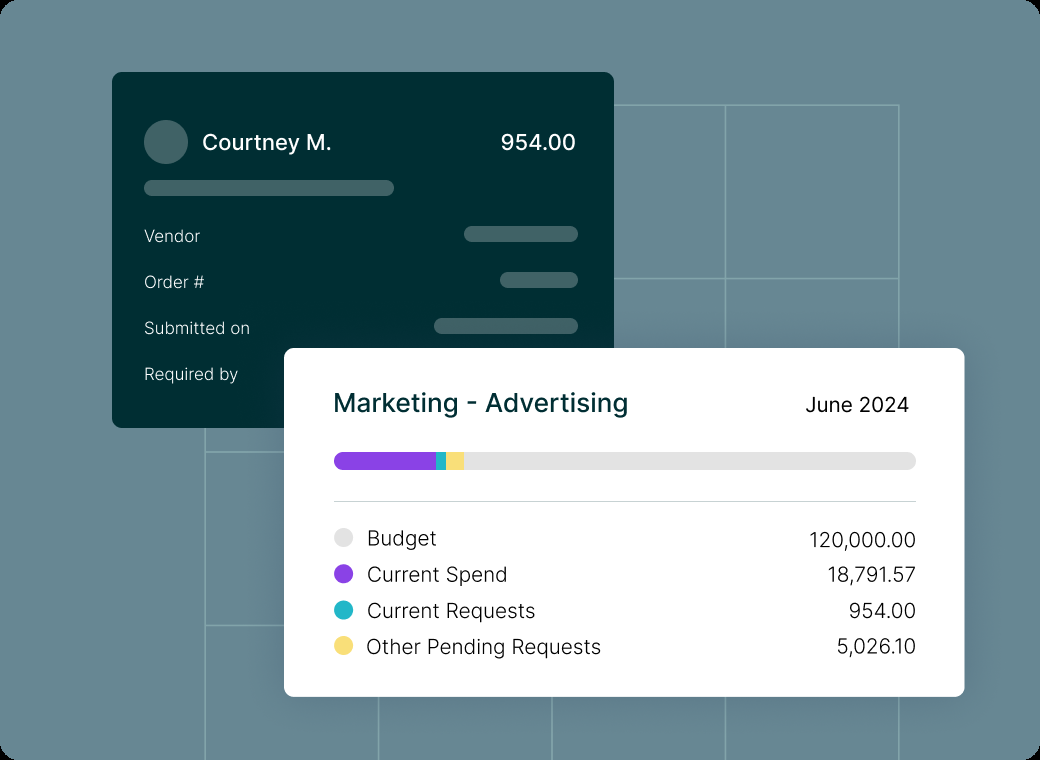
Procurify: who runs it. Finance builds budgets, which can run up to 60 months, and approval routing with dollar limits per approver. With Budget Overage disabled, approvers can't approve over-budget requests, and pending requests count against the active budget.
- you need approved purchasing requests, budget controls and audit trails across departments
- your finance team can own the accounting integration and implementation work
- you only need a simple PO form and can't justify a tailored subscription
- you need a guaranteed public price before engaging sales
- Users like
- Reviewers cite an intuitive interface and easier PO management, order tracking and budget control; support is called responsive.
- Users dislike
- GetApp notes occasional integration or customization limits; its NetSuite integration rating is 2.7 from 3 ratings versus 4.5 for QuickBooks Online.
- Source: GetApp, 208 reviews
Price and what reviewers say
Procurify lists no prices; the pricing page says every quote is custom (checked October 23, 2026). Our Procurify pricing guide covers modules and contract terms. GetApp shows 4.6 out of 5 from 208 reviews, where reviewers cite an intuitive interface and easier PO management, order tracking and budget control, and call support responsive. GetApp also notes occasional integration or customization limits.
- Starting price
- Custom quote for Purchasing plus products, add-ons, Pro users and integrations
- Request types
- Order, Expense, Travel, Funds
- Accounting sync
- QuickBooks, NetSuite, Sage Intacct, Business Central
- Published subscription price
- No, quote only
- Basic requesters
- Unlimited
- Pro users
- Price determining user class
- Purchasing
- Required starting product
- Contracts
- Add-on
- Guided Intake
- Add-on
- Renewal notice
- 60 days under standard 2026-08-01 terms
- Budgets
- By department, account code or both, up to 60 months; pending requests count against the active budget
- Budget Overage
- Disabled: approvers cannot approve over-budget requests; enabled: a warning and approval allowed
- Bill payments
- ACH, wire or check in the US through the AP add-on, bulk approval of up to 100 payments
Procurement software that starts from intake or spend
Zip, Ramp and Spendesk begin earlier or elsewhere in the purchase. Zip puts one intake form in front of the ERP you already have. Ramp and Spendesk start from cards, bills and budgets and add purchase requests and POs around them. This group suits teams that are less worried about a PO form and more worried about purchases that bypass the process.
Zip
Intake and procurement orchestration that puts one request front door and cross-functional approvals on top of an existing ERP.
Zip is an intake and procurement orchestration platform that puts one request front door and cross-functional approvals on top of an existing ERP, with POs synced back.
Zip: what the entry price buys. Zip publishes no price, so there's no stated entry plan. The core covers intake in plain language, no-code approval workflows with dynamic approvers, PO management with projected spend and an AP inbox with invoice extraction and coding.
Zip: what costs extra. Budgets, Global Payments and Vendor Cards are listed as add-ons. The Budgets add-on shows remaining budget during approval, alerts owners when a budget is nearly used and can sync from ERP and FP&A tools. Global Payments pays by bank transfer, wire, check or virtual card in 140 or more countries.
Zip: accounting or ERP sync. Oracle, NetSuite, SAP, Workday, Dynamics 365, Sage Intacct and QuickBooks, plus Concur, Brex, Stripe, Coupa and SAP Ariba, REST APIs and flat files.
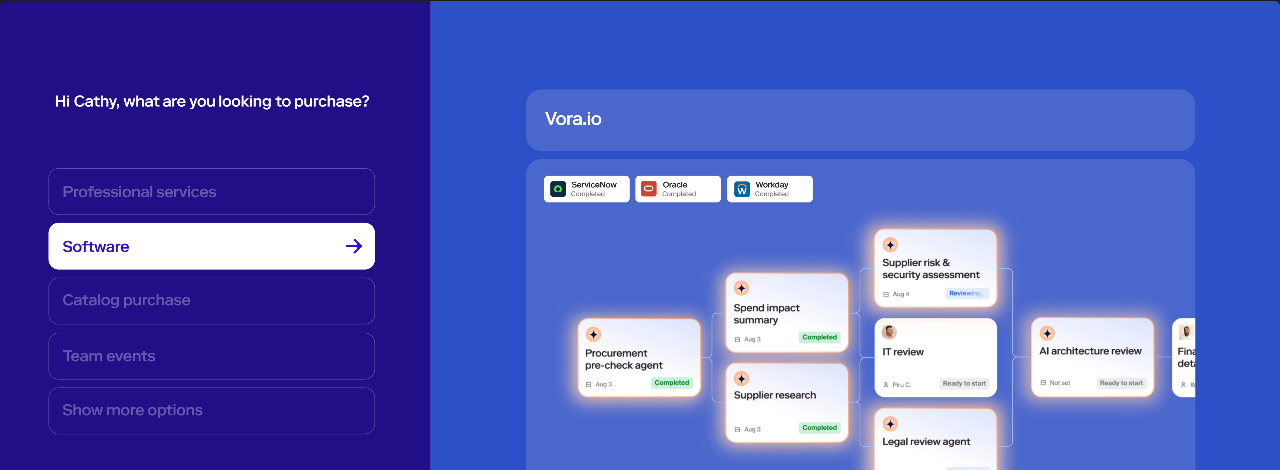
Zip: who runs it. A procurement or finance operations owner builds the workflows. Purchases can route through legal, security, IT and finance review. The workflow page doesn't name the fields that drive routing, so ask for your own rules in a demo. Our Zip procurement review and Zip pricing guide go deeper.
- purchases need legal, security, IT and finance review, not only a budget approval
- you already run an ERP and want a front door for every request in front of it
- you're a small team that needs a published price
- you mainly order catalog supplies, since Zip's public pages don't mention punchout
- Users like
- Workflows that are easy to configure, with every requester able to see where a request stands and which steps remain.
- Users dislike
- Reporting is the weak area for several reviewers, and one said misconfigured routing sent approvals to the wrong person.
- Source: Capterra, 32 reviews
Price and what reviewers say
Zip lists a custom buyer quote and no public US rate card (checked October 24, 2026). Capterra shows 4.7 out of 5 from 32 reviews, with workflows that are easy to configure and requesters who can see where a request stands. Reporting is the weak area for several reviewers, and one 2026 review rated 2 of 5 reports bugs, misrouted approvals and accounting sync issues.
- Starting price
- Custom buyer quote; no public US rate card verified
- ERP sync
- Oracle, NetSuite, SAP, Workday, Dynamics 365, QuickBooks
- Budgets
- Add-on
- Intake
- Plain-language request to form and approval
- P2P
- PO and invoice workflows
- Payments
- Global Payments is listed as add-on
- Budgets add-on
- Shows remaining budget during approval; owners get alerts when a budget is nearly or fully used; can sync from ERP and FP&A tools
- Global Payments
- Bank transfer, wire, check or virtual card in 140+ countries (add-on)
Ramp
Ramp combines cards, bill pay and a procurement add-on that turns an approved request into a PO or virtual card and matches bills against POs and item receipts.
Ramp combines corporate cards, bill pay and a Procurement add-on that turns an approved request into a PO or virtual card and matches bills against POs and item receipts.
Ramp: what the entry price buys. The Free plan costs $0 per user per month and lists unlimited cards, approval workflows, invoice OCR and bill pay by ACH, card, check or wire. Plus is $15 per user per month plus a platform fee based on team size.
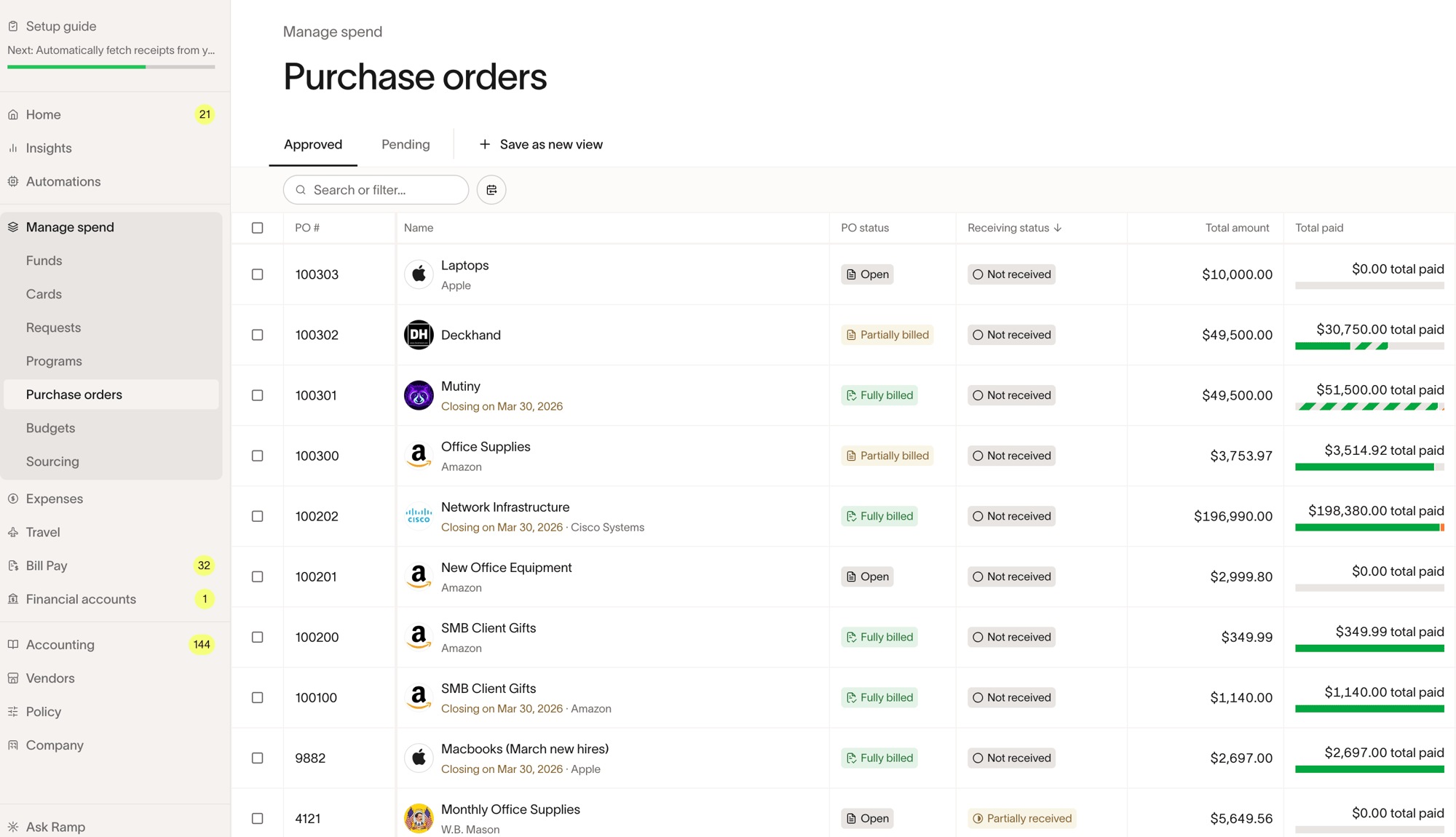
Ramp: what costs extra. Procurement is an add-on to Plus or Enterprise and its price isn't published. POs and three-way matching sit in that add-on, or on Plus for imported POs, and imported QuickBooks Online POs can't be three-way matched.
Ramp: accounting or ERP sync. QuickBooks Online and Xero are in Free, NetSuite and Sage Intacct in Plus, and Workday and Oracle Fusion Cloud in Enterprise.
Ramp: who runs it. Finance usually owns it, and procurement intake uses conditional questions per spend program. Ramp's three-way match help article doesn't describe tolerance settings, so ask how mismatches are handled.
- you already run or plan to run cards and bill pay in Ramp and want POs and matching in the same place
- you're on NetSuite, QuickBooks Online, Sage Intacct or Xero and pay mostly US vendors
- you need documented tolerance settings for matching, which Ramp's three-way match help article doesn't describe
- most of your POs live in QuickBooks Online, since imported QBO POs can't be three-way matched
- Users like
- Ease of use, with bill pay and card management in one place.
- Users dislike
- Missing features for complex or global finance setups and receipts that don't always match automatically.
- Source: G2, 2,274 reviews
Price and what reviewers say
Ramp lists Free at $0, Plus at $15 per user per month plus a platform fee, and a custom Enterprise plan; the Procurement add-on price isn't published (checked October 22, 2026). On G2 it holds 4.8 out of 5 from 2,274 reviews, with ease of use and bill pay with card management in one place as the main praise. Reviewers name missing features for complex or global finance setups and receipts that don't always match automatically.
- Starting price
- Free: $0/mo/user; Plus: $15/mo/user + platform fee based on team size (save 20% with annual billing); Enterprise: Custom. Procurement is an add-on to Plus or Enterprise, price not published
- 3-way match
- Procurement add-on (Ramp POs) or Plus (imported POs)
- Pays vendors by
- ACH, same-day ACH, card, check, wire
- Budgets
- By department, project or vendor; Plus adds budgets versus actuals in real time and an audit log
- Integrations by plan
- QuickBooks Online and Xero in Free; NetSuite and Sage Intacct in Plus; Workday and Oracle Fusion Cloud in Enterprise
Spendesk
Spendesk puts purchase requests, budgets, approval workflows, corporate cards, invoices and expenses in one platform, and shows committed spend against budget once a PO is approved.
Spendesk puts purchase requests, budgets, approval workflows, corporate cards, invoices and expenses in one platform, and shows committed spend against budget once a PO is approved.
Spendesk: what the entry price buys. The pricing page names a fixed monthly platform fee plus transaction fees but lists no amounts and no currency, so the entry plan can't be described in dollars. It states no active user fees.
Spendesk: what costs extra. Variable fees apply to card purchases, invoice payments and expense claims, and a displayed review notes that advanced workflows sit in paid add-ons.
Spendesk: accounting or ERP sync. Sage, Xero, NetSuite, SAP and Datev are named, plus HR systems, Slack and an API.
Spendesk: who runs it. Finance or procurement builds the approval flow in a visual builder, using cost centre, spend type, expense category or a custom field with amount ranges. Requests use guided forms that can take a quote or contract upload, and a contract and renewal dashboard shows renewal alerts. The tool is positioned for companies of roughly 50 to 250 people.
- you are a mid-sized team that wants requests, budgets, cards and invoices in one tool
- approvals should route by cost centre, spend type and amount, with committed spend visible against the budget
- you need a published US dollar price, since the pricing page shows no amounts and no currency
- reporting depth matters most: a displayed review notes limited historical data access
- Users like
- The two review texts shown praise PO approvals, the Slack integration and an intuitive reimbursement and card flow (small sample).
- Users dislike
- One displayed review names weak reporting and historical data access, and approvals stalling when an approver is on holiday (one reviewer).
- Source: TrustRadius, 17 ratings
Price and what reviewers say
Spendesk publishes no amounts (checked October 27, 2026). TrustRadius shows 8.1 out of 10 from 17 reviews, a small sample. The two review texts displayed praise PO approvals, the Slack integration and an intuitive reimbursement and card flow. One displayed review names weak reporting and historical data access, and approvals stalling when an approver is on holiday.
- Starting price
- Not published; the pricing page names a monthly platform fee plus transaction fees without amounts or currency
- Request intake
- Guided forms by request type, team or spend category, with quote or contract upload
- Budget commitment
- Created on the net amount when a PO is approved, shown as committed until invoices are validated
- Approval builder
- Nodes by cost centre, spend type, expense category or custom field, with amount ranges
- Contract dashboard
- Renewal alerts and a contract and renewal dashboard
- Integrations
- Sage, Xero, NetSuite, SAP, Datev, Slack and an API
Enterprise procurement suites
Coupa, SAP Ariba and Oracle Fusion Cloud Procurement are built for large organizations. They run on an ERP, sell by quote or list price, cover sourcing and contracts as well, and usually need an implementation partner. If you're comparing them, our guides on Coupa vs SAP Ariba and Coupa pricing cover the pair in detail.
Coupa
Enterprise source-to-pay suite whose requisitions run through guided buying, punchout and prioritized approval chains with budget meters.
Coupa is an enterprise source-to-pay suite whose requisitions run through guided buying, punchout and prioritized approval chains with budget meters.
Coupa: what the entry price buys. Coupa publishes no price and sells to buyers by quote, so there's no entry plan to describe. The procurement product covers goods, services, contingent workforce and inventory, and the AP side covers invoices and payments.
Coupa: what costs extra. The standard supplier portal is free for suppliers, and Coupa Advanced is a paid supplier tier with SSO, API and QuickBooks and NetSuite sync. Sourcing, contracts and optimization are separate modules.
Coupa: accounting or ERP sync. SAP, Oracle, NetSuite, Dynamics, Workday, QuickBooks and Xero are named. Budget lines, accounts and requisitions load by CSV, SFTP or API.
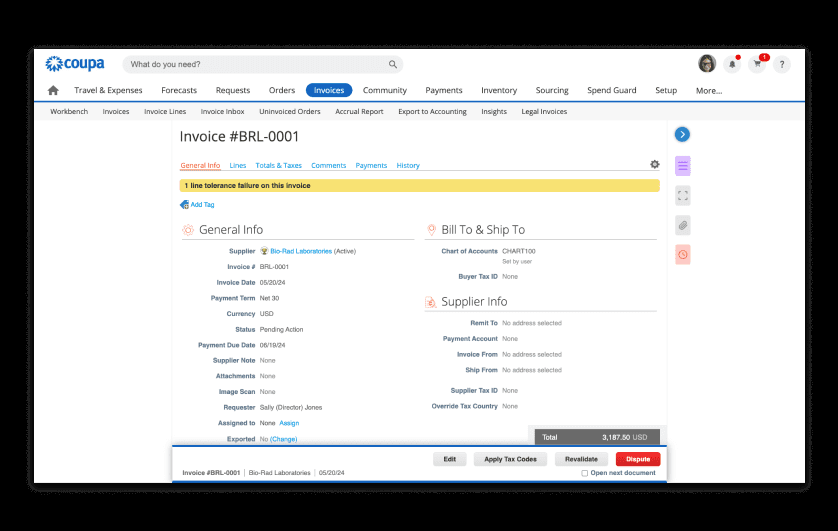
Coupa: who runs it. A procurement or finance systems team with an implementation partner. Budget meters show remaining budget before commitment, and a budget-line setting blocks requisition submission over budget. Approvals run by email and mobile. Our Coupa review has more.
- you need fine-grained approval chains by account, commodity, item and amount across entities
- contract-compliant guided buying and punchout matter more than a quick rollout
- you're a small or mid-size team that wants a published price and a rollout in weeks
- your only requirement is renewal-owner reminders without enterprise spend management
- Users like
- Approval routing and spend compliance for indirect buying, with clear purchase limits per person.
- Users dislike
- Heavy integration work with ERPs such as SAP, and a supplier portal that confuses vendors asked to create profiles.
- Source: TrustRadius, 168 ratings
Price and what reviewers say
Coupa lists a custom buyer quote and no public US rate card (checked October 24, 2026). TrustRadius shows 7.2 out of 10 from 168 reviews. Reviewers cite approval routing and spend compliance for indirect buying and clear purchase limits per person. They report heavy integration work with ERPs such as SAP, a supplier portal that confuses vendors, and a poor fit for blanket POs and direct procurement.
- Starting price
- Custom buyer quote; no public US rate card verified
- Standard supplier portal
- Free for suppliers; Coupa Advanced is a paid supplier tier (SSO, API, QuickBooks and NetSuite sync)
- Buyer-side platform
- No verified public universal USD rate
- Requisition API
- Create and submit for approval
- Process Automator
- Document events and API call outs
- Supplier join
- Buyer invitation (link expires after 30 days), self-registration or a PO email
- Budget meters
- Show remaining budget per budget item before commitment
- Hard stop
- A budget-line setting blocks requisition submission over budget
- Dashboards
- Out-of-the-box dashboards, KPI benchmarking and savings insights
- Sourcing events
- RFP, RFI, RFQ and reverse auctions are listed in the FAQ (answer text not visible); routine events run from preapproved templates
- Award analysis
- Coupa Sourcing Optimization sets per-supplier caps, geography, tariffs and freight as constraints and compares scenarios side by side, with manual overrides
- Supplier discovery
- Pre-rated, pre-enabled suppliers filterable by diversity, rating or geography; AI suggests suppliers from category performance
- Spend analysis
- Cross-platform spend visibility, automatic classification and suggested opportunities such as expiring contracts
- Handoff after award
- Winning terms and rate cards pass into draft contracts in Coupa CLM and into catalogs on approval
SAP Ariba
SAP's source-to-pay suite covering sourcing events with scoring and award simulation, buying and invoicing, contracts and supplier collaboration through SAP Business Network.
SAP Ariba is SAP's source-to-pay suite, and its Buying and Invoicing product covers guided buying, POs routed over SAP Business Network, receipts and an invoice reconciliation engine.
SAP Ariba: what the entry price buys. Price is upon request, with no public buyer rate. Buying and Invoicing is priced on processed spend.
SAP Ariba: what costs extra. Suppliers get a free standard account on SAP Business Network. An enterprise supplier account is a fixed subscription fee plus transacted volume. Sourcing and contracts are separate products.
SAP Ariba: accounting or ERP sync. SAP S/4HANA, SAP ECC and SAP HANA Cloud are the natural fit. Reviewers report difficulty with non-SAP ERPs, which use CSV or web services. Payments run in the back-end ERP, not in Ariba.
SAP Ariba: who runs it. A procurement systems team with SAP expertise. Guided buying offers catalogs, punch-out, spot buy and policy checks, and the reconciliation engine supports 2-way or 3-way matching with configurable tolerances. Our Coupa vs SAP Ariba comparison sets the two side by side.
- your purchasing design is closely tied to SAP processes and master data
- supplier collaboration through SAP Business Network is a central buying requirement
- you want a published buyer price and a quick rollout
- you run a non-SAP ERP and want self-service setup: reviewers report hard integration
- Users like
- Punch-out catalogs and guided buying with approval workflows that standardize how people buy.
- Users dislike
- An outdated interface, weak reporting and hard integration with non-SAP ERPs.
- Source: TrustRadius, 757 ratings
Price and what reviewers say
SAP Ariba publishes no buyer rate (checked October 24, 2026). On TrustRadius reviewers rate it 7.6 out of 10 from 757 ratings. They like punch-out catalogs and guided buying and dislike an outdated interface, weak reporting and hard integration with non-SAP ERPs. The G2 listing shows 4.1 out of 5 from 800 reviews for the whole suite.
- Starting price
- Price upon request, no public buyer rate
- Buying and Invoicing pricing
- Price upon request, priced on processed spend
- Standard supplier account
- Free on SAP Business Network, unlimited documents
- Enterprise supplier account
- Fixed subscription level fee plus transacted volume
- Supplier order flow
- PO confirmation, ship notices, PO flip invoices, invoice and payment status
- Sourcing events
- RFI, RFP, multi-round bidding and English, Dutch, Japanese, total-cost, traffic-light, basket and lot auctions (SAP slides dated May 2022)
- Award analysis
- Scoring and grading, bid comparison report, award scenario comparison and one-click awarding; AI bid summaries and award simulation on the product page
- Supplier discovery
- Search by industry, item or service in SAP Business Network Discovery; profiles show certifications and ESG data
- Handoff after award
- Follow-on documents such as POs, purchase info records and scheduling agreements in an external system; links to SAP Ariba Contracts
Oracle Fusion Cloud Procurement
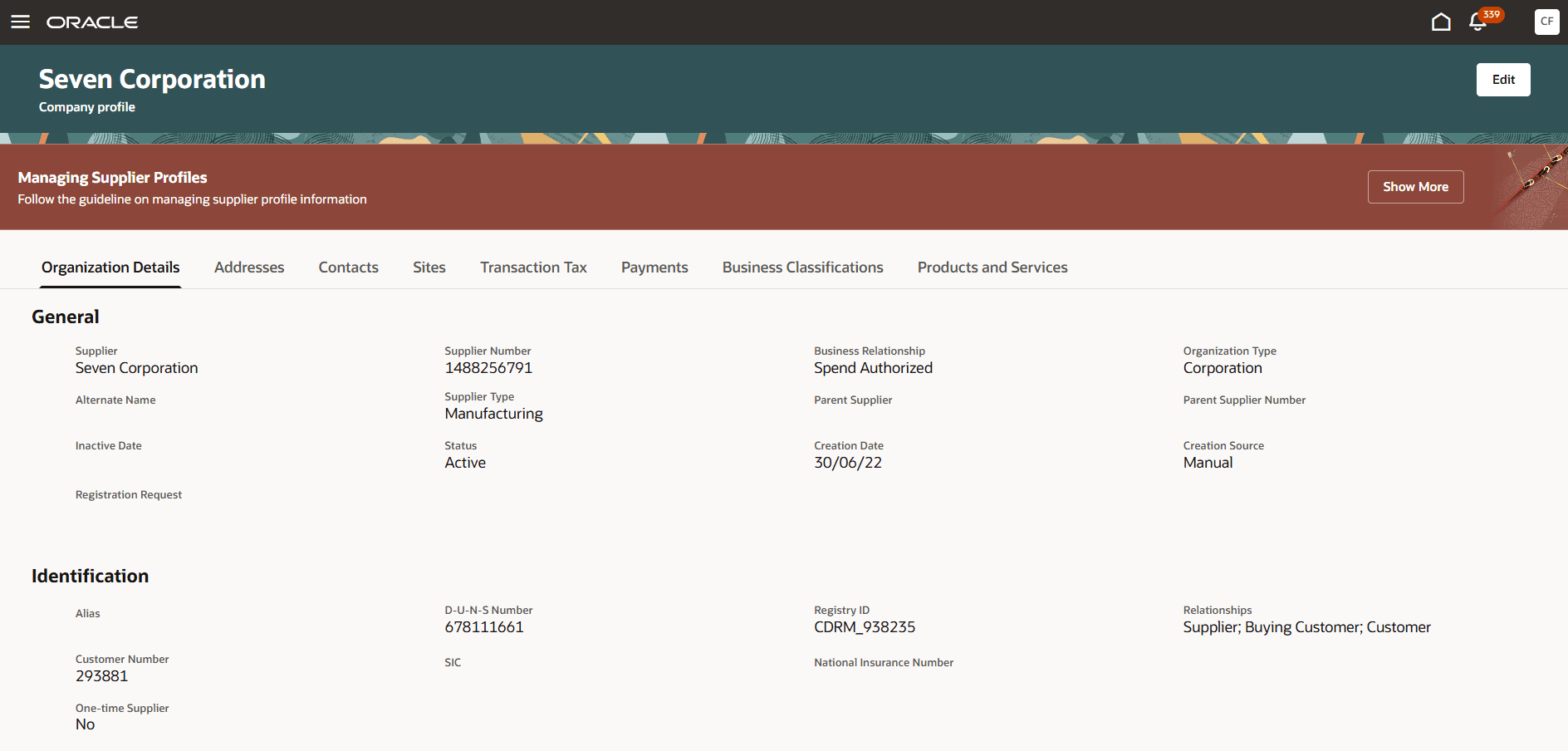
The procurement layer of Oracle Fusion Cloud ERP: self-service requisitions with catalogs and punchout, purchasing, receiving, and invoice matching and payment in Oracle Fusion Payables.
Oracle Fusion Cloud Procurement is the procurement layer of Oracle's ERP: self-service requisitions, purchasing and receiving, with invoice matching and payment in Fusion Payables.
Oracle: what the entry price buys. Oracle's October 2026 global price list shows Fusion Procurement at 625 USD per named user per month with a minimum of 10 users, and Self Service Procurement at 8 USD per user per month with a minimum of 100. Contracts are negotiated, so treat the list price as a starting point for discussion.
Oracle: what costs extra. Matching and payment run in Fusion Payables, which is a separate part of the ERP, and reviewers describe needing a strong implementation team.
Oracle: accounting or ERP sync. It's part of Oracle Fusion Cloud ERP and SCM. Oracle Business Network handles B2B messages for POs, changes, ship notices and invoices. We couldn't verify use with a non-Oracle ERP.
Oracle: who runs it. An ERP team. Requesters shop in local catalogs, punch-out sites or smart forms, and matching can be 2-way, 3-way or 4-way with tolerances per supplier site. Emailed invoices are read by Intelligent Document Recognition.
- you already run Oracle Fusion Cloud ERP and want procurement on the same supplier, item and accounting data
- you need 4-way matching for goods that pass inspection
- you don't run Oracle Fusion ERP, since matching and payment live in Fusion Payables
- you want a light tool you can roll out without an implementation partner
- Users like
- Broad, industry-ready procurement functionality and automated invoice processing.
- Users dislike
- A non-intuitive interface and errors that are hard to follow without a strong implementation team.
- Source: Gartner Peer Insights, 104 reviews
Price and what reviewers say
Oracle's global price list (dated October 8, 2026) is a software investment guide, not a quote, and the dedicated pricing page returns a 404 (checked October 22, 2026). Gartner Peer Insights shows 4.4 out of 5 from 104 ratings. Reviewers praise broad, industry-ready procurement functionality and automated invoice processing, and criticize a non-intuitive interface and errors that are hard to follow without a strong implementation team.
- Starting price
- List price 625 USD per named user per month for Fusion Procurement (minimum 10 users); Self Service Procurement 8 USD per user per month (minimum 100), per Oracle's October 2026 global price list; contracts are negotiated
- Matching
- 2-way, 3-way or 4-way, tolerances per supplier site
- Payment
- Oracle Fusion Payables
- Supplier registration
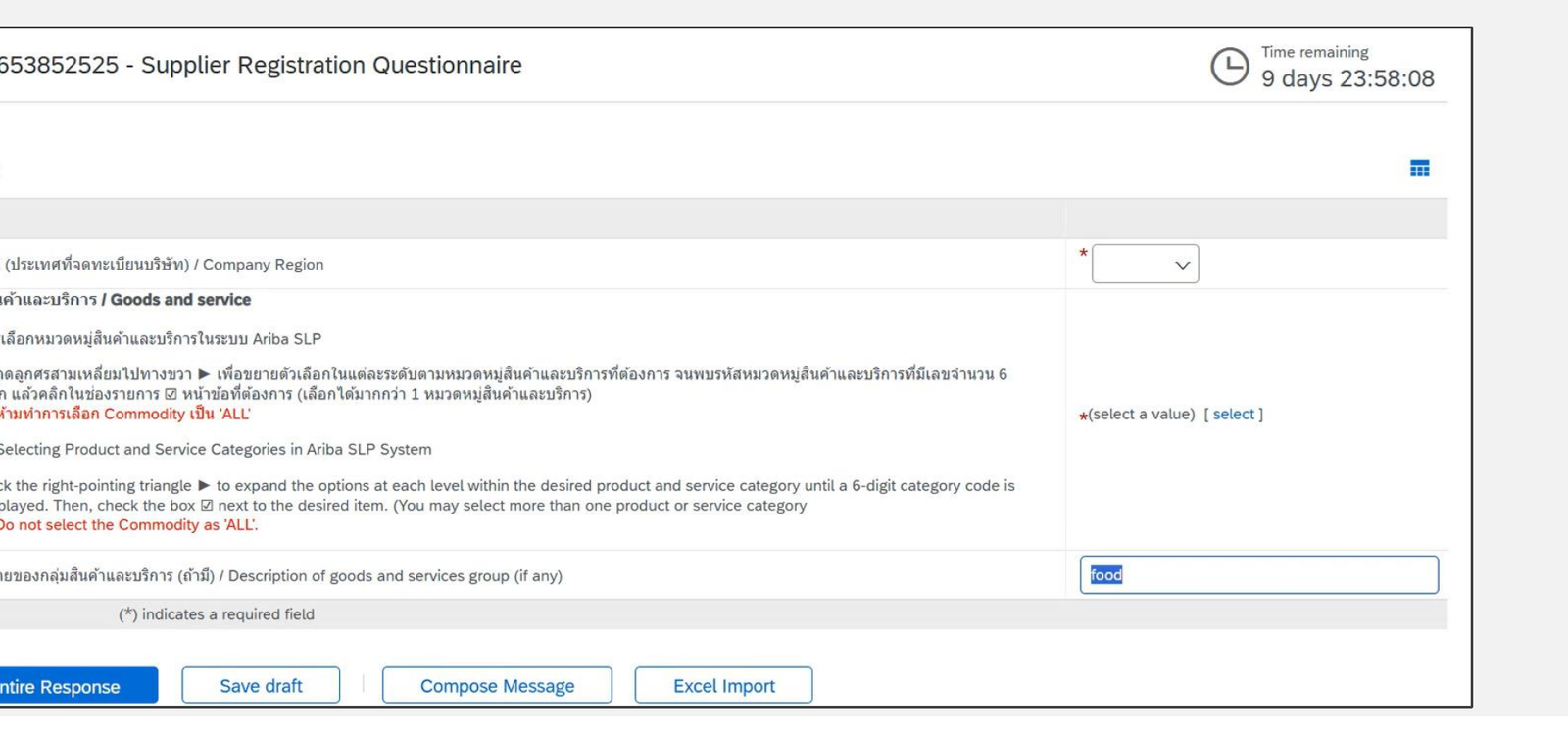
- Registration requests go through configurable approval, with questionnaires driven by qualification rule sets
- Supplier types
- Prospective and spend authorized suppliers
IT procurement software: buying software and SaaS
IT procurement software is procurement software used to buy hardware, software licenses and SaaS subscriptions. The tools above handle these purchases like any other, and the difference is in what follows. Hardware is received once. A SaaS subscription renews, often automatically, and the person who approved it may have left by the time the notice date arrives.
That changes what to check in a demo:
- IT and security review: can the request route to IT or security before approval? Zip's intake screen shows IT review and legal review steps, and Procurify offers Guided Intake as an add-on.
- Renewal visibility: does the tool show when a contract renews? Spendesk lists a contract and renewal dashboard with renewal alerts, Procurify sells Contracts as an add-on and Zip has an intake template for initiating a renewal.
- Notice date versus renewal date: these are different dates. Procurify's own standard terms of August 1, 2026 set a 60-day renewal notice, which is a reminder that the tool you buy has a notice date too.
What the ten pages we read don't describe is who decides, before the notice deadline, whether to renew, renegotiate or cancel. That decision involves the business owner who uses the tool, Finance and IT. Our guides on contract renewal notice periods and the contract renewal checklist cover the manual process.
How much does procurement software cost?
Most procurement software costs whatever the vendor quotes. Four of the ten tools publish a price for the procurement product: Tradogram from $99 per month, Precoro from $499, ProcureDesk from $830 and Oracle at a list price of 625 USD per named user per month. Ramp publishes plan prices for cards and bill pay but not for its Procurement add-on. Zip, Procurify, Spendesk, Coupa and SAP Ariba sell by quote.
| Tool | What the vendor publishes (USD unless noted) | What the price leaves out (USD where stated) |
|---|---|---|
| Tradogram | Essentials from $99 per month, $950.40 per year | Requisitions, receiving, budgets, custom approvals and ERP sync are add-ons; extra users $32 |
| Precoro | Core from $499 per month, Automation from $999, billed annually | Real-time budget tracking isn't on Core; ERP systems are on Enterprise |
| ProcureDesk | Startup $830 per month with 10 users, Growth $1,250 with 20 | Extra users $20 per month; Enterprise is quote only |
| Procurify | Custom quote, driven by Pro users | AP, Expense & Card, Guided Intake and Contracts are add-ons |
| Zip | Custom buyer quote | Budgets, Global Payments and Vendor Cards are add-ons |
| Ramp | Free $0, Plus $15 per user per month plus a platform fee | Procurement add-on price isn't published |
| Spendesk | Platform fee plus transaction fees, no amounts shown | Currency isn't stated |
| Coupa | Custom buyer quote | No public US rate card |
| SAP Ariba | Price upon request, priced on processed spend | Supplier-side fees depend on account type |
| Oracle Fusion Procurement | 625 USD per named user per month, minimum 10 users | Matching and payment run in Fusion Payables |
Free procurement software is limited. Ramp's Free plan costs $0 and includes approval workflows and bill pay, but purchase orders and three-way matching need the Procurement add-on. We found no free plan for the other nine. Two quotes only compare when they cover the same modules, users and implementation scope, so ask each vendor to list what its quote includes.
How to choose procurement software
Choose procurement software by the problem that costs you most today. If requests arrive by email and chat, intake and approvals come first. If invoices get paid without a PO, matching and receiving matter. If approvals stall, look at routing rules and mobile approval. Then test each shortlisted tool against that problem with your own data.
Check these points in every demo:
- Show a purchase request from your team, from submission to approved PO
- Show what the entry plan includes and which of these steps are add-ons
- Show the sync to your accounting system with a real PO, not a slide
- Show what happens when a request exceeds budget or an approver is away
- Show how a software or SaaS purchase is routed to IT or security
- Show where the renewal date of a contract is stored and who is alerted
- Ask who configures the tool, how long rollout took for a team your size and what it costs
Rollout time is the least documented point. The pages we read don't state an implementation time for Tradogram, Precoro, ProcureDesk, Procurify, Zip, Ramp, Spendesk, Coupa or SAP Ariba, and Gartner Peer Insights reviewers of Oracle describe errors that are hard to follow without a strong implementation team. Ask each vendor for a written rollout plan for a team of your size, including who on your side configures approvals and the accounting sync.
A small team that raises a few purchases a month may not need a platform at all. Spreadsheets and shared inboxes work until approvals, budgets or a second approver enter the picture, which is usually when a $99 to $830 tool starts to pay for itself.
After the purchase order: the renewal decision
A purchase order ends when the goods arrive and the invoice is paid. A software contract keeps going: it has a term, a notice period and a renewal date. The procurement tools above document how a request becomes an order, and the pages we read don't describe who decides the renewal before the notice date. The Procurement Manager is a small tool for that one job. It routes each contract renewal to the business owner, Finance and IT and produces one decision packet with the exact dates and source evidence before the notice deadline. It isn't a procurement suite, it doesn't create purchase orders and it never cancels anything on its own. Use it next to a procurement tool if software renewals are where your savings leak.
Frequently asked questions
What is procurement software?
Procurement software is a tool that manages how a company buys. It handles the purchase request, the approval, the purchase order, the receipt and, in most tools, the supplier invoice. Some products add sourcing events, supplier records or contracts.
What is the difference between purchasing software and procurement software?
Purchasing software handles the transaction: a request, an approval and a purchase order. Procurement software is the wider process, which can include supplier selection, sourcing and contracts. Vendors often use the words interchangeably, and most tools here do the purchasing job first.
How much does procurement software cost?
Procurement software costs mostly a quote. The published starting points are Tradogram at $99 a month, Precoro at $499, ProcureDesk at $830 and Oracle at 625 USD per user, and each leaves things out, as the cost table above shows.
Is there free procurement software?
Free procurement software covers only part of the job in the tools we checked. Ramp has a Free plan at $0 per user with approval workflows and bill pay, but purchase orders and three-way matching need its Procurement add-on. Tradogram's cheapest plan is $99 per month.
What is the best procurement software for small business?
The best procurement software for a small business is one of Tradogram, Precoro or ProcureDesk, which publish prices from $99, $499 and $830 per month and sync to QuickBooks or Xero. Check what the entry plan excludes: Tradogram sells requisitions as an add-on and Precoro puts real-time budget tracking on its $999 plan.
What is IT procurement software?
IT procurement software is procurement software used to buy hardware, software licenses and SaaS. The difference is renewals: a subscription renews, often automatically, so the tool should show renewal dates and route requests to IT or security review before approval.