The best spend management software depends on who owns the spend you can't see today. If purchasing runs through procurement, Coupa, Zip, Procurify and Precoro stop a request before it commits budget. If spend runs on cards and bills, Ramp, Brex and Spendesk set limits and show it live. If employee expenses and travel dominate, SAP Concur is built for that.
Spend management software lets a company plan, control and report on what it spends. It sets budgets and approval rules before a purchase is made, controls the payment (a PO, a card limit, a bill match) when it happens and reports on it afterward. We compared eight tools on those three control points using each vendor's own documentation, and we mark every capability a vendor doesn't document.
- tools compared
- 8
- control points checked per tool
- 3
- publish a price
- 4
- Pick by who owns the spend. Coupa, Zip, Procurify and Precoro start at the purchase request. Ramp, Brex and Spendesk start at the card and the bill. SAP Concur starts at the expense report.
- Only four of the eight publish any price: Precoro, Ramp, Brex and SAP Concur. Coupa, Zip, Procurify and Spendesk quote on request.
- None of these tools tracks when a contract must be cancelled. Spend reports show what you paid, not the notice deadline for what renews next.
Our picks by who owns the spend
A tool that fits a procurement team's approval chain is the wrong tool for a finance team that wants card limits, and the reverse is also true. These picks follow that split.
 Best for enterprise indirect buyingCoupaBudget meters before commitment and a documented hard stop on requisitions over budget.
 Best for department budgetsProcurifyBudgets by department and account code, with an approval setting that blocks over-budget requests.
 Best for a published pricePrecoroA published starting price and an Overbudget approval step that fires only when a budget is exceeded.
 Best for cards and bills on one platformRampCards, expenses and bill pay on a plan that starts at $0 per user.
 Best for committed spend in mid-sized teamsSpendeskApproved POs create a budget commitment, shown as committed spend until invoices are validated.
 Best when expenses and travel dominateSAP ConcurE-receipt capture, travel and automated flagging of noncompliant expense reports.
 Our product · for the renewal behind the spendThe Procurement ManagerCovers the gap these tools leave: the renewal decision before the contract notice deadline.
What spend management software covers
Spend management software is a system that controls and reports on company spending across purchases, supplier bills, cards and employee expenses. It works at three points: before the spend (a request, a budget check, an approval), at the spend (a purchase order, a card limit, a payment) and after it (categorization and reporting).
The scope differs a lot between tools, because each started from a different spend type. The table below shows which spend types each vendor describes on its own pages. "Yes" means the vendor documents it. "Add-on" means it's a separately priced module. "Not described" means we didn't find it, which isn't the same as "the tool can't do it", so treat each one as a demo question.
| Tool | Purchase orders | Supplier bills | Corporate cards | Employee expenses | Travel |
|---|---|---|---|---|---|
| Coupa | Yes | Yes | Not described | Not described | Not described |
| Zip | Yes | Yes | Vendor Cards add-on, no detail | Not described | Not described |
| Procurify | Yes | Add-on | Add-on | Add-on | Request type only |
| Precoro | Yes | Yes, matched to POs | Prepaid virtual cards for invoice payments | Not described | Not described |
| Ramp | Procurement add-on | Yes | Yes | Yes | Yes |
| Brex | Request type only | Yes | Yes | Yes | Yes |
| Spendesk | Yes, as purchase requests | Yes | Yes | Yes | Not described |
| SAP Concur | Purchase Request module, no detail | Yes, as Invoice | Not described | Yes | Yes |
Spend management vs expense management
Expense management handles money employees spend first and claim back: receipts, reimbursements and card statements. Spend management is wider. It also covers what the company buys through purchase requests and POs and what suppliers bill it, so the control starts before the money moves. Expensify, Zoho Expense, Rydoo and Emburse show up in related searches for this keyword, but they're expense-focused, so we left them out. SAP Concur is in because it also handles supplier invoices and purchase requests. Our procurement software comparison places spend management next to purchasing, sourcing and contract tools.
Spend management software compared
The table shows what each tool is, what it hands to the rest of your stack, its price status and the review rating we could read. Review sources differ because G2 and Capterra blocked some direct reads, so the source and scale sit in each cell.
| Tool | Type | What it hands off | Price status (USD) | Review rating |
|---|---|---|---|---|
| Coupa | Enterprise spend management and procurement | Guided buying, prioritized approval chains, POs sent to suppliers | Custom buyer quote; no public US rate card verified | 7.2/10 (TrustRadius, 168) |
 Zip | Intake-to-procure orchestration | One intake form, cross-functional approvals, POs synced to the ERP | Custom buyer quote; no public US rate card verified | 4.7 (Capterra, 32) |
| Procurify | Procurement and procure-to-pay | Approved requests to POs, receiving, AP and contract records | Custom quote for Purchasing plus products, add-ons, Pro users and integrations | 4.6 (GetApp, 208) |
| Precoro | Procurement and AP for mid-sized teams | Requests, multi-step approvals with thresholds, POs and 3-way match | From $499 per month, billed annually (Core) | 4.7 (222) |
| Ramp | Spend management with bill pay and a procurement add-on | Intake, approvals, auto-generated POs, item receipts, 3-way match and bill payment | Free: $0/mo/user; Plus: $15/mo/user + platform fee based on team size (save 20% with annual billing); Enterprise: Custom. Procurement is an add-on to Plus or Enterprise, price not published | 4.8 (2,274) |
 Brex | Corporate cards and spend management | Request, review chain, card or bill payment, real-time budget report | Essentials $0/user/mo; Premium $12/user/mo; Enterprise and Smart Card custom | 4.8 (1,647) |
| Spendesk | Spend management with purchase requests, cards and invoices | Purchase request, committed budget, card or invoice payment, audit trail | Not published; the pricing page names a monthly platform fee plus transaction fees without amounts or currency | 8.1/10 (TrustRadius, 17) |
| SAP Concur | Expense, travel and invoice management | Expense report or invoice, approval routing, audit rules, payment | Expense Base listed as $7 per report and Plus as $11 per report (currency not named on the page); Premium, Invoice and Travel by quote | 4.3 (GetApp, 2,267) |
| The Procurement Manager Our product | Contract renewal decisions | Routes renewal reviews to the business owner, Finance and IT before the notice deadline | From $49 per month, flat, no per-seat fees (Starter, up to 50 contracts) | No reviews yet |
Prices checked on vendor pages on October 27, 2026 (Coupa, Zip, Procurify, Ramp, Precoro between October 20 and 24). Rating sources and scales differ by tool.
How we compared the control points
We compared the control points of every tool on the same three questions, and each entry answers them in the order of a purchase.
- Before the spend: what stops a request that is over budget, off contract or missing an approver, and what the approver sees when deciding.
- At the spend: how the commitment is controlled, through a PO, a card limit or a bill match.
- After the spend: what reporting shows, and whether it tells you about the next renewal or only the last payment.
Procurement-led suites
Coupa, Zip, Procurify and Precoro start from the purchase request. They are strongest when most spend is bought from suppliers through POs, and they're weakest when your problem is employee cards and reimbursements.
Coupa
Enterprise source-to-pay suite whose requisitions run through guided buying, punchout and prioritized approval chains with budget meters.
Coupa is the heavyweight of this list: an enterprise suite that blocks an off-contract or over-budget purchase at the requisition and reports on what was spent.
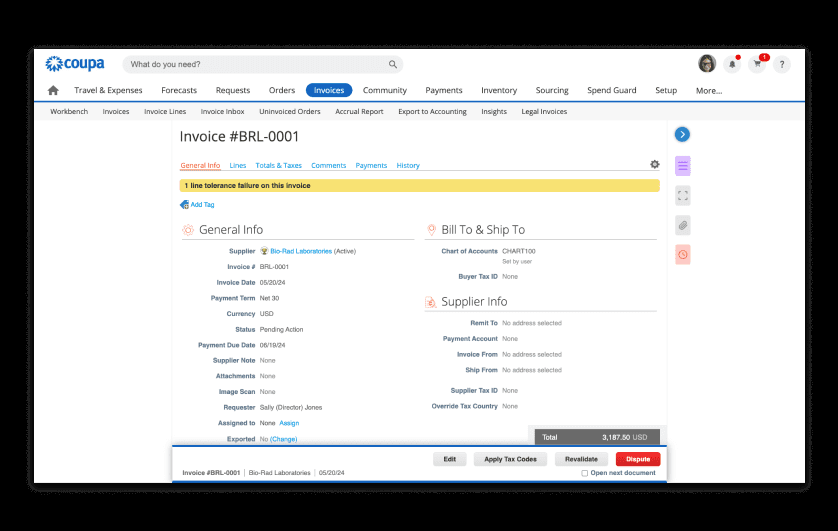
Before the spend. Guided intake steers requesters to preferred suppliers and contracted items, and contract terms apply at the time of purchase. Budget meters show the remaining budget per budget item before anyone commits. Coupa's budget documentation lists a setting that blocks a requisition from being submitted when it would exceed the budget, and another that makes the budget owner an approver on every requisition or only when the budget is exceeded. Requisitions can be approved by email or on mobile. We didn't read the approval chain setup itself.
At the spend. Coupa Pay covers ACH, digital check, wallets and virtual cards, or hands payment back to the ERP. Requisitions become POs and invoices are matched to them inside the suite.
After the spend. Out-of-the-box dashboards, KPI benchmarking against customer-contributed data and prescriptive savings insights are listed. Budget overrun can be calculated on approved requisitions only or on approved plus pending ones, which changes what the report says.
Fit with the stack. Budget lines, accounts and requisitions load by CSV, SFTP or API. Named ERP connections are SAP, Oracle, NetSuite, Dynamics, Workday, QuickBooks and Xero.
- large enterprise with indirect buying that needs budget meters before commitment and a hard stop on requisitions over budget
- you want requisition, PO, invoice matching and payment in one suite with ERP sync
- you're a small or mid-sized team that needs a published price, since Coupa sells by quote only
- you run blanket POs or direct procurement: reviewers report poor fit and heavy SAP integration work
- Users like
- Approval routing and spend compliance for indirect buying, with clear purchase limits per person.
- Users dislike
- Heavy integration work with ERPs such as SAP, and a supplier portal that confuses vendors asked to create profiles.
- Source: TrustRadius, 168 ratings
Price and what reviewers say
Coupa publishes no price and sells by quote. Our Coupa pricing guide explains what drives the quote. On TrustRadius reviewers rate Coupa 7.2 out of 10 from 168 reviews, and that score covers the whole platform, not only spend control. Reviewers praise easy configuration, visibility and control over spend and customizable approval routing. The recurring complaints are heavy integration work with SAP, weak fit for blanket POs and direct procurement, and a clunky supplier portal. We read that review summary on October 22.
- Starting price
- Custom buyer quote; no public US rate card verified
- Standard supplier portal
- Free for suppliers; Coupa Advanced is a paid supplier tier (SSO, API, QuickBooks and NetSuite sync)
- Buyer-side platform
- No verified public universal USD rate
- Requisition API
- Create and submit for approval
- Process Automator
- Document events and API call outs
- Supplier join
- Buyer invitation (link expires after 30 days), self-registration or a PO email
- Budget meters
- Show remaining budget per budget item before commitment
- Hard stop
- A budget-line setting blocks requisition submission over budget
- Dashboards
- Out-of-the-box dashboards, KPI benchmarking and savings insights
Zip
Intake and procurement orchestration that puts one request front door and cross-functional approvals on top of an existing ERP.
Zip puts one request front door in front of whatever ERP you run, and its Budgets add-on shows the approver how much budget is left.
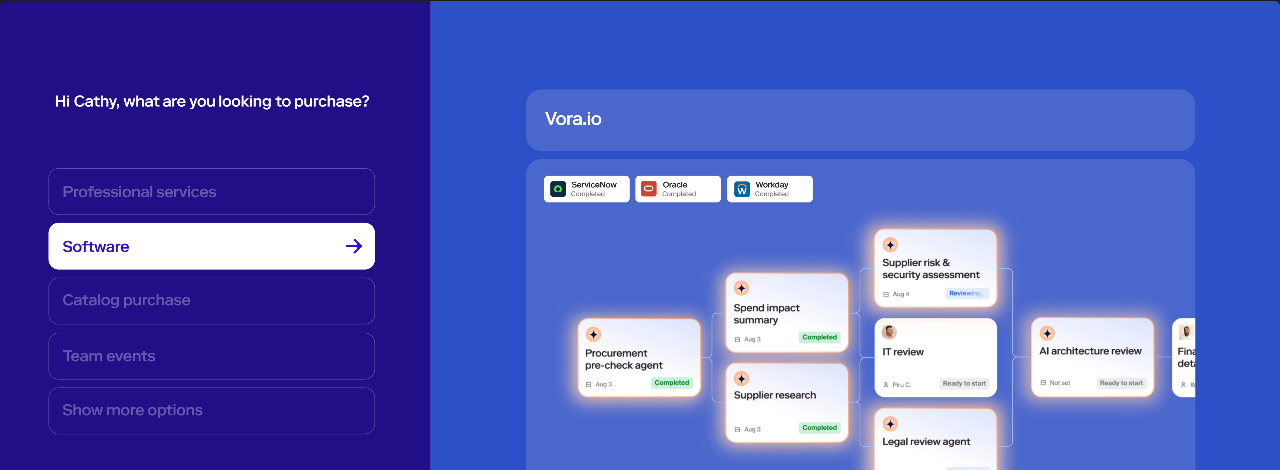
Before the spend. Every purchase starts as a plain-language request on one intake form and goes through no-code approval workflows with dynamic approvers chosen by queues and hierarchies. With the Budgets add-on, the approver sees the remaining budget during approval. Budget views can combine fields such as department, category or vendor, and project-based budgets are supported. A request tied to a pre-approved budget can move forward automatically, and a fully consumed budget can trigger extra review. Budget owners get alerts when a budget is nearly or fully used, and budgets can sync from ERP and FP&A tools. The workflow page doesn't name the fields that drive routing.
At the spend. Fully approved requests generate POs with projected spend. An Invoice Review Agent flags duplicates and PO tolerance breaches before an invoice goes to approval. The Global Payments add-on pays by bank transfer, wire, check or virtual card in 140+ countries, with US payment services provided via Airwallex.
After the spend. Zip's pages mention PO and projected spend tracking, accrual visibility, change-order forecasting, an audit trail and real-time budget visibility. They don't describe specific dashboards.
Fit with the stack. ERP syncs include NetSuite, SAP, Oracle, Workday, Sage Intacct, Dynamics and QuickBooks, plus Concur, Brex, Stripe, Coupa and SAP Ariba, REST APIs and flat files.
- you want the remaining budget shown at the moment of approval, with pre-approved budgets fast-tracked
- you want one front door for purchasing that feeds POs, invoice coding and payments, with ERP syncs to NetSuite, SAP, Oracle or Workday
- you need employee expense reports or SaaS spend tracking, since Zip's pages describe neither
- you need a published price or standalone reporting: pricing is demo-only and reviewers call reporting limited
- Users like
- Workflows that are easy to configure, with every requester able to see where a request stands and which steps remain.
- Users dislike
- Reporting is the weak area for several reviewers, and one said misconfigured routing sent approvals to the wrong person.
- Source: Capterra, 32 reviews
Price and what reviewers say
Zip has no public price and sells through a demo request. Our Zip pricing guide covers what is known. On Capterra reviewers rate it 4.7 out of 5 from 32 reviews. We carried that number over from an October 22 read because Capterra blocked a re-read on October 27. Reviewers praise workflows that are easy to configure and change, a front end requesters find easy to use and responsive support. The recurring complaint is limited reporting, including on the invoice side, and one 2026 review (2 of 5 stars) reports bugs, misrouted approvals and accounting sync issues.
- Starting price
- Custom buyer quote; no public US rate card verified
- ERP sync
- Oracle, NetSuite, SAP, Workday, Dynamics 365, QuickBooks
- Budgets
- Add-on
- Intake
- Plain-language request to form and approval
- P2P
- PO and invoice workflows
- Payments
- Global Payments is listed as add-on
- Budgets add-on
- Shows remaining budget during approval; owners get alerts when a budget is nearly or fully used; can sync from ERP and FP&A tools
- Global Payments
- Bank transfer, wire, check or virtual card in 140+ countries (add-on)
Procurify
Purchasing-led procurement platform with modular AP, Expense & Card and optional Guided Intake and Contracts. Buyers should verify paid Pro roles and renewal notice ownership.
Procurify is a purchasing-led platform where budgets are built per department and account code and checked while a request is approved.
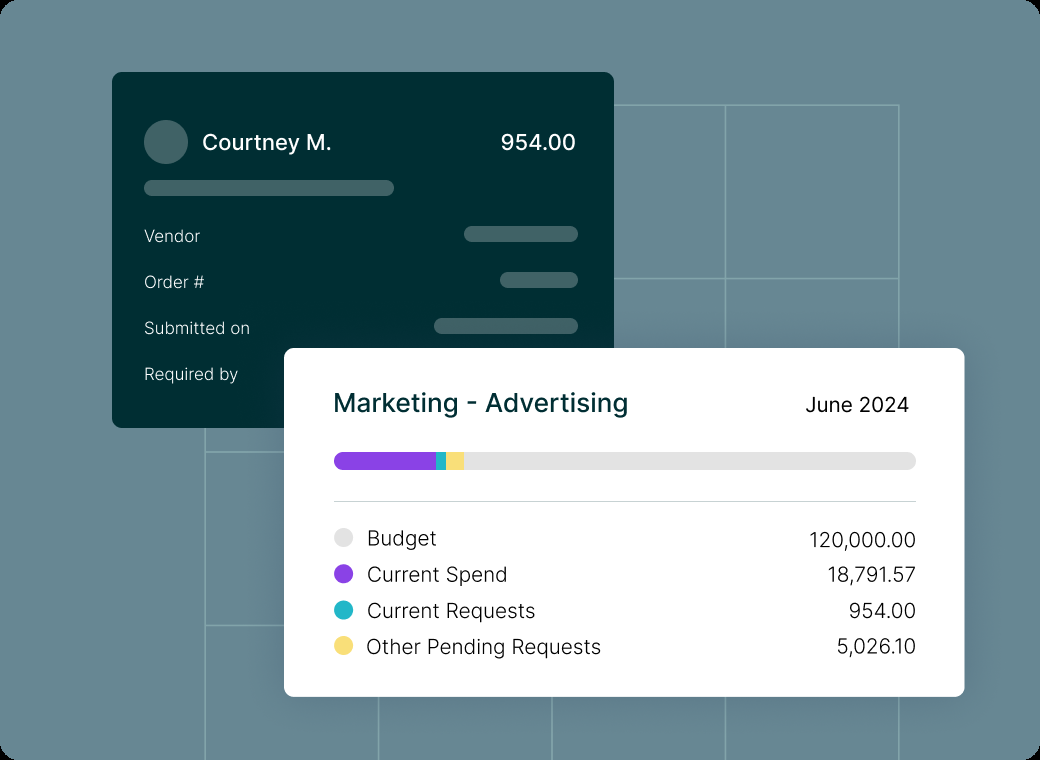
Before the spend. Budgets track spend by department, account code or both, as summary or periodic budgets with date ranges up to 60 months. Pending requests count against the active budget, and approved orders count against the budget that is active when the order is fully approved. Approval routing is set per group with per-user dollar limits. With Budget Overage disabled, approvers can't approve an over-budget request. With it enabled, they get a warning and can approve anyway. Over-budget requests can still be submitted either way.
At the spend. The base Purchasing module covers order requests, POs, catalogs and vendors. Accounts Payable and Expense & Card are priced add-ons. The AP add-on pays bills by ACH, wire or check in the US with approval, including bulk approval of up to 100 payments.
After the spend. The platform page lists budget versus actual dashboards, pre-built reports with drill-down and a Spend Analyst assistant. Renewal or savings tracking isn't described.
Fit with the stack. ERP syncs are NetSuite, QuickBooks Online and Desktop, Sage Intacct and Dynamics 365 Business Central, plus a platform API. Pricing is tied to Pro users, while Basic users who request and receive are unlimited.
- you want a hard stop on over-budget approvals, with budgets built by department and account code
- you want purchasing, bills and cards under one vendor, with AP and Expense & Card as add-ons to the same base
- you need a published price, since the pricing page lists no USD figures and quotes depend on Pro users and add-ons
- you run NetSuite and rely on the sync, because GetApp rates that integration 2.7 from only 3 ratings, so test it first
- Users like
- Reviewers cite an intuitive interface and easier PO management, order tracking and budget control; support is called responsive.
- Users dislike
- GetApp notes occasional integration or customization limits; its NetSuite integration rating is 2.7 from 3 ratings versus 4.5 for QuickBooks Online.
- Source: GetApp, 208 reviews
Price and what reviewers say
Procurify quotes on request, based on the Purchasing plan, add-ons, Pro users and integrations. Our Procurify pricing guide lists what we found. On GetApp reviewers rate it 4.6 out of 5 from 208 reviews. They cite an intuitive interface and easier PO management, order tracking and budget control, and they call support responsive. GetApp notes occasional integration or customization limits.
- Starting price
- Custom quote for Purchasing plus products, add-ons, Pro users and integrations
- Request types
- Order, Expense, Travel, Funds
- Accounting sync
- QuickBooks, NetSuite, Sage Intacct, Business Central
- Published subscription price
- No, quote only
- Basic requesters
- Unlimited
- Pro users
- Price determining user class
- Purchasing
- Required starting product
- Contracts
- Add-on
- Guided Intake
- Add-on
- Renewal notice
- 60 days under standard 2026-08-01 terms
- Budgets
- By department, account code or both, up to 60 months; pending requests count against the active budget
- Budget Overage
- Disabled: approvers cannot approve over-budget requests; enabled: a warning and approval allowed
- Bill payments
- ACH, wire or check in the US through the AP add-on, bulk approval of up to 100 payments
Precoro
Procurement and AP automation for small and mid-sized companies, with published plan prices and per-approver amount thresholds.
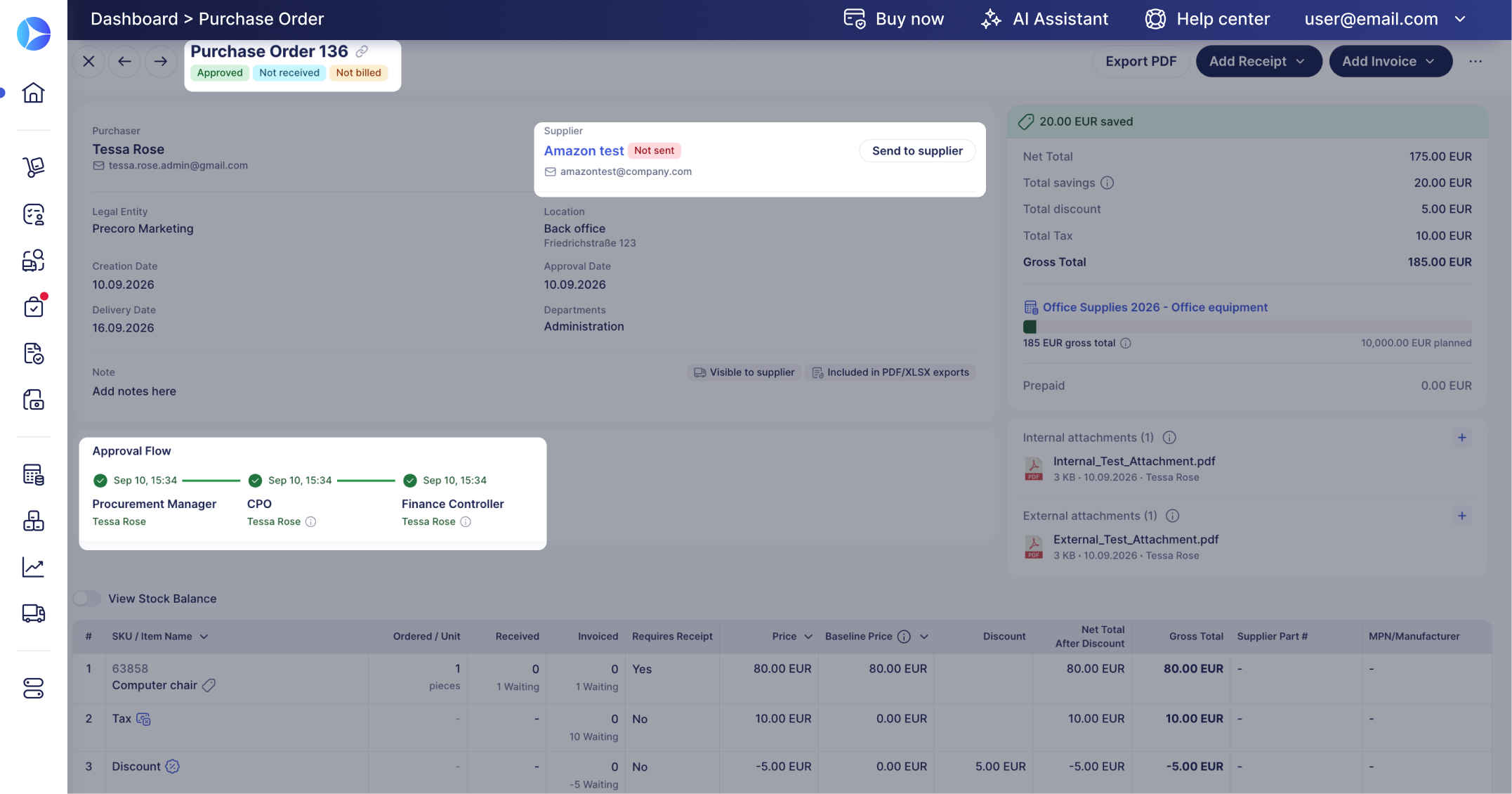
Precoro is the procurement-led option with a price you can read: guided requests, budget-aware approvals and POs, with invoices matched back to POs and receipts.
Before the spend. Requesters, approvers and budget owners see the available budget before ordering, and finance defines budgets across entities and departments and watches commitments before they become spend. Policy rules, preferred suppliers and catalogs steer buyers. Workflows route by budget, department, amount, entity, location or project, and each step can have several approvers with thresholds plus a Direct Manager step. An Overbudget step fires only when a transaction exceeds its budget, and it needs the Budget module active.
At the spend. Buyers order from catalogs, PunchOut stores (Amazon Business, Staples, Grainger) or supplier quotes. Invoices are matched to POs and receipts, as 2-way or 3-way matches with tolerance limits. Invoice payments with prepaid virtual cards are on all plans.
After the spend. A Savings dashboard shows savings and overspend by month and supplier against a baseline price per PO line, with a Savings Rate and Baseline Price Coverage. Custom reports use custom fields across suppliers, entities, departments, projects, requesters and spend.
Fit with the stack. The Core plan lists QuickBooks Online, Xero, Slack and Microsoft Teams. Automation adds API access and SSO, and Enterprise adds ERP systems and custom integrations.
- you want a published price and budget-aware request-to-PO approvals with a documented Overbudget step
- invoices must tie back to POs and receipts with tolerance limits
- you need real-time budget tracking on the cheapest tier, since the pricing page puts it on Automation, not Core
- you need employee expenses, travel or corporate cards: none is documented beyond prepaid virtual cards for invoice payments
- Users like
- G2 reviewer tags list ease of use, the approval process, simplicity and support as top positives.
- Users dislike
- G2 reviewer tags list 'not intuitive', missing features, invoice problems and a learning curve as top negatives.
- Source: G2, 222 reviews
Price and what reviewers say
Core starts at $499 per month billed annually. Automation, which adds real-time budget tracking and intake management, starts at $999 per month billed annually, and Enterprise is custom. On G2 reviewers rate Precoro 4.7 out of 5 from 222 reviews, and GetApp shows 4.8 from 255. Reviewers describe fast, personalized support, customizable approval workflows and a user-friendly interface. The recurring complaints are limited advanced reporting, some integration challenges and occasional workflow limitations.
- Starting price
- From $499 per month, billed annually (Core)
- Next tier
- Automation, from $999 per month billed annually
- Accounting sync
- QuickBooks Online, Xero, NetSuite, Sage Intacct, Business Central
- Real-time budget tracking
- Automation plan ($999/mo) and above, not Core
- Savings dashboard
- Savings and overspend by month and supplier against a baseline price per PO line
- Overbudget step
- Fires only when a transaction exceeds budget and needs the Budget module
Card and finance-led platforms
Ramp, Brex and Spendesk start from the card, the reimbursement or the bill. They give finance live limits and live reporting, but purchase orders and receiving are either an add-on or not described.
Ramp
Ramp combines cards, bill pay and a procurement add-on that turns an approved request into a PO or virtual card and matches bills against POs and item receipts.
Ramp runs cards, expenses, reimbursements and bill pay on one platform, with a plan that starts at $0 per user and a separate procurement add-on for POs.
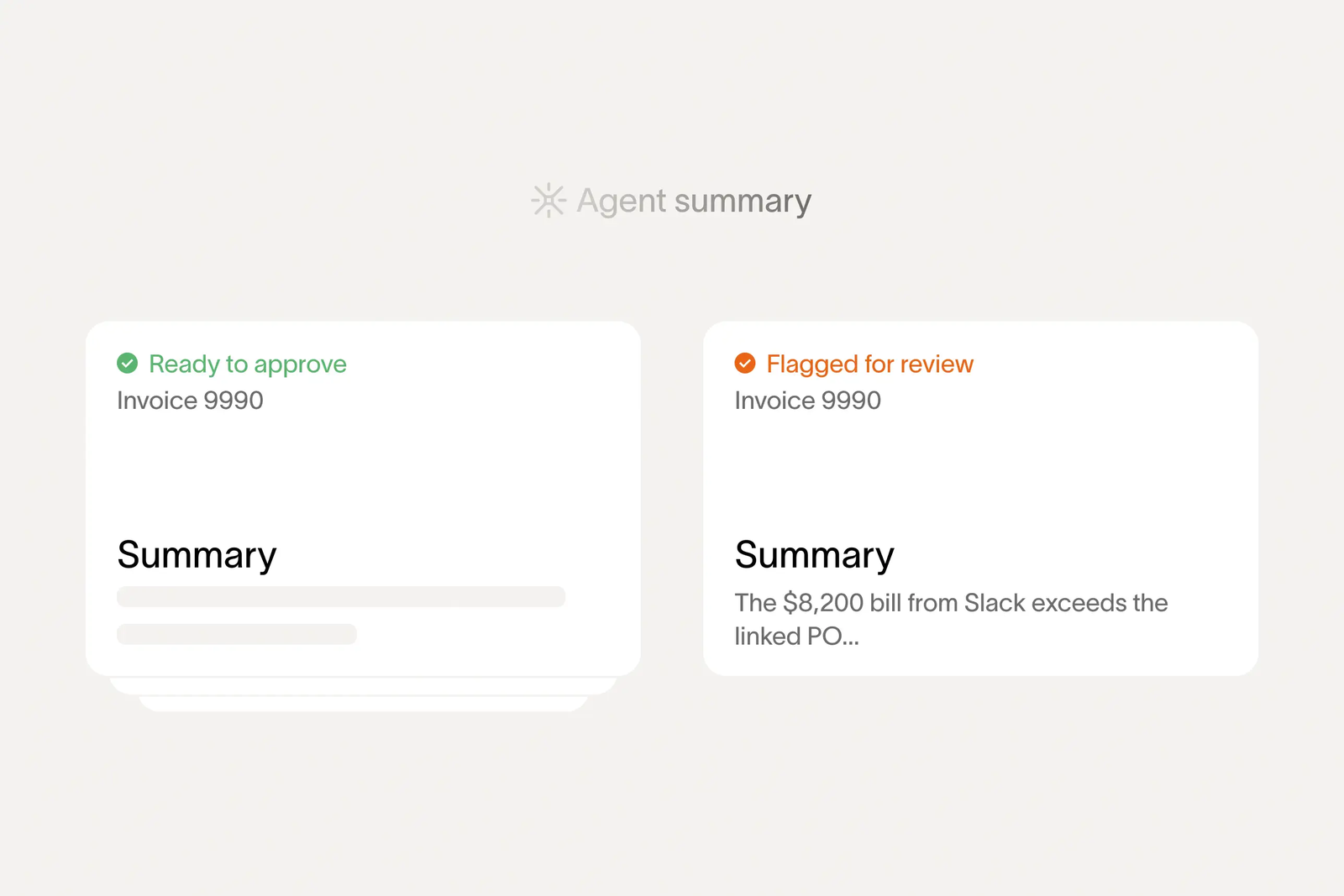
Before the spend. Budgets can be set by department, project or vendor, and the Free plan includes card issuing, category and vendor controls and spend limits. Approval workflows are configurable in Free. Plus routes by GL code, entity, vendor or payment type and adds AI approval recommendations, and it auto-locks cards when receipts are late. The Procurement add-on adds intake forms with conditional questions for each spend program. After full approval a procurement request becomes a PO, and change orders can use a separate policy.
At the spend. Bill pay by ACH, card, check or wire with invoice OCR is in Free, and Plus adds batch payments and payment release approvals. PO management and three-way matching sit in the Procurement add-on.
After the spend. Free includes real-time spend views by card, vendor and department and a custom report builder. Plus adds budgets versus actuals in real time, shared live reports, scheduled exports and an audit log. Ramp's Quick Start article doesn't describe reports.
Fit with the stack. QuickBooks Online and Xero come with Free, NetSuite and Sage Intacct start at Plus, and Workday and Oracle Fusion Cloud are Enterprise.
- you want cards, expenses and bill pay in one tool, starting at a $0 plan with unlimited cards and approval workflows
- budgets versus actuals in real time and an audit log matter, and you accept Plus at $15 per user per month plus a platform fee
- you need PO management or three-way matching without a quote, since both sit in the Procurement add-on with no published price
- you need NetSuite or Sage Intacct sync on a free tier, because those integrations start at Plus
- Users like
- Ease of use, with bill pay and card management in one place.
- Users dislike
- Missing features for complex or global finance setups and receipts that don't always match automatically.
- Source: G2, 2,274 reviews
Price and what reviewers say
Ramp lists Free at $0 per user per month and Plus at $15 per user per month plus a platform fee based on team size, with 20% off on annual billing. The fee amount isn't listed. Enterprise is custom, and the Procurement add-on price isn't published. On G2 reviewers rate Ramp 4.8 out of 5 from more than 2,200 reviews. They praise ease of use and real-time visibility. The recurring complaints are missing features, receipts that don't always match automatically and limited flexibility for complex or global finance setups. We read those themes on October 22.
- Starting price
- Free: $0/mo/user; Plus: $15/mo/user + platform fee based on team size (save 20% with annual billing); Enterprise: Custom. Procurement is an add-on to Plus or Enterprise, price not published
- 3-way match
- Procurement add-on (Ramp POs) or Plus (imported POs)
- Pays vendors by
- ACH, same-day ACH, card, check, wire
- Budgets
- By department, project or vendor; Plus adds budgets versus actuals in real time and an audit log
- Integrations by plan
- QuickBooks Online and Xero in Free; NetSuite and Sage Intacct in Plus; Workday and Oracle Fusion Cloud in Enterprise
Brex
Brex combines corporate cards, expenses, reimbursements, travel and bill pay with live budgets and approval chains. Budget controls and review chains get deeper from Premium upward.
Brex pairs corporate cards with live budgets and request-based approval chains, so a purchase is checked against a budget before the card can be used.
Before the spend. Live Budgets can be set by team, project or merchant category, with alerts and optional automatic restriction. Card limits can be set per employee, department or category and by day, week, month or transaction, and out-of-policy purchases can be declined. Requests come in four types (travel, group travel, procurement and general) with review chains by amount or requester. The default chain is the direct manager and then an admin, and requests below a set amount can be auto-approved.
At the spend. Vendors send invoices by email, Brex extracts the data, approvers are notified, and payment goes out by ACH, wire, check or virtual card. Reimbursements are paid in local currency in 40+ countries. The pages we read describe a procurement request type but not receiving or invoice matching against POs.
After the spend. Real-time spend and budget reports cover cards, reimbursements, travel and payments, with dashboards for pending approvals and policy exceptions.
Fit with the stack. QuickBooks, NetSuite, Xero and Sage Intacct sync in real time. Premium adds customizable ERP and HRIS integrations.
- you want live budgets, multi-level approval chains and per-category card limits, which the pricing page lists from Premium at $12 per user per month
- you want request types with auto-approval thresholds, such as controller sign-off above a set amount
- you need full PO and three-way matching, since the pages we read describe a procurement request type but not receiving or invoice matching
- you need budget hierarchy and delegation below Enterprise, because the pricing comparison places them there
- Users like
- Ease of use and intuitive spend tracking.
- Users dislike
- Declined purchases and categorization errors, and an approval process some reviewers find restrictive for smaller companies.
- Source: G2, 1,647 reviews
Price and what reviewers say
Essentials is $0 per user per month, Premium is $12 per user per month, and Enterprise and Smart Card are custom. On G2 reviewers rate Brex 4.8 out of 5 from 1,647 reviews. They praise ease of use and intuitive spend tracking. The recurring complaints are declined purchases and categorization errors, and an approval process some reviewers find restrictive for smaller companies.
- Starting price
- Essentials $0/user/mo; Premium $12/user/mo; Enterprise and Smart Card custom
- Live budgets
- By team, project or merchant category with alerts and optional automatic restriction; listed from Premium
- Card limits
- Per employee, department or category; daily, weekly, monthly or per transaction
- Request types
- Travel, group travel, procurement and general, with review chains by amount or requester
- Bill pay
- ACH, wire, check or virtual card after invoice extraction and approval
- Accounting sync
- QuickBooks, NetSuite, Xero and Sage Intacct; Premium adds customizable ERP and HRIS integrations
Spendesk
Spendesk puts purchase requests, budgets, approval workflows, corporate cards, invoices and expenses in one platform, and shows committed spend against budget once a PO is approved.
Spendesk combines purchase requests, budgets, approval workflows, cards, invoices and expenses, and shows committed spend against the budget as soon as a PO is approved.
Before the spend. Requesters fill in guided intake forms by request type, team or spend category, and can attach a quote or contract. Approval rules are built in a visual builder under Settings, Company Rules. Nodes use cost center, spend type, expense category or a custom field, with amount ranges. Steps run in order, or any one approver can complete a step, and approvers can be a user, a cost center owner or a reporting manager.
At the spend. When a PO is approved, Spendesk creates a budget commitment on the net amount and shows it as committed spend until the invoices are validated. Cards are physical or virtual, and ordering them is free with no monthly card fees. Invoice payments are supported.
After the spend. Spendesk lists a request pipeline overview, a supplier spend breakdown, committed versus actual spend views, an exportable audit trail and a contract and renewal dashboard with renewal alerts. That dashboard is the only renewal view in this list that comes from a spend tool.
Fit with the stack. Accounting and ERP integrations include Sage, Xero, NetSuite, SAP and Datev, plus HR systems, Slack and an API.
- you're a mid-sized team of roughly 50 to 250 people that wants purchase requests, budgets, cards and invoices in one tool
- you need approval routing by cost center, spend type and amount, with committed spend shown against the budget
- you need a published US dollar price, since the pricing page shows no amounts and no currency
- reporting depth matters most: a displayed review notes limited historical data access, and advanced workflows sit in paid add-ons
- Users like
- The two review texts shown praise PO approvals, the Slack integration and an intuitive reimbursement and card flow (small sample).
- Users dislike
- One displayed review names weak reporting and historical data access, and approvals stalling when an approver is on holiday (one reviewer).
- Source: TrustRadius, 17 ratings
Price and what reviewers say
Spendesk doesn't publish prices. Its pricing page names a fixed monthly platform fee plus transaction fees for card purchases, invoice payments and expense claims, with no amounts and no currency, and it shows no active-user fees. On TrustRadius reviewers rate it 8.1 out of 10, but from only 17 reviews, and we could see just two review texts. Those praise PO approvals, the Slack integration and an intuitive reimbursement and card flow. One names weak reporting and historical data access, and approvals stalling when an approver is on holiday. Treat that as a small sample.
- Starting price
- Not published; the pricing page names a monthly platform fee plus transaction fees without amounts or currency
- Request intake
- Guided forms by request type, team or spend category, with quote or contract upload
- Budget commitment
- Created on the net amount when a PO is approved, shown as committed until invoices are validated
- Approval builder
- Nodes by cost centre, spend type, expense category or custom field, with amount ranges
- Contract dashboard
- Renewal alerts and a contract and renewal dashboard
- Integrations
- Sage, Xero, NetSuite, SAP, Datev, Slack and an API
Expense, travel and invoices
One tool in this list starts from the employee expense report, which is still a large share of spend in many companies.
SAP Concur
SAP Concur covers employee expenses, travel and supplier invoices with configurable approval routing, audit checks and budget features. Public pricing is per expense report on the entry tiers; invoice, travel and request modules are sold by quote.
SAP Concur is the long-standing choice when employee expenses and travel make up much of the spend, and it adds supplier invoices and purchase requests as modules.
Before the spend. Product pages list Purchase Request, Trip Approval and Budget as modules, but without detail on the pages we could read. The help center, as summarized in search results, describes budget setup with a fiscal calendar and budget items per owner and currency, plus audit rules based on remaining amount and a control limit. Expense routing can be manager-only or forwarded above a limit, with per-manager approval limits and an optional budget approval step before the processor step. We couldn't open those help pages directly, so check this in a demo.
At the spend. Concur Invoice checks invoices against purchase orders and receipts in real time, flags discrepancies and then moves approved invoices through payment workflows. Expense reports cover airline, hotel and ground e-receipts plus foreign exchange and VAT.
After the spend. Concur Detect uses AI and machine learning to flag noncompliant expense reports, and Intelligent Audit offers outsourced audits. Analytics and Intelligence are listed as products but not described on the pages we read.
Fit with the stack. The Expense page names SAP, ADP, NetSuite, QuickBooks, Xero, Egencia and TripLink. The Invoice page cites over 300 pre-built connectors and open APIs.
- employee expenses and travel are a major share of spend and you want e-receipt capture, FX and VAT handling and automated flagging of noncompliant reports
- you need SAP or NetSuite connectivity at volume, with PO and receipt matching on invoices
- you need transparent pricing for the full suite, since only the Expense Base and Plus per-report prices are listed
- you want a modern, easily self-configured purchasing workflow: reviewers cite an outdated interface and complex customization in large organizations
- Users like
- Reviewers say it streamlines expense tracking, approvals and reimbursement, with useful mobile receipt capture and travel integration.
- Users dislike
- Reviewers call the interface outdated with a steep learning curve, and say customizing forms and workflows is complex in large organizations.
- Source: GetApp, 2,267 reviews
Price and what reviewers say
The pricing page lists Expense Base at $7 per report and Plus at $11 per report, without naming the currency. Premium, Invoice and Travel are by quote. On GetApp reviewers rate Concur Expense 4.3 out of 5 from 2,267 reviews. They say it streamlines expense tracking, approvals and reimbursement, with useful mobile receipt capture and travel integration. The recurring complaints are an outdated interface with a steep learning curve and complex customization of forms and workflows in large organizations.
- Starting price
- Expense Base listed as $7 per report and Plus as $11 per report (currency not named on the page); Premium, Invoice and Travel by quote
- Modules
- Expense, Travel, Invoice, Purchase Request and Three-Way Match
- Audit
- Concur Detect uses AI and machine learning to flag noncompliant expense reports
- Approval routing
- Manager-only or forwarded above a limit, with an optional budget approval step (per help-center summary)
- Integrations
- SAP, ADP, NetSuite, QuickBooks, Xero, Egencia and TripLink
How a purchase moves through the control points
Whichever tool you choose, spend passes the same three points. The flow below shows which tools in this comparison document a control at each point and what usually goes wrong when the point is skipped.
- BeforeCheck the request
- Coupa
- Zip
- Procurify
- Precoro
- Spendesk
Breaks when an approver says yes without seeing how much budget is left - AtControl the commitment
- Ramp
- Brex
- Precoro
- Spendesk
Breaks when a card or PO goes out without a limit or a match to the invoice - AfterReport what was spent
- Ramp
- Spendesk
- SAP Concur
- Precoro
Breaks when the report shows the last payment, not the next renewal
How much does spend management software cost?
Spend management software usually costs a per-user fee, a platform fee or a custom quote, and only four of the eight tools here publish any price. Ramp and Brex start at $0 per user per month and charge for deeper controls. Precoro starts at $499 per month. SAP Concur lists per-report prices for its entry expense tiers. Coupa, Zip, Procurify and Spendesk quote on request.
| Tool | What the vendor publishes | What changes the bill |
|---|---|---|
| Coupa | Custom quote | Modules, entities and ERP integration |
| Zip | Demo request, no price | Add-ons such as Budgets and Global Payments |
| Procurify | Custom quote, no USD price | Pro users, AP and Expense & Card add-ons, integrations |
| Precoro | From $499 per month billed annually | Plan tier: Automation starts at $999 per month |
| Ramp | $0 and $15 per user per month | Platform fee on Plus, Procurement add-on |
| Brex | $0 and $12 per user per month | Premium for live budgets, Enterprise for hierarchy |
| Spendesk | No amounts or currency published | Platform fee, transaction fees, workflow add-ons |
| SAP Concur | $7 and $11 per report (currency not named) | Premium, Invoice and Travel modules |
Two patterns matter when you compare quotes. First, the cheap entry price rarely includes the control you are buying the tool for: live budgets are on Brex Premium, real-time budget tracking is on Precoro Automation, and POs with three-way matching are a Ramp add-on. Second, per-user and per-report prices grow with headcount and volume, while quote-based suites grow with modules and entities. Ask for the price at your own user count and with every control from your checklist switched on.
How to choose spend management software
Choosing spend management software starts with writing down what you want to stop, in two columns: required and desired. Required means a purchase goes wrong without it. Desired means it saves time. Involve IT and finance early, because the ERP sync usually decides the shortlist before features do.
Spend management software features to look for
The features that matter map to the three control points. Before the spend, look for intake forms, budget checks at approval and approval rules by amount, department or spend type. At the spend, look for PO creation, card limits, invoice matching and payment methods that fit your suppliers. After the spend, look for budget versus actual reports, committed spend (what is approved but not yet invoiced) and an audit trail. Across all three, look for a documented sync with your ERP or accounting system, because a control that can't see your ledger only shows part of the spend.
Questions to settle before a demo
- Which spend types do we have, and are they all in the plan we are quoted?
- What happens when a request is over budget: blocked, warned or rerouted?
- Who sees the remaining budget at the moment of approval?
- Which ERP or accounting system do we run, and which plan includes its sync?
- Which controls sit in an add-on or a higher tier?
- Can we see a report of committed spend, not only paid spend?
- What does it cost at our user count with these controls switched on?
- Where do contract renewal dates and notice deadlines live?
A rough split works for a first shortlist. If procurement owns most of the buying and the ERP is the system of record, start with the procurement-led suites and read our procure-to-pay software comparison and purchase requisition software comparison. If most spend is card and bill spend run by finance, start with Ramp, Brex or Spendesk. If you mainly need POs, our purchase order software comparison goes deeper on that one step. If the spend you want to control starts with a competitive event, our strategic sourcing software comparison covers the tools that run RFx events and auctions before the purchase order exists.
From spend report to renewal decision
A spend report tells you what you paid and who approved it. It doesn't tell you when the contract behind that spend must be cancelled or renegotiated. Only Spendesk lists a renewal dashboard among the eight, and none of them records the notice deadline as a decision with an owner. A software subscription can renew at the next term simply because nobody saw the notice date. The Procurement Manager is a small tool for that one job: it routes each contract renewal to the business owner, Finance and IT and produces one decision packet with the exact dates and source evidence before the notice deadline. It doesn't track spend, read contracts or cancel anything on its own. Use it next to a spend tool if renewals are where your budget leaks. Our contract renewal notice period guide and contract management software comparison cover the contract side.
Frequently asked questions
What is spend management software?
Spend management software is a system that controls and reports on company spending. It sets budgets and approval rules before a purchase, controls the commitment through a PO, card limit or bill match, and reports on spending afterward.
What is the difference between spend management and expense management?
Expense management covers money employees spend and claim back, such as receipts and reimbursements. Spend management also covers what the company buys through purchase requests and POs and what suppliers bill it, so control starts before the money moves.
What is the best spend management software for a small business?
The best spend management software for a small business is usually one with a published entry price. Ramp and Brex both list a $0 per user per month plan, and Precoro starts at $499 per month billed annually. Check which controls each plan includes before you decide.
How much does spend management software cost?
Spend management software costs anything from $0 per user per month on Ramp and Brex entry plans to custom quotes for Coupa, Zip, Procurify and Spendesk. Deeper controls such as live budgets, real-time budget tracking and PO matching usually sit in higher tiers or add-ons.
Is spend management software the same as procure-to-pay software?
Spend management software is wider than procure-to-pay software in some tools and narrower in others. Procure-to-pay covers the path from request to payment. Spend management adds budgets, cards, expenses and reporting, and some spend tools skip POs entirely.
Does spend management software track contract renewal dates?
Spend management software generally doesn't track contract notice deadlines. Of the eight tools here, only Spendesk documents a contract and renewal dashboard with alerts. Most teams still need a separate renewal process that assigns an owner before the notice date.