Procure-to-pay (P2P) software is purchasing and accounts payable software that runs the whole buying cycle in one system: a purchase request, its approval, the purchase order, the goods or service receipt, matching the supplier's invoice against the order and receipt, and the payment. The best procure-to-pay software for a mid-market team is usually Procurify or Precoro, Ramp or Tipalti if AP and payments are where the pain sits, Zip if every purchase needs legal, IT and finance review, and Coupa, SAP Ariba or Oracle Fusion Cloud Procurement for enterprises. If you only need the purchase order step, our comparison of purchase order software covers it.
We compared eight P2P tools on the part every vendor listicle skips: how each one closes the chain after the PO is sent. Who records the receipt, how the invoice gets matched and what happens when it doesn't, and whether the tool pays the supplier itself or hands an approved bill to your ERP.
- P2P tools compared
- 8
- stages from request to payment
- 6
- publish a starting or list price
- 4
- pay suppliers from inside the tool
- 6
Our picks by situation
 Best for mid-market teams with many occasional requestersProcurifyUnlimited Basic users, budget checks before approval, and an AP add-on that captures, matches and pays bills.
 Best published price with 3-way matchingPrecoroTwo- and three-way matching with tolerance limits is in the $499 a month Core plan.
 Best if you already run cards and bill pay in RampRampAn approved request becomes a PO or a virtual card, and bills are matched to receipts in the same platform.
 Best for paying suppliers in many countriesTipaltiLine-level tolerances by amount or percentage, and payments to 200+ countries and territories.
 Best for cross-functional purchase approvalsZipOne intake front door with legal, security and finance review, plus AI agents that code and check invoices.
 Best for enterprise indirect spendCoupaGuided buying, over 40 matching tolerance fields and its own payment module.
 Best for SAP-centric enterprisesSAP AribaBuying and invoicing tied to SAP ERP and supplier collaboration through SAP Business Network.
 Best if you run Oracle Fusion Cloud ERPOracle Fusion Cloud ProcurementSelf-service procurement and purchasing on the same data model as Oracle Payables.
What procure-to-pay software covers
P2P software takes a purchase from the moment someone asks for it to the moment the supplier is paid, and records every step so finance can see committed spend before the invoice arrives. The cycle has six stages, and the tools in this list differ most in the last three. Teams that also want budgets, cards and reporting across all spend can start from our spend management software comparison.
The supplier's side of that chain, from registration to payment status, is covered in our vendor portal software guide.
| Stage | What the software does | What to check before you buy |
|---|---|---|
| Request | Collects what's needed, from which supplier, for which budget, often from a catalog or punchout site | Can an occasional requester buy a catalog item without training? |
| Approve | Routes the request by amount, department, category or budget, and shows the budget impact | Does it catch one purchase split into several smaller requests? |
| Order | Turns the approved request into a purchase order and sends it to the supplier | Does the PO go out by email, supplier portal or cXML, and does the supplier confirm it? |
| Receive | Records goods received, partial deliveries and service confirmations | How are services received, and who gets reminded to do it? |
| Match | Compares the invoice with the PO (two-way) or with the PO and the receipt (three-way) within set tolerances | Where do mismatches go, and who owns the exception queue? |
| Pay | Releases the approved invoice for payment | Does the tool pay the supplier, or does it hand the bill to your ERP or bill pay tool? |
Three-way matching is clearly the control that makes P2P worth paying for. An invoice is only cleared when the quantity and price agree with both the PO and the receipt, inside the tolerance you set. That's also why receiving matters. It's easy to skip, but if nobody records the receipt, the invoice sits in a "pending receipt" state and the supplier gets paid late.
Procure to pay vs source to pay, AP automation and ERP purchasing
The labels overlap, so it's easier to sort tools by where their scope starts and ends:
| Tools in this list | Software category | Scope |
|---|---|---|
| Procurify, Precoro, Zip | Procure-to-pay (P2P) software | Request to payment for purchases from existing suppliers |
| Coupa, SAP Ariba | Source-to-pay (S2P) suite | P2P plus spend analysis, sourcing events, contracts and supplier management |
| Tipalti, Ramp | AP automation and payments software with a purchasing module | Invoice capture, matching and supplier payments first, POs added on |
| Oracle Fusion Cloud Procurement | ERP procurement module | P2P inside the ERP, sharing its supplier, item and accounting data |
Source-to-pay is the larger scope: the strategic front half (finding, choosing and contracting suppliers) plus the transactional P2P back half. If you mainly need to choose and onboard suppliers, our guide to supplier management software covers that half. If the problem is only the request and approval step, see purchase requisition software. Our procurement software comparison maps all five kinds of buying tools side by side.
Best procure-to-pay software compared
The table shows each tool's category, the part of the chain it handles best, price status and review rating as of October 22, 2026. Four of the eight quote every customer, so the table says that instead of an estimate.
| Tool | Category | Strongest part of the chain | Price status (USD) | Review rating |
|---|---|---|---|---|
| Procurify | Mid-market procure-to-pay | Requests with budget checks, receiving, and bill pay in the AP add-on | Custom quote, unlimited free Basic users | 4.6 (GetApp, 208) |
| Precoro | Procurement and AP for mid-sized teams | 2-way and 3-way matching with tolerance limits on every plan | From $499 per month, billed annually (Core) | 4.8 (GetApp, 255) |
| Ramp | Spend management with bill pay and a procurement add-on | Intake, approvals, auto-generated POs, item receipts, 3-way match and bill payment | Free: $0/mo/user; Plus: $15/mo/user + platform fee based on team size (save 20% with annual billing); Enterprise: Custom. Procurement is an add-on to Plus or Enterprise, price not published | 4.8 (2,460) |
| Tipalti | AP automation and global payments with a procurement module | Request forms, auto-generated POs, goods receipts, tolerance-based matching and global supplier payments | Accounts Payable from $99 per month; Procurement module and per-invoice and per-payment fees by quote | 4.5 (417) |
| Zip | Intake-to-procure orchestration | One intake form, cross-functional approvals, AI invoice review | Custom quote, no public pricing | 4.7 (Capterra, 32) |
| Coupa | Enterprise spend management and procurement | Guided buying, tolerance-based matching, Coupa Pay | Custom quote, no public pricing | 7.2/10 (TrustRadius, 168) |
| SAP Ariba | Enterprise source-to-pay and sourcing | Guided buying, invoicing and supplier collaboration on SAP Business Network | Price upon request, no public buyer rate | 7.6/10 (TrustRadius, 757) |
| Oracle Fusion Cloud Procurement | ERP procurement module | Self-service requisitions, POs, receiving and 2-, 3- or 4-way matching in Oracle Payables | List price 625 USD per named user per month for Fusion Procurement (minimum 10 users); Self Service Procurement 8 USD per user per month (minimum 100), per Oracle's October 2026 global price list; contracts are negotiated | 4.4 (Gartner Peer Insights, 104) |
 The Procurement Manager Our product | Contract renewal decisions | Routes renewal reviews to the business owner, Finance and IT before the notice deadline | From $49 per month, flat, no per-seat fees (Starter, up to 50 contracts) | No reviews yet |
Ratings come from the review site we could read for each tool: GetApp for Procurify and Precoro, G2 for Ramp and Tipalti, Capterra for Zip, TrustRadius (out of 10) for Coupa and SAP Ariba, and Gartner Peer Insights for Oracle. Prices and ratings checked October 20 to 22, 2026.
How each tool covers the P2P chain
Six of the eight P2P tools here pay suppliers directly: Procurify, Precoro, Ramp, Tipalti, Zip (with its Global Payments add-on) and Coupa (with Coupa Pay). SAP Ariba exports approved invoices to the ERP for payment, and Oracle pays through Oracle Fusion Payables. Every vendor says "end to end", but the table below shows what each tool actually does at the last three stages, based on its help center and product pages. "Add-on" means the stage costs extra; "ERP" means the tool hands that step to your ERP.
- Stage 1 to 3Request, approve, order
- Zip
- Procurify
- Coupa
Breaks when a purchase is split to stay under an approval limit - Stage 4Receive
- Procurify
- Precoro
- Coupa
Breaks when services are never received, so invoices wait - Stage 5Match
- Precoro
- Tipalti
- Coupa
Breaks when tolerances are too tight and AP drowns in exceptions - Stage 6Pay
- Tipalti
- Ramp
- Procurify
Breaks when bank details change and nobody checks
| Tool | Receiving | Matching | Tolerances | Pays suppliers | Supplier portal |
|---|---|---|---|---|---|
| Procurify | Web and mobile, services can auto-receive | 2-way and 3-way (AP add-on) | Not documented | Yes: ACH, wire, check (US) | Read-only, invite only |
| Precoro | Receipts against the PO, AI from delivery notes | 2-way and 3-way (all plans) | Yes, item-total limit | Yes: ACH, same-day ACH, wire, international | Yes (Automation plan) |
| Ramp | Item receipts, partial only for inventory items | 2-way and 3-way (Procurement add-on) | Not documented | Yes: ACH, card, check, wire | Vendor portal for invoices and payment details |
| Tipalti | Requester logs receipt in Tipalti or by email | 2-way and 3-way, header and line | Yes, amount or percentage | Yes: 200+ countries, 50+ methods | Yes, self-service onboarding |
| Zip | Not described on public pages | AI review flags PO tolerance breaches | Not documented | Yes, Global Payments add-on | Not described |
| Coupa | Yes, incl. self-service receiving | 2-way, 3-way, 3-way-direct | Yes, 40+ tolerance fields | Yes, Coupa Pay, or ERP | Yes, free for suppliers |
| SAP Ariba | Manual, automatic or none; service entry sheets | 2-way and 3-way | Yes, per exception type | No, exported to the ERP | SAP Business Network |
| Oracle Fusion Cloud Procurement | Self Service Receiving, confirm-receipt notices | 2-way, 3-way, 4-way | Yes, per supplier site | In Oracle Fusion Payables | Yes, Supplier Portal |
How invoice matching exceptions are handled
When an invoice doesn't match, P2P software moves it out of the touchless flow in four steps:
- Validate. The tool compares quantity and price on the invoice with the PO and, for three-way matching, the receipt.
- Hold. Anything outside the tolerance goes on hold: Coupa calls it a tolerance hold, Oracle places holds such as QTY REC or AMT ORD, and Precoro moves both documents into a Matching status.
- Route. The exception goes to an owner. In Precoro that's the person who raised the PO, in Tipalti the buyer approves or rejects by email, and in Zip a task is assigned to a person.
- Release or dispute. The owner accepts the difference, gets a credit note or receipt fixed, or disputes the bill, and only then does the invoice go to payment.
The limitation is that only Precoro, Tipalti, Coupa, SAP Ariba and Oracle document their tolerance settings. For Procurify, Ramp and Zip, ask in the demo how a 2% price difference is handled.
Mid-market P2P platforms
Procurify and Precoro are built for companies that outgrew email approvals and spreadsheets but don't want a source-to-pay suite. Both take a purchase from request to payment in one system, and both sync to QuickBooks, NetSuite, Sage Intacct or Business Central.
Procurify
Procure-to-pay platform for mid-market teams, with unlimited requesters and approvals routed by department, account code or dollar value.
Procurify is a procure-to-pay platform for mid-market organizations where many people request purchases but few approve them. Basic users are unlimited, so a lab tech or a store manager can request without a paid seat.
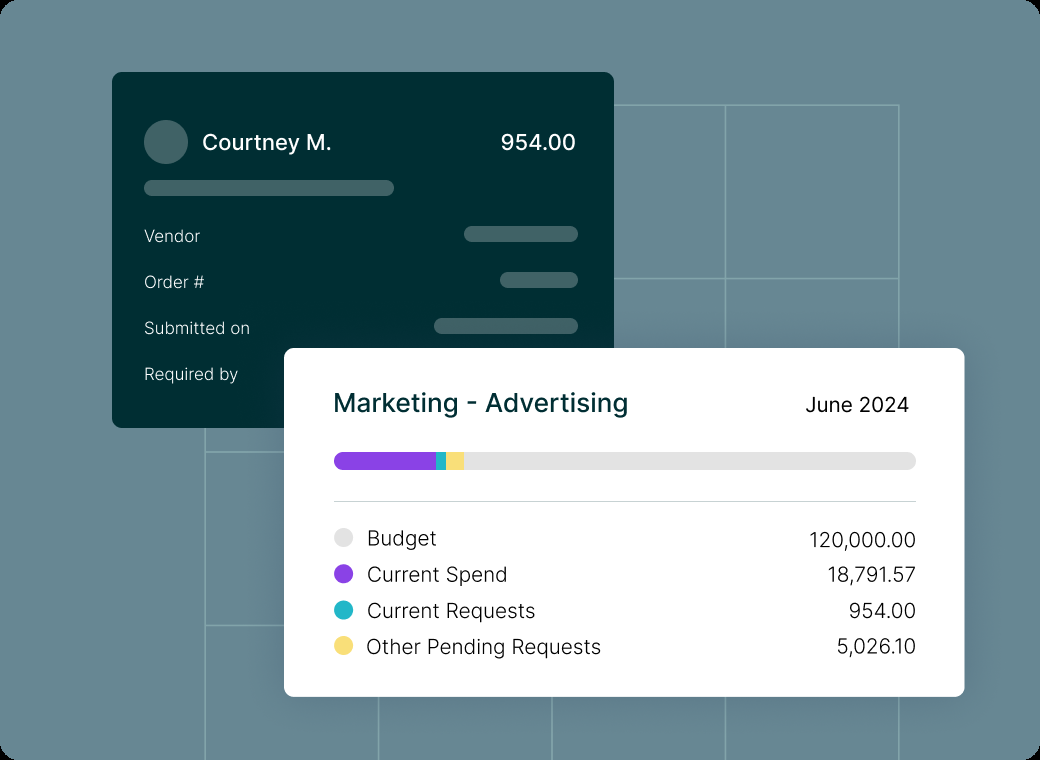
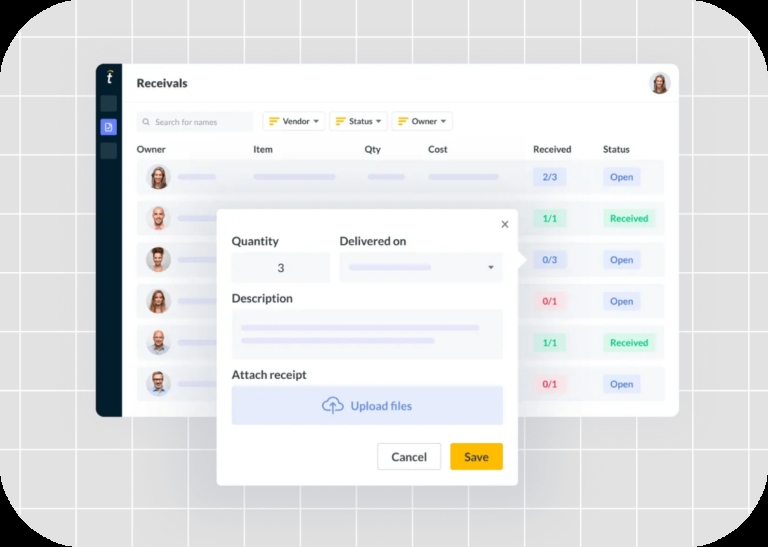
How it runs the chain. A requester files an order, expense, travel or funds request in the web or mobile app, picking from catalogs or punchout sites such as Amazon Business and Staples. Routing rules by department, account code, custom field or dollar threshold send it to approvers, who see the budget impact first, and admins can block approval of over-budget requests. The approved request becomes a PO, either by a purchaser or automatically, and Procurify emails it to the vendor. Receivers record deliveries on web or mobile with Pass/Fail quantities and packing slips. Services and software can be set to auto-receive when the PO is created, which keeps service invoices from stalling.
Matching and payment. In the Accounts Payable add-on, vendors send invoices to a dedicated inbox, OCR reads header and line data, and Procurify creates a draft bill already linked to the PO. Automated 2-way and 3-way matching flags unit-cost and received-quantity variances, and a setting blocks bill submission for items that haven't been received. Approved bills are paid from inside Procurify by ACH, wire or check in the US and EFT in Canada, up to 100 payments at a time, and then sync to the ERP.
- many occasional requesters need access, because Basic users don't count toward the price
- you want receiving, matching and vendor payment in the same system, not only approvals
- you need a published price before talking to sales: purchasing and AP are both quoted, and AP is a separate add-on
- you rely on a deep NetSuite sync, since GetApp reviewers rate that connector far lower than the QuickBooks Online one
- Users like
- An intuitive interface and mobile apps, and an easy path from a request to the person who has to approve it, plus temporary approver delegation.
- Users dislike
- Integration and customization limits, including requests for easier QuickBooks export and for switching requisition items to catalog items before the PO is cut.
- Source: GetApp, 208 reviews
Limits and what reviewers say
The OCR picks up only one PO number per invoice, so a supplier who bills several POs on one invoice needs manual handling. Procurify's help articles don't describe a percentage or dollar tolerance setting, so ask how small price differences are handled before you rely on touchless matching. The vendor portal is read-only: vendors can update their profile and tax documents and see POs and bills, but they can't submit invoices through it.
On GetApp, Procurify scores 4.6 out of 5 from 208 reviews. Reviewers praise how quickly occasional users pick it up and how easy approvals are on mobile. The recurring complaint is integration and customization limits, and GetApp's integration ratings show the NetSuite connector at 2.7 against 4.5 for QuickBooks Online.
- Starting price
- Custom quote, unlimited free Basic users
- Request types
- Order, Expense, Travel, Funds
- Accounting sync
- QuickBooks, NetSuite, Sage Intacct, Business Central
- Pays vendors by
- ACH, wire, check (US), EFT (Canada)
Precoro
Procurement and AP automation for small and mid-sized companies, with published plan prices and per-approver amount thresholds.
Precoro is the only mid-market P2P tool in this list that publishes its prices, and two- and three-way matching is already in the cheapest plan. That's rare at this price.
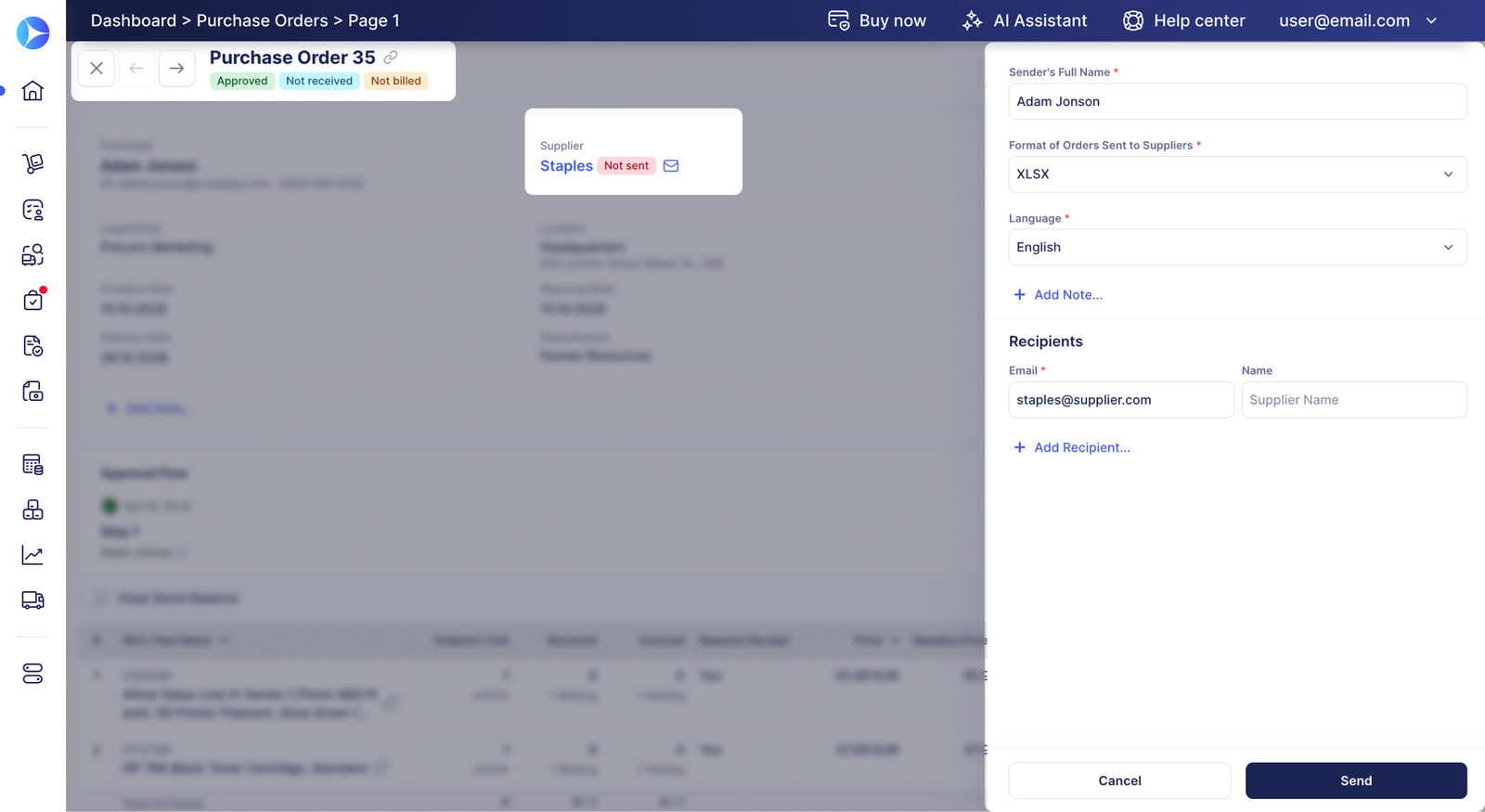
How it runs the chain. Employees request through a guided form, a supplier quote, an internal catalog or punchout, and approval workflows are set per document type with amount thresholds and department, location or project rules. An extra over-budget step can be added. Approved requests become POs, which Precoro sends to the supplier manually or automatically as PDF or XLSX, and the PO shows whether the email was sent, received, opened or confirmed. Receipts are recorded against the order, and AI receipt processing can create them from delivery documents.
Matching and payment. Invoices come in through an AP inbox or the supplier portal. By default an invoice is matched to its PO. When price, quantity, added items or discounts exceed a tolerance limit you set, both documents go into a Matching status and the person who raised the PO approves or rejects the difference. With 3-way match switched on, a postpayment invoice can't be confirmed until every item is received, while prepayment invoices skip that check. Approved invoices can be paid inside Precoro by ACH, same-day ACH, wire or international transfer and then sync to the ERP.
- you want a published price and real 3-way matching with tolerance limits without an enterprise suite
- the person who ordered should decide on price or quantity differences, not AP alone
- you need AI invoice capture and a supplier portal on a tight budget: both start at the $999 a month Automation plan
- you need NetSuite, Sage Intacct or Dynamics integration on a standard plan, because Precoro's pricing page lists ERP integrations under the custom-priced Enterprise plan
- Users like
- Fast approvals, remaining budget visible while requesting, and responsive support.
- Users dislike
- A thin inventory module and a mobile app that handles approvals well but little else.
- Source: GetApp, 255 reviews
Limits and what reviewers say
Tax and shipping differences don't trigger the Matching status, so check how your suppliers bill freight before you set tolerances. Some of the 3-way match help articles date from 2023, so confirm menu paths in a demo.
On GetApp, Precoro scores 4.8 out of 5 from 255 reviews. Reviewers single out responsive support, smooth onboarding and approval workflows they could configure themselves. The criticism is limited advanced reporting, and one purchasing manager found workflow configuration a little limited for complex structures.
- Starting price
- From $499 per month, billed annually (Core)
- Next tier
- Automation, from $999 per month billed annually
- Accounting sync
- QuickBooks Online, Xero, NetSuite, Sage Intacct, Business Central
- Matching
- 2-way and 3-way with tolerance limits, all plans
Spend management and AP platforms with purchasing
Ramp and Tipalti started on the payment side of the cycle and added purchasing on top. That makes them strong at the last stage, paying suppliers, while they're lighter at the front of the cycle than a dedicated P2P tool.
Ramp
Ramp combines cards, bill pay and a procurement add-on that turns an approved request into a PO or virtual card and matches bills against POs and item receipts.
Ramp is a card, expense and bill pay platform with a procurement add-on. It's the obvious fit when Ramp already pays your bills and you want POs and matching in the same place.
How it runs the chain. An employee describes the purchase in plain language or uploads a quote, and Ramp pre-fills the request. Rules by budget, department or vendor type route it to approvers, in parallel if needed, and the budget impact is visible before approval. Once fully approved, Ramp generates a purchase order automatically or issues a virtual card. Receiving is recorded as item receipts created in Ramp or imported from NetSuite or QuickBooks Online, and each PO shows not received, partially received or fully received.
Matching and payment. Ramp's OCR captures line items from PDF, scanned and emailed invoices, then matches bill lines to PO lines and receipts and flags billed units that haven't been received. Approved bills are paid from the same platform by ACH, same-day ACH, card, check or domestic and international wire, and the result syncs to the ERP.
- Ramp already runs your cards and bill pay and you want POs, receipts and matching in the same platform
- you're on NetSuite, QuickBooks Online, Sage Intacct or Xero and pay mostly US vendors
- you need configurable matching tolerances, which Ramp's 3-way match help article doesn't describe
- most of your POs are created in QuickBooks Online, because imported QBO POs can't be 3-way matched
- Users like
- Ease of use, with bill pay and card management in one place.
- Users dislike
- Missing features for complex or global finance setups and receipts that don't always match automatically.
- Source: G2, 2,460 reviews
Plan details and what reviewers say
Bill pay and invoice OCR are in the free plan. Plus costs $15 per user per month plus a platform fee by team size that Ramp doesn't list. Procurement is an add-on to Plus or Enterprise with no published price, and Ramp's help center mentions a 60-day procurement trial for eligible businesses. Partial receiving only works for inventory items, so you'll need a workaround for partial service deliveries.
On G2, Ramp scores 4.8 out of 5 from about 2,460 reviews, most of them about cards and expenses rather than POs. Reviewers praise ease of use and having bill pay and card management in one place. The recurring complaints are missing features for complex or global finance setups and receipts that don't always match automatically.
- Starting price
- Free: $0/mo/user; Plus: $15/mo/user + platform fee based on team size (save 20% with annual billing); Enterprise: Custom. Procurement is an add-on to Plus or Enterprise, price not published
- 3-way match
- Procurement add-on for Ramp POs, Plus for imported POs
- Pays vendors by
- ACH, same-day ACH, card, check, wire
Tipalti
AP automation and global payables platform whose procurement module generates POs from approved requests, logs goods receipts and matches invoices two- or three-way with amount or percentage tolerances.
Tipalti is an AP automation and global payables platform with a procurement module. It's the strongest pick here when the hard part is paying suppliers in many countries, not approving requests, although the procurement module is priced separately from AP.
How it runs the chain. Employees submit purchase requests through customizable forms, and rules-based routing sends them to approvers, who can respond from Slack or email; IT, security or legal can join the review. Approved requests become POs automatically, and Tipalti emails them to the supplier or sends them through its supplier portal. Requesters are prompted to log goods received in Tipalti or by email, and PO details sync to NetSuite, Sage Intacct or Xero.
Matching and payment. Invoices are read by AI and auto-coded, then matched two-way (PO to invoice, typical for services) or three-way (PO, invoice and goods receipt) at header and line level. Tolerances can be set by amount or percentage at bill or line level. An invoice outside tolerance is flagged as an exception that the buyer can approve or reject by email, or AP can dispute it. Approved invoices are paid to suppliers in 200+ countries and territories, in 120 currencies, through 50+ payment methods.
- you pay suppliers across many countries and currencies and want matching and payment in one system
- AP owns the process and needs line-level tolerances with exceptions routed to the buyer
- you want a fully published price: only the AP entry plan is listed, and the procurement module and transaction fees are quoted
- you need deep reporting, which G2 reviewers name as a weak spot
- Users like
- Ease of use, helpful support and time saved on international payments.
- Users dislike
- Invoice and ERP sync problems and weak reporting.
- Source: G2, 417 reviews
Limits and what reviewers say
Tipalti's public pages don't say how a budget check gates a request, and they describe receiving as a prompt to the requester rather than a dock-style receiving screen, which is fine for indirect spend but light for warehouse deliveries. Per-invoice and per-payment fees apply on top of the monthly platform price.
On G2, Tipalti's AP product scores 4.5 out of 5 from about 417 reviews. Reviewers like the ease of use, the support team and the time saved on international payments. The most frequent complaints are invoice and ERP sync problems and weak reporting.
- Starting price
- Accounts Payable from $99 per month; Procurement module and per-invoice and per-payment fees by quote
- Tolerances
- Amount or percentage, bill or line level
- Payments
- 200+ countries and territories, 120 currencies
Intake-to-pay orchestration
Zip started as an intake layer that sits in front of an ERP or suite, and it's since added invoice handling and payments. It fits companies whose purchases need several departments to sign off, but it's thinner on receiving than the mid-market P2P tools.
Zip
Intake and procurement orchestration that puts one request front door and cross-functional approvals on top of an existing ERP.
Zip puts one intake form in front of every purchase and routes it through finance, legal, security and IT review. Its P2P product adds AI agents that read, code and check invoices, and an add-on that pays vendors.
How it runs the chain. Every purchase starts in Zip's intake form, which collects what is being bought, from whom and for how much, and sends it through no-code approval workflows with dynamic approvers. A Budgets add-on shows remaining budget during approval. A fully approved request generates a PO, and Zip tracks open POs, projected spend and change orders, with catalogs steering requesters to approved suppliers.
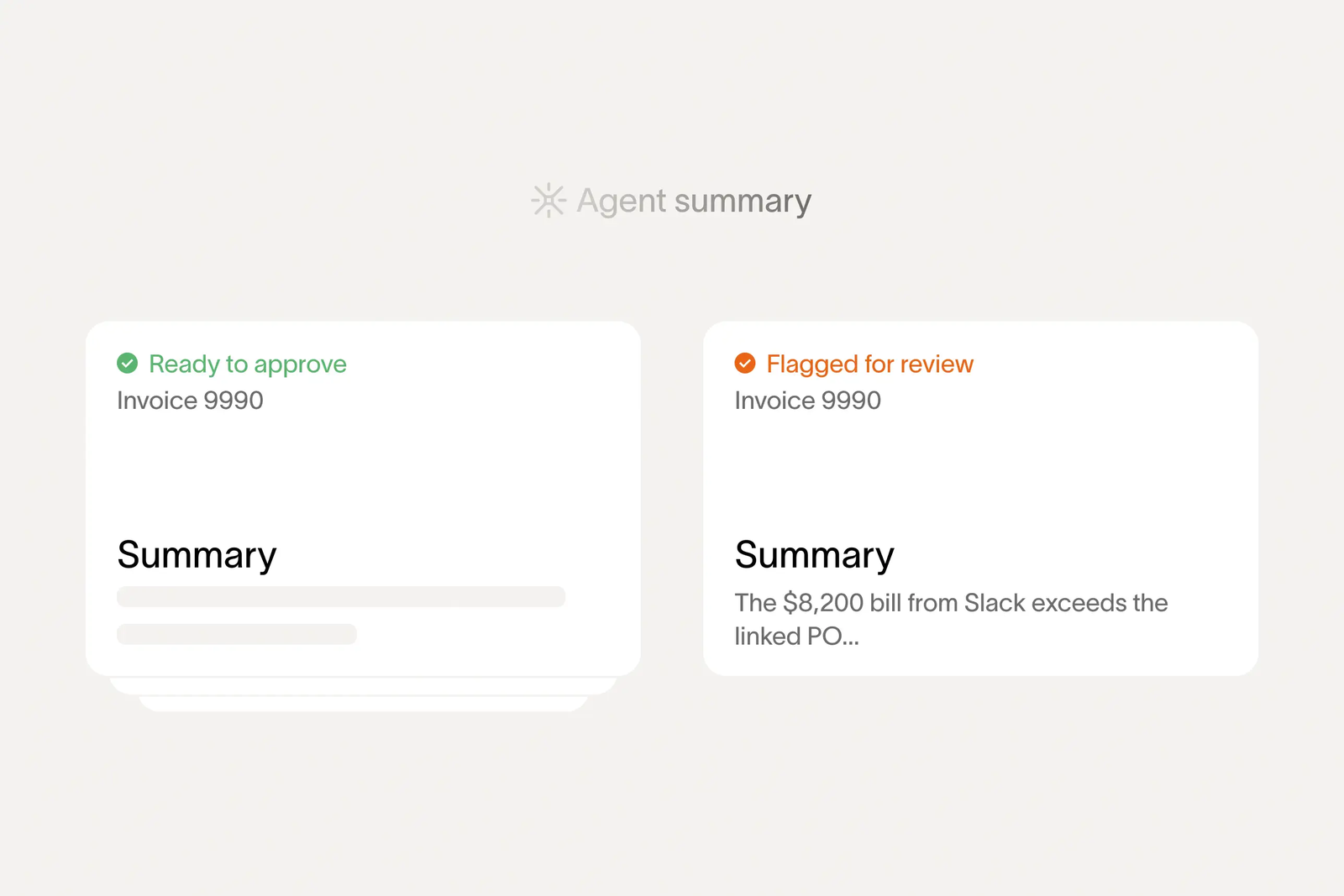
Matching and payment. An AP inbox agent watches vendor email, pulls out invoices and supporting documents and routes them. A coding agent fills in GL account, department and cost center from the request and PO already in Zip, and a review agent checks for duplicates, PO tolerance breaches and contract mismatches before an approver sees the invoice. Problem invoices go on hold and are assigned to a person. Payments run through the Global Payments add-on by bank transfer, wire, check or virtual card in 140+ countries, and approved transactions sync to the ERP.
- purchases need legal, security, IT and finance review, not only a budget approval
- you already run an ERP such as NetSuite, SAP, Oracle or Workday and want one front door in front of it
- you need a documented receiving step and configurable 3-way tolerances, which Zip's public pages don't describe
- you're a small team that needs a published price, since Zip quotes every customer
- Users like
- Workflows that are easy to configure, with every requester able to see where a request stands and which steps remain.
- Users dislike
- Reporting is the weak area for several reviewers, and one said misconfigured routing sent approvals to the wrong person.
- Source: Capterra, 32 reviews
Limits and what reviewers say
Zip's public pages describe neither a goods-receipt step nor a supplier portal, so if three-way matching against receipts matters, ask to see it in the demo. Its help center wasn't reachable when we checked, so we couldn't verify setup steps. We covered Zip's pricing model in more detail in our Zip procurement pricing guide.
On Capterra, Zip scores 4.7 out of 5 from 32 reviews. Reviewers praise how easy workflows are to configure and change, and a responsive support and product team. Reporting is the recurring weak spot, and one 2026 review reported bugs, misrouted approvals and data errors when syncing to the accounting system.
- Starting price
- Custom quote, no public pricing
- ERP sync
- NetSuite, SAP, Oracle, Workday, Sage, Dynamics, QuickBooks
- Budgets
- Add-on
- Payments
- Global Payments add-on, 140+ countries
Enterprise suites and ERP procurement
Coupa and SAP Ariba are source-to-pay suites with P2P as one part; Oracle Fusion Cloud Procurement is the procurement layer of Oracle's ERP. All three are built for multi-entity companies with large supplier bases. Oracle publishes a list price while Coupa and SAP quote, but you'll negotiate with all three, and each one is an implementation project rather than a self-serve setup.
Coupa
Enterprise source-to-pay suite whose requisitions run through guided buying, punchout and prioritized approval chains with budget meters.
Coupa is an enterprise spend management suite whose procure-to-pay module is one of the most configurable in this list, especially at the matching step.
How it runs the chain. Requesters shop through guided buying, catalogs and punchout that steer them to contracted items and preferred suppliers, and requisitions run through approval chains with real-time budget meters. Approved requisitions become POs, and suppliers can confirm lines and turn a PO into an invoice through the free Coupa Supplier Portal or by email. Goods and services are received in Coupa, including self-service receiving by the requester.
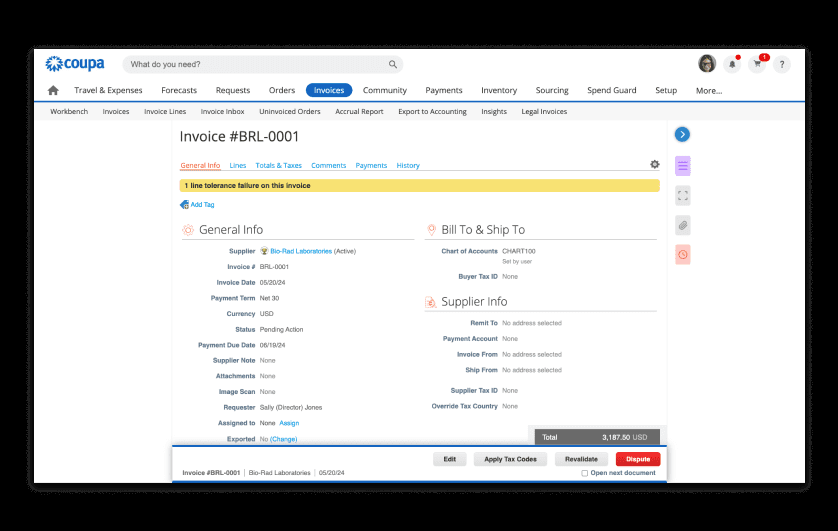
Matching and payment. Invoices arrive through the supplier portal, by email with AI extraction, or by EDI and cXML. Each item or service invoice is matched at the level you set: 2-way, 3-way, 3-way-direct or none. Over 40 tolerance fields (price, quantity, over-invoiced amount, shipping and tax, total) decide what passes without a person. An invoice outside tolerance goes on tolerance hold, and one that arrives before the receipt waits in pending receipt. Approved invoices are paid through Coupa Pay by bank transfer, digital check, virtual card or wallet, or synced to SAP, Oracle, NetSuite, Dynamics or Workday for payment there.
- you need fine-grained matching rules and tolerances across many entities and suppliers
- contract-compliant guided buying and fraud checks such as split-requisition alerts matter more than a quick rollout
- you're a mid-size team that wants a published price and a rollout in weeks
- much of your spend is direct materials or blanket POs, where TrustRadius reviewers say Coupa fits less well
- Users like
- Approval routing and spend compliance for indirect buying, with clear purchase limits per person.
- Users dislike
- Heavy integration work with ERPs such as SAP, and a supplier portal that confuses vendors asked to create profiles.
- Source: TrustRadius, 168 ratings
Limits and what reviewers say
SpendGuard, Coupa's fraud module, watches for duplicate invoices and requisitions split to stay under an approval limit. We compared Coupa's costs in Coupa pricing and its fit against SAP Ariba in Coupa vs SAP Ariba.
On TrustRadius, Coupa scores 7.2 out of 10 from 168 reviews. Reviewers call it configurable and easy to use for standard indirect buying, with good invoice automation. The complaints are heavy integration work with SAP, weak support for non-standard or blanket POs and direct procurement, and a supplier portal that confuses vendors during onboarding.
- Starting price
- Custom quote, no public pricing
- Standard supplier portal
- Free for suppliers
- Buyer-side platform
- No verified public universal USD rate
- Matching levels
- 2-way, 3-way, 3-way-direct, none
- Supplier portal
- Free for suppliers
SAP Ariba
SAP's source-to-pay suite covering sourcing events with scoring and award simulation, buying and invoicing, contracts and supplier collaboration through SAP Business Network.
SAP Ariba Buying and Invoicing is the P2P part of SAP's source-to-pay suite. It fits SAP-centric enterprises that want suppliers to receive orders and send invoices through SAP Business Network.
How it runs the chain. Employees shop through guided buying, which offers catalog items, punchout catalogs and non-catalog requests and nudges them toward policy-compliant choices. The cart becomes a requisition that runs through configurable approval flows, with mobile approval. On approval a PO is created in Ariba (or in SAP S/4HANA in the guided-buying-only setup) and sent through SAP Business Network, which delivers it online, by cXML, email, fax or EDI, depending on what the supplier uses. Receivers create receipts by quantity or amount, and receiving can be manual, automatic or switched off, with under- and over-receiving tolerances. Services are confirmed with service entry sheets that need approval.
Matching and payment. Suppliers send invoices over the network, or a user enters them. Ariba creates an invoice reconciliation document and matches it two-way to the PO or three-way to the PO and the receipt or approved service sheet. Configurable exception types, each with its own tolerance and handler, decide what is accepted automatically, rejected or routed to a person, and line-level exceptions must be cleared before payment. Ariba doesn't pay the supplier itself: it exports an approved-for-payment file to the ERP, which makes the payment and sends the remittance back.
- you run SAP S/4HANA or ECC and want purchasing data and receipts to post into SAP
- many suppliers already transact on SAP Business Network
- you run a non-SAP ERP and want a quick rollout: about a third of TrustRadius reviewers cite hard integration with non-SAP or legacy ERPs
- you want the P2P tool to pay suppliers, since payment stays in the ERP
- Users like
- Punch-out catalogs and guided buying with approval workflows that standardize how people buy.
- Users dislike
- An outdated interface, weak reporting and hard integration with non-SAP ERPs.
- Source: TrustRadius, 757 ratings
Supplier fees and what reviewers say
SAP Business Network has a free Standard account for suppliers and a fee-based Enterprise account, so ask which of your suppliers would end up paying. SAP's pricing page only offers a quote. We compared it head to head with Coupa in Coupa vs SAP Ariba.
On TrustRadius, SAP Ariba scores 7.6 out of 10 from 757 reviews of the whole suite. Reviewers like the punchout catalogs and the guided buying and approval workflows once they're set up. The complaints are an outdated interface, weak reporting and integration with non-SAP ERPs, and one reviewer said supplier enablement and catalog creation took a lot of effort.
- Starting price
- Price upon request, no public buyer rate
- Buying and Invoicing pricing
- Price upon request, priced on processed spend
- Standard supplier account
- Free on SAP Business Network
- Enterprise supplier account
- Fixed subscription fee plus transacted volume
- Matching
- 2-way or 3-way, configurable exception tolerances
- Payment
- Exported to the ERP
Oracle Fusion Cloud Procurement
The procurement layer of Oracle Fusion Cloud ERP: self-service requisitions with catalogs and punchout, purchasing, receiving, and invoice matching and payment in Oracle Fusion Payables.
Oracle Fusion Cloud Procurement is the procurement layer of Oracle Fusion Cloud ERP. It's the natural choice when Oracle already holds your suppliers, items and ledgers, and a hard one to justify when it doesn't.
How it runs the chain. Requesters shop in Self Service Procurement from local catalogs, punchout sites or smart forms for non-catalog needs, and requisitions run through approval rules built from stages and participants, in series or in parallel. Approved requisitions become POs automatically or through a buyer, with agreement pricing applied, and go to suppliers by print, fax, email or B2B messaging through Oracle Business Network. Suppliers can also work in the Supplier Portal. Receiving runs in the Self Service Receiving app, and requesters of expense items get a confirm-receipt notification.
Matching and payment. Invoices reach Oracle Fusion Payables by import, spreadsheet, supplier portal, manual entry or email, where Intelligent Document Recognition extracts the data and learns from corrections. Validation compares ordered, received and invoiced quantities and amounts against tolerance templates assigned per supplier site and places holds that block payment until someone releases them. The match level can be 2-way, 3-way or 4-way (adding the quantity accepted after inspection), and services are capped at 3-way. Payment runs in Payables through payment process requests.
- you already run Oracle Fusion Cloud ERP and want procurement on the same supplier, item and accounting data
- inspected goods need 4-way matching before payment
- you don't run Oracle Fusion ERP: matching and payment live in Fusion Payables
- you want a light tool you can roll out without an implementation partner
- Users like
- Broad, industry-ready procurement functionality and automated invoice processing.
- Users dislike
- A non-intuitive interface and errors that are hard to follow without a strong implementation team.
- Source: Gartner Peer Insights, 104 reviews
Pricing and what reviewers say
Oracle doesn't put a price on its procurement page, but its global price list (October 2026) shows Fusion Procurement at 625 USD per named user per month with a 10-user minimum, and Self Service Procurement for requesters at 8 USD per user per month with a 100-user minimum. Those are list prices; contracts are negotiated.
On Gartner Peer Insights, Oracle Fusion Cloud Procurement scores 4.4 out of 5 from 104 ratings. Review text there's limited, so the themes come from reviewers of Oracle Fusion Cloud ERP as a whole: they like the automated invoice processing and breadth of functionality, and they find the interface non-intuitive and error messages hard to follow without a strong implementation team.
- Starting price
- List price 625 USD per named user per month for Fusion Procurement (minimum 10 users); Self Service Procurement 8 USD per user per month (minimum 100), per Oracle's October 2026 global price list; contracts are negotiated
- Matching
- 2-way, 3-way or 4-way, tolerances per supplier site
- Payment
- Oracle Fusion Payables
- List price
- 625 USD per named user per month, minimum 10 users
How to choose P2P software
Choosing P2P software starts with three questions, not a feature list. You'll get further with them than with any requirements spreadsheet: what you buy (mostly indirect goods and services, or inventory and materials), which ERP stays the system of record, and where you want the payment to run. Those answers usually cut the list in half before the first demo, although the demo still decides the rest.
- Spend profile. Indirect and services spend fits Procurify, Precoro, Zip, Ramp or Tipalti. If you hold inventory or run MRP, the ERP's own procurement module (such as Oracle Fusion Cloud Procurement) or a suite like SAP Ariba handles material masters better.
- Requester experience. Most P2P rollouts fail at the request step, because occasional requesters route around a tool that's slow. Have someone outside finance buy a catalog item in the demo without help. If they can't, your requesters won't either.
- Matching depth. If AP clears hundreds of invoices a month, documented tolerances and an owned exception queue matter more than anything else. Precoro, Tipalti and Coupa document tolerance settings; check the others in the demo.
- Payment. Decide whether the P2P tool pays suppliers or hands approved bills to your ERP. Paying from the tool cuts a sync step, but it also moves bank details and payment approval into another system that your controls have to cover.
- ERP sync. P2P software usually does integrate with NetSuite and QuickBooks: Procurify, Precoro, Ramp, Tipalti, Zip and Coupa all list NetSuite and QuickBooks integrations, but the conditions differ. Precoro lists ERP integrations such as NetSuite under its custom-priced Enterprise plan, Ramp can't 3-way match POs imported from QuickBooks Online, and GetApp reviewers rate Procurify's NetSuite connector far below its QuickBooks one. Ask which records the tool owns (supplier, PO, receipt, bill) and which it reads from the ERP, and how often they sync.
- A $50,000 purchase split into six requests under the approval limit: does anything flag it?
- A consulting engagement: how is the service received, and by whom?
- An invoice for 8 of 10 ordered units with a 3% price increase: where does it go and who decides?
- An invoice with no PO: how is it coded and approved?
- A supplier changes bank details: who sees it before the next payment?
- The month-end view: which POs are committed but not yet invoiced, by cost center?
How much does procure-to-pay software cost?
Procure-to-pay software pricing is published by four of the eight tools here. Precoro's Core plan starts at $499 a month billed annually, Ramp's procurement add-on sits on top of the $15 per user Plus plan, Tipalti's AP plan starts at $99 a month before its quoted procurement module and transaction fees, and Oracle's price list shows $625 per named user per month for Fusion Procurement. Procurify, Zip, Coupa and SAP Ariba quote every customer.
| Tool | Published starting price (USD) | What unlocks matching | Main price drivers |
|---|---|---|---|
| Procurify | Quote only | Accounts Payable add-on | Pro users (Basic users free), add-ons |
| Precoro | $499/month billed annually (Core) | Included in Core | Plan tier, users |
| Ramp | Free plan; Plus $15/user/month + platform fee | Procurement add-on (quoted) or Plus for imported POs | Users, platform fee, add-on |
| Tipalti | AP from $99/month | AP plan, procurement module quoted | Invoices and payments processed |
| Zip | Quote only | Included in P2P product | Modules (Budgets, Global Payments) |
| Coupa | Quote only | P2P and invoicing modules | Modules, spend volume, entities |
| SAP Ariba | Price upon request | Buying and Invoicing | Processed spend, supplier network fees |
| Oracle Fusion Cloud Procurement | List price $625/user/month (min. 10 users) | Oracle Payables | Cloud services and users |
The subscription is certainly a cost, but it's rarely the biggest one. Budget for implementation and ERP integration, supplier enablement (getting suppliers to receive POs and send invoices through the right channel), internal admin time, and transaction or network fees where the vendor charges them.
Implementation: what takes the time
How long a P2P implementation takes depends more on your data and suppliers than on the vendor. None of the eight vendors publishes a standard timeline on the pages we checked, so treat any estimate in a sales call as a best case and ask for references. The core flow (requests, approvals, POs and invoices) usually goes live first, and catalogs, supplier enablement and deeper automation follow in later phases.
- Supplier master. Duplicate and stale vendor records create match exceptions faster than any matching engine clears them, so clean the vendor list before go-live, not after.
- Approval matrix and tolerances. Decide approval limits and matching tolerances with finance and internal audit before configuration. Too tight and AP drowns in exceptions; too loose and you pay for what you didn't receive.
- Receiving discipline. Three-way matching won't work if nobody records receipts. Decide who receives services, and consider auto-receive for subscriptions where the tool allows it.
- Supplier enablement. Getting suppliers to accept emailed POs, confirm them and send invoices to one inbox or portal takes weeks to months. Start with the suppliers that send the most invoices.
- ERP sync. Define which system owns suppliers, GL accounts, cost centers and payment status before the build.
What P2P software doesn't track: contract renewals
Many POs and invoices run against contracts: software subscriptions, services agreements and leases that renew automatically unless someone gives notice in time. P2P tools track what was ordered, received and paid, but the notice deadline sits in the contract, outside the purchasing flow, and none of the eight tools above tracks it. A purchase order that recurs every year looks fine in the P2P system right up to the day the renewal is locked in. Our contract renewal checklist walks through the dates to track.
FAQ
What is procure-to-pay software?
Procure-to-pay software automates the purchasing cycle from a purchase request and its approval through the purchase order, goods receipt, invoice matching and supplier payment. It gives finance a view of committed spend before invoices arrive and an audit trail for every purchase.
What are the stages of the procure-to-pay process?
The procure-to-pay process has seven stages when reconciliation is counted separately and six when it is not: 1) requisition, 2) approval, 3) purchase order, 4) receipt of goods or services, 5) invoice processing and matching, 6) payment, and 7) record keeping or reconciliation in the ERP.
What is the difference between procure to pay and source to pay?
Procure to pay covers buying from suppliers you already use, from request to payment. Source to pay adds the strategic front half: spend analysis, sourcing events, contract management and supplier management. Coupa and SAP Ariba are source-to-pay suites; Procurify and Precoro focus on procure to pay.
What is three-way matching in P2P software?
Three-way matching checks that the supplier invoice agrees with the purchase order and the goods or service receipt on quantity and price, within a set tolerance, before the invoice is approved for payment. Two-way matching compares only the invoice and the PO, which is common for services.
Can an ERP handle procure to pay on its own?
Yes, an ERP can handle procure to pay on its own. ERPs such as Oracle Fusion Cloud ERP and SAP S/4HANA have procurement and payables modules, and they're often the better choice when inventory and material planning drive purchasing. Dedicated P2P tools usually win on the requester experience, catalogs and approval routing for indirect spend.