The best purchase requisition software depends on how much control you need between "I need this" and the purchase order. If you're a small finance team with a fixed software budget, you'll get the most from ProcurementExpress.com, Precoro or ProcureDesk. Mid-market teams with many occasional requesters should look at Procurify, and multi-location operators that reorder supplies at Order.co. If your purchases need legal, security and finance sign-off, you're in Zip or Coupa territory.
Purchase requisition software replaces the email, form or spreadsheet that employees use when they'd like to buy something. It collects the request in a structured form, sends it to the right approvers based on rules you set, checks it against a budget and turns the approved request into a purchase order. We've compared eight tools on the questions a procurement or operations lead asks in a demo: how a request actually moves through the tool, which approval rules it supports, what it connects to, what it costs and who shouldn't buy it. When a purchase needs competing proposals before anyone raises a requisition, an RFP comes first, and our RFP software comparison covers the tools for that step.
- purchase requisition tools compared
- 8
- publish a price you can budget with
- 4
- offer a free plan
- 0
- user reviews behind the ratings
- 1,336
Best purchase requisition software at a glance
Two numbers narrow the list fastest: how many people submit requests, and how many sign-offs a typical purchase collects. A ten-person finance team approving office chairs and a company where every new SaaS tool passes a security review won't end up in the same row below.
 Best for small teams on QuickBooksProcurementExpress.comApprovals climb by each approver's spending limit, and approved POs sync both ways with QuickBooks Online.
 Best published-price tool for mid-sized teamsPrecoroPer-approver thresholds, an over-budget step, and POs from approved requests that skip a second approval.
 Best for punchout buyingProcureDeskMore than 150 punchout catalogs feed one cart across vendors, with approvals in Slack.
 Lowest entry priceTradogramStarts at $99 a month, with detailed approval rules once you add requisitions.
 Best for many occasional requestersProcurifyBasic users don't count toward the price, and approvals route by department, account code or value.
 Best for multi-location supply orderingOrder.coApproval rules by location, cost center and remaining budget on a custom catalog.
 Best for cross-functional approvalsZipOne intake form routes software and services purchases through legal, IT, security and finance.
 Best for enterprise source-to-payCoupaPrioritized approval chains, guided buying and punchout inside a full suite.
How a purchase requisition moves from request to PO
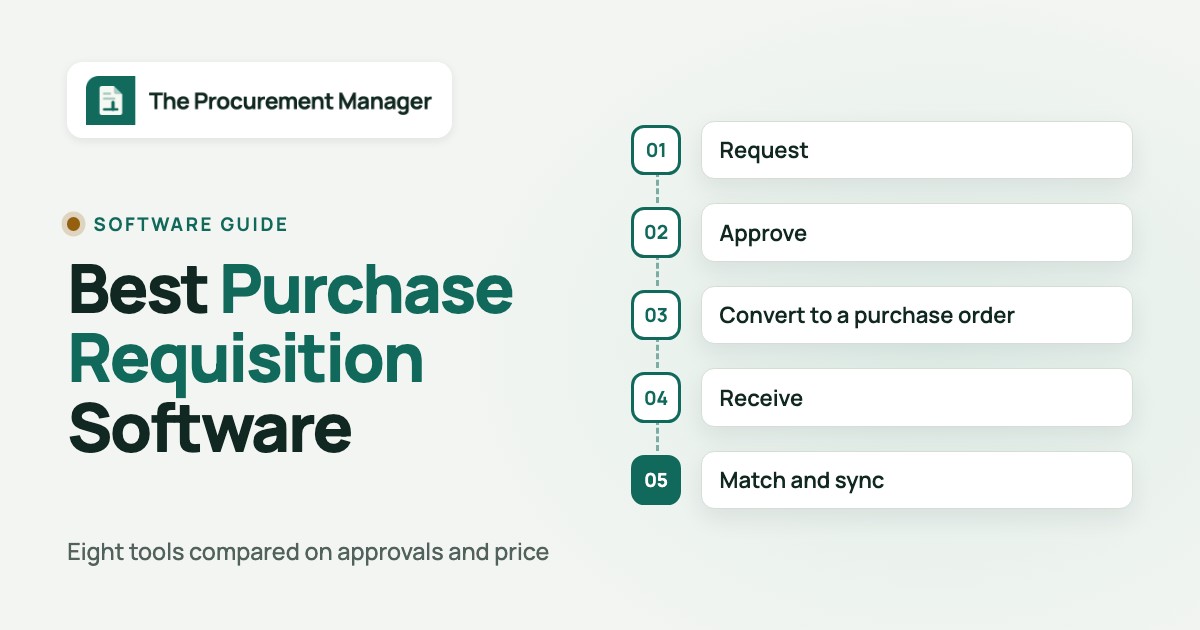
Purchase requisition software automates the internal steps before money leaves the company: someone asks to buy something, the right people approve it, and the approved request becomes a purchase order that goes to the supplier. For the step after that handoff, see our guide to purchase order software. Most tools on this page cover the same five stages, but they don't put equal weight on each, and they don't all stop in the same place. If requests come from a reorder point instead of a person, our demand planning software comparison covers the tools that suggest the order before anyone asks for it.
- Request. An employee fills in a form, picks items from an internal catalog, punches out to a supplier site such as Amazon Business or Staples, or uploads a quote. Good tools show the remaining budget at this point, so the requester sees a problem before an approver does. It's a small detail, but it cuts rejected requests.
- Approve. Rules decide who approves. Common conditions are amount, department, location, cost center, GL account, category and supplier, and you'll usually need two or three of them. Most tools let a request pass through several steps, though only the better ones handle delegation when an approver's out.
- Convert to a purchase order. The approved requisition becomes a PO, either automatically or after a buyer reviews it, and goes to the vendor.
- Receive. Someone confirms what arrived. Without that record, a 3-way match can't happen.
- Match and sync. The invoice is matched against the PO and the receipt, and the transaction syncs to the accounting system or ERP.
The flow below shows where each tool type puts its weight and what usually breaks at each stage, so you'll know which stage to test hardest.
- Stage 1Request and intake
- Zip
- Procurify
- Order.co
Breaks when requesters skip the form and buy on a card because the form asks for fields they can't fill - Stage 2Approval routing
- Coupa
- Tradogram
- Precoro
Breaks when an approver is out and nobody is set up as a delegate or alternate - Stage 3PO and receiving
- ProcureDesk
- ProcurementExpress.com
Breaks when the approved request needs retyping into a PO or the ERP - After the POContracts that renew
 The Procurement Manager
Catches recurring vendor spend that renews without a new request
Purchase requisition software compared
Prices are as shown on each vendor's site on October 20, 2026. Four of the eight publish an amount. The others want you to ask for a quote, so the table shows that instead of an estimate we couldn't back up.
| Tool | Category | What it handles | Price status | Review rating |
|---|---|---|---|---|
| ProcurementExpress.com | PO approvals for small finance teams | Budget-limit routing, PO approvals and QuickBooks sync | From $415 per month (Basic, up to $10k spend managed per month) | 4.7 (Capterra, 423) |
| Precoro | Procurement and AP for mid-sized teams | Requests, multi-step approvals with thresholds, POs and 3-way match | From $499 per month, billed annually (Core) | 4.8 (GetApp, 255) |
| ProcureDesk | Purchasing and AP for SMB and mid-market | Punchout carts, department and category workflows, POs and invoices | From $830 per month billed annually, 10 users included | 4.8 (GetApp, 38) |
| Tradogram | Procurement suite for SMB and mid-market | Requisitions with budget checks, rule-based approvals, POs and receiving | From $99 per month (Essentials); requisitions are an add-on there | 4.2 (36) |
| Procurify | Mid-market procure-to-pay | Requests, threshold approvals, POs, receiving and bills | Custom quote, unlimited free Basic users | 4.6 (GetApp, 208) |
| Order.co | Catalog purchasing for multi-location teams | Catalog carts, location and budget approval rules, POs and consolidated billing | Custom quote, no public pricing | 4.5 (Capterra, 176) |
| Zip | Intake-to-procure orchestration | One intake form, cross-functional approvals, POs synced to the ERP | Custom quote, no public pricing | 4.7 (Capterra, 32) |
| Coupa | Enterprise spend management and procurement | Guided buying, prioritized approval chains, POs sent to suppliers | Custom quote, no public pricing | 7.2/10 (TrustRadius, 168) |
| The Procurement Manager Our product | Contract renewal decisions | Routes renewal reviews to the business owner, Finance and IT before the notice deadline | From $49 per month, flat, no per-seat fees (Starter, up to 50 contracts) | No reviews yet |
G2 blocked automated reading for most of these tools when we checked, so ratings come from the review site we could read for each tool: G2 for Tradogram, Capterra for ProcurementExpress.com, Order.co and Zip, GetApp for Precoro, ProcureDesk and Procurify, and TrustRadius (out of 10) for Coupa. Checked October 20, 2026.
Tools with a published price
ProcurementExpress.com, Precoro, ProcureDesk and Tradogram put an amount on their pricing pages, so you can budget before you've talked to sales. They're a fit for companies from a handful of finance users to about 250 employees that run QuickBooks, Xero, Sage or NetSuite.
ProcurementExpress.com
Purchase order approval software for small finance teams and nonprofits, priced by spend managed per month and synced two ways with QuickBooks Online.
ProcurementExpress.com routes every request to the approver whose spending limit covers it. It's the simplest routing model on this page, and it fits small finance teams and nonprofits that don't want to maintain a rules engine.
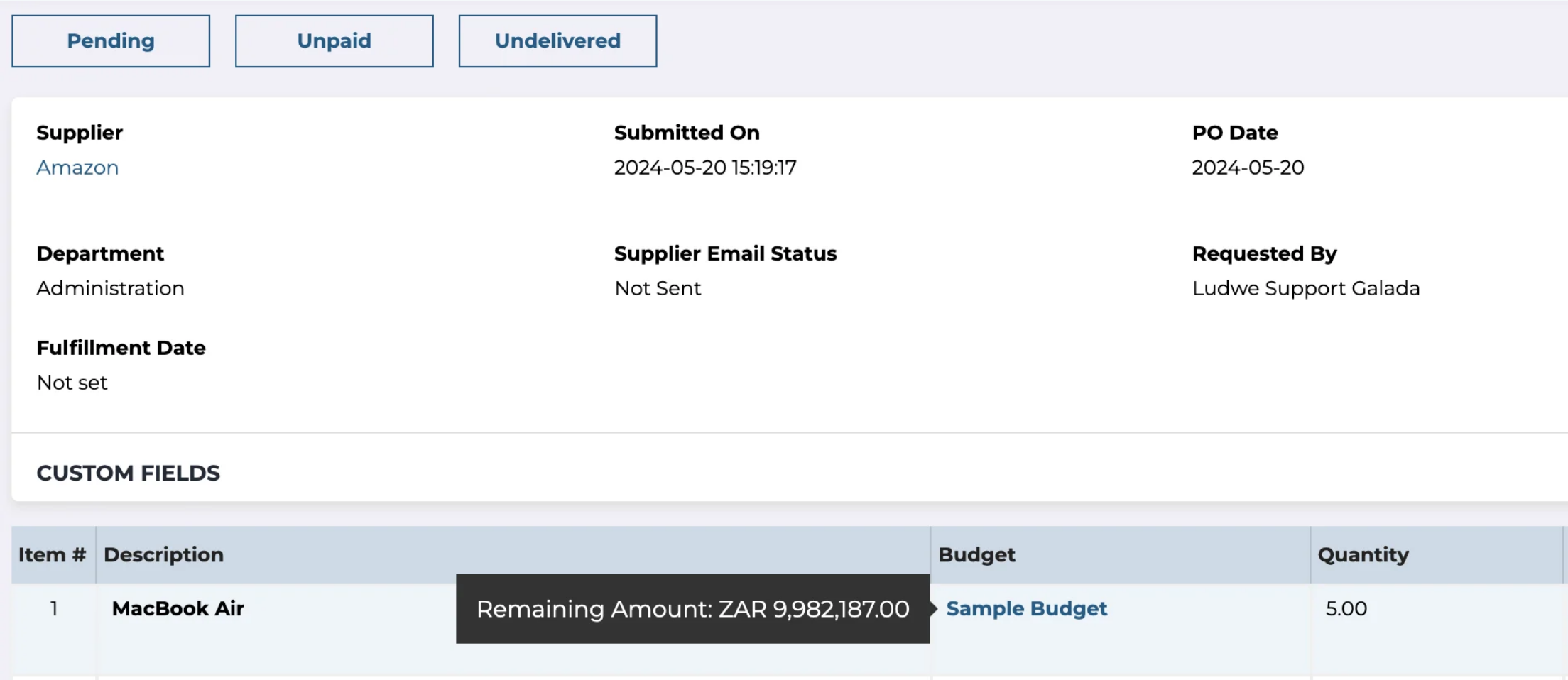
What it looks like in practice: a user raises a purchase request, adds line items, and can split the cost across several departments or budgets. The routing is set per budget. Each budget has its own approver list, and every approver has an individual approval limit. The request climbs from the approver with the lowest limit until it reaches one whose limit covers the value, so a $600 request stops with a manager, but a $60,000 request carries on to the finance director. If you'd rather let the requester choose, manual routing per department shows a list of approvers and hides anyone whose limit is too low. Approvers see the remaining budget on the order before they decide. Once everyone has approved, the request becomes a purchase order. With QuickBooks Online the PO appears in QuickBooks, invoices become bills, and paying the bill there marks the invoice paid and settles the PO in ProcurementExpress.com.
- approvals should climb by each approver's spending limit on a budget
- you track grants or project budgets and want the remaining amount on every order
- you want a free plan, because there's only a 14-day trial
- your monthly spend is above the Basic cap and the next tier's $900 a month is too much
- Users like
- Easy to navigate, real-time visibility into company spending, and customer service reviewers single out.
- Users dislike
- Basic reporting that isn't very friendly, slow reports, and simple edits such as changing a PO's requester or budget that take more steps than expected.
- Source: Capterra, 423 reviews
Capabilities, integrations and price
A newer approval flow builder lets admins define named flows with conditions, ordered steps and a choice between all approvers or any one of them consenting at each step. Settings control whether approvers can approve their own requests and whether lower-level approvers are skipped. Requests and approvals also work in the iOS and Android apps, a request for quote can award a winning bid as a purchase request, and grant-funded teams get policy checks per funding source and SAM.gov exclusion checks.
Integrations listed by the vendor include QuickBooks Online, Xero, Sage 50, Sage 200, Sage Intacct, NetSuite and Microsoft Dynamics, plus Amazon and more than 100 store punch-outs on the higher plans.
Pricing is by spend managed, not by user, so adding requesters doesn't raise the bill. Basic costs $415 per month for up to $10k of spend managed per month, Better $900 per month for up to $1m, and Best $2,550 per month for up to $10m with five organizations and a dedicated implementer. Enterprise is quoted. There's a 14-day trial, but there isn't a free plan. On Capterra, reviewers call it easy to navigate and praise the support, and the recurring complaints are basic reporting and edits that take more steps than expected.
- Starting price
- From $415 per month (Basic, up to $10k spend managed per month)
- Next tier
- Better, $900 per month (up to $1m spend managed)
- Trial
- 14 days
Precoro
Procurement and AP automation for small and mid-sized companies, with published plan prices and per-approver amount thresholds.
Precoro gives mid-sized teams the approval detail of a bigger suite at a price you can actually see, with thresholds set per approver and a separate step for anything over budget.
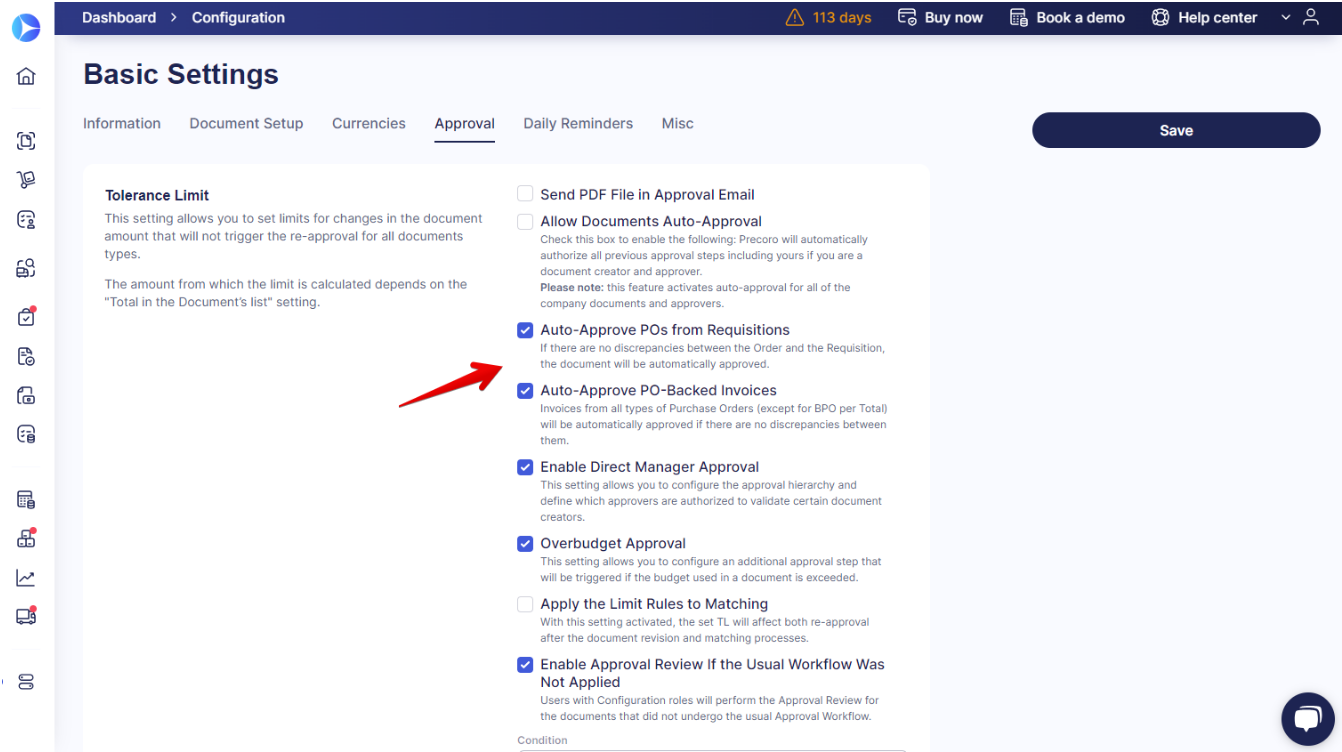
What it looks like in practice: an employee opens a purchase request on the web or in the mobile app and picks items from an internal catalog with images, prices and SKUs, scoped to their location, project or department, or from a PunchOut catalog of an approved online store. They'll see the remaining budget while they fill it in. Admins build the routing under Configurations, Approval Workflow, separately for requisitions, purchase orders, invoices and expenses. Each workflow has named steps, and Customize Threshold sets the amount each approver handles. Department, location, project and custom fields can drive the routing too. An optional Overbudget Approval step fires only when a request exceeds its budget, and Direct Manager Approval sends a request to the creator's manager first. Approvers get email, Slack, in-app or mobile notifications, so they don't have to log in to see what's waiting. When the request is approved it becomes a purchase order, and with Auto-Approve Orders from Requisitions turned on that PO skips a second approval unless the total, items, location, custom fields or budget change.
- you want a published price and configurable approval steps without an enterprise suite
- approved requisitions should become POs without a second approval unless something changes
- you need advanced inventory management
- your budget doesn't stretch to an annual plan starting at $499 a month
- Users like
- Fast approvals, remaining budget visible while requesting, and responsive support.
- Users dislike
- A thin inventory module and a mobile app that handles approvals well but little else.
- Source: GetApp, 255 reviews
Capabilities, integrations and price
Invoices can follow the same approval logic with 2-way or 3-way matching against the PO and the receipt, so you won't maintain two rule sets. Budgets track spending and available funds in real time and alert before an overspend.
Precoro lists QuickBooks Online, Xero, NetSuite, Sage Intacct, Microsoft Dynamics 365 Business Central, Slack and Microsoft Teams, with Power BI for reports.
The Core plan starts at $499 per month and Automation at $999 per month, both billed annually, and both with unlimited documents. Automation adds AP automation, AI document processing, a supplier portal and API access. How Precoro approves new suppliers before the first PO is covered in our guide to supplier management software. Enterprise is quoted and adds ERP and custom integrations plus a choice of US or EU servers. The pricing page shows dollar amounts and says users are tier-based, but it doesn't give a number. GetApp reviewers praise fast approvals, budget visibility and responsive support, and TrustRadius reviewers say the inventory module is thin and the mobile app does approvals well but little else.
- Starting price
- From $499 per month, billed annually (Core)
- Next tier
- Automation, from $999 per month billed annually
- Accounting sync
- QuickBooks Online, Xero, NetSuite, Sage Intacct, Business Central
ProcureDesk
Purchasing and AP automation for 50 to 250 employee companies, with published plans, more than 150 punchout catalogs and Slack approvals.
ProcureDesk's the strongest pick here when most requests are supply orders from big online vendors, because the request starts as a cart rather than a form.
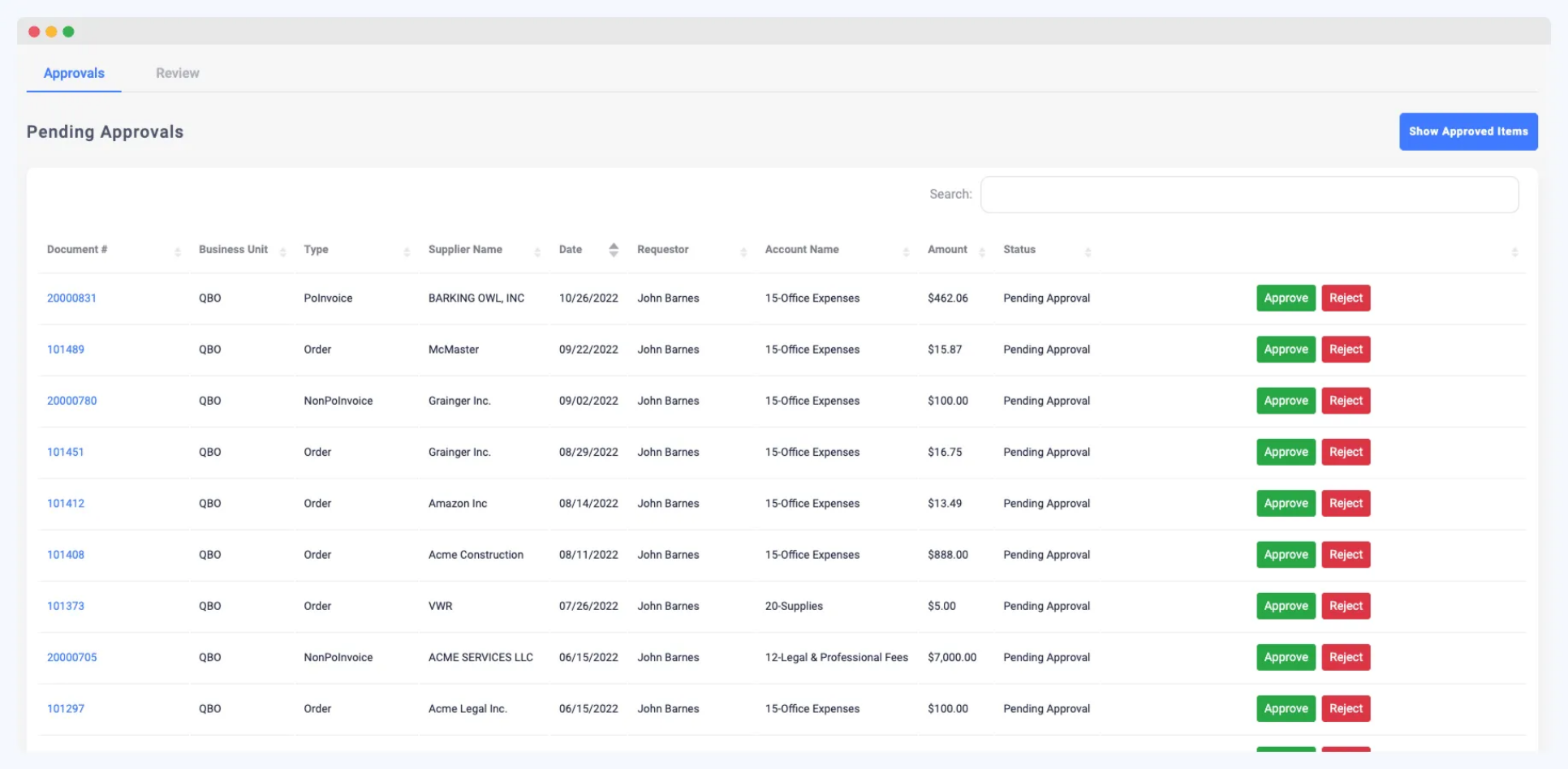
What it looks like in practice: a requester shops internal catalogs, more than 150 punchout catalogs (ProcureDesk names Amazon, Staples, Costco, Grainger and Dell), or a custom catalog ProcureDesk builds for a vendor without punchout. One cart can hold items from several vendors, and the requester doesn't have to guess the budget, because the available funds show while they shop. Budgets can be set by vendor, spend category, department, person or project, with hierarchies, tolerance levels and a rule for what happens when no budget is available. Admins set up routing under Approvals, Workflows: each workflow gets a scope, an entry condition such as one or more departments, and approval levels with approvers and their own conditions. The help center also documents workflows by category, class, supplier, project code and job budget, and line-item approval. Approvers act in the desktop or mobile app, from the email or in Slack, and a denial goes back to the buyer with a reason, so nobody's left guessing why. After approval ProcureDesk generates the PO and sends it to the vendor, then receipts and 3-way matched invoices follow.
- your requesters buy from Amazon, Staples, Grainger or Dell and you want one cart across vendors
- you run QuickBooks, Xero, NetSuite, Sage Intacct or Business Central and want a published price
- you have many requesters, because users beyond the included 10 or 20 cost $20 each per month
- you want a large review base before buying
- Users like
- A straightforward approval workflow with notifications that keep requests from being missed.
- Users dislike
- One reviewer had no direct integration with their ERP and re-entered data; another found invoice matching and routing slow at times.
- Source: GetApp, 38 reviews
Capabilities, integrations and price
The Startup plan includes basic 3-way match with OCR, but it doesn't include SSO. Growth adds advanced matching, unlimited OCR, a month-end close lock, SSO and two-factor authentication. ProcureDesk lists QuickBooks Online, QuickBooks Enterprise, NetSuite, Xero, Business Central, Sage Intacct and Bill.com, and positions Enterprise for SAP and multiple entities.
Startup costs $830 per month billed annually ($9,960 a year) or $996 billed monthly, with 10 users included. Growth costs $1,250 per month billed annually with 20 users. Each extra user is $20 per month, which adds up fast if many people request, and that's easy to miss in a trial with five users. GetApp shows a high rating from only 38 reviews: reviewers like the straightforward approvals, and one had no direct ERP integration and re-entered data by hand. The help articles we read don't cover routing by amount, so it's worth asking to see a threshold rule in the demo.
- Starting price
- From $830 per month billed annually, 10 users included
- Next tier
- Growth, $1,250 per month billed annually, 20 users
- Punchout
- More than 150 catalogs
Tradogram
Procurement and purchase order software with the lowest published entry price in this list, but requisitions and custom approvals are add-ons on that plan.
Tradogram has the lowest published entry price on this page, but read the plan carefully: on the $99 plan, requisitions are an add-on.
What it looks like in practice: a requester fills in a requisition form with custom fields, categories, attachments and GL codes. On submission Tradogram checks the request against the budget, counting money already committed and invoiced, and flags a likely overrun for extra approval or an authorized override instead of letting it pass. Approval rules live under Manage Branch, Approvals. Each rule covers one transaction type, such as requisitions or purchase orders, sits on one of up to 10 levels, and has a main approver plus up to five alternates, which handles the approver-on-vacation problem better than most tools here, since a request doesn't stall when one person is away. Rules fire on item category, department, project, GL account, supplier, creator or a minimum and maximum amount, and when several criteria are set, all must apply. A Test Approvals tool simulates who would approve a given request. A requisition that triggers a rule waits in Pending Approval, becomes Open once it's approved, and turns Fulfilled when someone converts it into a PO or a quote request. It closes when the PO is fully received.
- you want detailed approval rules with up to 10 levels and alternates for each approver
- you need connectors to a long list of accounting systems and punchout suppliers
- you expect requisitions in the $99 plan, because they're an add-on there and included on the quote-only Premium plan
- you need to adapt form fields freely
- Users like
- Easy setup and personal, engaged customer service, and POs that go to suppliers automatically once approval completes.
- Users dislike
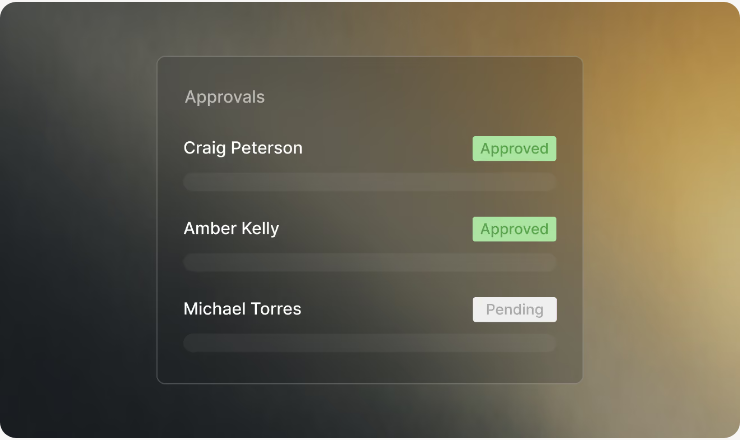
- Fields that can't be adapted, modules sold as a package, and one report of approvers being bypassed despite thresholds.
- Source: G2, 36 reviews
Capabilities, integrations and price
Delegation and escalation are built in, and every approval, rejection, delegation and escalation lands in an audit trail you can't edit after the fact. Approved POs can go to QuickBooks Online with suppliers and invoices kept in sync. The integrations list is the longest on this page: QuickBooks Online and Desktop, Xero, Sage 50, Sage 300, Sage Intacct, NetSuite, Business Central, Oracle, SAP, Blackbaud, MYOB and Bill.com, plus punchout to Amazon, Staples, Office Depot, Grainger, Uline, CDW and others.
Essentials costs $99 per month or $950.40 per year, and the sign-up page shows $32 for each additional user. Requisitions, receiving, real-time budget tracking and custom approval routing are listed as add-ons on Essentials and are included in Premium, which is quoted. That means Tradogram's real starting price for requisitions isn't $99, it's a quote. On G2, reviewers like the easy setup and personal support, and one reviewer reported fields that can't be adapted and approvers being bypassed despite thresholds.
- Starting price
- From $99 per month (Essentials); requisitions are an add-on there
- Approval levels
- Up to 10, each with up to 5 alternates
- Extra users on Essentials
- $32 per user
Quote-based tools for mid-market purchasing
Procurify and Order.co don't publish prices, but they fit a specific mid-market shape well: many requesters spread across departments, or many locations ordering the same supplies.
Procurify
Procure-to-pay platform for mid-market teams, with unlimited requesters and approvals routed by department, account code or dollar value.
Procurify suits organizations where lots of people request occasionally and a smaller group approves and buys, because requesters don't drive the price. That's rare in this category.
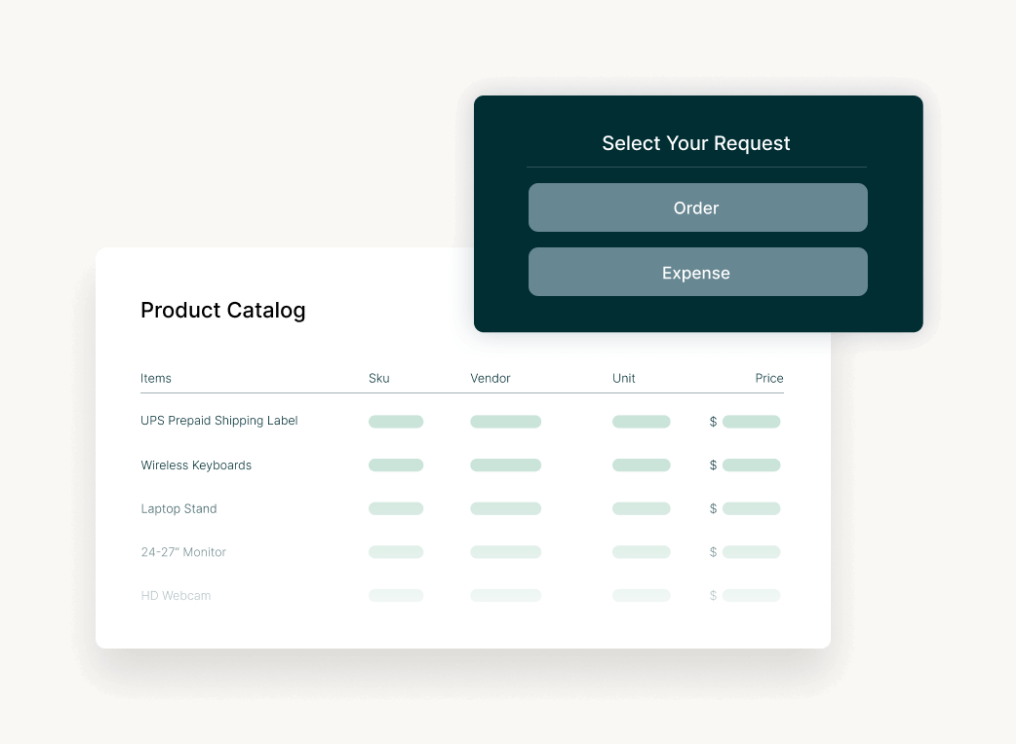
What it looks like in practice: a requester picks one of four request types (Order, Expense, Travel or Funds) on desktop or in the iOS or Android app. Items come from a preferred vendor catalog, a one-time item, a PunchOut site such as Amazon Business, Staples or ZAGENO, or AI Intake, which builds the request from an uploaded vendor quote. Admins set routing under Settings, Manage Approval Routing. Approval groups are triggered by department, account code, category, custom field or value, and each approver gets a dollar threshold. Lower levels approve first, and a request that touches account codes from several groups needs every group's approval. Approvers see the budget impact before they decide, so nobody's approving blind. An admin chooses whether an over-budget request can be approved at all or only with a warning. Notifications go out by email, mobile and Slack, and an approver can delegate pending requests for a set period. Approved items move to the Procure module, where a purchaser creates the PO, or Automatic Purchase Orders generates it if you'd rather skip that step. Receivers then mark items pass or fail, and AP creates bills that sync to accounting.
- many occasional requesters need access, because Basic users don't count toward the price
- approvers need to see budget impact and you want to block over-budget approvals
- you need a published price before you talk to sales
- you need deep inventory management
- Users like
- An intuitive interface and mobile apps, and an easy path from a request to the person who has to approve it, plus temporary approver delegation.
- Users dislike
- Integration and customization limits, including requests for easier QuickBooks export and for switching requisition items to catalog items before the PO is cut.
- Source: GetApp, 208 reviews
Capabilities, integrations and price
Procurify lists QuickBooks Online, QuickBooks Desktop, NetSuite, Sage Intacct and Business Central. There's also an API, and punchouts to Amazon Business, Staples Advantage, Home Depot, Grainger, Uline and ZAGENO.
Pricing is quoted. Every customer starts with the Purchasing package, Basic users are unlimited, and the quote depends on the number of Pro users. AP, Expense and Card, Guided Intake and Contracts are add-ons. GetApp reviewers find the interface intuitive and like how easily a request reaches the right approver. The recurring complaints are integration and customization limits, including a request to switch requisition items to catalog items before the PO is cut. Procurify's help articles disagree on whether location can trigger routing, so confirm that if your approvals depend on site.
- Starting price
- Custom quote, unlimited free Basic users
- Request types
- Order, Expense, Travel, Funds
- Accounting sync
- QuickBooks, NetSuite, Sage Intacct, Business Central
Order.co
Purchasing platform for multi-location operators that buy recurring supplies from a custom catalog, with approval rules by location, cost center and budget.
Order.co turns requisitions into shopping: employees at each location order from a custom catalog, and the approval rules know the location, cost center and budget behind every cart.
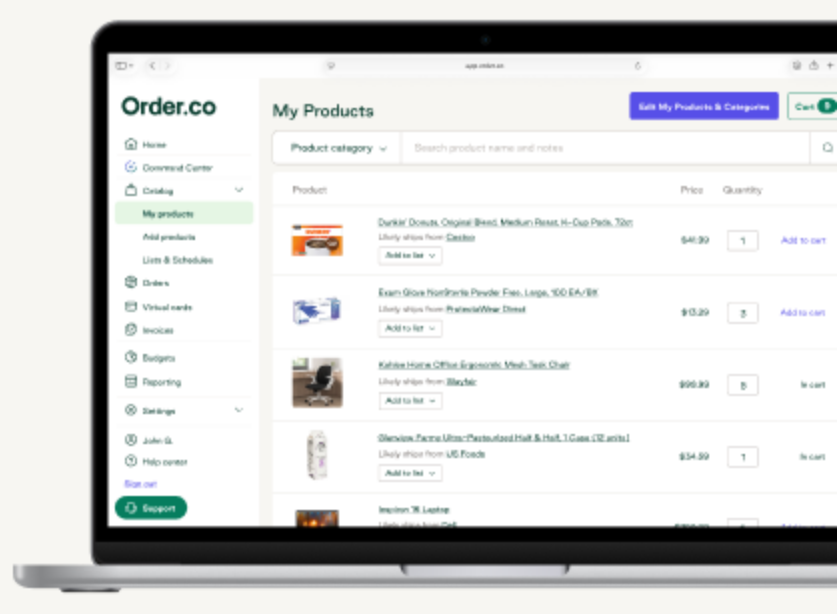
What it looks like in practice: an employee shops a custom catalog and puts everything in one cart. When they submit it, the order is checked against every approval rule before it goes to a vendor. Admins build rules in the Approvals tab. Each rule has one or more steps, each step has one or more approvers (any one of them can approve), and conditions on user, location, cost center, accounting code, order subtotal and budget. The budget condition fires when a budget is already over its limit or when the order would push it over. Conditions combine with And or Or, and step 1 must pass before step 2 applies. Matching orders wait in an Approval Required status and won't reach a vendor until they're cleared. Step 1 approvers get an email showing which rules fired, the products, the estimated total and the budget left after the order, with a reminder every two days. Editing an order resets its approvals, so a changed cart can't slip through on an old sign-off. Once it's approved, the order moves to fulfillment and Order.co converts it into a purchase order tied to a budget, an approver and a vendor record.
- you run many locations that reorder the same supplies
- approvals should depend on location, cost center, subtotal or remaining budget
- most of your spend is services or non-catalog purchases
- you need a published price
- Users like
- Ordering in one central place with spending visibility, and approving orders straight from email.
- Users dislike
- Search and product substitutions that don't always match the spec, and limits on non-catalog orders and reporting.
- Source: Capterra, 176 reviews
Capabilities, integrations and price
Budgets can be set for locations, cost centers or users and allocated across accounting codes, with rollover settings. Order.co's AI also flags unusual quantities, price changes and off-cadence orders before they're approved. Order.co lists QuickBooks Online, NetSuite, Sage Intacct and Workday, with Okta and Ping Identity for single sign-on.
Order.co doesn't publish pricing. Capterra reviewers like centralized ordering, spend visibility and approving straight from email. The complaints are product substitutions that don't match the spec, items that are hard to find in search, and, from one sourcing manager, limits on non-catalog orders and reporting. If most of your spend is services or one-off purchases, that last point matters more than the catalog, and you'll likely be better served by a form-first tool.
- Starting price
- Custom quote, no public pricing
- Approval conditions
- User, location, cost center, accounting code, subtotal, budget
- Accounting sync
- QuickBooks Online, NetSuite, Sage Intacct
Enterprise intake and source-to-pay
Zip and Coupa fit larger organizations where a purchase request is often a new software contract or a services engagement, not a box of supplies, and where several teams have to sign off.
Zip
Intake and procurement orchestration that puts one request front door and cross-functional approvals on top of an existing ERP.
Zip's an intake layer more than a buying catalog: every request goes through one front door and Zip decides which teams need to review it.
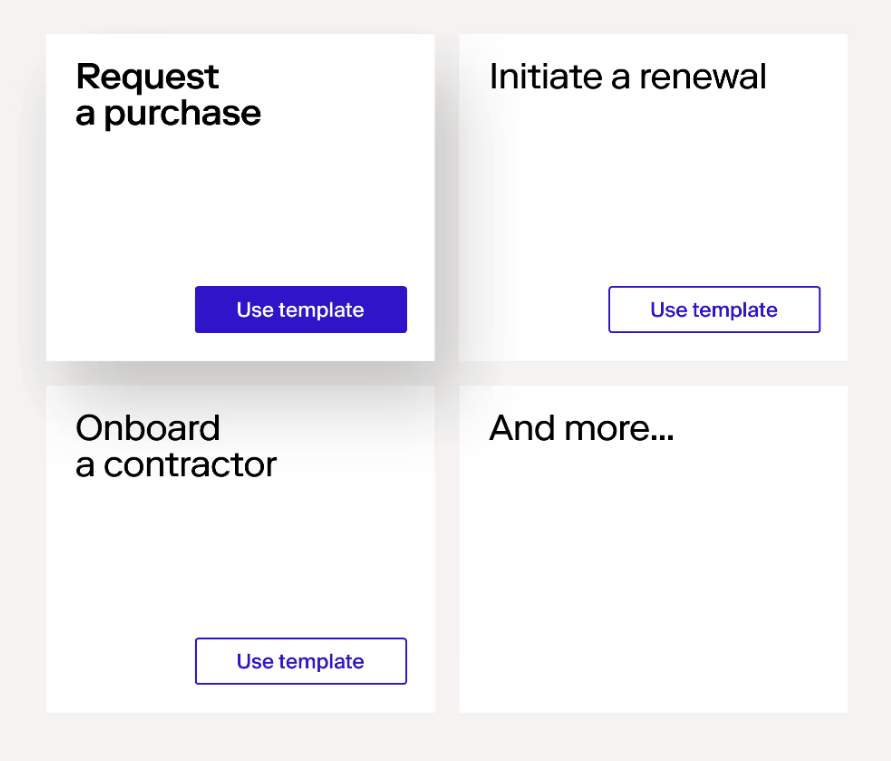
What it looks like in practice: a requester opens Zip's intake form and answers a guided question about what they want to buy, with categories such as software, hardware and professional services. Zip AI can read an order form and pre-fill the request. Zip collects the information each purchase needs based on who's asking and what's being bought, then routes the request to the internal reviewers automatically. The workflow engine picks approvers through queues and user hierarchies and handles cross-functional paths, so a new SaaS tool can pass procurement, legal, IT and security and finance in one flow. Admins change workflows in a drag-and-drop builder with prebuilt templates for purchase requests, so they don't need IT for every routing change. With the Budgets add-on, reviewers see the remaining budget inside the approval, a pre-approved budget can clear a request, and an exhausted budget can trigger extra review. Once a request is fully approved, Zip can generate the PO and help send it to the vendor, and its procure-to-pay module syncs approved transactions to the ERP.
- purchases need legal, security, IT and finance review, not only a budget approval
- you already run an ERP and want a front door for every request in front of it
- you're a small team that needs a published price
- you mainly order catalog supplies, since Zip's public pages don't mention punchout
- Users like
- Workflows that are easy to configure, with every requester able to see where a request stands and which steps remain.
- Users dislike
- Reporting is the weak area for several reviewers, and one said misconfigured routing sent approvals to the wrong person.
- Source: Capterra, 32 reviews
Capabilities, integrations and price
Zip names Oracle, NetSuite, Sage, SAP, Workday, Dynamics 365 and QuickBooks as ERP connections, plus Brex. Vendors complete onboarding tasks in a vendor portal tied to the purchase request, so procurement isn't chasing tax forms by email.
Zip doesn't publish pricing. The domain moved from ziphq.com to zip.com, and the pricing URL returned a 404 when we checked. Zip's public pages don't say which conditions can drive routing (amount, department or category) or whether punchout catalogs are supported. That's not proof they're missing, but you'll want both shown in a demo. Capterra reviewers say workflows are easy to configure and everyone can see where a request stands. Several name reporting as the weak spot, and one said badly configured routing sent approvals to the wrong person.
- Starting price
- Custom quote, no public pricing
- ERP sync
- Oracle, NetSuite, SAP, Workday, Dynamics 365, QuickBooks
- Budgets
- Add-on
Coupa
Enterprise source-to-pay suite whose requisitions run through guided buying, punchout and prioritized approval chains with budget meters.
Coupa's the full suite: requisitions sit inside guided buying, catalogs, contracts and invoicing, with the most configurable approval chains in this list.
What it looks like in practice: a requester starts in guided buying, which steers them to preferred suppliers, contracted items and negotiated rates, or submits a natural-language request from Slack, Teams or email through Coupa's Intake and Orchestration product. Catalog and punchout items land in a requisition, so they don't skip approval. With punchout, the user checks out on the supplier site, the cart comes back into the Coupa requisition, and they submit it for approval. Approvals combine the requester's management hierarchy with custom approval chains. Each chain gets a priority from 1 to 49 or 51 to 99, because 50 is reserved for the management hierarchy, so chains below 50 run before the manager and chains above run after. Chains can match on accounts, commodity, item and requester, with minimum and maximum amounts and approval limits, and can run approvers in parallel. Budget meters let approvers check there's enough budget before committing. Once it's approved, Coupa generates the PO and, for punchout suppliers, sends it to the supplier as a cXML order.
- you need fine-grained approval chains by account, commodity, item and amount across entities
- contract-compliant guided buying and punchout matter more than a quick rollout
- you're a small or mid-size team that wants a published price and a rollout in weeks
- your only requirement is renewal-owner reminders without enterprise spend management
- Users like
- Approval routing and spend compliance for indirect buying, with clear purchase limits per person.
- Users dislike
- Heavy integration work with ERPs such as SAP, and a supplier portal that confuses vendors asked to create profiles.
- Source: TrustRadius, 168 ratings
Capabilities, integrations and price
Coupa lists SAP, Oracle, NetSuite, Workday and Microsoft Dynamics among its ERP connections. Coupa's supplier portal is free for suppliers, but the buyer side is quoted only, and coupa.com/pricing redirects to the homepage, so you won't find a list price. Coupa says implementations take a matter of months, which isn't unusual for a suite but is clearly too slow for a team that needs approvals working next quarter. If you're pricing it, see our Coupa pricing breakdown and Coupa review.
TrustRadius reviewers credit approval routing and spend compliance for indirect buying. The complaints are heavy integration work with ERPs such as SAP and a supplier portal that confuses vendors asked to create profiles.
- Starting price
- Custom quote, no public pricing
- Standard supplier portal
- Free for suppliers
- Buyer-side platform
- No verified public universal USD rate
How to choose purchase requisition software
To choose purchase requisition software, test your own approval rules against each tool, because most selection mistakes happen when a team buys on the feature list and only later learns that its rules don't fit. The eight products here share a feature list. They differ on the six points below, and each one is easy to test in a demo with a real request from last month.
- Approval conditions. List the conditions your approvals depend on today: amount, department, location, cost center, GL account, category, supplier. Then check that the tool can route on each one. If it can't, you'll end up with workarounds. Tradogram, Order.co, Procurify and Precoro document their conditions publicly. Zip's public pages don't.
- Absent approvers. Ask what happens when an approver's on vacation. Tradogram has up to five alternates per rule, Procurify has time-boxed delegation, and Order.co lets any approver in a step approve.
- Budget behavior. Can a request that exceeds its budget still be approved? In most of these tools yes, but only if you allow it. Procurify blocks approval of over-budget requests when Budget Overage is off and shows a warning when it's on. Precoro adds an Overbudget Approval step that fires only for those requests, Tradogram flags them for an extra approval or an authorized override, and Order.co routes on remaining budget. None of them stops an employee from submitting the request in the first place.
- Request to PO. Check whether an approved request becomes a PO automatically, needs a buyer, or needs a second approval. You don't want to approve the same purchase twice. Precoro can skip the second approval unless something changes.
- Accounting sync. Name your system and ask whether the connector's native or a file export. QuickBooks, Xero, NetSuite and Sage Intacct are well covered at the low end. SAP and Oracle usually mean Coupa, Zip or an enterprise plan.
- Who pays for seats. Count requesters and approvers separately. Procurify doesn't charge for Basic users, ProcurementExpress.com prices by spend managed, and ProcureDesk and Tradogram add a fee per user.
- Setup effort. Ask who configures the workflows and how long the vendor expects it to take. ProcurementExpress.com's Basic plan is self-service and its Best plan comes with a dedicated implementer. Coupa says its implementations take a matter of months. None of the other vendors states a timeline on the pages we read, so ask for one in writing.
How to set approval thresholds
- Pull last quarter's purchases and sort them by amount, so the thresholds follow your real spend and aren't just round numbers.
- Pick two or three cut-off amounts. A common shape is manager approval below the first, Finance added above it, and an executive above the last.
- Add category rules on top of the amounts, such as IT and security for any software purchase, whatever it costs.
- Name a delegate or alternate for each approver before you go live. Don't leave it for the first vacation.
- Run five old requests through the tool's test or simulation feature, if there's one (Tradogram's is called Test Approvals), and check that each one lands with the approver you expect.
- Amount thresholds per approver, for example under $1,000 manager only and above it Finance too
- Which departments, locations or cost centers have their own approvers
- Categories that always need another reviewer, such as software (IT and security) or contractors (legal)
- A delegate or alternate for every approver
- What happens to an over-budget request: block, warn or add an approver
- Whether the requester's manager always approves first
- When an edited request has to be approved again
- Who turns an approved request into a PO, and whether that is automatic
Purchase requisition vs purchase order
A purchase requisition is an internal request asking for permission to buy. The supplier never sees it. A purchase order is the document you send the supplier, and once the supplier accepts it, it commits the company to pay. The requisition comes first and the PO is created from it after approval.
| Document | Purchase requisition | Purchase order |
|---|---|---|
| Who creates it | The employee who needs the item | Procurement, a buyer, or the software after approval |
| Who sees it | Internal approvers only | The supplier |
| What it does | Asks for approval and checks the budget | Orders goods or services at an agreed price |
| Commitment | None until it's approved and converted | Commits the company once the supplier accepts it |
| What follows | Approval, then conversion to a PO | Delivery, receipt, invoice and payment |
Every tool on this page keeps the two linked, so the PO carries the requisition's approvals and budget coding. That link is what makes a 3-way match possible later, and it's the main thing a spreadsheet can't give you. If you need the whole chain through receiving, invoice matching and supplier payment, our guide to procure-to-pay software compares tools on those later steps.
How much does purchase requisition software cost?
Purchase requisition software with requisitions included in a published plan costs from $415 per month (ProcurementExpress.com Basic), $499 per month billed annually (Precoro Core) or $830 per month billed annually (ProcureDesk Startup), as listed in October 2026. Tradogram's Essentials plan is cheaper at $99 per month, but it lists requisitions as an add-on. Procurify, Order.co, Zip and Coupa quote every customer, so the only way to compare them is to request quotes for the same user count and spend.
The pricing models differ more than the entry prices do, and they're what decide the bill in year two. ProcurementExpress.com charges by spend managed per month, ProcureDesk includes 10 or 20 users and charges for more, Procurify prices by Pro users and leaves requesters free, and Precoro bills annually by tier.
The spend requisitions never see: renewals
Requisition software controls new purchases, but it doesn't see the purchases nobody requests again. A SaaS subscription or a service contract that renews on its own commits the next year's spend without a new requisition, an approval or a budget check, and the only chance to change that is before the contract's notice deadline. Once that date passes, the money's committed even though nobody approved it again. Our spend management software comparison covers tools that also control cards, supplier bills and reporting.
For these contracts, the review can't wait for the renewal date. It has to happen before the notice date. The business owner confirms the tool's still used, Finance checks the budget, and IT checks security and overlap with other tools. Then someone records the decision to renew, renegotiate or cancel, so it isn't decided by default.
Purchase requisition software FAQ
Is there free purchase requisition software?
None of the eight tools in this comparison has a free plan. ProcurementExpress.com offers a 14-day trial. Without paid software, the usual free setup is a shared form plus email approvals, which works until you need budget checks, delegation or an audit trail.
What is the best purchase requisition software for a small business?
For a small business on QuickBooks, ProcurementExpress.com is the simplest fit, because approvals follow each approver's spending limit and POs sync both ways with QuickBooks Online. Precoro suits small teams that want more approval steps at a published price.
Do I need a purchase requisition before every purchase order?
You don't need a purchase requisition before every purchase order. Many companies skip the requisition for purchases under a small amount or for items bought on a company card, and require one above that line. Requisition software makes that line enforceable, because Order.co, Precoro and Procurify can route a request by its amount, so you decide which amounts need which approvers.
Which purchase requisition software works with QuickBooks?
ProcurementExpress.com, Precoro, ProcureDesk, Tradogram, Procurify and Order.co all list QuickBooks Online as an integration, and Zip lists QuickBooks among its ERP connections. Procurify, Tradogram and ProcureDesk also list QuickBooks Desktop or QuickBooks Enterprise.
What is the best PO system?
The best PO system is the one that creates the purchase order from an approved requisition without retyping. Precoro, ProcureDesk, Order.co and Coupa generate the PO after approval, and Precoro can skip a second approval on POs created from approved requests.