
The best supplier information management software depends on where your supplier data goes wrong. If bad tax and bank data reaches your ERP, Graphite Connect checks it before it gets there. If one supplier lives in several ERPs, HICX keeps one governed record. If you already run a source-to-pay suite, Ivalua, JAGGAER, Coupa and Oracle each hold the record inside the suite, with different levels of documented control.
Supplier information management (SIM) software keeps one accurate record per supplier: legal name, tax ID, bank details, contacts, certificates and status. Suppliers fill in and update their own data, the software checks it, and the approved record flows into your ERP vendor master. We compared eight tools on how they create, validate, maintain and sync that record, using each vendor's own documentation, and we mark every capability the vendor doesn't document.
- SIM is a data job, not a scorecard job. The test is what happens when a supplier edits its bank details a year after onboarding.
- Graphite Connect and HICX are data-first specialists. Ivalua, JAGGAER and Infor Nexus add the record to a wider supplier or supply chain platform. Coupa and Oracle hold it inside a spend or ERP suite.
- None of the eight publishes a full price. HICX and Graphite Connect size their quotes by supplier count, and only Graphite Connect and Coupa document that suppliers use the portal for free.
- Duplicate detection and change approval are the two controls vendors document least. Ask for both in the demo.
Our picks by problem
"Supplier management" covers scorecards, risk and onboarding, and most roundups mix them. These picks follow one test: the tool that keeps the supplier record cleanest after the first day.
 Best for validating tax and bank dataGraphite ConnectChecks W-9 and bank documents against TIN, EIN and company name before the record reaches your ERP.
 Best for one record across several ERPsHICXDuplicate rules, match and merge, and a single controlled entry point for supplier changes.
 Best for cleaning existing records in a suiteIvaluaOn-demand cleansing with a review workbench and bulk updates back to ERP supplier records.
 Best for approving supplier edits field by fieldCoupaBuyers see each supplier change highlighted against their own record and accept or decline it.
 Our product · for the renewal behind the supplierThe Procurement ManagerDoes not hold supplier data. Routes the renewal decision on the contract once the supplier is approved.
What is supplier information management software?
Supplier information management software is a system of record for the businesses you buy from. It collects supplier data through a self-service form or portal, validates it against documents and outside sources, controls who may change it, and syncs the approved record to the ERP or procurement suite that pays the supplier. The ERP vendor master stays the place where purchase orders and payments happen, but SIM decides what is allowed into it.
SIM differs from supplier management in the wider sense. Supplier management also covers performance scorecards, relationship reviews and risk monitoring, and our supplier management software roundup compares tools across those three scopes. SIM is the data layer underneath: the record that scorecards, risk screening and payments all read from. If you need continuous security and financial monitoring of third parties instead, see our third-party risk management software comparison. If the open question is how suppliers log in, invoice and track payment, see our vendor portal software comparison.
In most US companies "vendor" and "supplier" mean the same thing. The "VMS" label usually means vendor management system, but contingent-workforce VMS tools such as SAP Fieldglass manage temporary staff and staffing agencies. They are a different product class and not covered here.
What a supplier record holds and who should own each field
The record is where most data problems start, so decide who owns each field before you look at tools. The table below is a starting point, not a standard.
| Field | Where it comes from | Who should own it | What to control |
|---|---|---|---|
| Legal name and address | Supplier registration | Supplier enters, procurement approves | Match against the tax document |
| Tax ID and W-9 or W-8 | Supplier upload | AP or tax verifies | Name and TIN must agree before activation |
| Bank account | Supplier entry | AP verifies, with a callback to a number you already hold | Every later change goes back to approval |
| Payment terms | Contract | Procurement or Finance | Buyer-side field, not editable by the supplier |
| Certificates and insurance | Supplier upload | Compliance | Expiry date and a named person who is told |
| Contacts | Supplier | Supplier | Roles for orders, invoices and security |
| Category, risk tier, status | Buyer | Procurement | Prospective, approved or blocked, with a reason |
Supplier information management software compared
The table shows what each tool is, what it hands to the rest of your stack, its price status and the review rating we could read. Three tools show no rating because their review pages blocked us and we won't publish a number we have not seen.
| Tool | Type | What it hands off | Price status (USD) | Review rating |
|---|---|---|---|---|
| Graphite Connect | Supplier onboarding and data validation | Validated supplier profile, tax and bank data into the ERP | Not published by the vendor; Capterra lists a starting price of $25,000 per year, flat rate | 4.3 (Capterra, 26) |
| HICX | Supplier information management for multi-ERP enterprises | One governed supplier master record fed to every ERP | Not published, quote only | No reviews yet |
 Kodiak Hub | Supplier relationship management (SRM) | Supplier self-registration, assessments, risk screening and scorecards on top of your ERP | Not published, quote only (modular SaaS licence) | 4.8 (Capterra, 14) |
| Ivalua | Source-to-pay suite with supplier information management | Branded supplier portal, on-demand record cleansing and bulk updates to ERP supplier records | Not published, quote only | No reviews yet |
 JAGGAER | Source-to-pay suite with supplier management | Supplier portal with guided self-service onboarding, compliance checks and document validation | Not published, custom quote | No reviews yet |
 Infor Nexus | Supply chain network with supplier management | Supplier vetting and onboarding with real-time progress, plus order and production collaboration | Not published, quote only | No reviews yet |
| Coupa | Enterprise spend management and procurement | Guided buying, prioritized approval chains, POs sent to suppliers | Custom buyer quote; no public US rate card verified | 7.2/10 (TrustRadius, 168) |
 Oracle Fusion Cloud Procurement | ERP procurement module | Self-service requisitions, POs, receiving and 2-, 3- or 4-way matching in Oracle Payables | List price 625 USD per named user per month for Fusion Procurement (minimum 10 users); Self Service Procurement 8 USD per user per month (minimum 100), per Oracle's October 2026 global price list; contracts are negotiated | 4.4 (Gartner Peer Insights, 104) |
| The Procurement Manager Our product | Contract renewal decisions | Routes renewal reviews to the business owner, Finance and IT before the notice deadline | From $49 per month, flat, no per-seat fees (Starter, up to 50 contracts) | No reviews yet |
Ratings come from the review site we could read in October 2026: Capterra for Graphite Connect and Kodiak Hub, TrustRadius for Coupa, Gartner Peer Insights for Oracle. Coupa's score covers the whole platform. Where a review page returned an error we show no rating.
What each vendor documents
We read each vendor's own pages for the five controls that decide whether a record stays accurate. "Yes" means the vendor describes it. "Partly" means the page describes the area but not the detail. "Not documented" means we didn't find it, which isn't the same as "the tool can't do it". Treat every "Not documented" as a demo question.
| Tool | Self-service creation | Tax ID check | Bank check | Duplicate detection | Change control after onboarding | ERP sync |
|---|---|---|---|---|---|---|
| Graphite Connect | Yes, email invite and supplier-owned profile | Yes, TIN, EIN and name | Yes, plus identity checks | Not documented | Not documented, alerts suppliers when data is outdated | Yes, named ERPs and open API |
| HICX | Yes, adaptive questionnaires | Yes, with the Origin add-on | Yes, with the Origin add-on | Yes, rules plus match and merge | Yes, single controlled entry point and approval workflows | Partly, no ERP named |
| Kodiak Hub | Yes, sign(UP) form | Not documented | Not documented | Not documented | Not documented | Partly, API, Coupa and SAP Ariba named |
| Ivalua | Yes, branded portal | Partly, no checks named | Partly, no checks named | Yes, on-demand cleansing | Yes, smart approval workflows | Partly, bulk ERP updates, no ERP named |
| JAGGAER | Yes, guided self-service | Partly, compliance checks | Not documented | Not documented | Not documented | Partly, no ERP named |
| Infor Nexus | Yes, onboarding with progress tracking | Not documented | Not documented | Not documented | Order changes only | Partly, order changes update the ERP |
| Coupa | Yes, invite, self-registration or PO email | Partly, AI monitoring claim | Not documented | Yes, flags shown to requesters | Yes, field-by-field approval | Partly, no connectors named |
| Oracle Fusion Cloud Procurement | Yes, registration with approval | Not documented | Not documented | Not documented | Partly, approval history recorded | Yes, native to Fusion ERP |
Data-first specialists
Graphite Connect and HICX do one job: they sit between suppliers and your ERP and decide what is allowed in. They are especially strong when data quality or fraud is the problem, but weak when you also want requisitions, orders and invoices in the same product. Kodiak Hub sits in this group because it is a standalone supplier layer, but it leans toward assessments and risk.
Graphite Connect
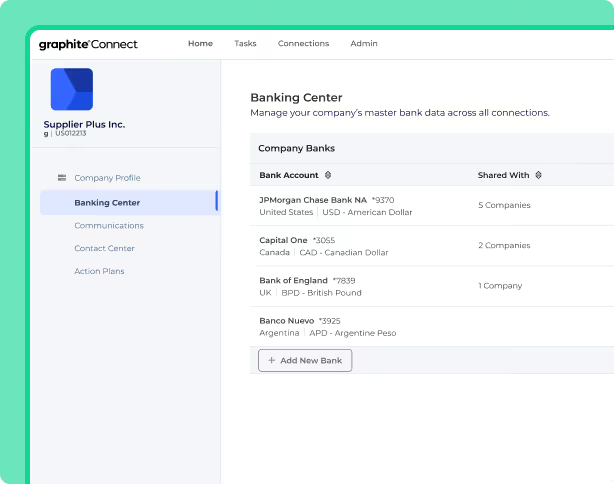
Supplier onboarding network where suppliers maintain their own profile and Graphite validates tax, bank and identity data before it reaches the ERP.
Graphite Connect is built to prove that a supplier asking to be paid is the business it claims to be, and to keep the validated profile in step with your ERP.
Create. The buyer emails an invite. The supplier sets up a secure profile and can skip questions it has already answered for another Graphite buyer. Onboarding flows vary by category, location, risk area and ESG needs.
Validate. Graphite uses OCR and AI to compare uploaded documents against the TIN, EIN and company name, which catches W-9 problems and name mismatches. It runs bank, tax and identity checks, with two-factor authentication and video validation during onboarding.
Maintain. Suppliers log in and keep their own data. Graphite tracks when information goes stale and alerts the supplier to update compliance documents and banking details. Internal users can request updated information from a vendor.
Sync. Validated data goes to the ERP through an open API. Graphite names NetSuite, Oracle ERP Cloud, E-Business Suite, JD Edwards, PeopleSoft, SAP S/4HANA, SAP Ariba and Workday, and says setup can take as little as two weeks.
- you want tax, bank and W-9 validation on supplier-submitted data before it reaches NetSuite, Oracle, SAP or Workday
- you want suppliers to maintain their own profile at no cost to them
- you need documented duplicate detection or a buyer approval flow for later supplier edits: neither is described on the pages we read
- you need a published price: the vendor shows none, and the roughly $25,000 per year on directory listings is unconfirmed
- Users like
- A registration flow suppliers find quick and easy, one place for every stakeholder in vendor onboarding, and responsive support.
- Users dislike
- Task statuses that don't make clear whose turn it is, and integration issues that can take a long time to resolve.
- Source: Capterra, 26 reviews
Price, supplier cost and what reviewers say
Graphite Connect doesn't publish a price. Its pricing page returned a 404 when we checked, and the demo form sizes the quote by active suppliers. Capterra and Software Advice list a flat rate of about $25,000 per year, which we saw only in search snippets, so treat it as a directory figure and not a quote. Suppliers use the platform for free, and Graphite says banking details are excluded from the data shared with other buyers in its network.
On Capterra, reviewers rate it 4.3 from 26 reviews. They praise a registration flow suppliers find quick and easy, one place for every stakeholder in onboarding, and responsive support. The recurring complaints are task statuses that don't make clear whose turn it is, and integration issues that can take a long time to resolve.
- Starting price
- Not published by the vendor; Capterra lists a starting price of $25,000 per year, flat rate
- ERP connections
- NetSuite, Oracle, SAP S/4HANA, SAP Ariba, Workday, open API
- Users
- Unlimited
- Supplier cost
- Free for suppliers
- Supplier data
- OCR checks W-9 and bank documents against TIN, EIN and company name
HICX
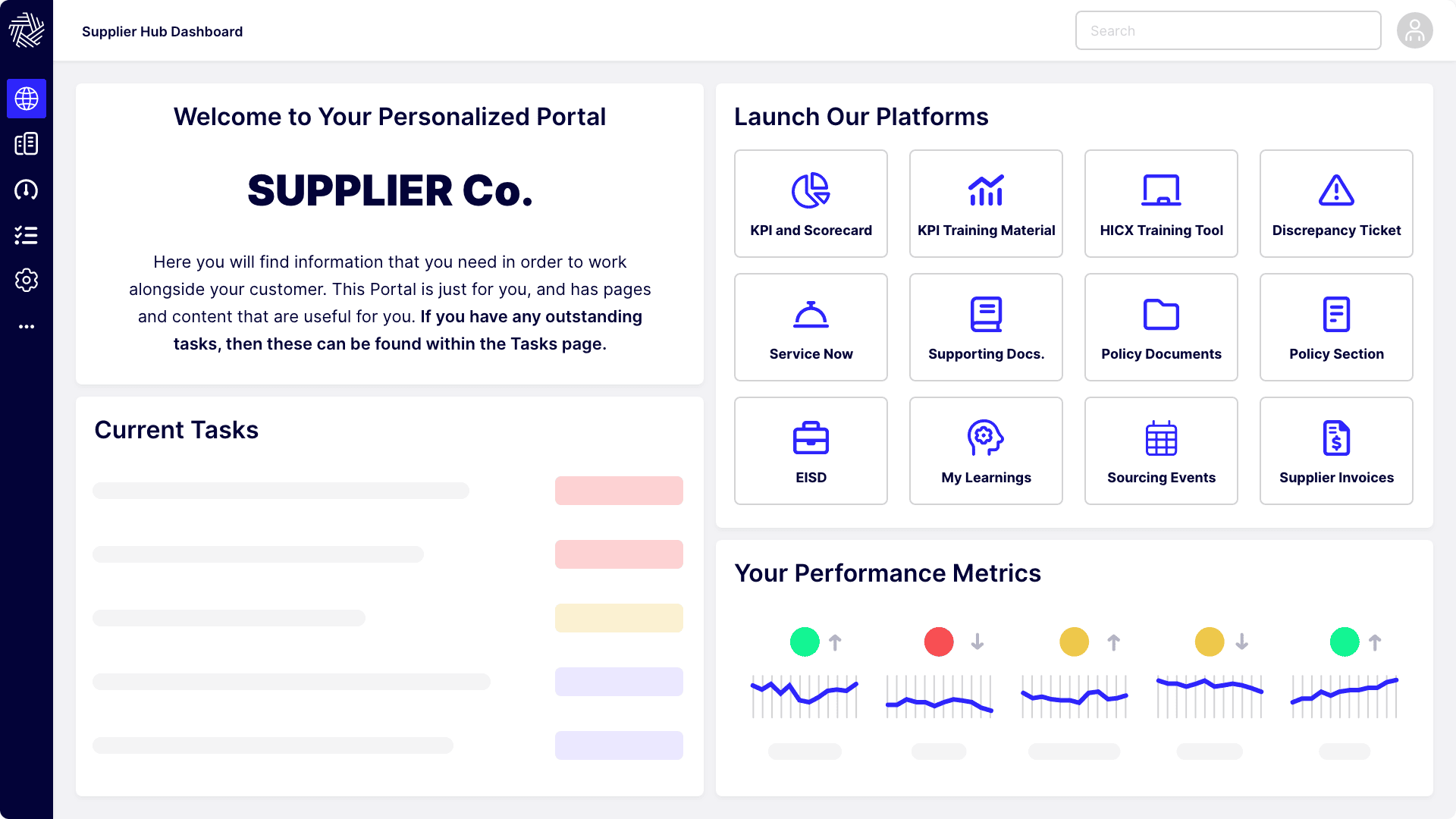
Enterprise supplier management platform built around one governed supplier master record that it feeds to several ERPs.
HICX is a supplier master data platform: one governed record, a supplier portal and an add-on that checks the record against outside sources.
Create. Suppliers register through workflows with built-in validation, duplicate detection and compliance document upload. Questionnaires adapt to supplier type, category and country.
Validate. The Origin add-on checks bank accounts, tax IDs and addresses when the supplier submits them and flags invalid entries before activation. For US suppliers it validates W-8 and W-9 forms and tracks their expiry. HICX names D&B and EcoVadis as data sources on its Origin pages.
Maintain. Suppliers keep their own certifications, contacts and bank details in the portal, and HICX alerts on certificate expiry. Bank changes after onboarding are monitored and the buyer is alerted. Automation rules scan the data continuously for duplicates, gaps and errors, and match-and-merge tools handle large datasets from acquisitions or migrations.
Sync. HICX describes continuous synchronization with ERP and procure-to-pay systems and rules that keep the ERP vendor master complete. A single controlled entry point governs new data and changes, and can lock the ERP against unauthorized supplier edits. The pages we read name no specific ERP.
- you run several ERPs and need one governed supplier master with duplicate rules and match and merge
- you need bank, tax ID and W-8 or W-9 validation plus certificate expiry alerts
- you want public pricing or self-serve setup: HICX is quote only and implementation runs as a project
- you need review evidence: G2 and Gartner each show a single rating
Price, configuration effort and reviews
HICX doesn't publish a price, and its own pricing URL returned a 404 when we checked. A third-party directory, ERP Research, says the quote is driven mainly by the number of suppliers. No HICX page we read states a supplier-side fee.
Review evidence is thin. G2 shows one review, which calls the platform highly customizable and good at complex onboarding, and says configuration needed heavy programming and that redesigning a 100-question questionnaire took several hundred hours. One review isn't a pattern, but it is a reason to ask any reference customer how long their own configuration took.
- Starting price
- Not published, quote only
- Data validation
- HICX Origin add-on: bank details, tax IDs, addresses, sanctions
- Supplier portal
- Self-service, 100+ languages
- Origin validation
- Bank, tax ID and address checks at submission, W-8 and W-9 validation, bank-change monitoring
- Duplicates
- Continuous rules for duplicates, gaps and errors, match and merge for migrations
- Change control
- Single controlled entry point, can lock the ERP against unauthorized supplier edits
- Certificates
- Expiry alerts, W-8 and W-9 expiry tracking
Kodiak Hub
Modular SRM platform that collects supplier data through self-registration and assessment campaigns and turns it into risk and performance scorecards.
Kodiak Hub is a supplier relationship layer. It registers suppliers and screens them for risk, but it is lighter on master data controls than the two tools above.
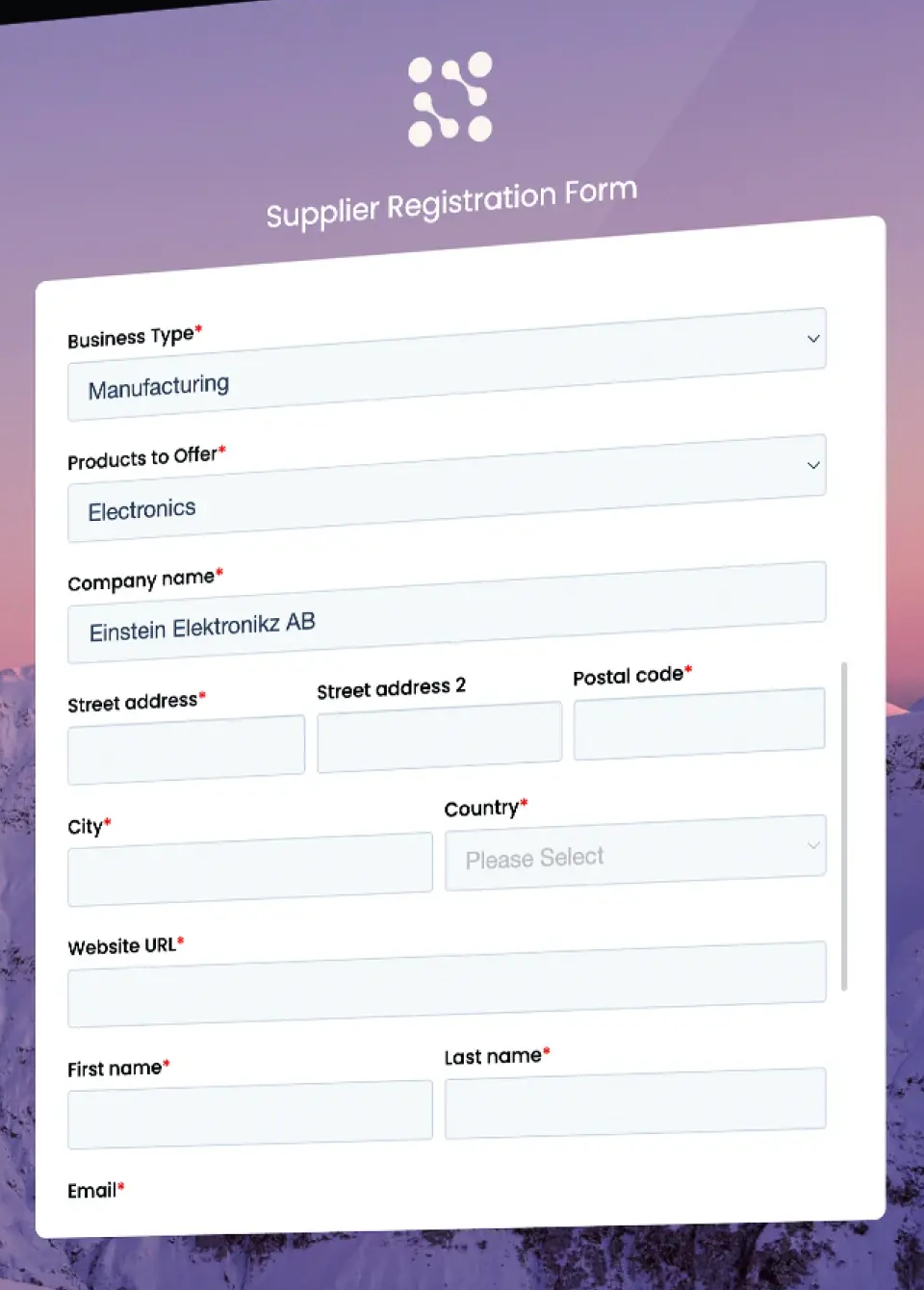
Create. Suppliers register through a configurable sign(UP) form, which you can send directly or embed on your own website. A submission creates a record with its own scorecard and notifies the buyer.
Validate. Kodiak Hub screens for sanctions, politically exposed persons and adverse media, and adds financial and credit ratings through its fin(SIGHT) module. The pages we read don't describe tax ID or bank validation.
Maintain. Suppliers submit certificates and documents and e-sign contracts and codes of conduct. Document expiry, duplicate detection and approval of supplier changes aren't mentioned in the pages we read.
Sync. Integrations are API-driven and no-code or low-code. Supplier data can be pulled from an ERP and insights pushed back. Coupa and SAP Ariba are named, and the master data sync process isn't described.
- you want a registration form embedded on your own site, plus assessments and sanctions and adverse-media screening
- you already run Coupa or SAP Ariba and want an SRM layer on top
- you need duplicate detection, change approval or document expiry as core master-data controls: none are documented
- you need a named ERP connector: only Coupa, SAP Ariba and a generic API are named
- Users like
- Ease of use, all supplier data and documents in one place, and an easier ERP integration than older SRM platforms.
- Users dislike
- Reporting that isn't fully developed yet, module names some users find confusing, and, for one reviewer, a platform that's hard to customize.
- Source: Capterra, 14 reviews
Price and what reviewers say
Kodiak Hub doesn't publish a price. Its pricing URL returned a 404 and the implementation page mentions only modular SaaS licensing. Single sign-on is offered and the vendor states ISO/IEC 27001 certification.
On Capterra reviewers rate it 4.8 from 14 reviews and G2 shows about 4.4 from roughly 30. Reviewers praise ease of use, having supplier data and documents in one place, and an easier ERP integration than older SRM platforms. The complaints are reporting that isn't fully developed and, for one reviewer, a platform that's hard to customize.
- Starting price
- Not published, quote only (modular SaaS licence)
- Also on G2
- 4.4 out of 5 from 31 reviews
- Risk data
- Financial, sanctions and PEP, adverse media, country risk modules
- Supplier join
- Self-registration through a configurable sign(UP) form
- Supplier SSO
- Single sign-on offered, ISO/IEC 27001 certified
- Evidence source
- Supplier self-assessments plus external risk signals
- Assessments
- Template builder and library covering 15 business and sustainability areas
- Corrective actions
- Findings feed workflows and improvement projects
Supplier management suites with a SIM module
Ivalua, JAGGAER and Infor Nexus are broader platforms. You buy them for sourcing, supplier collaboration or supply chain visibility, and the supplier record comes with the package. They fit when your team already treats supplier data as part of a larger program. They fit poorly if you only want to fix a messy vendor master, because you pay for and implement the rest.
Ivalua
Ivalua is a source-to-pay suite whose supplier management module runs a branded supplier portal for onboarding and compliance and adds a supplier information management offering that cleanses supplier records and updates ERP records in bulk.
Ivalua is the one suite in this group that names a supplier information management offering, built around cleansing records you already have.
Create. Suppliers onboard through a branded portal. Ivalua's own material says the workflow collects required data, certifications, ESG disclosures and banking details.
Validate. The vendor says the platform collects, validates and maintains supplier information, and that an AI agent can pre-fill or verify fields from internal records and approved external sources and flag missing or invalid documents. It names no tax ID checks, bank checks or data providers.
Maintain. An on-demand cleansing function lets users review recommendations in a workbench, and smart approval workflows enforce governance. Document expiry tracking isn't mentioned.
Sync. Ivalua describes extending, validating and managing supplier information across an ERP landscape, including bulk updates of ERP supplier records. It names no specific ERP.
- you run several ERPs and want supplier records cleansed on demand in a review workbench and bulk-updated back to those ERPs
- you want onboarding, ESG disclosures, banking details and certifications collected through one branded supplier portal inside a source-to-pay suite
- you want a published price: Ivalua shows only demo and contact buttons
- you need named tax-ID or bank-check providers confirmed: the pages we read describe validation but name no provider

Price and review data
Ivalua shows demo and contact buttons instead of a price, and it doesn't state a supplier-side cost. Its Gartner Peer Insights page and the G2 page blocked our requests, and the figures we saw in search results were summaries we couldn't confirm, so this entry shows no rating.
- Starting price
- Not published, quote only
- Supplier portal
- Branded portal for onboarding, compliance and document sharing
- Record cleanup
- On-demand cleansing with a review workbench, bulk updates to ERP supplier records
- Approvals
- Smart approval workflows for governance
JAGGAER
JAGGAER is a source-to-pay suite whose supplier management module gives suppliers a portal with guided self-service onboarding, compliance checks and configurable workflows, plus automated verification of uploaded documents.
JAGGAER gives suppliers a guided self-service portal inside a source-to-pay suite, and says uploaded documents are verified automatically.
Create. A dedicated supplier portal offers guided self-service onboarding with built-in compliance checks and configurable workflows.
Validate. The page names compliance checks but not tax ID or bank validation. A document validation feature called JAI verifies uploaded supplier documents automatically to reduce manual review, and expiry tracking isn't stated.
Maintain. The page doesn't describe duplicate detection or approval of supplier changes after onboarding.
Sync. JAGGAER says it integrates with existing business systems to keep data clean, with no ERP or API named on the page.
- you want guided supplier self-service onboarding with configurable workflows inside a larger source-to-pay suite
- you want uploaded supplier documents verified automatically to cut manual review
- you need documented duplicate detection or change-approval rules: the supplier management page covers neither
- you want a published price: JAGGAER sells by custom quote only
Price and review data
JAGGAER sells by custom quote and doesn't publish a price, and we found no supplier-side cost. G2 and Capterra both blocked our requests, so we have no verified rating or review count and show none.
- Starting price
- Not published, custom quote
- Supplier portal
- Guided self-service with built-in compliance checks
- Documents
- Automated document validation (JAI)
- Integration
- Integrates with existing business systems, no ERPs named on the page
Infor Nexus
Infor Nexus is a supply chain network from Infor. Its supplier management area covers vetting, onboarding and transacting with central document storage, and leans toward order, production and shipping collaboration with suppliers.
Infor Nexus treats the supplier as a participant in orders and production. Its supplier management area includes onboarding, but it isn't built around a governed supplier master.
Create. Infor describes supplier vetting, onboarding and transacting in one place, with onboarding progress trackable in real time and onboarding, offboarding and audits handled together.
Validate. The page says centralized data supports due diligence. It doesn't describe tax, bank or identity validation.
Maintain. Documents are stored and handled centrally. The change control Infor describes is for orders: rules-based logic can auto-approve supplier-proposed order changes within set tolerances. Duplicate supplier records aren't mentioned.
Sync. Agreed order changes update the ERP automatically. The page doesn't describe syncing supplier master data.
- your supplier work centers on order collaboration, with supplier-proposed changes auto-approved within tolerances and pushed to the ERP
- you want onboarding progress tracked in real time, with onboarding, offboarding and audits in one place
- you need a governed supplier master record: duplicate detection and tax or bank validation are not described on Infor's page
- you want a published price: none is shown
Price and review data
Infor doesn't publish a price for Infor Nexus and states no supplier-side cost. Its Gartner page blocked our requests, so we show no rating. The rest of the page is about order collaboration, production milestones and packing and shipping automation, which is why we rank it as the weakest fit for a data-quality problem and the strongest for a supply chain team that wants onboarding and order collaboration together.
- Starting price
- Not published, quote only
- Onboarding
- Vetting, onboarding and transacting with real-time progress tracking
- Order changes
- Rules-based auto-approval within tolerances, agreed changes update the ERP
- Documents
- Centralized storage and automation
Spend and ERP suites with a supplier module
Coupa and Oracle hold the supplier record as part of a larger procurement or ERP product. The record is native to the suite, which removes the sync problem when the suite is also where you buy and pay. The trade-off is that the supplier data tools are one module of a quote-only product, and they only cover the suppliers inside that suite.
Coupa
Enterprise source-to-pay suite whose requisitions run through guided buying, punchout and prioritized approval chains with budget meters.
Coupa's supplier information management runs on configurable request forms and the Coupa Supplier Portal, and it documents the clearest buyer-side approval flow of the eight.
Create. Suppliers join by buyer invitation, self-registration, a PO email or a forwarded invite. Invitation links expire after 30 days. Onboarding covers legal entity, payment methods, tax ID and a DUNS number, and buyers can send information requests.
Validate. Coupa says AI monitors outside data sources for supplier issues. Bank validation by Eftsure and supplier validation by Linkana appear in marketplace and partner material, and we didn't find them on Coupa's own documentation, so we don't count them.
Maintain. Suppliers share sections of their profile: company information, tax registrations, contacts, addresses, diversity classifications and certifications. Buyer approvers get an email, see differences highlighted against their own record, and accept or decline individual changes or all of them. A new submission is blocked while one is pending. Requesters see potential duplicates and risk flags before they submit, per an archived Coupa product page.
Sync. Coupa documents the ERP vendor master sync only in general terms, and we found no named ERP connectors on its own pages.
- you want buyer-side field-by-field approval of supplier profile changes
- you already run Coupa and want suppliers on the free Coupa Supplier Portal
- your suppliers resist another login: reviewers flag supplier adoption as the main friction
- you need a standalone SIM tool or a published price: SIM is part of a quote-only suite and ERP connectors aren't documented
- Users like
- Approval routing and spend compliance for indirect buying, with clear purchase limits per person.
- Users dislike
- Heavy integration work with ERPs such as SAP, and a supplier portal that confuses vendors asked to create profiles.
- Source: TrustRadius, 168 ratings
Supplier cost, price and what reviewers say
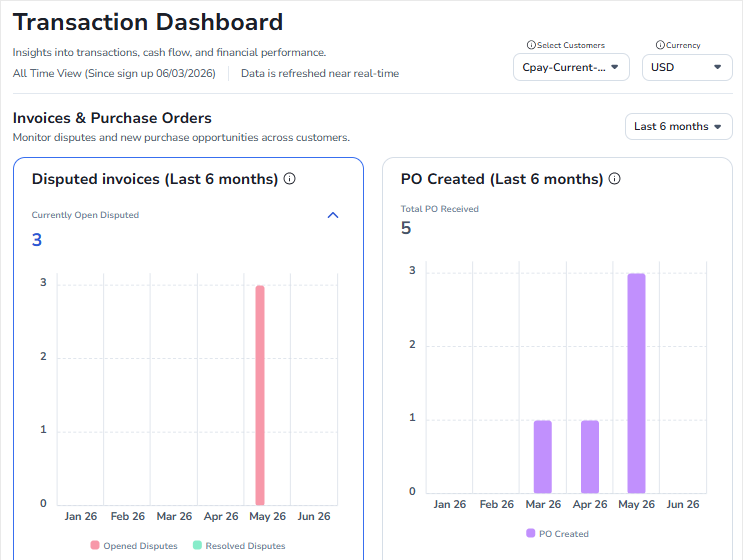
The standard Coupa Supplier Portal is free for suppliers. A paid tier, Coupa Advanced, adds single sign-on, an API and QuickBooks and NetSuite sync. Suppliers keep a public profile and customer-specific profiles, must link to each customer and connect manually after self-registering. Coupa doesn't publish a buyer price.
On TrustRadius, Coupa scores 7.2 out of 10 from 168 ratings for the whole platform, not the SIM module. The recurring complaints are heavy ERP integration work and a supplier portal that confuses vendors asked to create profiles. A May 2026 Gartner review of the AP product calls supplier management challenging, citing mixed supplier adoption and complex administration.
- Starting price
- Custom buyer quote; no public US rate card verified
- Standard supplier portal
- Free for suppliers; Coupa Advanced is a paid supplier tier (SSO, API, QuickBooks and NetSuite sync)
- Buyer-side platform
- No verified public universal USD rate
- Requisition API
- Create and submit for approval
- Process Automator
- Document events and API call outs
- Supplier join
- Buyer invitation (link expires after 30 days), self-registration or a PO email
Oracle Fusion Cloud Procurement
The procurement layer of Oracle Fusion Cloud ERP: self-service requisitions with catalogs and punchout, purchasing, receiving, and invoice matching and payment in Oracle Fusion Payables.
In Oracle Fusion Cloud Procurement the supplier record is native to the ERP. Registration, qualification and approval all run in the same system that later pays the invoice.
Create. Registration requests go through configurable approval, and Oracle separates prospective suppliers from spend authorized suppliers. External suppliers answer questionnaires through external registration.
Validate. Qualification rule sets trigger questionnaires at registration, at registration approval and when a supplier is promoted to spend authorized. We couldn't read Oracle's bank and tax validation settings, so we don't describe them.
Maintain. Every registration approval is recorded with actions, users, dates and comments on the registration request. Oracle documents configurable supplier profile change requests. Duplicate detection didn't appear in the pages we could read.
Sync. Because the supplier model belongs to Fusion Cloud ERP, there is no separate sync to build. The application creates site assignments for new sites on approval. We found no third-party ERP sync.
- you already run Oracle Fusion Cloud ERP and want the supplier record native to it, with spend-authorization approvals
- you need qualification questionnaires triggered at registration or when a supplier is promoted
- you need a standalone supplier data tool: it is sold as part of the Fusion suite at per-user list pricing
- you need documented duplicate detection or enrichment: neither appeared in the Oracle documentation we could read
- Users like
- Broad, industry-ready procurement functionality and automated invoice processing.
- Users dislike
- A non-intuitive interface and errors that are hard to follow without a strong implementation team.
- Source: Gartner Peer Insights, 104 reviews
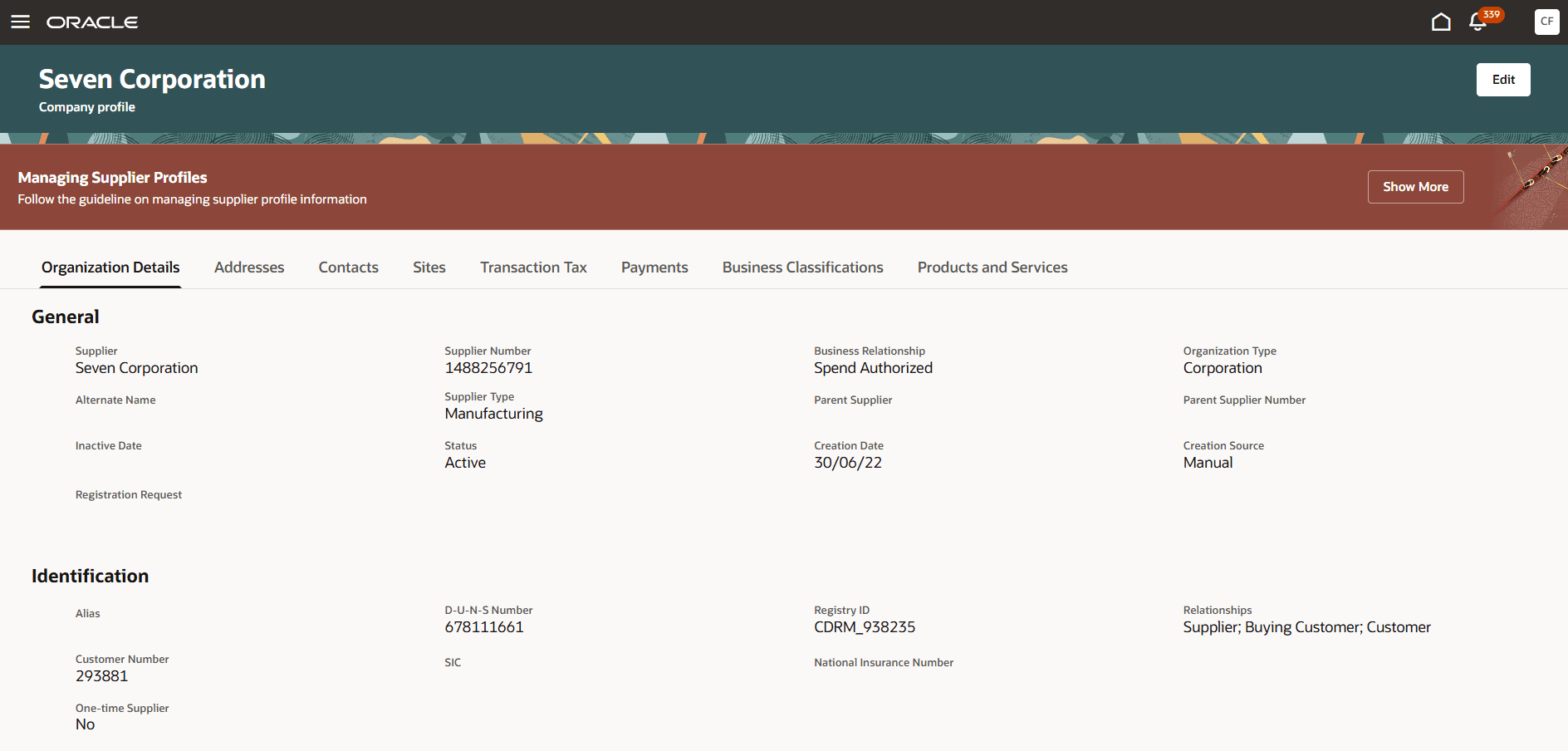
Price, supplier cost and what reviewers say
Oracle's global price list shows Fusion Procurement from $625 per named user per month, and we couldn't re-confirm that figure on the day we checked, so contracts are negotiated. We found no supplier-side fee.
Gartner Peer Insights shows 4.4 from 104 reviews. Reviewers praise broad, industry-ready procurement functionality and automated invoice processing, and criticize a non-intuitive interface and errors that are hard to follow without a strong implementation team.
- Starting price
- List price 625 USD per named user per month for Fusion Procurement (minimum 10 users); Self Service Procurement 8 USD per user per month (minimum 100), per Oracle's October 2026 global price list; contracts are negotiated
- Matching
- 2-way, 3-way or 4-way, tolerances per supplier site
- Payment
- Oracle Fusion Payables
- Supplier registration
- Registration requests go through configurable approval, with questionnaires driven by qualification rule sets
- Supplier types
- Prospective and spend authorized suppliers
How the record moves, and where it breaks
Whichever tool you choose, a supplier record passes through the same four steps. The flow below shows which tools in this comparison document each step and what usually goes wrong when a step is skipped.
- Step 1Create the record
- Graphite Connect
- HICX
- Ivalua
- JAGGAER
Breaks when the supplier emails a PDF and someone retypes it - Step 2Validate it
- Graphite Connect
- HICX
Breaks when a name and a tax ID that don't match are approved anyway - Step 3Control changes
- HICX
- Coupa
- Ivalua
Breaks when a supplier edits bank details and the field simply updates - Step 4Sync to the ERP
- Graphite Connect
- Oracle Fusion Cloud Procurement
- Kodiak Hub
Breaks when the approved record and the ERP vendor master drift apart
How to choose
To choose supplier information management software, start with the problem, then check the controls. The table maps the most common problems to the tools whose documentation covers them.
| If your problem is | Look first at | Why |
|---|---|---|
| Wrong or fraudulent tax and bank data reaching the ERP | Graphite Connect, HICX | Both document tax and bank validation at submission |
| The same supplier exists several times, or in several ERPs | HICX, Ivalua | Both document duplicate handling and cleansing of existing records |
| Suppliers change their own details and nobody reviews it | Coupa, HICX | Both document an approval step for changes |
| Procurement already runs on Oracle Fusion ERP | Oracle Fusion Cloud Procurement | Registration and approval live in the system that pays |
| Onboarding sits inside a wider supply chain program | Infor Nexus, JAGGAER | Onboarding comes with order or sourcing collaboration |
| Supplier assessments and sanctions screening matter more than master data | Kodiak Hub | Self-registration plus risk screening, with lighter data controls |
Questions to settle before a demo
- Who owns each field? Use the record table above and decide which fields a supplier may change without review.
- Which ERP is the system of record? Ask for the vendor master sync to be shown live against your ERP, not on a slide.
- How many suppliers are active? HICX and Graphite Connect size their quotes by supplier count, so the number drives the price.
- What will suppliers tolerate? Coupa reviewers name supplier login fatigue as the main friction, and a portal that suppliers avoid produces stale records.
- Register a test supplier on a phone and upload a W-9 whose name doesn't match the entered legal name, then see whether it is blocked
- Create a second record for the same supplier under a slightly different name and see whether the tool flags it
- Change the test supplier's bank details and check that the change goes to a named approver
- Let a certificate expire and see who is told and whether anything is blocked
- Show the approved record arriving in your ERP vendor master, live
- Ask which data sources the validation uses and whether they are included in the quote
- Ask what the supplier pays, if anything, and which features need a paid supplier tier
- Export the full supplier list with status, documents and last change date
What it costs
Supplier information management software has no published price in this group, because none of the eight tools publishes a full buyer price. Oracle's list price for Fusion Procurement is the only number in the group, and it covers the whole procurement module, not supplier data alone. The practical cost drivers are the number of active suppliers, the modules you add (validation add-ons such as HICX Origin, risk data, the portal) and the implementation effort.
Supplier-side cost is the second bill. Graphite Connect documents that suppliers use the platform for free. Coupa's standard supplier portal is free, with a paid tier for single sign-on, an API and accounting sync. For HICX, Kodiak Hub, Ivalua, JAGGAER, Infor Nexus and Oracle we found no supplier fee on the pages we read, which isn't proof that none exists. Ask in writing.
Free and small-business options
None of the eight tools has a published free plan. A small business usually starts with a spreadsheet plus the supplier form in its accounting tool or ERP. That really works only if you add three habits: collect a W-9 before the first payment, confirm bank details by calling a number you already have, and review the list every quarter. It breaks when supplier count grows or when several people can add vendors. For a smaller team, a purchasing tool with a supplier approval step is often a better first step than a specialist platform, and our supplier management roundup compares two of them.
From supplier record to renewal decision
A clean supplier record tells you who the supplier is and whether it may be paid, but it doesn't tell you when the contract behind it must be cancelled or renegotiated. That is a separate gap, and spreadsheets rarely cover it. The Procurement Manager is a small tool for one job: it routes each contract renewal to the business owner, Finance and IT and produces one decision packet with the exact dates and source evidence before the notice deadline. It doesn't hold supplier master data, read contracts or cancel anything on its own. Use it next to the tools above if renewals are where your suppliers cost you money. Our contract repository software comparison and contract renewal notice period guide cover the contract side.
Frequently asked questions
What is supplier information management software?
Supplier information management software is a system of record for supplier data. It collects tax, bank, contact and compliance data through a supplier portal or form, validates it, controls who can change it and syncs the approved record to your ERP vendor master.
What is the best supplier information management software?
The best supplier information management software depends on the problem. Graphite Connect is the strongest documented option for validating tax and bank data, HICX for one governed record across several ERPs, Ivalua for cleansing existing records inside a suite, and Coupa for approving supplier changes field by field. Oracle Fusion Cloud Procurement fits companies already on Oracle Fusion ERP.
What is the difference between supplier information management and supplier management?
Supplier information management is the data layer: the supplier record and the rules for creating, validating and changing it. Supplier management is broader and also covers performance scorecards, relationship reviews and risk monitoring, which all read from that record.
Does supplier information management software replace the ERP vendor master?
No. The ERP vendor master stays the place where orders and payments happen. SIM software sits in front of it, decides what data is allowed in and keeps the master in step when a supplier changes its details.
What are VMS tools?
VMS tools in procurement are vendor management systems, software that onboards and tracks the businesses you buy from. The same label is also used for contingent-workforce VMS tools such as SAP Fieldglass, which manage temporary staff and staffing agencies and are a different product.
Is there free supplier information management software?
None of the eight tools in this comparison publishes a free plan. Small teams can use a spreadsheet and the vendor form in their accounting tool or ERP, with a W-9 collected before the first payment and bank details confirmed by phone.