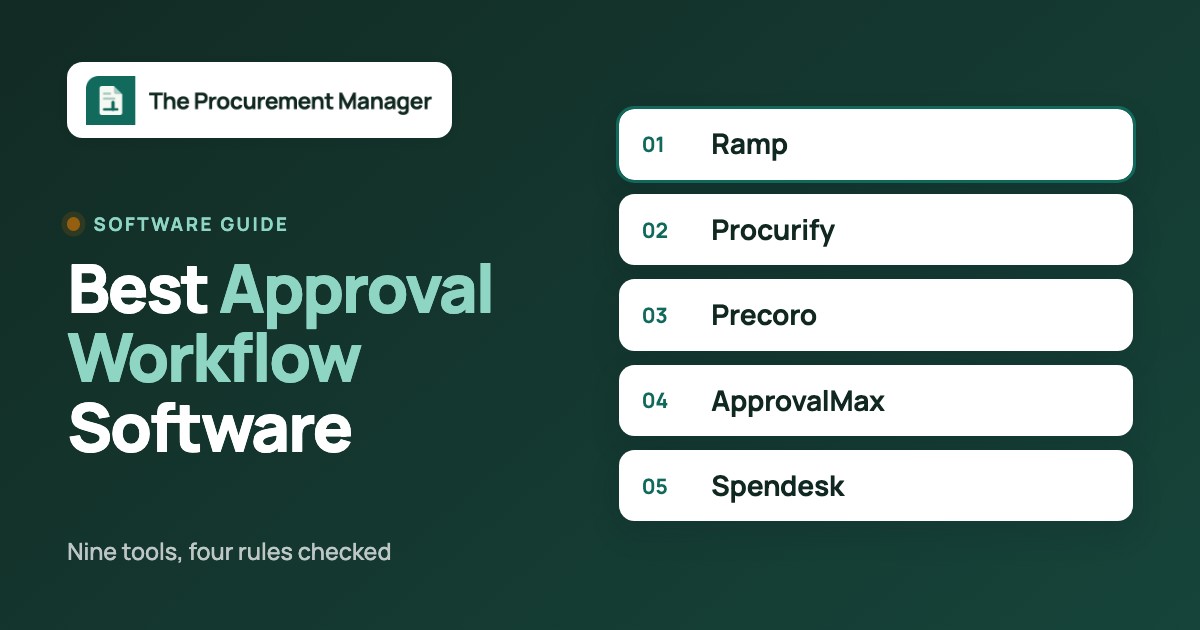
The best approval workflow software for purchasing depends on how much of the approval you want built in.  Ramp,
 Procurify,
 Precoro and
 Spendesk ship approval rules for spend requests and purchase orders.
 ApprovalMax adds approval rules in front of Xero, QuickBooks Online or NetSuite.
 Microsoft Power Automate Approvals gives Microsoft 365 teams a builder and leaves the rules to you. This guide covers purchase, bill and spend approvals. Creative proofing tools and sales deal-desk approvals are separate products and are left out.
Approval workflow software is a tool that routes a request, such as a purchase request, a purchase order or a bill, to the people who must approve it, tracks their answers and keeps a record of who decided what. We compared nine tools from their own documentation. Review sites block automated readers, so the ratings shown come from search summaries or our tool database and can lag the live listings. For each one we checked the same four rules and name every rule a vendor doesn't document.
- tools compared
- 9
- rules checked per tool
- 4
- publish a price
- 5
- Routing by amount is documented for most tools here. Delegation, escalation and audit trail are where they differ, and several vendors don't document one or more of the three.
- Only Ramp, Precoro,
 ProcurementExpress.com, ApprovalMax and Microsoft Power Automate Approvals show an amount on their pages. Procurify, Spendesk,
 Zip and
 Coupa sell by quote.
- ApprovalMax is the cheapest documented route to approval rules on your accounting system, from $54 per month per organisation. Microsoft Power Automate Approvals costs nothing extra on many Microsoft 365 plans but you build the rules yourself.
What is approval workflow software?
Approval workflow software is a tool that sends a request through a defined chain of approvers, applies rules to decide who must approve, and records each decision. In purchasing the request is a purchase request, a purchase order, a bill or an expense. The rules decide who sees it: an amount band, a department, a cost centre or a vendor. The record is the audit trail that Finance and auditors read later.
Approval workflows come in a few patterns, and most tools combine them.
| Pattern | How it routes | Typical purchasing use |
|---|---|---|
| Single approver | One named person answers | Small orders under a set amount |
| Sequential chain | Level 1 approves, then level 2, then level 3 | Manager, then department head, then Finance |
| Parallel | Several approvers get the request at once, and either one or all must answer | Finance and IT both review a software purchase |
| Conditional | An amount, department or category decides which chain applies | Orders over a threshold add a higher-level approver |
Approvals are one step in a longer buying chain. The step before it is the request, covered in our guide to purchase requisition software, and the step after it is the order, covered in purchase order software. Suites that run the whole chain are in procure-to-pay software.
Best approval workflow software at a glance
- Best documented reminders and delegationRampReminders go out after 2 days by email and at 2 and 3 days in Slack, and approvers can be delegated on Ramp Plus.
- Best for backup approvers and a published pricePrecoroBackup approver and substitute user while someone is away, plus Core from $499 per month billed annually.
- Best for routing by department and account codeProcurifyApproval levels with dollar thresholds, triggered by request type, department, account code or a custom field.
- Best approval layer on your accounting systemApprovalMaxMatrix routing by amount, supplier and tracking category in front of Xero, QuickBooks Online or NetSuite, from $54 per month per organisation.
- Best if approvers live in Teams and OutlookMicrosoft Power Automate ApprovalsApprovals open in Outlook, Teams or the mobile app, and the routing is flow logic you build.
- Best for cost-centre branching with a version historySpendeskWorkflow branches on cost centre, spend type or category, with a version history of every workflow change.
- Best documented escalation for enterprise chainsCoupaApproval chains with up to 10 conditions and an escalation parameter in the developer documentation.
- Best for approving inside SlackZipApprove, reject or open details from Slack, with PO creation and ERP connections behind it.
- Best for a holiday delegate on a small teamProcurementExpress.comHoliday Mode swaps in a delegate for set dates, with a published monthly price from $415.
Approval workflow software compared
Prices were checked on vendor pages on November 12, 2026, and a few on earlier dates in October. Ramp, Precoro, ProcurementExpress.com, ApprovalMax and Microsoft Power Automate Approvals show an amount. The other four are a quote. Ratings come from G2 or Capterra where one is shown, and for suites they cover the whole product, not the approval module.
| Tool | What happens after approval | Price status (USD) | Review rating |
|---|---|---|---|
| Procurify | Optional automatic purchase order per vendor on final approval | Quote only | 4.6 (GetApp, 208) |
| Precoro | Requisition to PO, receipt and invoice matching in the same tool | Core from $499/month, billed annually | 4.7 (222) |
| ProcurementExpress.com | Request becomes a purchase order, synced to QuickBooks Online or Xero | From $415/month (Basic) | 4.7 (Capterra, 423) |
| Ramp | Card or PO approved in an outcome step, then bill pay and matching | Free plan $0; Plus $15/user/month; Procurement add-on quoted | 4.8 (2,274) |
| Spendesk | A Purchase Outcome task creates the PO or a virtual card | Quote only | 8.1/10 (TrustRadius, 17) |
| Zip | PO creation and ERP connections after approval | Quote only | 4.7 (Capterra, 32) |
| Coupa | Approval chain result inside the Coupa suite | Quote only | 6.9/10 (TrustRadius, 171) |
| ApprovalMax | Approved POs and bills continue in Xero, QuickBooks Online or NetSuite | From $54/month per organisation | 4.7 (Capterra, 29) |
| Microsoft Power Automate Approvals | Whatever your flow does next, built with connectors | Included in many Microsoft 365 plans; Premium $15/user/month | 4.4 (Capterra, 236) |
 The Procurement Manager Our product | Routes renewal reviews to the business owner, Finance and IT before the notice deadline | From $49 per month, flat, no per-seat fees (Starter, up to 50 contracts) | No reviews yet |
Review ratings are summary figures from G2, Capterra and GetApp. Suite and platform ratings cover the whole product.
How to choose approval workflow software
Four rules decide how an approval behaves when something goes wrong, and each entry below is read against them.
- Routing rules. Can the tool pick the approver from an amount, a department, a category, a vendor or a budget? Per-approver dollar thresholds are the common minimum. Check whether a condition needs a higher plan: on Ramp the department and entity conditions need Plus.
- Delegation. What happens when the approver is on holiday? Look for a named delegate, a backup approver or a calendar-linked out-of-office. Without it, requests wait.
- Escalation. What happens when an approver doesn't answer? Reminders are common. Automatic rerouting to a manager is rarer, and most tools here don't document it.
- Audit trail. Can Finance see who approved what, when and what they saw? A per-document record is stronger than a general log.
After the four rules, check where approvers can act (email, Slack, Teams, mobile), what the approval triggers next (a purchase order, a bill, a sync to accounting) and whether the price is published. If your approvers never open a procurement tool, the channel matters more than the rule engine.
The approval request path
Every approval follows five steps. The columns show where each tool group sits and what typically breaks when a team moves from email threads to software.
- Step 1Request and route
- Procurify
- Precoro
- Ramp
Breaks when a department or cost centre isn't set as a condition, so the request goes to the default approver - Step 2Remind and escalate
- Ramp
- Precoro
- Coupa
Breaks when an approver is away and nothing moves the request on - Step 3Decide where people work
- Microsoft Power Automate Approvals
- Zip
- ApprovalMax
Breaks when approvers must log in to a tool they never open - Step 4Record and hand off
- Spendesk
- ApprovalMax
- ProcurementExpress.com
Breaks when the approval record doesn't reach the PO or the bill
Procurement suites with approvals built in
Procurify, Precoro and Procurement Express combine requests, approvals and purchase orders in one product, so the approval rules sit next to the budget. See procurement software for the wider category.
Procurify
Procurify
Purchasing-led procurement platform with modular AP, Expense & Card and optional Guided Intake and Contracts. Buyers should verify paid Pro roles and renewal notice ownership.
Procurify routes a request through approval levels and adds a higher-level approver when a request goes over an approver's dollar threshold.
- you route requests by department, account code or a threshold and want parallel approval pools at one level
- your finance team can own the accounting setup and the rollout
- you need a published price, approving inside Slack or Teams, or documented escalation rules
- your triggers depend on vendor or category, which the routing articles don't list
- Users like
- Reviewers cite easier PO management, order tracking and budget control; support is called responsive.
- Users dislike
- GetApp notes occasional integration or customization limits; its NetSuite integration rating is 2.7 from 3 ratings versus 4.5 for QuickBooks Online.
- Source: GetApp, 208 reviews
After approval and reviews
With the opt-in automatic purchase order feature, final approval generates a PO for each vendor. Pricing is quote only: every customer starts with Purchasing, and AP, Expense and Card, Guided Intake and Contracts are add-ons.
Reviewers praise routing by rules, budgets and thresholds. The recurring complaint is a process that feels slow and cumbersome, with many steps for simple tasks, and one reviewer calls it rigid for urgent requests.
- Starting price
- Custom quote for Purchasing plus products, add-ons, Pro users and integrations
- Request types
- Order, Expense, Travel, Funds
- Accounting sync
- QuickBooks, NetSuite, Sage Intacct, Business Central
- Published subscription price
- No, quote only
- Basic requesters
- Unlimited
- Pro users
- Price determining user class
- Purchasing
- Required starting product
- Contracts
- Add-on
- Guided Intake
- Add-on
- Renewal notice
- 60 days under standard 2026-08-01 terms
- Budgets
- By department, account code or both, up to 60 months; pending requests count against the active budget
- Budget Overage
- Disabled: approvers cannot approve over-budget requests; enabled: a warning and approval allowed
- Bill payments
- ACH, wire or check in the US through the AP add-on, bulk approval of up to 100 payments
- Routing rules
- Levels 1 to 10; triggers on request type, department or location, account code or a dropdown or checkbox custom field
- Delegation
- Approver passes pending and new requests to another approver for a set period
- Escalation
- Not documented
- Audit trail
- Vendor states that detailed logs track all actions; an approval history article exists
- Where approvers act
- Email, web, mobile app. Slack sends notifications only; Teams not documented
Precoro
Precoro
Procurement and AP automation for small and mid-sized companies, with published plan prices and per-approver amount thresholds.
Precoro builds approvals as an ordered chain of steps, with a per-approver amount threshold, custom-field conditions and an extra step that applies only to over-budget documents.
- you want backup approvers and a substitute user documented in help
- a published starting price matters and $499 per month fits
- your budget is under $499 per month on an annual contract
- you need real-time budget tracking, which the pricing page lists under the $999 Automation tier
- Users like
- G2 reviewer tags list ease of use, the approval process, simplicity and support as top positives.
- Users dislike
- G2 reviewer tags list 'not intuitive', missing features, invoice problems and a learning curve as top negatives.
- Source: G2, 222 reviews
After approval and reviews
Core covers requisitions, purchase orders, receipts, invoices, two- and three-way matching and QuickBooks Online and Xero integrations. The exact trigger that creates a PO after approval isn't described in Precoro's help pages.
Reviewers cite support, ease of use and purchase order creation with approval workflow. Complaints are reporting that isn't flexible enough and approvals across several subsidiaries feeling cumbersome.
- Starting price
- From $499 per month, billed annually (Core)
- Next tier
- Automation, from $999 per month billed annually
- Accounting sync
- QuickBooks Online, Xero, NetSuite, Sage Intacct, Business Central
- Real-time budget tracking
- Automation plan ($999/mo) and above, not Core
- Savings dashboard
- Savings and overspend by month and supplier against a baseline price per PO line
- Overbudget step
- Fires only when a transaction exceeds budget and needs the Budget module
- Routing rules
- Steps added one by one; conditions on departments, projects and locations, amount against gross or net total, direct manager of the requester
- Delegation
- Vacation Mode with a backup approver per step and one substitute user per company
- Escalation
- Reminder emails on Monday, Wednesday and Friday; an approval SLA sets deadlines per step; an escalation action isn't documented
- Audit trail
- Revision history at every approval step with a compare view
- Where approvers act
- Email, Slack approve or reject, mobile app. Teams approving isn't documented in help
Procurement Express
ProcurementExpress.com
Purchase order approval software for small finance teams and nonprofits, priced by spend managed per month and synced two ways with QuickBooks Online.
Procurement Express routes by purchase amount, department or project, with approvers set per budget and approval limits set per user.
- you are a small finance team that needs purchase orders approved against a budget
- you run QuickBooks Online or Xero and want approved POs to sync and become bills
- you need multi-step or conditional chains you can verify in the documentation
- your monthly managed spend is above $10,000, which is the cap on the Basic plan
- Users like
- Easy to navigate, real-time visibility into company spending, and customer service reviewers single out.
- Users dislike
- Basic reporting that isn't very friendly, slow reports, and simple edits such as changing a PO's requester or budget that take more steps than expected.
- Source: Capterra, 423 reviews
After approval and reviews
An approved request moves to a purchase order record. With QuickBooks Online or Xero the approved PO syncs, invoices become bills, and paying the bill marks the PO paid. Plans are published: Basic $415, Better $900 and Best $2,550 per month, sized by spend managed, plus an Enterprise tier with no listed price.
Capterra reviewers call the interface intuitive and the support team responsive, and say approval workflow customization could be better. The Holiday Mode help page also contradicts itself on whether the mode ends automatically, so test it before you rely on it.
- Starting price
- From $415 per month (Basic, up to $10k spend managed per month)
- Next tier
- Better, $900 per month (up to $1m spend managed)
- Trial
- 14 days
- Routing rules
- Amount, department or project; approvers set per budget; self-approval rules. Category, vendor and multi-step routing aren't documented
- Delegation
- Holiday Mode replaces the approver with an assigned delegate for set dates
- Escalation
- Not documented
- Audit trail
- Approvals and supporting documents stay linked to each purchase; a detailed history log isn't documented
- Where approvers act
- iOS and Android app. Email, Slack and Teams approving aren't documented
Spend platforms and intake tools
Ramp, Spendesk and Zip start from spend or intake, not from the purchase order, and approvals run across cards, bills and requests. For the wider picture see spend management software and procurement automation software.
Ramp
Ramp
Ramp combines cards, bill pay and a procurement add-on that turns an approved request into a PO or virtual card and matches bills against POs and item receipts.
Ramp routes procurement requests through split paths that branch on amount, vendor type, request type, department, location, business entity and form answers.
- you already run cards or bill pay in Ramp and want requests and POs in the same place
- you want documented reminders and a delegate setup
- you need delegation or department and entity routing on the Free plan, since both need Plus
- you need the Procurement add-on priced upfront or automatic overdue escalation
- Users like
- Ease of use, with bill pay and card management in one place.
- Users dislike
- Missing features for complex or global finance setups and receipts that don't always match automatically.
- Source: G2, 2,274 reviews
After approval and reviews
An outcome step approves the card or PO, and the request can move on to PO creation. PO creation is web only. Free is $0 per user, Plus is $15 per user per month plus a platform fee by team size, and Procurement is an add-on to Plus or Enterprise with no published price.
Reviewers say approvals move faster than in older systems and that procurement approvals stop rogue spend. One reviewer calls setup tedious, and another says it suits larger finance teams.
- Starting price
- Free: $0/mo/user; Plus: $15/mo/user + platform fee based on team size (save 20% with annual billing); Enterprise: Custom. Procurement is an add-on to Plus or Enterprise, price not published
- 3-way match
- Procurement add-on (Ramp POs) or Plus (imported POs)
- Pays vendors by
- ACH, same-day ACH, card, check, wire
- Budgets
- By department, project or vendor; Plus adds budgets versus actuals in real time and an audit log
- Integrations by plan
- QuickBooks Online and Xero in Free; NetSuite and Sage Intacct in Plus; Workday and Oracle Fusion Cloud in Enterprise
- Routing rules
- Multi-step, with first-true-path or all-true-paths branches; spend-request approvals use amount and user role on all plans, and entity, department and location need Plus
- Delegation
- Delegate approvers on Plus; calendar-linked out-of-office delegation from Google or Outlook is Beta and Plus only
- Escalation
- Email reminder after 2 days, Slack reminders at 2 and 3 days, a due-date step in procurement workflows; automatic escalation of an overdue approval isn't documented
- Audit trail
- Version history of published workflows and per-step status and time; a Slack help article mentions a full audit trail
- Where approvers act
- Email, Slack, in-app, and bills on iOS and Android
Spendesk
Spendesk
Spendesk puts purchase requests, budgets, approval workflows, corporate cards, invoices and expenses in one platform, and shows committed spend against budget once a PO is approved.
Spendesk builds approval workflows that branch on cost centre, spend type, expense category or a custom field, with amount thresholds inside each node.
- you branch approvals by cost centre or spend category and want a change history for the workflow
- you want the approved request to end in a PO or a virtual card
- you need out-of-office delegation or timed approval reminders documented
- you want a published price, since Spendesk lists a platform fee plus add-ons with no amounts
- Users like
- The two review texts shown praise PO approvals, the Slack integration and an intuitive reimbursement and card flow.
- Users dislike
- One displayed review names weak reporting and historical data access, and approvals stalling when an approver is on holiday (one reviewer).
- Source: TrustRadius, 17 ratings
After approval and reviews
A Purchase Outcome task at the end of a procurement workflow can create the approved PO or issue a virtual card. Invoice and ERP handling inside that flow isn't described in that help article.
Capterra reviewers praise setup, receipt upload and role-based access. Complaints are blocked cards and a rigid workflow.
- Starting price
- Not published; the pricing page names a monthly platform fee plus transaction fees without amounts or currency
- Request intake
- Guided forms by request type, team or spend category, with quote or contract upload
- Budget commitment
- Created on the net amount when a PO is approved, shown as committed until invoices are validated
- Approval builder
- Nodes by cost centre, spend type, expense category or custom field, with amount ranges
- Contract dashboard
- Renewal alerts and a contract and renewal dashboard
- Integrations
- Sage, Xero, NetSuite, SAP, Datev, Slack and an API
- Routing rules
- One dimension per branch; several approvers in one step are alternatives, separate steps run in order; some dimensions depend on plan
- Delegation
- Not documented; manager and cost-centre-owner roles redirect to the current role holder, which isn't out-of-office delegation
- Escalation
- Not documented for approvals; automated reminders cover receipts and payment info
- Audit trail
- Workflow version history with date, time and author; procurement requests log field, status and assignee changes, and an amount increase can restart approval tasks
- Where approvers act
- Email, Slack and in-app notifications; approvers can act from a phone. Approving inside Slack or by email isn't documented
Zip
Zip
Intake and procurement orchestration that puts one request front door and cross-functional approvals on top of an existing ERP.
Zip picks approvers dynamically from queues and user hierarchies, supports multi-step approvals, and lets approvers answer inside Slack.
- your approvers answer in Slack and you want requests, POs and ERP connections in one intake flow
- you want one front door for purchase requests across departments
- you must confirm delegation, escalation timing or amount-based rules before buying
- you need a public price, since none is published
- Users like
- Workflows that are easy to configure, with every requester able to see where a request stands and which steps remain.
- Users dislike
- Reporting is the weak area for several reviewers, and one said misconfigured routing sent approvals to the wrong person.
- Source: Capterra, 32 reviews
After approval and reviews
Zip's procure-to-pay product automates PO creation and connects to ERP, CLM, GRC and ITSM systems. Sync details aren't published.
G2 reviewers praise fast automation, support and easy integrations. They cite limited reporting and analytics, thin admin features and duplicate records from integrations. Our Zip procurement review goes deeper.
- Starting price
- Custom buyer quote; no public US rate card verified
- ERP sync
- Oracle, NetSuite, SAP, Workday, Dynamics 365, QuickBooks
- Budgets
- Add-on
- Intake
- Plain-language request to form and approval
- P2P
- PO and invoice workflows
- Payments
- Global Payments is listed as add-on
- Budgets add-on
- Shows remaining budget during approval; owners get alerts when a budget is nearly or fully used; can sync from ERP and FP&A tools
- Global Payments
- Bank transfer, wire, check or virtual card in 140+ countries (add-on)
- Routing rules
- Multi-step approvals with queues and user hierarchies; conditions on amount, department, category, vendor or budget aren't documented on public pages
- Delegation
- Not documented
- Escalation
- The Slack app sends approval notifications and reminders; reminder timing and escalation rules aren't documented
- Audit trail
- The governed-AI page states a full trail of every decision and the approvals behind it; a standard approval history view isn't documented
- Where approvers act
- Slack approve, reject or details; Teams, email and mobile approving aren't documented
Coupa
Coupa
Enterprise source-to-pay suite whose requisitions run through guided buying, punchout and prioritized approval chains with budget meters.
Coupa configures approval chains with up to 10 conditions on accounts, commodity, item and requester, and its developer documentation includes an escalation parameter.
- you run enterprise chains with several conditions and need escalation in the configuration
- you want approvals inside a full spend and procurement suite
- you want a self-serve tool with a public price and no admin work
- interface and complexity worry you, which are the main G2 complaints
- Users like
- Approval routing and spend compliance for indirect buying, with clear purchase limits per person.
- Users dislike
- Heavy integration work with ERPs such as SAP, and a supplier portal that confuses vendors asked to create profiles.
- Source: TrustRadius, 171 ratings
After approval and reviews
What happens after approval isn't documented publicly, and Coupa publishes no price. Pricing is a custom quote.
G2 reviewers like quick invoice approvals and ease of use, and list poor interface design, missing features and complexity as the top complaints. See Coupa pricing and Coupa review for more.
- Starting price
- Custom buyer quote; no public US rate card verified
- Standard supplier portal
- Free for suppliers; Coupa Advanced is a paid supplier tier (SSO, API, QuickBooks and NetSuite sync)
- Buyer-side platform
- No verified public universal USD rate
- Requisition API
- Create and submit for approval
- Process Automator
- Document events and API call outs
- Supplier join
- Buyer invitation (link expires after 30 days), self-registration or a PO email
- Budget meters
- Show remaining budget per budget item before commitment
- Hard stop
- A budget-line setting blocks requisition submission over budget
- Dashboards
- Out-of-the-box dashboards, KPI benchmarking and savings insights
- Sourcing events
- RFP, RFI, RFQ and reverse auctions are listed in the FAQ (answer text not visible); routine events run from preapproved templates
- Award analysis
- Coupa Sourcing Optimization sets per-supplier caps, geography, tariffs and freight as constraints and compares scenarios side by side, with manual overrides
- Supplier discovery
- Pre-rated, pre-enabled suppliers filterable by diversity, rating or geography; AI suggests suppliers from category performance
- Spend analysis
- Cross-platform spend visibility, automatic classification and suggested opportunities such as expiring contracts
- Handoff after award
- Winning terms and rate cards pass into draft contracts in Coupa CLM and into catalogs on approval
- Spend classification
- AI engine maps transactions to a proprietary Coupa taxonomy of roughly 60 primary categories and 1,800 sub-categories, built for category management. It classifies by supplier first, using invoice and PO descriptions. Source post dates from 2022.
- Category strategy
- Coupa Category Strategy starts from a category taxonomy built on Coupa data, uses AI-guided stakeholder interviews and the Navi assistant for recommendations, and rolls every strategy into one portfolio view using a single methodology.
- Savings tracking
- Coupa describes tracking value through stages identified, negotiated, contracted and realized, to link negotiated savings to P&L impact. Initiative value can include non-cost benefits such as supplier relationships and resilience.
- Category supplier view
- Category Strategy page says it pairs with Coupa Supplier Information & Risk Management to segment suppliers, track performance and manage risk. Sourcing suggests suppliers from category performance. Segmentation criteria are not detailed publicly.
- Supplier risk module (checked 2026-11-06)
- Coupa Supplier Risk & Performance: monitoring of outside data sources, alerts, next-step recommendations and a supplier hold that can block transactions from purchasing to invoicing
- Risk datasheet (2021)
- Standard (onboarding, monitoring, scorecards) and Advanced (multi-domain assessments, inherent and residual scoring, multi-tier, mitigation plans); fees may apply for the Coupa risk data service
- Risk Assess
- Questionnaires across domains such as InfoSec, ABAC and GDPR, with alerts when risk increases
- Supplier risk price
- Not published, demo request only
- Routing rules
- Chains with a total-amount range, a parallel-approvals flag and multiple approver indexes; department, vendor and budget conditions aren't documented publicly
- Delegation
- Approvals can be routed to a delegate and a Delegates API exists; admin setup steps aren't documented
- Escalation
- Escalation set through approver parameters to a user or an approval group; a snippet describes escalating to the next approver after set hours of inaction
- Audit trail
- Not documented publicly
- Where approvers act
- Email through an approval key; mobile, Slack and Teams aren't documented
Approval layers on your accounting or Microsoft stack
ApprovalMax and Power Automate don't replace a procurement system. They add approvals on top of one you already run.
ApprovalMax
ApprovalMax
ApprovalMax adds multi-step approval rules in front of Xero, QuickBooks Online and NetSuite for POs, bills and expenses, priced per organisation rather than per user.
ApprovalMax routes approvals by field values from your accounting system, such as amount, supplier and tracking category, in unlimited steps run in sequence or in parallel.
- you approve POs and bills inside Xero, QuickBooks Online or NetSuite and want flat pricing
- you want substitutes, deadlines and a per-document audit report
- you want a full procurement suite with catalog, requisitions and receiving, because this is an approval layer
- you need automatic escalation to a manager when an approver stalls
- Users like
- Capterra sub-ratings: ease of use 4.7, support 4.5, value 4.6.
- Users dislike
- A G2 reviewer calls workflow setup time-consuming; another notes approvals stall when approvers are unavailable.
- Source: Capterra, 29 reviews
After approval and reviews
ApprovalMax sits before the ledger in Xero, QuickBooks Online or NetSuite and covers purchase orders, bills, expenses, vendors and credit notes. Whether a PO is created in the accounting system on approval isn't documented publicly. Pricing is per organisation: Standard $54, Advanced $83 and Premium $121 per month, with a 14-day trial and no free plan. A second price column in the vendor notice is unlabelled, so confirm the billing basis before you buy.
Capterra sub-ratings are 4.7 for ease of use, 4.5 for support and 4.6 for value. One G2 reviewer calls workflow setup time-consuming, and another notes that approvals stall when approvers are unavailable.
- Starting price
- Per organisation, not per user: Standard $54, Advanced $83, Premium $121 per month (vendor pricing notice effective December 1, 2025); 14-day trial, no free plan
- Routing rules
- Matrix by Total Amount, Requester, Supplier or Vendor, Tracking Category, Account, Item, Class or Location depending on the system; a step can require all approvers or any one
- Delegation
- Out of Office with a substitute, optional dates and time zone; admins can assign a substitute; substitutes can't be chained
- Escalation
- Deadlines per step, a reminder 24 hours before and on the deadline, an Overdue flag and a manual Nudge; automatic rerouting isn't documented
- Audit trail
- Per-document report of who approved, what they saw and when, attached to the transaction; every nudge is logged
- Where approvers act
- Email, web, iOS and Android; a help article covers approving in Slack. Teams isn't documented
Microsoft Power Automate Approvals
Microsoft Power Automate Approvals
Power Automate Approvals lets Microsoft 365 teams build approval flows with email, Teams and mobile responses, but routing, escalation and accounting steps are logic you assemble.
Power Automate has no rule matrix. You build routing with Condition actions in a cloud flow, and approvers answer in Outlook, Teams or the mobile app.
- your company runs Microsoft 365 and Teams and approvers should answer where they already work
- someone can build and maintain flows and tie approvals to SharePoint or Dynamics data
- you need amount-based routing, substitutes and overdue escalation out of the box
- you want POs and bills approved and synced to accounting without building connectors
- Users like
- Teams and Outlook approvals work inside tools staff already use.
- Users dislike
- G2 reviewers cite complexity, a steep learning curve for advanced features and hard debugging (whole Power Automate product).
- Source: Capterra, 236 reviews
After approval and reviews
The approvals connector is a standard connector, so Power Automate rights in a Microsoft 365 or Dynamics 365 licence are enough to build approval flows, with a Dataverse database behind it. Standalone Power Automate Premium is $15 per user per month, paid yearly.
There is no built-in PO or bill creation, so what happens after approval is whatever your flow does. G2 reviewers cite complexity, a steep learning curve for advanced features and hard debugging. The ratings of 4.4 on G2 and Capterra cover the whole product, not approvals alone.
- Starting price
- The approvals connector is a standard connector, so Power Automate rights in a Microsoft 365 or Dynamics 365 licence are enough; standalone Power Automate Premium is $15 per user per month, paid yearly
- Routing rules
- Conditions you build in the flow; approval types are everyone must approve, first to respond, custom responses and sequential
- Delegation
- Reassign only; out-of-office or automatic substitutes aren't documented
- Escalation
- Not a native feature; a community pattern uses an approval timeout and a parallel branch; flow runs cap at 30 days
- Audit trail
- Received, Sent and History tabs, comments as flow outputs, approvals stored in Dataverse; a formatted per-document report isn't built in
- Where approvers act
- Outlook, Teams adaptive card, approvals center on the web, Power Automate mobile app. Slack isn't documented
Approval matrix: who approves what
A written matrix is the first thing to build, before you configure any tool. It turns the four rules into one table that approvers and Finance can read. Replace the amounts with your own limits.
| Order amount | Approver | Added when | If no answer |
|---|---|---|---|
| Under $1,000 | Budget owner | Never | Reminder after 2 days, then delegate |
| $1,000 to $10,000 | Budget owner, then department head | Any category | Reminder after 2 days, then delegate |
| $10,000 to $50,000 | Department head, then Finance | New vendor or over budget | Finance reroutes after 3 days |
| Over $50,000 | Department head, Finance, then CFO | Any software or services contract | CFO delegate named in advance |
- Amount bands route to different approvers in the demo
- A delegate takes over when the approver is set as away
- A reminder fires and you can see its timing
- Overdue requests reroute or flag to a named person
- The audit record shows who approved, when and what they saw
- Approvers can answer in the channel they use
- The approved request creates the PO or bill you expect
- The price is in writing, including the plan that holds your rules
What breaks approval workflows
Most failures come from the same few gaps, and software helps with some of them.
- A stuck request. The approver is away or ignores the email. Delegation and reminders fix the first; only escalation fixes the second, and several tools here don't document it.
- Orders split below a threshold. A $12,000 purchase becomes two $6,000 orders. Rules by vendor or category, not only amount, catch this, so check whether your tool supports them.
- Approvals outside the tool. A manager says yes in a chat message and the order is placed without a record. Slack and Teams approving closes this gap where it exists.
- A record that stops at approval. The approval is logged, but the PO or the bill doesn't carry it. Check what the tool creates after the last approval.
- Rules nobody maintains. People leave and roles change. A tool with a workflow version history shows what changed and who changed it.
Which tool fits which situation
- You want approval rules next to your budget and POsPrecoro
- You route by department and account codeProcurify
- You want rules in front of Xero, QuickBooks Online or NetSuiteApprovalMax
- Approvers answer in Outlook or TeamsMicrosoft Power Automate Approvals
- You pay with cards and bills in one platformRamp
- Approvers answer inside SlackZip
- You need enterprise chains with escalationCoupa
- You are a small team that needs a holiday delegateProcurementExpress.com
Contract renewals need an approval too
A purchase approval ends when the order is placed. An agreement needs its own approval before signature, which is compared in our contract approval software guide. A contract renewal is a different approval, because it falls due on a notice deadline, often months after the purchase, and it needs the business owner, Finance and IT to agree before that date. The tools above don't track notice dates. If renewals slip, read our guide to the contract renewal notice period.
FAQ
What is approval workflow software?
Approval workflow software routes a request, such as a purchase order or a bill, through the approvers set by your rules, tracks their decisions and keeps an audit record. The rules usually depend on amount, department or category.
What are the types of approval workflows?
The common patterns are a single approver, a sequential chain, parallel approval where several people answer at once, and conditional routing where an amount or category decides the chain. Most purchasing tools combine them.
Is there free approval workflow software?
Ramp has a Free plan at $0 per user, though delegation and department routing need Plus. Power Automate approvals are included in many Microsoft 365 licences, but you build the rules yourself. ApprovalMax has a 14-day trial and no free plan.
How do I use approvals in Power Automate?
Add an approval action to a cloud flow, choose a type such as everyone must approve or first to respond, and add conditions for routing. Approvers answer in Outlook, Teams or the mobile app.
Which tool has the best escalation?
Coupa's developer documentation describes escalation to a user or approval group, and Ramp documents reminders at 2 and 3 days. For most other tools here, automatic escalation isn't documented, so ask for a demo of an overdue request.
What should an approval matrix include?
Amount bands, the approver for each band, the condition that adds a level, such as a new vendor, and what happens when nobody answers. Build it before you configure a tool.