The best procurement automation software is the tool that removes the manual steps you actually repeat: routing a request to the right approver, turning an approved request into a purchase order, and matching the invoice to the order and the receipt. Precoro, Procurify, Ramp and Tipalti cover that whole chain for small and mid-sized teams. Zip and Coupa put more weight on intake and approval policy, and Keelvar and Kodiak Hub automate the sourcing and supplier steps around the purchase itself.
Procurement automation software is software that runs the repeatable steps of buying by rule instead of by email. A request follows an approval path, an approved request becomes a purchase order (PO), a delivery is recorded against it and an invoice is checked against both. This page compares ten tools for a procurement or operations lead, and for each one it says which steps run by default, which need an add-on or a setup project and which stay with a person.
Best procurement automation software at a glance
Pick by the step that hurts most today, and don't pay for the rest yet. If approvals stall, start with the tools built around routing. If POs and invoices don't agree, start with the tools that match three ways. If suppliers arrive as a chain of spreadsheets, start with the supplier-side tools at the end of the list.
 Best for published prices and approval thresholdsPrecoroCore starts at $499 per month billed annually, and approvers are set by amount, department or project.
 Best for the full chain from request to matched invoiceProcurifyApproved requests become POs, deliveries are recorded against them, and invoices are matched two or three ways.
 Best if cards and bill pay already run in RampRampAI intake is free, while workflow approvals and PO management are add-ons to Plus.
 Best for matching tolerances and global supplier paymentsTipaltiTolerances can be set by amount or percentage at bill or line level.
 Best for punchout carts with a published priceProcureDeskMore than 150 punchout catalogs, from $830 per month billed annually.
 Best for routing every request through legal, security, IT and financeZipOne intake form in front of your ERP, with approvals across functions.
 Best for enterprise approval chains with hard budget stopsCoupaA budget-line setting can block a requisition that goes over budget.
 Best for automating sourcing events, not buyingKeelvarAgents run sourcing events and can start a new one when rates expire.
 Best for automating supplier registration and assessmentsKodiak HubSuppliers register themselves and answer assessments that feed scorecards.
 Our product · for what comes after the POThe Procurement ManagerIt isn't a purchasing tool. It routes the renewal decision to the business owner, Finance and IT before the notice deadline.
Procurement automation software compared
Prices and ratings below were checked between October 20 and November 5, 2026. Only Precoro, ProcureDesk, Tipalti's AP module and Ramp's base plans publish an amount, while the rest sell by quote. For the rest the table shows the price status, because a quote-only price is a fact about the buying process and an estimate would be a guess.
| Tool | What it automates | Price status | Review rating |
|---|---|---|---|
| Precoro | Threshold approvals, PO from approved request, invoice matching with settable variance | From $499 per month, billed annually (Core) | 4.7 (222) |
| Procurify | Routing, PO creation, receiving against the PO, two- and three-way matching | Custom quote for Purchasing plus products, add-ons, Pro users and integrations | 4.6 (GetApp, 208) |
| Ramp | AI intake, PO after approval, 2- and 3-way match; workflows and POs are Plus add-ons | Free: $0/mo/user; Plus: $15/mo/user + platform fee based on team size (save 20% with annual billing); Enterprise: Custom. Procurement is an add-on to Plus or Enterprise, price not published | 4.8 (2,274) |
| Tipalti | Rules-based approvals, automatic PO, goods received notes, tolerance matching | Accounts Payable from $99 per month; Procurement module and per-invoice and per-payment fees by quote | 4.5 (417) |
| ProcureDesk | Punchout carts, PO from approved requisition, EDI or email dispatch | From $830 per month billed annually, 10 users included | 4.8 (GetApp, 38) |
| Zip | One intake form, cross-functional approvals, POs synced to the ERP | Custom buyer quote; no public US rate card verified | 4.7 (Capterra, 32) |
| Coupa | Guided buying, prioritized approval chains, hard budget stop on requisitions | Custom buyer quote; no public US rate card verified | 7.2/10 (TrustRadius, 168) |
 SAP Ariba | Buying and invoicing with PO confirmations and PO flip invoices over SAP Business Network | Price upon request, no public buyer rate | 7.6/10 (TrustRadius, 757) |
| Keelvar | Sourcing events and award recommendations; no purchasing steps documented | Not published, pricing page says to contact the team | 4.7 (46) |
| Kodiak Hub | Supplier self-registration, assessments, risk screening and scorecards | Not published, quote only (modular SaaS licence) | 4.8 (Capterra, 14) |
| The Procurement Manager Our product | Routes renewal reviews to the business owner, Finance and IT before the notice deadline | From $49 per month, flat, no per-seat fees (Starter, up to 50 contracts) | No reviews yet |
Ratings come from G2, Capterra, GetApp or TrustRadius as shown on each entry, so a 4.8 out of 5 and a 7.6 out of 10 aren't comparable. Each tool's own feature pages are the source for what it automates. Tradogram, Fraxion and Spendesk also automate purchase requests, and we left them out to keep the comparison to ten tools.
What does procurement automation software automate?
Procurement automation software automates four stretches of the buying chain, and no tool in this list covers all four equally. The stretches are request and approval, PO creation and dispatch, receipt and invoice matching, and the supplier side with onboarding and sourcing.
- Step 1Request and approve
- Zip
- Procurify
- Precoro
Breaks when the routing rule sends a request to a person who left or to the wrong department - Step 2Create and send the PO
- Ramp
- ProcureDesk
- Tipalti
Breaks when someone buys first and asks for a PO afterwards, so the order never enters the system - Step 3Receive and match
- Precoro
- Tipalti
- Procurify
Breaks when nobody records the delivery, so a three-way match has nothing to compare - Step 4Onboard suppliers and source
- Kodiak Hub
- Keelvar
- Coupa
Breaks when supplier details sit in email and spreadsheets and the ERP record is typed by hand
Two limits apply to every tool here. Automation follows the rules you configure, so a wrong threshold or a missing approver gets automated just as faithfully as a right one, and of course nobody notices until an exception turns up. And the vendors' own pages describe the happy path: a match that passes, a supplier that registers, a budget that's up to date. What happens when something doesn't fit is the part to test in a demo.
How to choose procurement automation software
Choosing procurement automation software comes down to which steps run without a person and what happens when a step fails. These seven checks separate the tools in this list.
| Check | What it covers | Ask in the demo |
|---|---|---|
| Approval routing | Whether the path depends on amount, department, category or supplier | Show me a request that needs two approvers in parallel |
| PO creation | Whether an approved request becomes a PO without re-entry | Is the PO created automatically, or does a buyer convert it? |
| Matching and tolerances | Two- or three-way match and how much variance is allowed | Where do I set the tolerance, and per line or per invoice? |
| Exception handling | Who's notified when a match or a budget check fails | Show me a failed match and who gets it |
| Accounting and ERP sync | Which systems it writes to and how deep the sync goes | Does a PO appear in my ERP before the invoice does? |
| Supplier onboarding | Whether suppliers register themselves and who verifies the data | What happens when a supplier changes bank details? |
| Price status | What is published and what drives the bill | What would this cost for our users and our PO volume? |
Run the exception test in the demo with one of your own messy purchases, since that's the case the marketing pages skip. A demo on a clean sample order shows the best case, of course, while an invoice that's 3 percent over the PO shows the real one.
- Submit a request that needs two approvers and one of them is out of office
- Check that an approved request becomes a PO without re-entry
- Record a partial delivery and see what the match does
- Upload an invoice that's slightly over the PO and see who's notified
- Ask which of these steps are add-ons and what each costs
- Confirm which accounting or ERP system receives the PO and when
- Ask what the price is for your user count and PO volume, in writing
Procurement automation software reviews
Each entry covers how the buying chain runs in the tool, which steps need an add-on or stay manual, what reviewers report and who should skip it. Prices appear once per entry and in the table.
Precoro
Procurement and AP automation for small and mid-sized companies, with published plan prices and per-approver amount thresholds.
Precoro routes documents by amount, department or project, turns approved requests into POs and checks invoices against them.
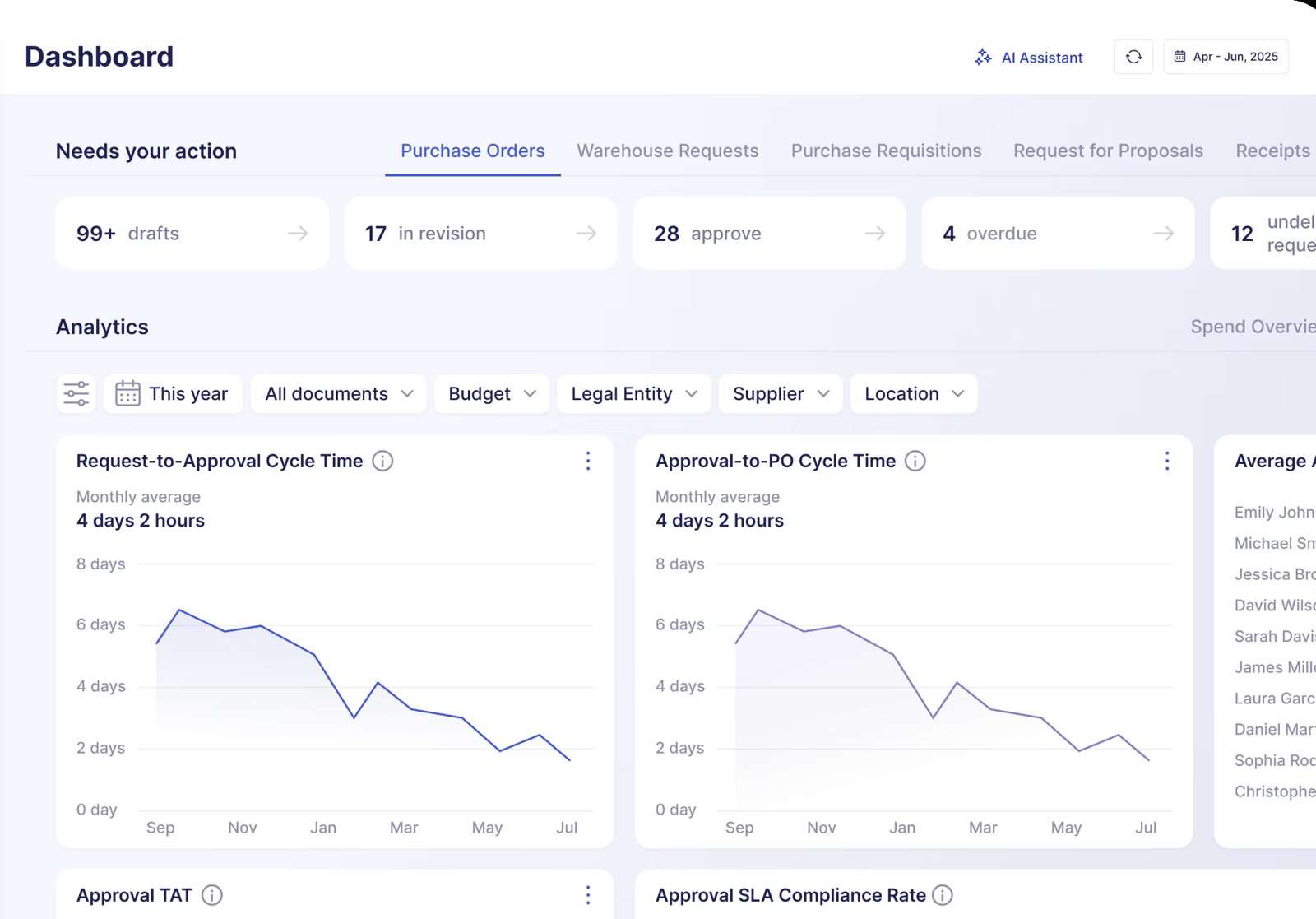
How the chain runs. Approval paths are built without code and can route by department, amount, project or custom criteria. Deadlines and notifications reach approvers by email, Slack and the mobile app. An approved request converts into a PO without re-entering data, several requests can be combined into one order, and blanket, recurring and service orders are supported. Invoices are matched to what was ordered and received, duplicate invoices are flagged and the FAQ says the allowed variance can be set.
What needs a higher plan. Real-time budget tracking starts at the Automation plan, not Core. The over-budget approval step fires only when a transaction exceeds a budget and needs the Budget module.
What stays manual. Precoro's pages don't describe how an invoice exception is resolved, so the person who owns accounts payable still decides what happens to a mismatch, even though the match itself is automatic.
Price. Core starts at $499 per month billed annually and Automation at $999 per month billed annually, with an annual quote for Enterprise. The AP module also starts at $499.
- you want a published price and configurable approval steps without an enterprise suite
- approved requisitions should become POs without a second approval unless something changes
- you need advanced inventory management
- your budget doesn't stretch to an annual plan starting at $499 a month
- Users like
- G2 reviewer tags list ease of use, the approval process, simplicity and support as top positives.
- Users dislike
- G2 reviewer tags list 'not intuitive', missing features, invoice problems and a learning curve as top negatives.
- Source: G2, 222 reviews
- Starting price
- From $499 per month, billed annually (Core)
- Next tier
- Automation, from $999 per month billed annually
- Accounting sync
- QuickBooks Online, Xero, NetSuite, Sage Intacct, Business Central
- Real-time budget tracking
- Automation plan ($999/mo) and above, not Core
- Savings dashboard
- Savings and overspend by month and supplier against a baseline price per PO line
- Overbudget step
- Fires only when a transaction exceeds budget and needs the Budget module
Procurify
Purchasing-led procurement platform with modular AP, Expense & Card and optional Guided Intake and Contracts. Buyers should verify paid Pro roles and renewal notice ownership.
Procurify covers the longest part of the chain: routing, PO creation, receiving against the PO and two- or three-way invoice matching.
How the chain runs. Requests route by value, department, category, budget or supplier, and out-of-policy requests go to the person responsible for the exception. A PO is generated from the supplier, prices, quantities and coding captured in the approved request. Deliveries are recorded against the original PO, including partial shipments, and invoices are compared with the PO and the receipt before they go on to approval, accounting sync and payment. Discrepancies are routed to a person.
What is an add-on. Purchasing is the required starting product. Guided Intake and Contracts are add-ons, and the Accounts Payable product that pays bills is separate. Procurify's page says an AI feature can fill line items from an uploaded vendor quote.
What isn't documented. The automation page gives no Procurify-specific matching tolerance settings, so ask how tolerance is configured. With budget overage disabled, approvers can't approve over-budget requests, and with it enabled they see a warning and can approve.
Price. Procurify sells by custom quote, driven by the products, add-ons, paid Pro users and integrations you choose.
- you need approved purchasing requests, budget controls and audit trails across departments
- your finance team can own the accounting integration and implementation work
- you only need a simple PO form and cannot justify a tailored subscription
- you need a guaranteed public price before engaging sales
- Users like
- Reviewers cite an intuitive interface and easier PO management, order tracking and budget control; support is called responsive.
- Users dislike
- GetApp notes occasional integration or customization limits; its NetSuite integration rating is 2.7 from 3 ratings versus 4.5 for QuickBooks Online.
- Source: GetApp, 208 reviews
- Starting price
- Custom quote for Purchasing plus products, add-ons, Pro users and integrations
- Request types
- Order, Expense, Travel, Funds
- Accounting sync
- QuickBooks, NetSuite, Sage Intacct, Business Central
- Published subscription price
- No, quote only
- Basic requesters
- Unlimited
- Pro users
- Price determining user class
- Purchasing
- Required starting product
- Contracts
- Add-on
- Guided Intake
- Add-on
- Renewal notice
- 60 days under standard 2026-08-01 terms
- Budgets
- By department, account code or both, up to 60 months; pending requests count against the active budget
- Budget Overage
- Disabled: approvers cannot approve over-budget requests; enabled: a warning and approval allowed
- Bill payments
- ACH, wire or check in the US through the AP add-on, bulk approval of up to 100 payments
Ramp
Ramp combines cards, bill pay and a procurement add-on that turns an approved request into a PO or virtual card and matches bills against POs and item receipts.
Ramp automates intake for free and sells workflow approvals and PO management as add-ons to its Plus plan.
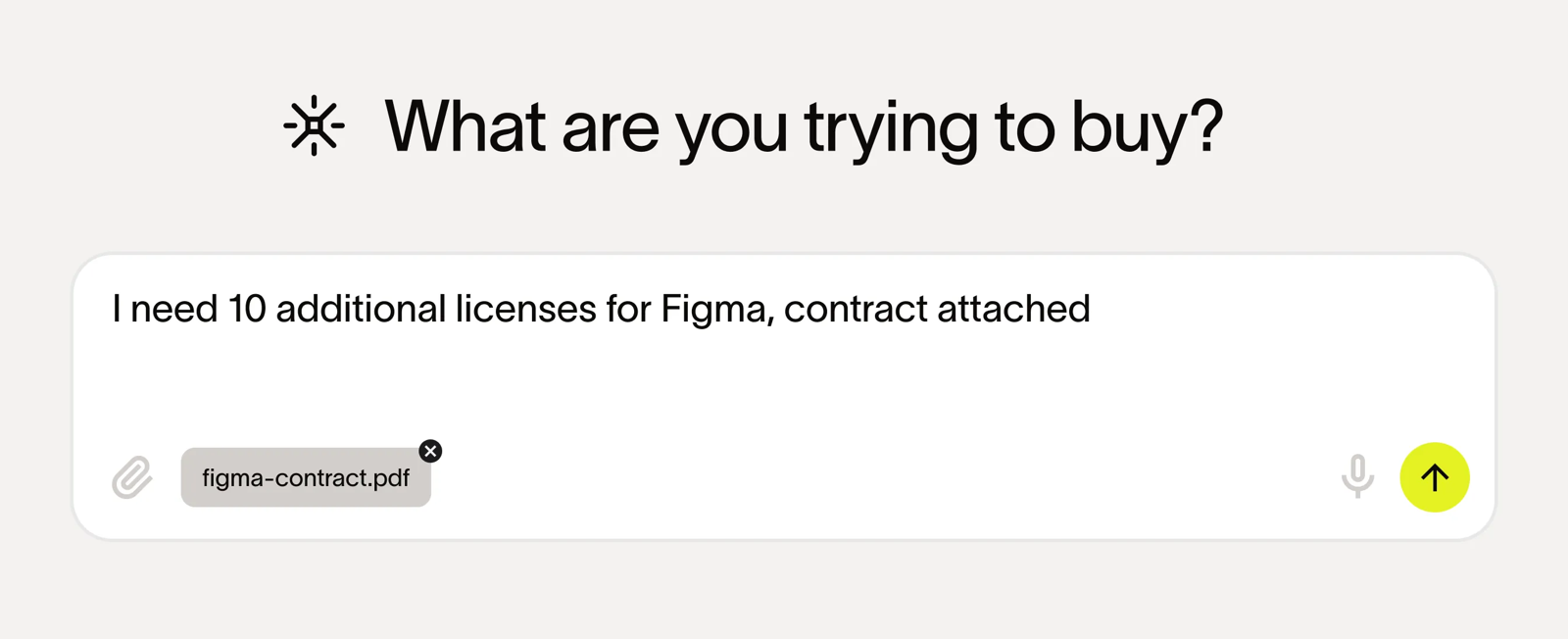
How the chain runs. Employees describe a purchase in plain language or upload a quote, and Ramp pre-fills the intake form and starts approvals. Approval workflows route by budget, department or vendor type, can run in parallel and are built in a no-code builder. After full approval Ramp generates a PO, and a virtual card can be issued from it. Invoices are checked against POs and item receipts with two- and three-way matching, with discrepancies flagged. Vendor onboarding collects W-9 forms and compliance documents during the request.
What is an add-on. Per Ramp's procurement page, workflow orchestration, AI agents that run pre-approval vendor and contract checks, and PO management are each an add-on to Plus. Integrations also depend on the plan: QuickBooks Online and Xero in Free, NetSuite and Sage Intacct in Plus.
What isn't documented. Ramp's help article on three-way match doesn't describe tolerance settings, and POs imported from QuickBooks Online can't be three-way matched.
Price. Free is $0 per user per month, and Plus is $15 per user per month plus a platform fee that depends on team size. Procurement is an add-on whose price isn't published.
- you already run or plan to run cards and bill pay in Ramp and want POs and matching in the same place
- you're on NetSuite, QuickBooks Online, Sage Intacct or Xero and pay mostly US vendors
- you need documented tolerance settings for matching, which Ramp's 3-way match help article doesn't describe
- most of your POs live in QuickBooks Online, since imported QBO POs can't be 3-way matched
- Users like
- Ease of use, with bill pay and card management in one place.
- Users dislike
- Missing features for complex or global finance setups and receipts that don't always match automatically.
- Source: G2, 2,274 reviews
- Starting price
- Free: $0/mo/user; Plus: $15/mo/user + platform fee based on team size (save 20% with annual billing); Enterprise: Custom. Procurement is an add-on to Plus or Enterprise, price not published
- 3-way match
- Procurement add-on (Ramp POs) or Plus (imported POs)
- Pays vendors by
- ACH, same-day ACH, card, check, wire
- Budgets
- By department, project or vendor; Plus adds budgets versus actuals in real time and an audit log
- Integrations by plan
- QuickBooks Online and Xero in Free; NetSuite and Sage Intacct in Plus; Workday and Oracle Fusion Cloud in Enterprise
Tipalti
AP automation and global payables platform whose procurement module generates POs from approved requests, logs goods receipts and matches invoices two- or three-way with amount or percentage tolerances.
Tipalti is an accounts payable platform whose procurement module adds requests, automatic POs and goods receipts in front of its payments.
How the chain runs. Employees submit requests through customizable forms, rules-based routing sends them to approvers who can answer from Slack or email, and a PO is created automatically after approval and synced to the ERP. Goods are marked received through goods received notes, which feed the three-way match. Tolerances can be set by amount or percentage, at bill or line level, and exceptions are routed to people by email.
Where the automation stops. Tipalti's own FAQ says the intake-to-procure flow stops before payment, but its AP and Global Payments products handle that part. Suppliers complete tax forms and payout details in a payee hub and follow six payment statuses.
What users report. G2 reviewers praise ease of use and time saved on international payments and name invoice and ERP sync problems and weak reporting as the recurring complaints.
Price. Accounts Payable starts at $99 per month. The procurement module and the per-invoice and per-payment fees are by quote.
- you pay suppliers in many countries and currencies and want matching and payment in one system
- AP owns the process and needs line-level tolerances with exceptions routed by email
- you want a fully published price, since the procurement module and transaction fees are quoted
- reporting depth matters, because G2 reviewers name reporting as a weak spot
- Users like
- Ease of use, helpful support and time saved on international payments.
- Users dislike
- Invoice and ERP sync problems and weak reporting.
- Source: G2, 417 reviews
- Starting price
- Accounts Payable from $99 per month; Procurement module and per-invoice and per-payment fees by quote
- Tolerances
- Amount or percentage, bill or line level
- Payments
- 200+ countries and territories, 120 currencies
- Supplier Hub
- Payees complete tax forms and payout details and follow six payment statuses
- Supplier cost
- No payee fee listed on the published vendor pages
ProcureDesk
Purchasing and AP automation for 50 to 250 employee companies, with published plans, more than 150 punchout catalogs and Slack approvals.
ProcureDesk is built around punchout carts: requesters shop supplier sites, and the cart becomes the requisition and then the PO.
How the chain runs. An employee picks a vendor, browses its site and selects items, which populate the requisition automatically. Workflows route the requisition to approvers, with mobile approvals and status tracking. An approved requisition becomes a PO, or a buyer converts it, and ProcureDesk dispatches the PO by EDI (cXML) or, for smaller vendors, by email. More than 150 punchout catalogs are listed.
What stays manual. Receipts and goods received notes and invoice matching are named as features, but the published vendor pages don't explain how either works. Invoice intake relies partly on staff forwarding invoices to a dedicated mailbox, and not every purchase needs a PO, such as a direct store purchase. The 99.5 percent OCR accuracy figure on its page is the vendor's own claim.
Price. Plans start at $830 per month billed annually with 10 users included, and the Growth plan is $1,250 per month with 20 users. Extra users cost $20 each per month.
- your requesters buy from Amazon, Staples, Grainger or Dell and you want one cart across vendors
- you run QuickBooks, Xero, NetSuite, Sage Intacct or Business Central and want a published price
- you have many requesters, because users beyond the included 10 or 20 cost $20 each per month
- you want a large review base before buying
- Users like
- A straightforward approval workflow with notifications that keep requests from being missed.
- Users dislike
- One reviewer had no direct integration with their ERP and re-entered data; another found invoice matching and routing slow at times.
- Source: GetApp, 38 reviews
- Starting price
- From $830 per month billed annually, 10 users included
- Next tier
- Growth, $1,250 per month billed annually, 20 users
- Punchout
- More than 150 catalogs
Zip
Intake and procurement orchestration that puts one request front door and cross-functional approvals on top of an existing ERP.
Zip automates the front door: one intake form for every request, routed through the functions that need to review it, with POs synced to your ERP.
How the chain runs. A requester describes the purchase in plain language and Zip turns it into a form and an approval path. Legal, security, IT and finance can all sit in the path, not only a budget approver. Zip lists PO and invoice workflows and syncs to Oracle, NetSuite, SAP, Workday, Dynamics 365 and QuickBooks.
What is an add-on. Budgets are an add-on that shows the remaining budget during approval and alerts owners when a budget is nearly or fully used. Global Payments, for bank transfer, wire, check or virtual card in more than 140 countries, is also an add-on.
What users report. Capterra reviewers like workflows that are easy to configure and a view of where each request stands. Reporting is the weak area for several, and one reviewer said misconfigured routing sent approvals to the wrong person.
Note on sources. Zip's feature page was not available on November 5, 2026, so this entry rests on pages read on October 24.
Price. Zip sells by custom buyer quote, and we verified no public US rate card.
- purchases need legal, security, IT and finance review, not only a budget approval
- you already run an ERP and want a front door for every request in front of it
- you're a small team that needs a published price
- you mainly order catalog supplies, since Zip's public pages don't mention punchout
- Users like
- Workflows that are easy to configure, with every requester able to see where a request stands and which steps remain.
- Users dislike
- Reporting is the weak area for several reviewers, and one said misconfigured routing sent approvals to the wrong person.
- Source: Capterra, 32 reviews
- Starting price
- Custom buyer quote; no public US rate card verified
- ERP sync
- Oracle, NetSuite, SAP, Workday, Dynamics 365, QuickBooks
- Budgets
- Add-on
- Intake
- Plain-language request to form and approval
- P2P
- PO and invoice workflows
- Payments
- Global Payments is listed as add-on
- Budgets add-on
- Shows remaining budget during approval; owners get alerts when a budget is nearly or fully used; can sync from ERP and FP&A tools
- Global Payments
- Bank transfer, wire, check or virtual card in 140+ countries (add-on)
Coupa
Enterprise source-to-pay suite whose requisitions run through guided buying, punchout and prioritized approval chains with budget meters.
Coupa automates approval policy at enterprise depth: chains by account, commodity, item and amount, and budget checks before a requisition is committed.
How the chain runs. Requisitions go through guided buying and punchout, and prioritized approval chains route them. Budget meters show the remaining budget per budget item before commitment, and a budget-line setting can block submission of a requisition that's over budget. Process Automator can trigger document events and API calls, and a requisition API can create and submit a requisition for approval.
Suppliers. A supplier joins by buyer invitation (the link expires after 30 days), self-registration or a PO email. The standard supplier portal is free for suppliers, while Coupa Advanced is a paid supplier tier.
What users report. TrustRadius reviewers praise approval routing and spend compliance for indirect buying and clear purchase limits per person. They name heavy integration work with ERPs such as SAP, and a supplier portal that confuses vendors asked to create profiles.
Note on sources. Coupa's product page was not available on November 5, 2026, so this entry rests on pages read on October 24.
Price. Coupa sells by custom buyer quote, and we verified no public USD rate.
- you need fine-grained approval chains by account, commodity, item and amount across entities
- contract-compliant guided buying and punchout matter more than a quick rollout
- you're a small or mid-size team that wants a published price and a rollout in weeks
- your only requirement is renewal-owner reminders without enterprise spend management
- Users like
- Approval routing and spend compliance for indirect buying, with clear purchase limits per person.
- Users dislike
- Heavy integration work with ERPs such as SAP, and a supplier portal that confuses vendors asked to create profiles.
- Source: TrustRadius, 168 ratings
- Starting price
- Custom buyer quote; no public US rate card verified
- Standard supplier portal
- Free for suppliers; Coupa Advanced is a paid supplier tier (SSO, API, QuickBooks and NetSuite sync)
- Buyer-side platform
- No verified public universal USD rate
- Requisition API
- Create and submit for approval
- Process Automator
- Document events and API call outs
- Supplier join
- Buyer invitation (link expires after 30 days), self-registration or a PO email
- Budget meters
- Show remaining budget per budget item before commitment
- Hard stop
- A budget-line setting blocks requisition submission over budget
- Dashboards
- Out-of-the-box dashboards, KPI benchmarking and savings insights
- Sourcing events
- RFP, RFI, RFQ and reverse auctions are listed in the FAQ (answer text not visible); routine events run from preapproved templates
- Award analysis
- Coupa Sourcing Optimization sets per-supplier caps, geography, tariffs and freight as constraints and compares scenarios side by side, with manual overrides
- Supplier discovery
- Pre-rated, pre-enabled suppliers filterable by diversity, rating or geography; AI suggests suppliers from category performance
- Spend analysis
- Cross-platform spend visibility, automatic classification and suggested opportunities such as expiring contracts
- Handoff after award
- Winning terms and rate cards pass into draft contracts in Coupa CLM and into catalogs on approval
- Spend classification
- AI engine maps transactions to a proprietary Coupa taxonomy of roughly 60 primary categories and 1,800 sub-categories, built for category management. It classifies by supplier first, using invoice and PO descriptions. Source post dates from 2022.
- Category strategy
- Coupa Category Strategy starts from a category taxonomy built on Coupa data, uses AI-guided stakeholder interviews and the Navi assistant for recommendations, and rolls every strategy into one portfolio view using a single methodology.
- Savings tracking
- Coupa describes tracking value through stages identified, negotiated, contracted and realized, to link negotiated savings to P&L impact. Initiative value can include non-cost benefits such as supplier relationships and resilience.
- Category supplier view
- Category Strategy page says it pairs with Coupa Supplier Information & Risk Management to segment suppliers, track performance and manage risk. Sourcing suggests suppliers from category performance. Segmentation criteria are not detailed publicly.
SAP Ariba
SAP's source-to-pay suite covering sourcing events with scoring and award simulation, buying and invoicing, contracts and supplier collaboration through SAP Business Network.
SAP Ariba automates buying and invoicing for SAP-centered companies, and its order flow runs through SAP Business Network.
How the chain runs. Buyers and suppliers exchange documents on SAP Business Network: PO confirmations, ship notices, PO flip invoices and invoice and payment status. Sourcing events run in the same suite, from RFIs to multi-round bidding and several auction types, and awards can hand off into follow-on documents such as POs and scheduling agreements in an external system.
Suppliers. A standard supplier account is free on SAP Business Network with unlimited documents. An enterprise account has a fixed subscription fee plus transacted volume.
What users report. TrustRadius reviewers praise punch-out catalogs and guided buying with approval workflows that standardize how people buy. They name an outdated interface, weak reporting and hard integration with non-SAP ERPs.
Price. Buying and Invoicing is price upon request and is priced on processed spend. No public buyer rate exists.
- your purchasing design is closely tied to SAP processes and master data
- supplier collaboration through SAP Business Network is a central buying requirement
- you want a published buyer price and a quick rollout
- your only requirement is renewal-owner reminders without a source-to-pay suite
- Users like
- Punch-out catalogs and guided buying with approval workflows that standardize how people buy.
- Users dislike
- An outdated interface, weak reporting and hard integration with non-SAP ERPs.
- Source: TrustRadius, 757 ratings
- Starting price
- Price upon request, no public buyer rate
- Buying and Invoicing pricing
- Price upon request, priced on processed spend
- Standard supplier account
- Free on SAP Business Network, unlimited documents
- Enterprise supplier account
- Fixed subscription level fee plus transacted volume
- Supplier order flow
- PO confirmation, ship notices, PO flip invoices, invoice and payment status
- Sourcing events
- RFI, RFP, multi-round bidding and English, Dutch, Japanese, total-cost, traffic-light, basket and lot auctions (SAP slides dated May 2022)
- Award analysis
- Scoring and grading, bid comparison report, award scenario comparison and one-click awarding; AI bid summaries and award simulation on the product page
- Supplier discovery
- Search by industry, item or service in SAP Business Network Discovery; profiles show certifications and ESG data
- Handoff after award
- Follow-on documents such as POs, purchase info records and scheduling agreements in an external system; links to SAP Ariba Contracts
- Spend classification
- The newer Spend Analysis and Insights offer maps spend to UNSPSC (incl. v25) or a custom taxonomy, with a stated 95% accuracy, and ingests SAP Cloud ERP, Ariba, Fieldglass, Concur plus non-SAP data.
- Category strategy
- Guided strategy process with category profiles, hierarchy management, Kraljic, PESTLE, SWOT and Porter's Five Forces frameworks, AI-curated market intelligence (third-party content from Beroe), generative AI drafts, and approval workflow.
- Savings tracking
- Managers pick value levers, goals and KPIs per category, document initiatives with owners, timelines and estimated outcomes, and follow them in a monitoring workbench, dashboard and calendar view. Savings accounting rules are not detailed publicly.
- Category supplier view
- Category segmentation and cost structure analysis are listed features, and the Kraljic matrix segments categories or suppliers by supply risk and profit impact. Supplier performance scorecards belong to separate Ariba supplier management modules.
Keelvar
Keelvar is an agentic sourcing platform for large enterprises, built around bid optimization and autonomous sourcing events with scenario modeling across price, risk and sustainability.
Keelvar automates the sourcing event rather than the purchase: agents run bids and recommend awards, and a human sets the rules and approves.
How the chain runs. Sourcing events cover RFIs, e-auctions and spot quotes, configurable by spend category. Machine learning evaluates complex bid scenarios across price, risk and sustainability, and an assistant called Kai recommends suppliers to approach. Rate Manager can trigger a sourcing event when rates expire or drift from benchmarks.
What isn't documented. The published vendor pages don't describe what happens after the award, so POs, receipts and invoice matching sit in another system. Keelvar suits a team that already has the buying chain automated and wants the sourcing step to follow.
Price. Keelvar publishes no price, and its pricing page tells buyers to contact the team.
- you run complex multi-lane or multi-category events where awards must be optimized across price, risk and sustainability
- you want rate expiry or benchmark drift to trigger new sourcing events
- you need a public price: Keelvar's pricing page only says to contact the team
- you are a small team: the vendor positions the product for large enterprises
- Starting price
- Not published, pricing page says to contact the team
- Sourcing events
- RFx including RFIs, e-auctions and spot quotes, configurable by spend category
- Award analysis
- Machine learning evaluates complex bid scenarios across price, risk and sustainability; agents can recommend an award while humans set rules and approve
- Supplier discovery
- An assistant called Kai recommends suppliers to approach
- Spend analysis
- Rate Manager can trigger sourcing events when rates expire or drift from benchmarks
- Handoff after award
- Not described on the published vendor pages
Kodiak Hub
Modular SRM platform that collects supplier data through self-registration and assessment campaigns and turns it into risk and performance scorecards.
Kodiak Hub automates the supplier side: suppliers register through a form, answer assessments and feed risk and performance scorecards.
How the chain runs. Suppliers self-register through a configurable form, and assessment campaigns come from a template builder and library covering 15 business and sustainability areas. Risk modules cover financial, sanctions and PEP, adverse media and country risk, and findings feed corrective-action workflows. Supplier single sign-on is offered and the vendor lists ISO/IEC 27001 certification.
Where it sits. Your ERP or source-to-pay suite stays the system of record, and Kodiak Hub adds the supplier layer on top. It doesn't create POs, though it can sit beside a tool that does.
What users report. Capterra reviewers like ease of use and having supplier data and documents in one place. They call reporting not fully developed, and one reviewer found the platform hard to customize.
Price. Kodiak Hub is sold as a modular SaaS licence by quote, and no amount is published.
- you want suppliers to register and answer assessments themselves, with sustainability and compliance questions built in
- your ERP or source-to-pay suite stays the system of record and you need an SRM layer for scorecards and risk on top
- you need a price before the first sales call
- reporting is your main requirement: several reviewers call it the weakest part
- Users like
- Ease of use, all supplier data and documents in one place, and an easier ERP integration than older SRM platforms.
- Users dislike
- Reporting that isn't fully developed yet, module names some users find confusing, and, for one reviewer, a platform that's hard to customize.
- Source: Capterra, 14 reviews
- Starting price
- Not published, quote only (modular SaaS licence)
- Also on G2
- 4.4 out of 5 from 31 reviews
- Risk data
- Financial, sanctions and PEP, adverse media, country risk modules
- Supplier join
- Self-registration through a configurable sign(UP) form
- Supplier SSO
- Single sign-on offered, ISO/IEC 27001 certified
- Evidence source
- Supplier self-assessments plus external risk signals
- Assessments
- Template builder and library covering 15 business and sustainability areas
- Corrective actions
- Findings feed workflows and improvement projects
What should you automate first in procurement?
Automate approvals first, POs second and matching third, because each step depends on the one before it. A match can only pass if a PO exists, and a PO can only be trusted if the request behind it was approved.
- Approvals. Write down the three or four thresholds you already apply by hand, such as who signs off above a certain amount, and set them up as rules. This is, without question, the cheapest step, although it's also the one where a wrong rule does the most harm, and every tool in this list handles it.
- PO creation. Turn approved requests into POs without re-entering them. Check how purchases made without a request enter the system, because those are the orders automation misses.
- Receiving. Record deliveries against POs. A three-way match is only as good as the receipt data behind it, and this is the step teams skip most often.
- Invoice matching. Switch on the match once receipts exist, and start with a tolerance you're comfortable defending, then loosen it only where exceptions pile up.
- Supplier onboarding and sourcing. Add these last. They carry the most setup effort and the least benefit if the buying chain underneath is still manual.
What does procurement automation still leave to people?
Procurement automation leaves exceptions, policy and negotiation to people, and the tools in this list say so on their own pages. Procurify's page recommends human review for higher-risk decisions, Keelvar describes agents that recommend an award while humans set the rules and approve, and Tipalti routes failed matches to people by email.
What happens after the purchase order?
After the PO is issued and the invoice paid, the contract behind the purchase still has a renewal date and a notice deadline, and none of the tools above tracks those as a decision. Our guides to procure-to-pay software, purchase order software and contract repository software cover the buying and storing sides. The renewal decision needs the business owner, Finance and IT to weigh in before the notice window closes, and a contract renewal checklist keeps those steps in order. That's the gap The Procurement Manager is built for.
Frequently asked questions
What is procurement automation software?
Procurement automation software runs the repeatable steps of buying by rule. It routes requests to approvers, creates POs from approved requests, records receipts and matches invoices to the PO and the receipt. Some tools also automate supplier onboarding and sourcing events.
How much does procurement automation software cost?
Procurement automation software prices range from published plans to quotes. Precoro Core starts at $499 per month billed annually, ProcureDesk at $830 per month billed annually with 10 users, and Tipalti Accounts Payable at $99 per month. Procurify, Zip, Coupa, SAP Ariba, Keelvar and Kodiak Hub sell by quote.
What is the best procurement automation software for a small business?
The tools with published prices are the easiest starting points for a small team: Precoro, ProcureDesk and Ramp's free plan with its intake. Ramp's workflow approvals and PO management are add-ons to its Plus plan, so check the total before you commit.
Does procurement automation software do three-way matching?
Several procurement automation tools do three-way matching. Procurify, Ramp, Precoro and Tipalti match invoices against the PO and the receipt. Tipalti documents tolerances by amount or percentage, while Ramp's help article doesn't describe tolerance settings, so ask each vendor how a mismatch is handled.
Can procurement automation replace a procurement team?
No. The tools automate routine steps, but exceptions, policy and negotiation stay with people. Vendors such as Procurify and Keelvar describe human review and approval as part of the process.