The best contract lifecycle management software depends on how much configuration your team can carry, and that's a smaller question than it sounds. For large enterprises whose supplier contracts must sync with ERP and source-to-pay systems, Icertis, Sirion, Agiloft, Ironclad and Docusign CLM are built for the job, but they're also the heaviest to run. For mid-sized teams, LinkSquares, ContractWorks and Zoho Contracts cover the renewal and notice-date need with far less setup, though they won't match an enterprise suite on obligations.
Contract lifecycle management (CLM) software manages a contract from request through drafting, approval, signature, obligations and renewal, and it's what most buyers mean by "contract management software". If you only need a repository and renewal alerts, see our best contract management software comparison. This page compares eight CLM tools on what procurement and operations leads ask before they buy: how each vendor's renewal alerts really work, which prices are published, what reviewers complain about, and who should skip each tool.
- CLM tools compared
- 8
- publishes a per-user price
- 1
- G2 and Capterra reviews behind the ratings
- 1,632
Best CLM software at a glance
Pick by the problem you're solving first. If renewals are the pain, start with the tools that document their alert setup in detail. If it's post-signature obligations, start with the enterprise platforms, but expect a longer rollout.
 Best for clear renewal alertsLinkSquaresLinkSquares' help center documents opt-out, renewal and termination reminders with the lead times and recipients you set.
 Best for post-signature obligationsSirionSirion's master and child obligations tie to SLAs, invoices and vendor performance.
 Best for custom renewal rulesAgiloftAgiloft's renewal type, advance-notice days and obligation tasks are set per contract without code.
 Best for a published low priceZoho ContractsA free plan for three users and paid plans from €25 per user per month.
 Best if you already sign with DocusignDocusign CLMApprovals, reminders and storage around the agreements you're already signing in Docusign.
 Our product · for the renewal decisionThe Procurement ManagerIt isn't a CLM. It routes each renewal to the business owner, Finance and IT before the notice deadline.
Contract lifecycle management software compared
Prices below are as published on each vendor's site on October 17, 2026. Seven of the eight vendors don't publish an amount, so the table shows the price status instead of an estimate.
| Tool | Category | Renewal handling | Price status | Review rating |
|---|---|---|---|---|
| Docusign CLM | Enterprise CLM suite | Workflows, reminder templates and agreement reports tied to eSignature | Not published, contact sales | 4.3 (503) |
 Ironclad Ironclad | Enterprise CLM platform | No-code Workflow Designer with approvals, repository and renewal reminders | Not published, custom quote based on products, users and add-ons | 4.4 (324) |
| Agiloft | Configurable enterprise CLM | Renewal types, advance notices and obligation tasks configured without code | Not published, contact sales | 4.5 (109) |
 Icertis Icertis | Enterprise contract intelligence | Obligation discovery, owner routing and ERP-synced renewals | Not published, contact sales | 4.2 (86) |
| Sirion | Enterprise CLM, obligation-heavy | Master and child obligations linked to SLAs, invoices and vendor performance | Not published, contact sales | 4.5 (65) |
| LinkSquares | Mid-market AI contract management | Events calendar with opt-out, renewal and termination reminders | Not published, depends on contract volume, users and modules | 4.7 (439) |
 ContractWorks ContractWorks | Contract repository with alerts | AI date tagging, milestone alerts and a notification calendar | Not published, three plans billed annually with unlimited users | 4.7 (Capterra, 100) |
| Zoho Contracts | Low-cost CLM in the Zoho suite | Renewal reminders, obligations tab and approval workflows per contract type | Free for up to 3 users. Paid plans from €25 per user per month billed annually on Zoho's site (Capterra lists US$25) | 4.5 (Capterra, 6) |
| The Procurement Manager Our product | Contract renewal decisions | Routes renewal reviews to the business owner, Finance and IT before the notice deadline | From $49 per month, flat, no per-seat fees (Starter, up to 50 contracts) | No reviews yet |
Ratings come from G2, except ContractWorks and Zoho Contracts, which come from Capterra because G2 was unavailable when we checked. Checked October 17, 2026.
What to look for in CLM software
Most CLM pages list features. For a procurement team, the more useful question is which part of the contract record the tool can act on without someone retyping it. Six checks separate the tools in this list, and they're the ones we used.
| CLM criterion | What to check | Question for the vendor |
|---|---|---|
| Renewal and notice alerts | Which dates trigger an alert, how far ahead, and who receives it | Can I set the lead time per contract type, and is the notice date calculated or typed in? |
| Obligation tracking | Whether obligations have owners, due dates and escalation | Can obligations be assigned to business owners and tracked past signature? |
| Approval workflows | Conditional routing by value, vendor risk or clause | Who builds and edits a workflow, and does it need an admin or a partner? |
| Integrations | ERP, source-to-pay, CRM and e-signature connectors that are listed | Is the connector for our system native, or is it a paid add-on? |
| Implementation effort | Time to go live and admin skills needed | What's the staff time a customer our size needed before launch? |
| Price transparency | Whether a price or plan limits are public | What's in the first-year price besides the license? |
- Show me a renewal alert for a contract with a 90 day notice period, from the date field to the email you'd get.
- Who can see and edit the notice date, and where's the change logged?
- What happens to a contract that auto-renews, and don't I have to update a date by hand afterward?
- Which of our systems have a native connector, and which need the API?
- What isn't included in the quote: modules, extra instances, e-signature licenses?
How a contract gets from request to renewal
CLM software covers a contract from the first request to the renewal decision. The stages are the same in every tool, but the owners differ, and renewal is where deadlines get missed: the person who negotiated the contract has often moved on by then, and nobody's calendar holds the notice date.
- Business ownerSubmits the request with vendor, spend and term Intake
- LegalDrafts from a template and negotiates redlines Drafting
- ProcurementCompares terms, confirms pricing and the renewal clause Negotiation
- Finance and ITApprove spend, security and data terms Approval
- SignersSign; the executed contract and its key dates enter the repository Signature
- Contract ownerTracks obligations, SLAs and invoices against the terms Run
- ProcurementConfirms the notice period and decides to renew, renegotiate or cancel Before the notice deadline
Enterprise CLM suites
Enterprise CLM platforms are configured, not installed. Expect an implementation project, an admin or partner, and a quote-only price. In return you get approval workflows, obligation tracking and connectors to the systems that hold your supplier data, which is what a smaller tool can't offer.
Sirion
An AI-native contract lifecycle platform that extracts obligations, milestones and renewal terms from signed agreements and tracks them against SLAs and vendor performance.
Sirion goes furthest after signature: it's the one that ties obligations to SLAs, invoices and vendor performance.
Sirion's AI pulls obligations, milestones and renewal terms out of signed agreements and into a central repository that's linked to contracts, counterparties and SLAs. Teams structure a master obligation with child obligations that map to contract terms, automate recurring ones and monitor dependencies. The vendor says obligations can be linked to invoices and vendor performance data, with automatic calculation of penalties, earnbacks and payment adjustments. Every update, approval and completion status is kept in an audit history.
- you manage a large supplier portfolio and need obligations, SLAs and penalties tracked after signature, not only renewal dates
- you need CLM linked to Coupa, SAP or Ivalua and you have admin capacity for an enterprise rollout
- you have low contract volume or basic reminder needs: Sirion's own renewal guide says it suits enterprise scale rather than small businesses with basic needs
- you need a fast self-serve start: G2 reviewers describe complex initial configuration and a learning curve
- Users like
- an easy-to-use interface, AI features and end-to-end lifecycle coverage
- Users dislike
- a learning curve and complex initial configuration
- Source: G2, 65 reviews
How renewals and obligations work in practice
Sirion's own renewal guide lists configurable alerts and escalation workflows as an evaluation criterion, but the public pages don't state alert lead times or setup steps, and Sirion University's full course catalog sits behind a login. Ask for a live demo of a renewal alert.
Sirion's listed connectors include Coupa, SAP, Ivalua, Docusign and Adobe Acrobat Sign, and the vendor says it can sync with more than 1,000 systems. G2 shows 52 of its 65 reviews at five stars.
- Starting price
- Not published, contact sales
- Obligations
- Master and child obligations with bulk updates and audit history
- Procurement links
- Coupa, SAP, Ivalua
- Alert lead times
- Not stated in public docs
Icertis
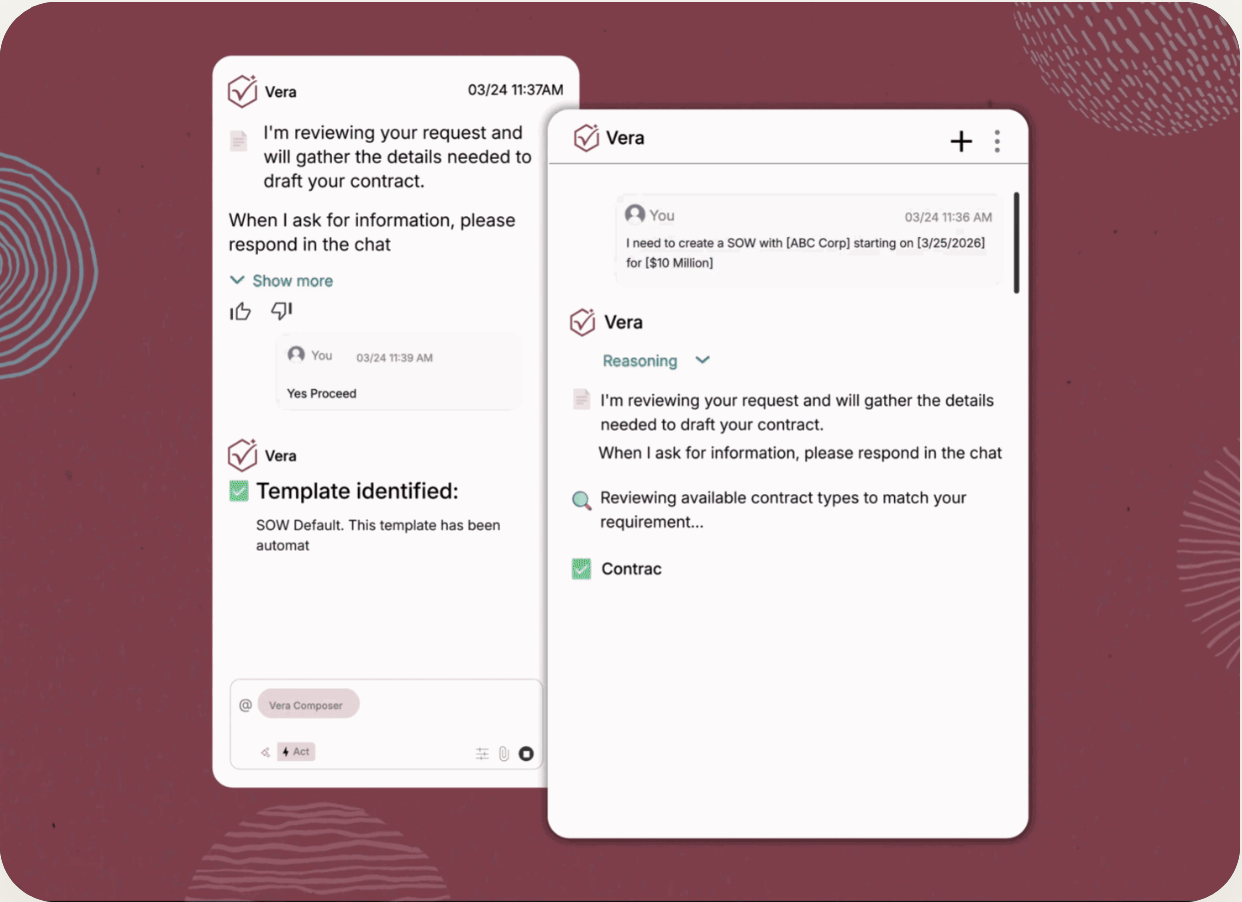
An enterprise contract platform with an AI layer (Vera) for obligation discovery, owner routing and renewals that sync with systems such as Workday and SAP.
Icertis is built for large enterprises whose supplier contracts have to stay in sync with ERP and source-to-pay systems, and it's priced and scoped that way.
The one concrete renewal workflow in Icertis' documentation is its Workday integration. On a supplier contract type, a user sets a renewal flag, a maximum number of renewals and a renewal period in months. When the expiry date passes, the platform renews for that period, updates the expiry date, increases the renewal count and sends Workday an amendment of type Renewal. If a contract's already expired, someone can reopen it by resetting the expiry date. Icertis' marketing also describes dashboards for expiries and renewal dates, but the public pages give no reminder lead times, so confirm them in a demo.
- supplier contracts must sync with an ERP or source-to-pay system such as SAP Ariba or Workday
- you need AI obligation discovery with owner routing and audit evidence across a large contract portfolio
- you're a small team or have a tight budget: Icertis publishes no price and sells to large enterprises
- you need to go live in weeks: renewals and amendments sync with systems like Workday, so it's an integration project
How renewals and obligations work in practice
Vera Obligations uses AI to discover obligations across contracts into a central repository, classify them, route each one to an owner through role-based workflows, send alerts before deadlines and keep fulfillment evidence in audit logs. It's the module to ask about if post-signature tracking is why you're buying. Icertis' platform page also describes natural-language search and Q&A, agent-driven drafting and redlining, and a SAP Ariba connection for contract visibility across source-to-pay.
The renewal documentation we found covers version 8.1 of the Workday integration, so check it against the current release before you rely on it.
- Starting price
- Not published, contact sales
- Auto-renewal
- Renewal flag, max renewals and period in months
- Obligations
- Vera Obligations: AI discovery, owner routing, alerts
- Integrations
- SAP, Workday, Salesforce, Microsoft
Agiloft
A no-code, configurable contract lifecycle platform with renewal types, advance-notice emails, obligation tasks and an AI layer for extraction.
Agiloft is the most configurable option here: renewal rules are set per contract, and obligations are tracked as tasks.
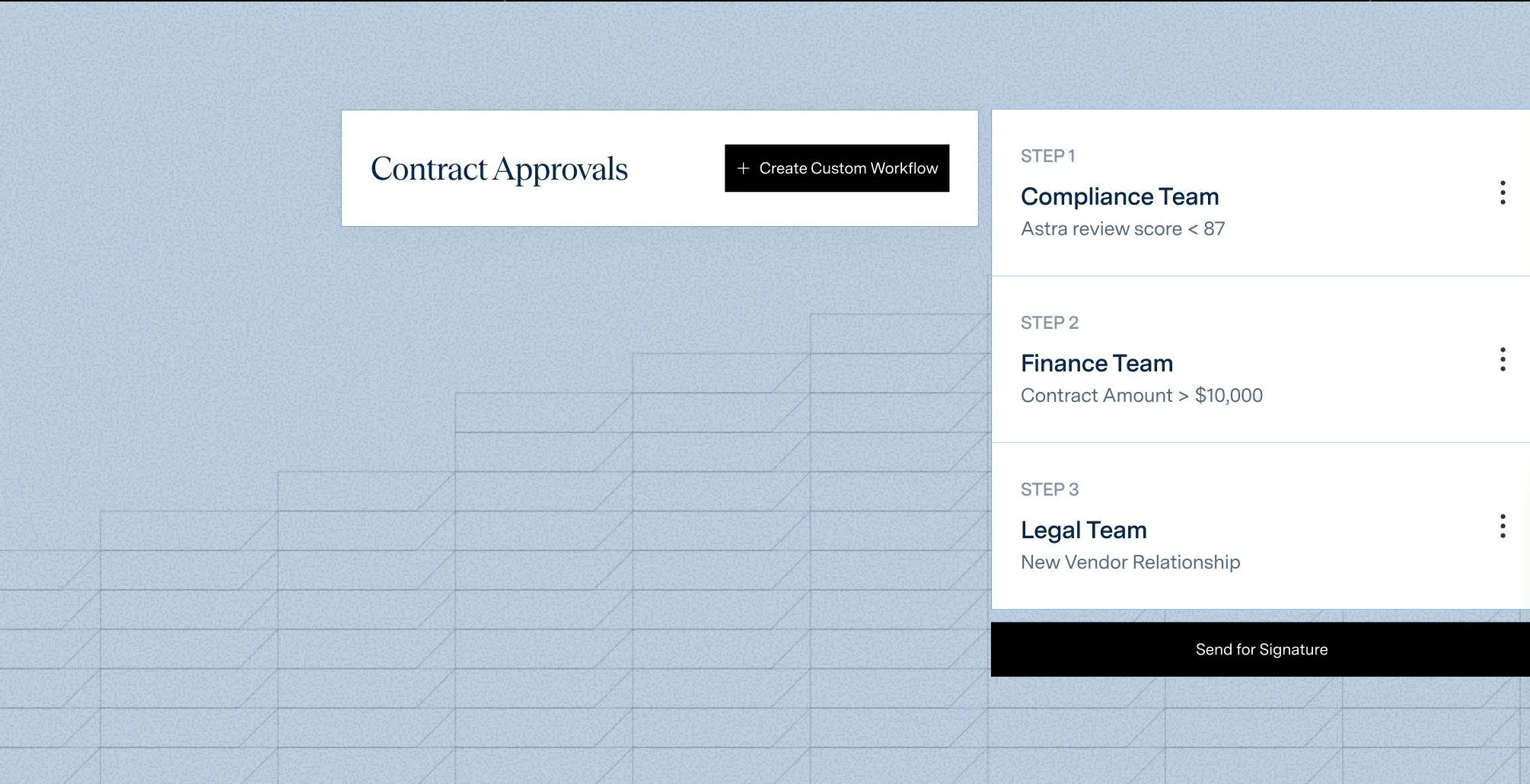
Agiloft's contract management user guide (dated 2020, so confirm what's current in a demo) gives each contract a renewal type: notify staff to renew, auto-renewing, evergreen or one-time. For the first two you enter the days in advance to notify, and the system emails the contract's internal owner before the end date. Auto-renewing contracts take a term in months and extend automatically unless someone ticks the stop checkbox, so there's no manual date update afterward. A timed rule then marks the contract expired at the end date, or renewed if there's a renewal contract linked to it.
- you need custom approval chains and renewal rules and you have an admin or partner who'll configure them
- you want obligations, owners and escalations in the same system as the contract record
- you want published per-seat pricing: Agiloft's pricing is contact sales only
- you don't have configuration capacity: G2 reviewers cite difficult implementation and the need for specialized support
- Users like
- flexibility and customization, and centralized monitoring of agreements
- Users dislike
- difficult implementation and the need for specialized support to customize
- Source: G2, 109 reviews
How renewals and obligations work in practice
Obligations and deadlines are tracked as tasks (milestone, obligation, general task or reminder) with an assignee, a due date, an advance notification date and a repeat interval that keeps going until the task's marked done. In December 2025 Agiloft announced a newer obligation management feature that extracts obligations from an uploaded contract, fills linked tables and adds escalation of overdue items and dashboards.
Agiloft's procurement solution page cites tracking obligations, enforcing SLAs and automated alerts. The integrations it lists include Adobe Sign, DocuSign, Microsoft Word, Google Workspace, Slack and Microsoft Teams, plus an Integration Hub that Agiloft says reaches more than 1,000 tools. It doesn't name an ERP on the procurement page.
- Starting price
- Not published, contact sales
- Renewal types
- Notify Staff to Renew, Auto-Renewing, Evergreen, One Time
- Advance notice
- Days in advance, emailed to the contract owner
- Obligations
- Tasks with owner, due date and repeat reminders
Ironclad
A contract lifecycle platform built around a no-code Workflow Designer for intake and approvals, a contract repository and AI review features.
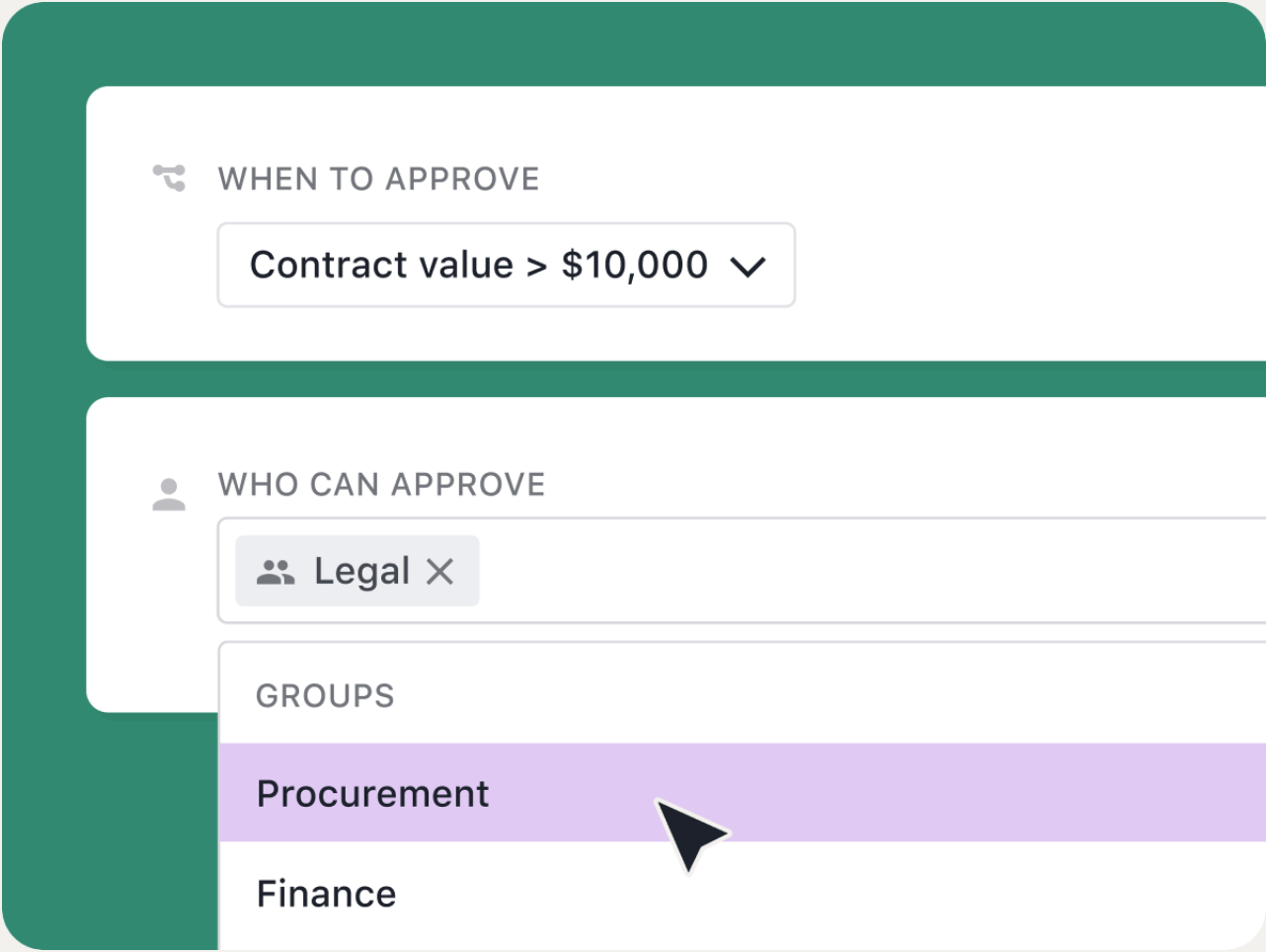
Ironclad is the workflow-first choice: legal and procurement build intake and approval flows in a no-code designer, and renewals ride on fields that are collected at intake.
To track renewals, an admin adds launch-form questions in Workflow Designer: whether the agreement auto-renews, the term type (auto-renew, fixed term or evergreen), the effective date, the term length and the renewal opt-out notice date. A team then builds a filtered dashboard view, for example active contracts expiring in 30, 60 or 90 days, and attaches a contract date reminder that's sent to named people, optionally keyed to the opt-out notice date. Ironclad's support article says an auto-renewed contract needs its expiration date updated by hand afterward so it leaves the reminder. Ironclad's listed integrations include Coupa, SAP, NetSuite, Salesforce and Workday.
- legal and procurement both need one workflow builder with multi-approver routing for intake and approvals
- your stack includes Coupa, SAP, NetSuite, Salesforce or Workday and you want a vendor that's listing connectors for them
- you need list pricing: Ironclad's price is a custom quote and some integrations are paid add-ons
- you can't dedicate a workflow admin: renewal reminders depend on launch-form fields and dashboard filters someone has to build, and G2 reviewers cite a steep learning curve and weak search
- Users like
- ease of use (45 mentions), integrations (22) and customer support (18)
- Users dislike
- poor search (14 mentions), search difficulty (12) and a steep learning curve (10)
- Source: G2, 324 reviews
How renewals work in practice
Ironclad's Workflow Designer lets admins upload templates, tag required fields, set approvers, signers and conditional clauses, and limit access to pre-approved templates. Fixed-term renewals start a new contract record from a workflow that prefills metadata from the old one through a related-records property. Ironclad's Smart Import and OCR handle legacy contracts.
Ironclad's price depends on products, partners and add-ons, and some integrations are paid add-ons, so ask for the full first-year quote.
- Starting price
- Not published, custom quote based on products, users and add-ons
- Renewal alerts
- Contract date reminders on expiration or opt-out notice date
- Procurement links
- Coupa, SAP, NetSuite, Workday
- Auto-renewals
- Expiration date is updated by hand afterward
Docusign CLM
A contract lifecycle product from Docusign that covers generation, review, approval, signature and storage, with AI extraction and a drag-and-drop workflow designer.
Docusign CLM suits teams that already sign in Docusign and want approvals, storage and reminders around the same agreements.
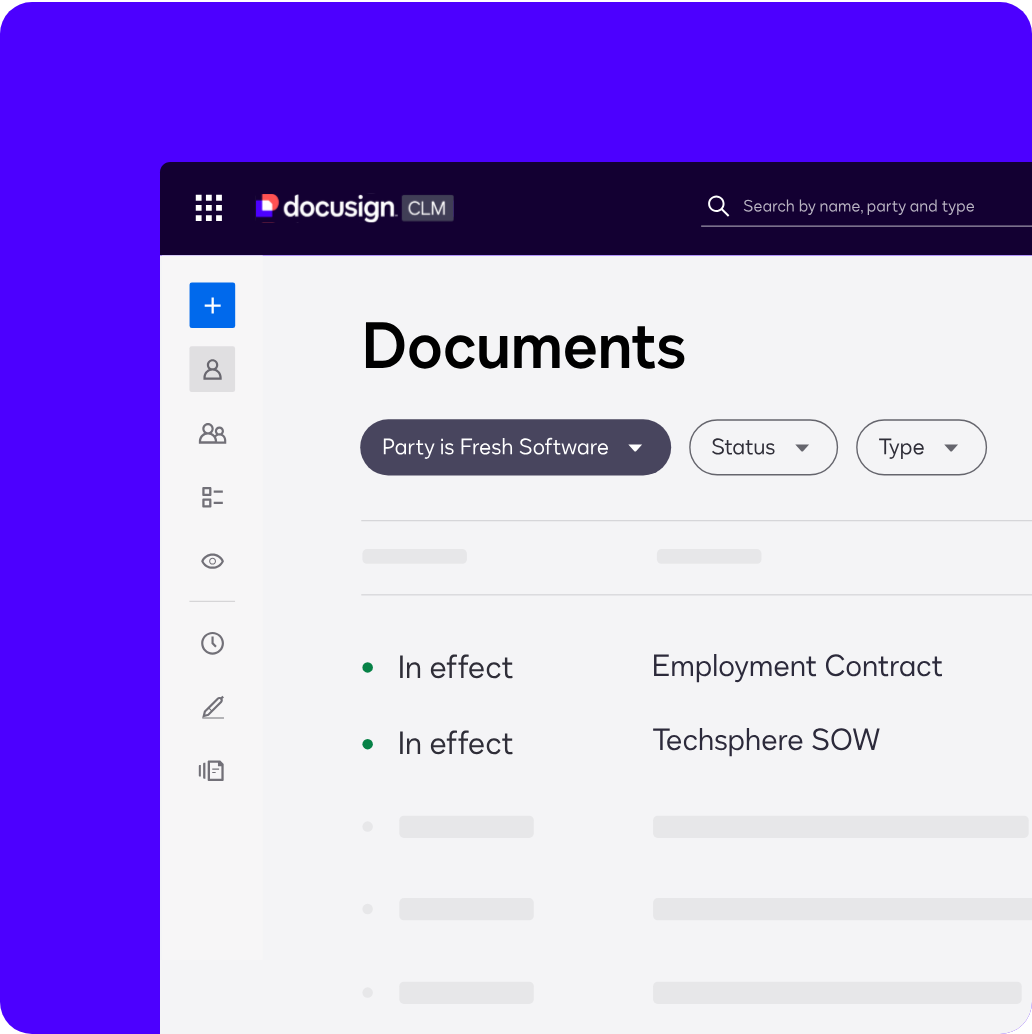
Renewal handling runs through reminder templates. An admin chooses a schedule (manual, by template, or by a date field on the document), the recipients and a message. The reminder's then added to a document by hand, by a workflow step or by a smart rule, so a renewal date or termination notice window that's stored on the contract can trigger an alert. Docusign's blog describes alerts at 30, 60 or 90 days. Its integration list includes Salesforce, Coupa and SAP Ariba, the last two for creating supplier agreements from those systems.
- you already sign in Docusign and want contracts, approvals and signature with one vendor
- your procurement stack is SAP Ariba or Coupa and you want supplier agreements created from those systems
- you need a published price or a self-serve plan: Docusign's pricing page lists no CLM price and sends buyers to sales
- you have no admin capacity: G2 reviewers flag a steep learning curve and complex setup, and G2 shows about 3 months of average implementation time
- Users like
- ease of use, digital signing and document management
- Users dislike
- expense, a steep learning curve and complex setup
- Source: G2, 503 reviews
How renewals and obligations work in practice
Docusign's workflows are built in a drag-and-drop editor with conditional routing, for example sending non-standard terms to extra review. Docusign's product page cites more than 100 pre-configured workflow steps, and reviewers are alerted by email or Slack.
A separate Obligation Management feature in Docusign's agreement platform uses its Iris AI to extract renewal, payment and termination obligations, assign owners and set rules-based notifications. Docusign describes it in a Community post that doesn't say which plans include it, so ask in the demo whether it's part of your quote.
- Starting price
- Not published, contact sales
- Renewal alerts
- Reminder templates, scheduled by a date field on the document
- Procurement links
- SAP Ariba, Coupa, Salesforce
- Implementation (G2)
- About 3 months on average
CLM software for mid-sized teams and tighter budgets
Mid-sized CLM tools put the repository and the dates first. They suit teams that mainly need to know what's signed, when it ends and who gets told, and that don't have an admin to run a workflow platform.
LinkSquares
An AI contract management platform that extracts key terms into a searchable repository, tracks renewal and termination dates, and runs intake and approval workflows.
LinkSquares has the most transparent renewal alerting in this group, because its help center documents exactly how reminders are set.
LinkSquares' AI extracts terms from each agreement as Smart Values, and four of them populate an Events page in calendar or list view: the auto-renewal opt-out date (calculated), the effective date, the renewal date and the termination date. An administrator or manager opens Settings, then Analyze, then Events and, per event type, sets a toggle, a lead time in days, weeks or months, and recipients, who must already be LinkSquares users. Recipients only get emails for agreements their role and tags let them see, so a buyer won't be alerted about a contract they can't open. Optional summary emails go out daily, weekly or monthly, and agreements still in the Pending tab don't appear on the Events page.
- your legal or procurement team wants opt-out, renewal and termination alerts with admin-set lead times and recipients, and you don't want a heavy enterprise rollout
- you want AI extraction into a searchable repository plus intake blueprints for NDAs or SaaS purchasing
- you need deep post-signature SLA, penalty or invoice-linked obligations: the documentation describes date events and tasks
- you need an ERP or source-to-pay connector catalog: SAP and Coupa aren't on LinkSquares' integrations page
How renewals work in practice
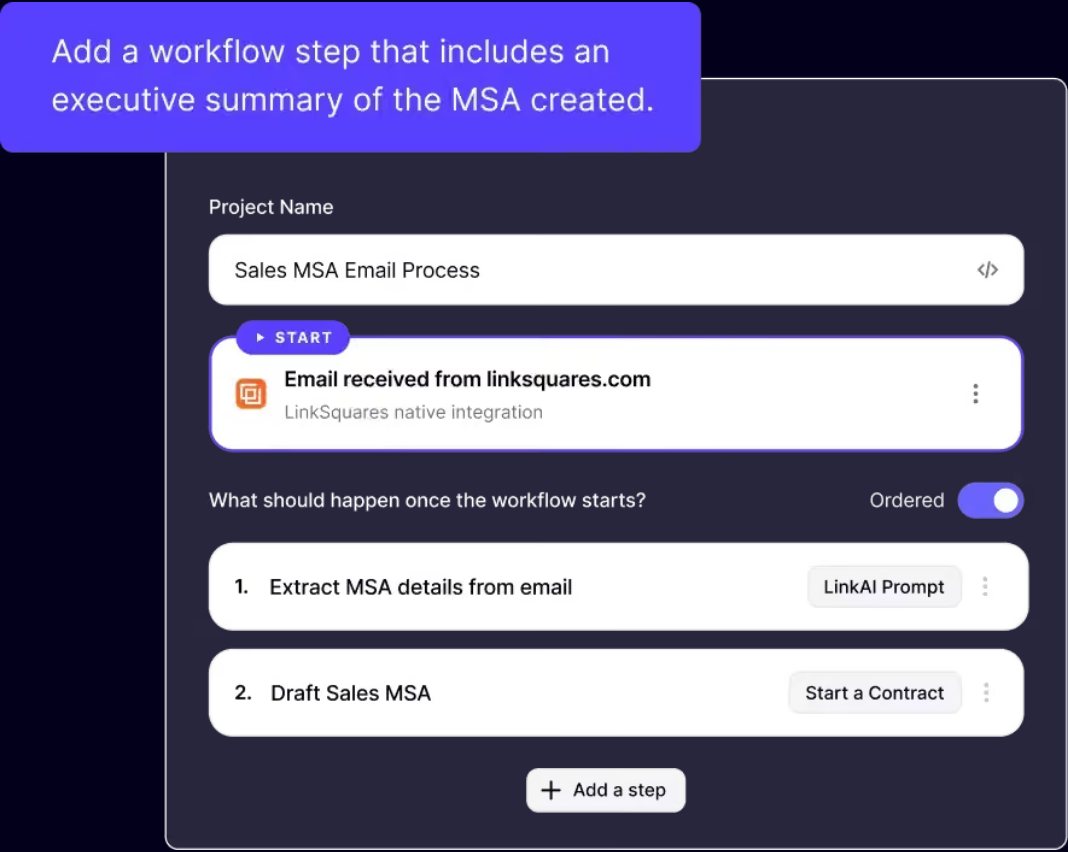
LinkSquares says a Workflow Builder Agent builds a workflow from a plain-language description, with a review before publishing. LinkSquares' blueprints cover NDA intake, contract drafting and review, DPA review and SaaS purchasing, and approval paths can depend on contract value and vendor risk.
LinkSquares' native integrations include Salesforce, Slack, Ramp, cloud storage and e-signature tools, and it offers an API. G2 shows an average implementation time of about 3 months.
- Starting price
- Not published, depends on contract volume, users and modules
- Event types
- Auto-renewal opt-out, effective, renewal and termination dates
- Reminder lead time
- Set in days, weeks or months per event type
- G2 implementation
- About 3 months on average
ContractWorks
A cloud contract repository with AI tagging of renewal and termination dates, milestone alerts, reporting and built-in e-signature, sold by Onit.
ContractWorks is a repository first and a CLM second: it finds the dates in your contracts and warns you before they arrive.
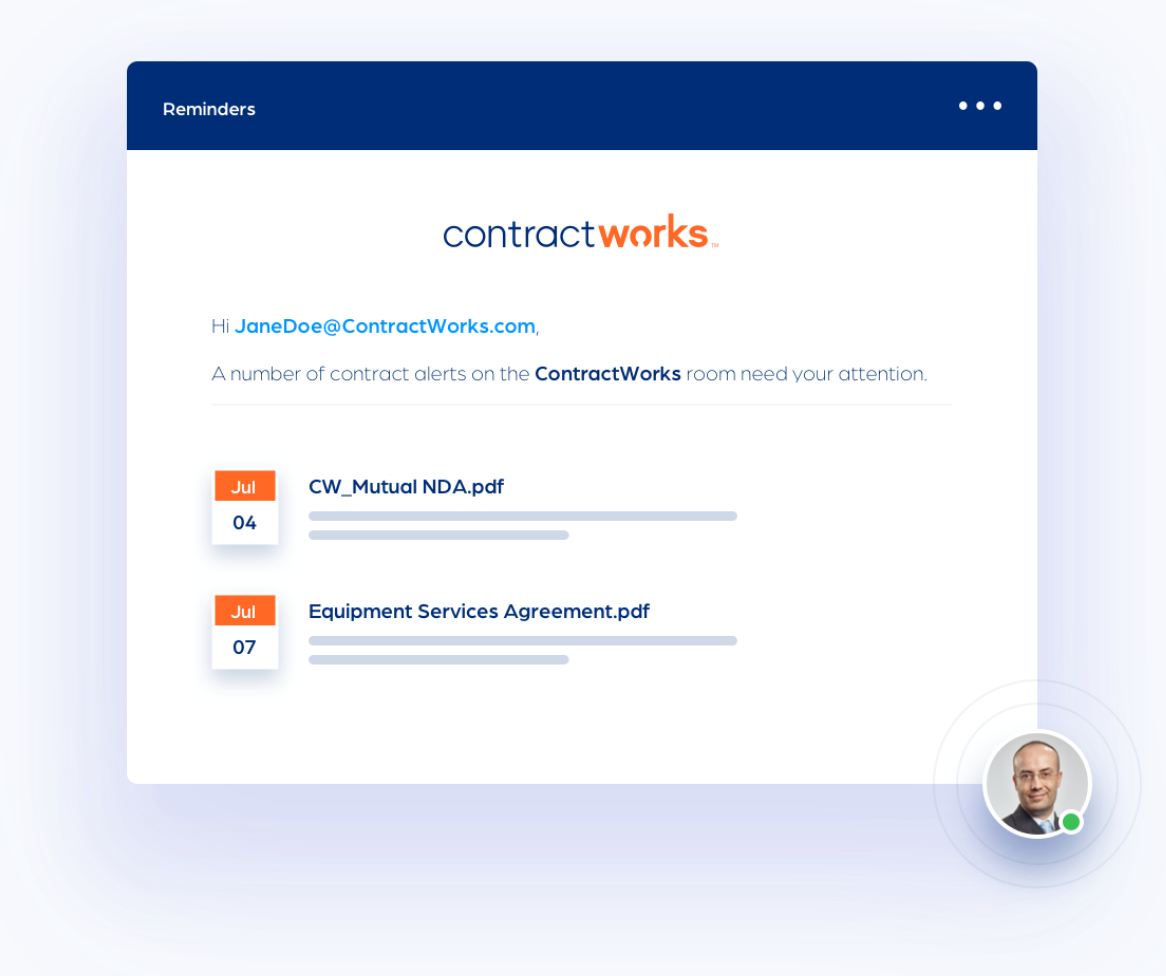
Contracts go in by drag and drop, email or a ScanSnap scanner. ContractWorks' Smart Document Tagging scans them and adds tags for effective, renewal and termination dates. Custom tags capture anything else, such as contract value or type, and reports built from tags can be scheduled and shared. Milestone alerts email reminders ahead of key dates, and a notification calendar shows what's coming. The product page doesn't say how far ahead alerts can be set or how obligations are assigned, so treat it as date tracking rather than full obligation management.
- you want a low-admin repository with renewal and notice-date alerts for a mixed contract portfolio
- you want unlimited users on every plan and e-signature in the same tool
- you need published pricing for budgeting: ContractWorks' pricing page shows plan limits but leaves the amounts blank
- you need deep obligation tracking or ERP connectors: obligations appear as tags and a calendar, and Salesforce is the only listed integration
- Users like
- ease of use, responsive support and automatic alerts for renewal dates
- Users dislike
- complex advanced workflow customization, and AI that sometimes misreads termination dates
- Source: Capterra, 100 reviews
How renewals work in practice
On the Premium plan, ContractWorks' approval flows use conditional triggers to route clauses, sections or whole contracts to any number of approvers, with notifications and an activity log. ContractWorks says onboarding takes about two weeks at no extra cost.
ContractWorks' pricing page shows plan limits but no amounts: Standard has 2,500 documents and five e-signature licenses, Professional 10,000 and ten, Premium unlimited documents and 20. Extra e-signature packs of five cost $1,200 per year. A Capterra reviewer who manages supplier contracts says proactive alerts remove the risk of missing supplier renewal dates, while another says the AI sometimes reads a contract as terminating on signature, which they had to fix by hand. It's now sold by Onit.
- Starting price
- Not published, three plans billed annually with unlimited users
- Plans
- Standard, Professional, Premium (approval workflows on Premium)
- Document limits
- 2,500, 10,000, unlimited
- E-signature licenses
- 5, 10, 20
Zoho Contracts
A per-user contract lifecycle tool with a repository, approval workflows, per-contract obligations and renewal reminders, sold standalone or inside Zoho One.
Zoho Contracts is the budget pick with a real price list: a free plan covers three users and paid plans start at €25 per user per month.
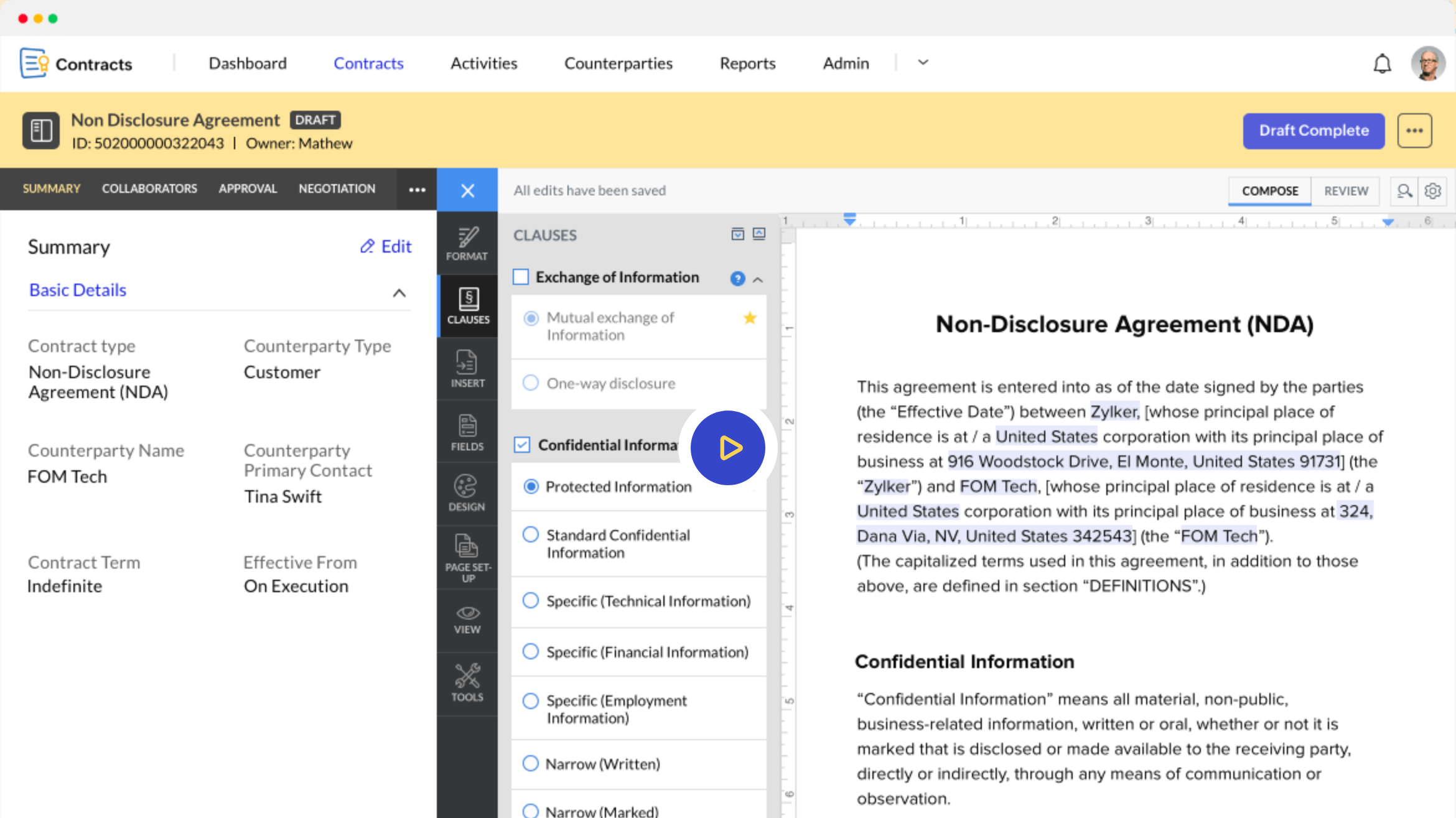
Each contract carries renewal details: whether it's renewable, and a renewal type of manual (a user acts) or evergreen (it renews automatically at term end). Reminders go out by email and in-app notification based on the expiration reminder days set in the contract. An Obligations tab lets the contract owner create one-time or recurring obligations, assign them to business owners and set reminders, and Zoho's obligation reports show progress across contracts. Zoho only lets you change renewal details while a contract is in Draft.
- you already run Zoho CRM or Zoho One and want contracts connected at a low per-seat cost
- you want per-contract obligation owners with reminders and sequential or parallel approvals at a published price
- you need ERP or procurement-suite connectors: Zoho's pages name only Zoho apps
- you want deep independent review evidence: Capterra shows only 6 reviews, and reviewers say it's less compelling outside the Zoho suite
- Users like
- a complete contract workflow, templates and Zoho CRM integration
- Users dislike
- weaker value outside the Zoho suite, and formatting and signature-field quirks
- Source: Capterra, 6 reviews
How renewals work in practice
Before a contract's activated, admins build approval workflows per contract type, sequential or parallel, and approvers can comment before they approve or reject. Amendments, renewals, extensions and terminations use letter templates that record the change without creating a new contract. Lite user licenses, €5 to €15 per user per month on annual billing, cover people who only approve, collaborate or fulfill obligations.
Zoho Sign is included in every plan, and Zoho's plan comparison lists Zoho CRM and ChatGPT integrations. Zoho's pricing page redirected to its German site when we checked, so we're quoting the euro prices shown there; Capterra lists the starting price as US$25. The free plan's limited to three users, ten contracts and five counterparties.
- Starting price
- Free for up to 3 users. Paid plans from €25 per user per month billed annually on Zoho's site (Capterra lists US$25)
- Free plan
- Up to 3 users, 10 contracts
- Renewal types
- Manual or Evergreen
- Lite users
- €5 to €15 per user per month for approvers and obligation owners
How CLM handles supplier contracts and renewals
Every tool above builds its renewal alert from date fields on the contract record, but none of them knows the notice term unless someone supplies it. LinkSquares calculates the auto-renewal opt-out date from extracted values, Ironclad asks for it at intake, and Agiloft's and Zoho's renewal fields are filled in per contract. In each case a person types or confirms the notice term, because the date that matters is the last day to give notice, not the renewal date itself.
That's where supplier contract management software stops being automatic. When the alert fires, the business owner, Finance and IT still have to agree on whether to renew, renegotiate or cancel, and the CLM tool's only job is to send reminders. Most teams fall back on email threads and a spreadsheet for that step, which is exactly how a notice deadline slips past.
We built The Procurement Manager for that one step. It isn't a CLM: it keeps the decision target, the notice deadline and the renewal date apart, routes the review to the business owner, Finance and IT, and records the decision with source evidence. It never sends notices or cancels anything, and reviewers from Finance, IT and the business don't need a paid seat.
How much does CLM software cost?
Docusign doesn't publish a CLM price. Its plans-and-pricing page lists eSignature plans and sends advanced plans to sales, and G2's product page shows an average implementation time of about 3 months. The same pattern holds for most of this list, as seven of the eight vendors give you a quote, not a number.
| Tool | Price status | What the vendor page shows |
|---|---|---|
| Zoho Contracts | Published | Free for up to 3 users; paid plans from €25 per user per month billed annually |
| ContractWorks | Plan limits only | Three plans with unlimited users, document and e-signature limits, no amounts |
| LinkSquares | Quote only | Depends on contract volume, users and modules |
| Ironclad | Quote only | Depends on products, partners and add-ons |
| Docusign CLM | Quote only | Contact sales |
| Agiloft | Quote only | Contact sales |
| Sirion | Quote only | Contact sales |
| Icertis | Quote only | Contact sales |
FAQ
What is the best contract lifecycle management software?
The best contract lifecycle management software depends on team size and admin capacity. Icertis, Sirion, Agiloft, Ironclad and Docusign CLM suit large enterprises with ERP-synced supplier contracts. LinkSquares, ContractWorks and Zoho Contracts suit mid-sized teams that mainly need dates, alerts and a repository, and they're quicker to start.
How much does Docusign CLM cost?
Docusign CLM's price isn't published. Its pricing page lists eSignature plans and sends advanced plans to sales, so you'll get the price from a quote.
What are contract lifecycle management tools?
They're software that manages a contract from request and drafting through approval, signature, obligations and renewal, usually with a searchable repository, workflows and date alerts.
Is there free or low-cost CLM software for a small business?
Zoho Contracts has a free plan for up to three users and ten contracts, with paid plans from €25 per user per month. ContractWorks and LinkSquares are quote-only.
Do I need CLM software to avoid missing renewal deadlines?
Not always, because CLM software is only worth it at volume. A handful of contracts can live in a register with confirmed notice dates. CLM pays off when volume, approvals or obligations outgrow a spreadsheet, but even then a person still has to decide before the notice deadline.