The best supplier onboarding software depends on which part of onboarding hurts most. If bad bank details and wrong tax forms reach your ERP, look at Graphite Connect or HICX. If you buy through a large source-to-pay suite, the portals in Coupa, SAP Ariba and Ivalua already onboard suppliers inside that suite. If the risk team has to screen every new vendor, Dun & Bradstreet Supplier Risk, Venminder and Gatekeeper cover screening and due diligence. Tipalti fits when most suppliers are payees in many countries.
Supplier onboarding software is a system that collects a new supplier's company, tax, bank and compliance details, checks them, routes the record for approval and releases a clean supplier record to the ERP or payment system. We compared nine tools on the same five gates a new supplier passes before the first purchase order: invitation, documents, tax and bank checks, risk screening and handoff to the ERP. Where a vendor's public pages say nothing about a gate, the table below says "not documented" instead of guessing.
What is supplier onboarding software?
Supplier onboarding software is a platform that takes a new supplier from invitation to an approved, payable record. It sends the supplier a registration link, collects company details, tax forms, bank details and certificates, runs checks on them, sends the record to the right approvers and then writes the approved supplier to the ERP, accounts payable or procure-to-pay system. Vendor onboarding software is the same category. Suppliers usually means sellers of goods, while vendors often includes software and services providers, and the tools in this list serve both.
It is not employee onboarding software, and it is not a full supplier management suite. Onboarding ends when the supplier is active and payable. Scorecards, performance reviews and ongoing relationship work belong to supplier management software, and the supplier-facing side of a portal is covered in our guide to vendor portal software.
Bank and tax details are why the category exists, not the registration form itself. The FBI's Internet Crime Complaint Center reported business email compromise losses of about $3.05 billion in 2025, second only to investment fraud among cyber-enabled fraud types, and a changed supplier bank account is one of the standard ways those losses happen (FBI IC3 2025 report). Nacha's fraud-monitoring rules for ACH payments took effect in two phases in 2026, on March 20 and June 19, and require risk-based processes to spot entries that are unauthorized or sent under false pretenses, reviewed at least annually (Nacha rule summary). A tool that checks bank and tax data at registration gives that process something to work from.
- Decide where onboarding fails first: dirty tax and bank data, slow supplier registration, missing risk checks, or no link to the ERP. Each tool here is strong at one of those.
- Graphite Connect and HICX are built to validate supplier data before it reaches the ERP. Coupa, SAP Ariba and Ivalua onboard suppliers inside a source-to-pay suite. D&B, Venminder and Gatekeeper lean on screening and due diligence. Tipalti onboards payees.
- Only Tipalti publishes a price (accounts payable from $99 per month). Graphite Connect's directory price of about $25,000 a year is a third-party figure. The other seven are quote only, so ask for the number at your supplier count.
- No tool in this list publishes how it checks a tax ID against the IRS. Ask every vendor whether the check is a format check or a match against IRS records.
Our picks by job
 Best for tax and bank validation at registrationGraphite ConnectSuppliers maintain their own profile and Graphite checks W-9, TIN and bank documents before the ERP sees them.
 Best for several ERPs and duplicate suppliersHICXOne governed supplier record with duplicate rules, bank-change monitoring and match and merge.
 Best when suppliers are payees abroadTipaltiSuppliers complete tax forms and payout details in a portal, and the profile stays unpayable until they do.
 Best if you already run CoupaCoupaInvitation, self-registration or a PO email into a free supplier portal, with buyer approval of bank details.
 Best for SAP-centric buyersSAP AribaRegistration and financial questionnaires, then a trading relationship on SAP Business Network.
 Best for bulk loading an existing supplier baseIvaluaBulk upload, deduplication and self-registration in one branded portal.
 Best for sanctions and ownership screeningDun & Bradstreet Supplier RiskMatches each supplier to a D-U-N-S Number, then screens sanctions, watchlists and beneficial ownership.
 Best for due diligence done by analystsVenminderOnboarding requests, approvals and analyst-written control assessments for a small risk team.
 Best for onboarding tied to contractsGatekeeperInvitation or self-registration, scored questionnaires and a renewal workflow on the same record.
 Our product · for the step after onboardingThe Procurement ManagerRoutes each contract renewal to the business owner, Finance and IT before the notice deadline.
Supplier onboarding software compared
| Tool | Job in the stack | What it hands to the ERP or payment system | Starting price | G2 rating |
|---|---|---|---|---|
| Graphite Connect | Supplier onboarding and data validation | Validated supplier profile, tax and bank data into the ERP | Not published by the vendor; Capterra lists a starting price of $25,000 per year, flat rate | 4.3 (Capterra, 26) |
| HICX | Supplier information management for multi-ERP enterprises | One governed supplier master record fed to every ERP | Not published, quote only | No reviews yet |
| Tipalti | AP automation and global payments with a procurement module | Request forms, auto-generated POs, goods receipts, tolerance-based matching and global supplier payments | Accounts Payable from $99 per month; Procurement module and per-invoice and per-payment fees by quote | 4.5 (417) |
| Coupa | Enterprise spend management and procurement | Guided buying, prioritized approval chains, POs sent to suppliers | Custom buyer quote; no public US rate card verified | 6.9/10 (TrustRadius, 171) |
| SAP Ariba | Enterprise source-to-pay and sourcing | Sourcing events, buying and invoicing, SAP Business Network supplier collaboration | Price upon request, no public buyer rate | 7.6/10 (TrustRadius, 770) |
| Ivalua | Source-to-pay suite with supplier information management | Branded supplier portal, on-demand record cleansing and bulk updates to ERP supplier records | Not published, quote only (a third party reports a buyer-reported floor near $150,000 per year) | No reviews yet |
| Dun & Bradstreet Supplier Risk | Business-data supplier onboarding, screening and monitoring | Matches each supplier to a D-U-N-S Number, screens it and alerts when risk rises | Not published, quote only; the vendor page directs buyers to a supplier risk expert | 4.4 (68) |
| Venminder | TPRM software plus analyst-written assessments | Questionnaires, analyst-reviewed control assessments and monitoring, with separate onboarding, ongoing and offboarding workspaces | Not published, quote only; Professional and Enterprise packages with unlimited users and vendors, add-ons priced separately | 4.7 (115) |
| Gatekeeper | Vendor and contract management | Hourly date triggers start a renewal review workflow, 90 days before the notice date by default | Not published, quote only, plans sized by number of third parties (Pro up to 250, Enterprise up to 750, Enterprise Plus 750+) | 4.5 (91) |
| The Procurement Manager Our product | Contract renewal decisions | Routes renewal reviews to the business owner, Finance and IT before the notice deadline | From $49 per month, flat, no per-seat fees (Starter, up to 50 contracts) | No reviews yet |
Prices as published by each vendor, checked between October 20 and November 9, 2026. Quote only means no public price. Ratings are shown with their source and scale where a review page was readable.
Which onboarding gates each tool documents
We read vendor material and did not run these products. "Not documented" means the vendor's public product, help and pricing pages say nothing about that gate, not that the tool lacks it. Ask for it in the demo.
| Tool | Invitation | Documents | Tax ID check | Bank check | Screening | Handoff |
|---|---|---|---|---|---|---|
| Graphite Connect | Email invite, supplier builds a profile | Stores documents, alerts suppliers when data is outdated | W-9, TIN and EIN checked by OCR | Bank documents checked | Identity checks, 2FA and video validation | Open API to NetSuite, Oracle, SAP, Workday |
| HICX | Supplier-facing registration workflows | Compliance uploads, certificate expiry alerts | Tax IDs and W-8 or W-9 forms (Origin add-on) | Bank accounts, plus bank-change monitoring (Origin add-on) | Sanctions checks (Origin add-on) | Continuous ERP sync, ERPs not named |
| Tipalti | Registration invitation to the Supplier Hub | W-9, W-8BEN and W-8BEN-E forms | W-9 name must match IRS records; TIN validation claimed | Supplier enters bank details; check method not documented | Not documented | Payable once the profile is complete |
| Coupa | Buyer invitation, self-registration or PO email | Customer-specific profile and information requests | Collected, check method not documented | Buyer approves bank details before payment | Risk flags and possible duplicates shown to the requester | Same source-to-pay suite |
| SAP Ariba | Email invitation and registration questionnaires | D-U-N-S number and W-9 in one buyer's flow | Buyer reviews the W-9 | Buyer reviews banking details | Contracting and risk checks in that buyer's flow | Trading relationship on SAP Business Network |
| Ivalua | Self-registration by invitation, order notice or RFI | Licenses, certifications, tax and insurance documents | Not documented | Not documented | D-U-N-S matching through the D&B integration | Bulk updates to ERP supplier records |
| D&B Supplier Risk | Not documented | Not documented | Not documented | Not documented | Sanctions, watchlists, PEP lists, adverse media, ownership | APIs, batch files and warehouse feeds |
| Venminder | Request forms in an onboarding workspace | Collects and stores documents and contracts | Not documented | Not documented | Analyst-reviewed control assessments at extra cost | No ERP sync documented |
| Gatekeeper | Invitation or self-registration link | Insurance, certifications and policies, expiry tracked by the buyer | No tax fields described | No bank fields described | Identity, sanctions, financial health and security | Connects to NetSuite and other systems |
How supplier onboarding runs, step by step
To onboard a new vendor, send an invitation or a self-registration link, have the vendor submit company, tax, bank and compliance details, verify the tax ID and bank account, screen risk by tier, approve the record and release it to the ERP. That makes six steps with six different owners. The tools below are judged on how many of the steps they carry and which they leave to your team.
- ProcurementSends the invitation, or the supplier self-registers from a link or a PO email day 1
- SupplierCompletes company details, W-9 or W-8, bank details and certificates days 1 to 5
- Finance or APChecks that the tax ID matches the legal name and that the bank account belongs to the supplier before approval
- Risk, security and legalScreens sanctions, ownership, financial health and security posture, scaled to the risk tier before approval
- ApproverApproves or returns the record, with the reason stored before activation
- AP and ITReleases the record to the ERP, and re-approves any later change to bank details at activation and on every change
Two of these steps decide most of the loss. The tax check and the bank check happen at registration, and they have to happen again when a supplier asks to change its bank account. A tool that validates only at first registration leaves a changed bank account, the usual fraud route, unchecked. That is why the entries below say what happens on a later change.
The tax check also has a limit worth knowing. The IRS TIN Matching program lets a payer check a taxpayer identification number and name against IRS records, but it is open only to payers and their authorized agents who are in the IRS Payer Account File and have applied as authorized payers (IRS TIN Matching). A vendor that says it validates tax IDs may check the number's format, run its own data match or go through an authorized channel, and the three give different assurance. The same Form W-9 is how a payee gives a requester its correct taxpayer identification number (IRS, About Form W-9), so a mismatch between the name on the form and the name on the IRS record is the case the check exists to catch.
What should a supplier onboarding checklist collect?
A supplier onboarding checklist collects the legal and payment facts you need to pay the supplier and the evidence you need to defend the decision to use it. The list below is the minimum most teams ask for, and each item maps to one of the gates in the table above.
- Legal entity name and registered address
- Tax form: W-9 for US suppliers, W-8BEN or W-8BEN-E for foreign suppliers
- Bank account details with a proof of ownership, such as a bank letter or a validated account check
- D-U-N-S number or another company identifier
- Insurance certificates and compliance certifications with expiry dates
- Named contacts for orders, invoices and security questions
- Sanctions and ownership screening result, with the date it was run
- Signed code of conduct or supplier terms where you require them
- Approver name, decision and date
- Activation date in the ERP and the first approved bank account
Tools that validate supplier data
Graphite Connect, HICX and Tipalti start from the quality of the data a supplier gives you: tax forms, bank accounts, addresses and duplicates. They are the closest to a pure onboarding tool in this list.
Graphite Connect
Graphite Connect
Supplier onboarding network where suppliers maintain their own profile and Graphite validates tax, bank and identity data before it reaches the ERP.
Graphite Connect is a supplier onboarding network where suppliers maintain their own profile and Graphite validates tax, bank and identity data before it reaches your ERP.
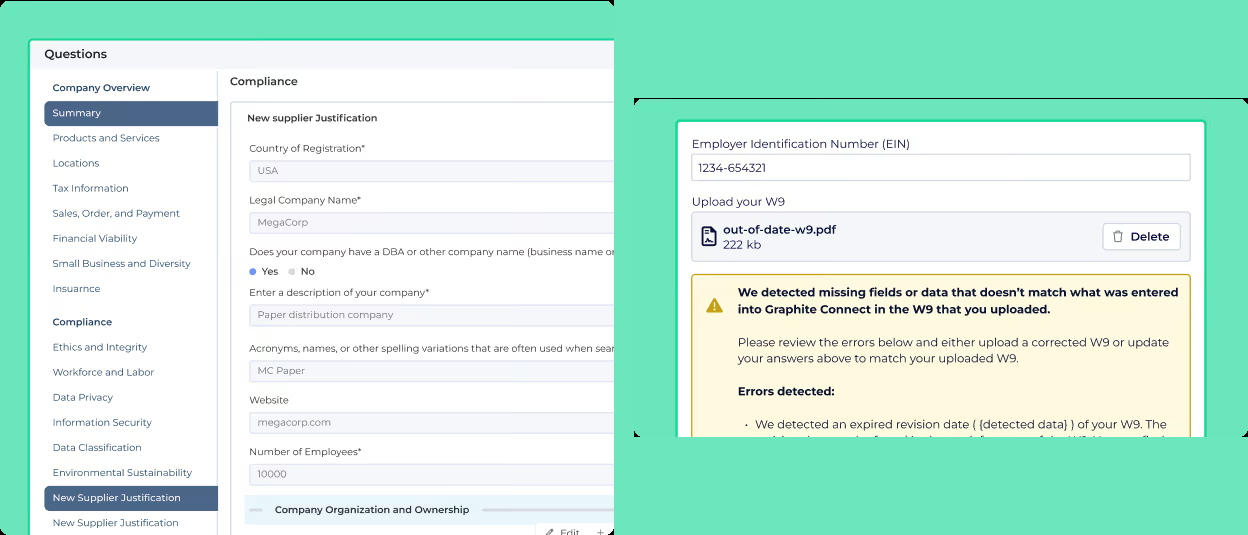
The buyer sends an email invitation, and the supplier sets up a secure profile and can skip questions it already answered for another Graphite buyer. Flows differ by category, location, risk area and ESG need. During onboarding, AI and OCR compare uploaded documents against the TIN, EIN and company name to catch W-8 and W-9 problems and name mismatches, and Graphite adds bank, tax and identity checks, two-factor authentication and video validation. Validated data goes to the ERP through an open API, and the vendor lists NetSuite, Oracle ERP Cloud, SAP S/4HANA, SAP Ariba and Workday among 50-plus integrations. Setup can take as little as two weeks, according to the vendor.
- new-vendor volume is high and payment fraud through fake or changed bank details is a real risk
- AP and procurement both onboard vendors and you want one validated profile going into NetSuite, Oracle, SAP or Workday
- you want strategic SRM such as supplier development, audits or innovation programs
- your budget for onboarding software is well below the listed $25,000 a year
- Users like
- A registration flow suppliers find quick and easy, one place for every stakeholder in vendor onboarding, and responsive support.
- Users dislike
- Task statuses that don't make clear whose turn it is, and integration issues that can take a long time to resolve.
- Source: Capterra, 26 reviews
How it works in practice
On Capterra, Graphite Connect holds 4.3 out of 5 from 26 reviews. Reviewers praise a registration flow suppliers find quick and easy, one place for every stakeholder in vendor onboarding and responsive support. They name task statuses that do not make clear whose turn it is, and integration issues that can take a long time to resolve (Capterra reviews). Graphite does not publish a price. Capterra lists a starting price of $25,000 a year, flat rate, which is a directory figure that the vendor does not confirm. The vendor's pages describe no duplicate detection and no approval flow for later supplier edits, so ask how a bank change after onboarding is approved.
- Starting price
- Not published by the vendor; Capterra lists a starting price of $25,000 per year, flat rate
- ERP connections
- NetSuite, Oracle, SAP S/4HANA, SAP Ariba, Workday, open API
- Users
- Unlimited
- Supplier cost
- Free for suppliers
- Supplier data
- OCR checks W-9 and bank documents against TIN, EIN and company name
- Not documented
- Duplicate detection, buyer approval of later supplier edits
HICX
HICX
Enterprise supplier management platform built around one governed supplier master record that it feeds to several ERPs.
HICX builds one governed supplier master record and feeds it to every ERP, with registration, validation and duplicate control in front of the record.
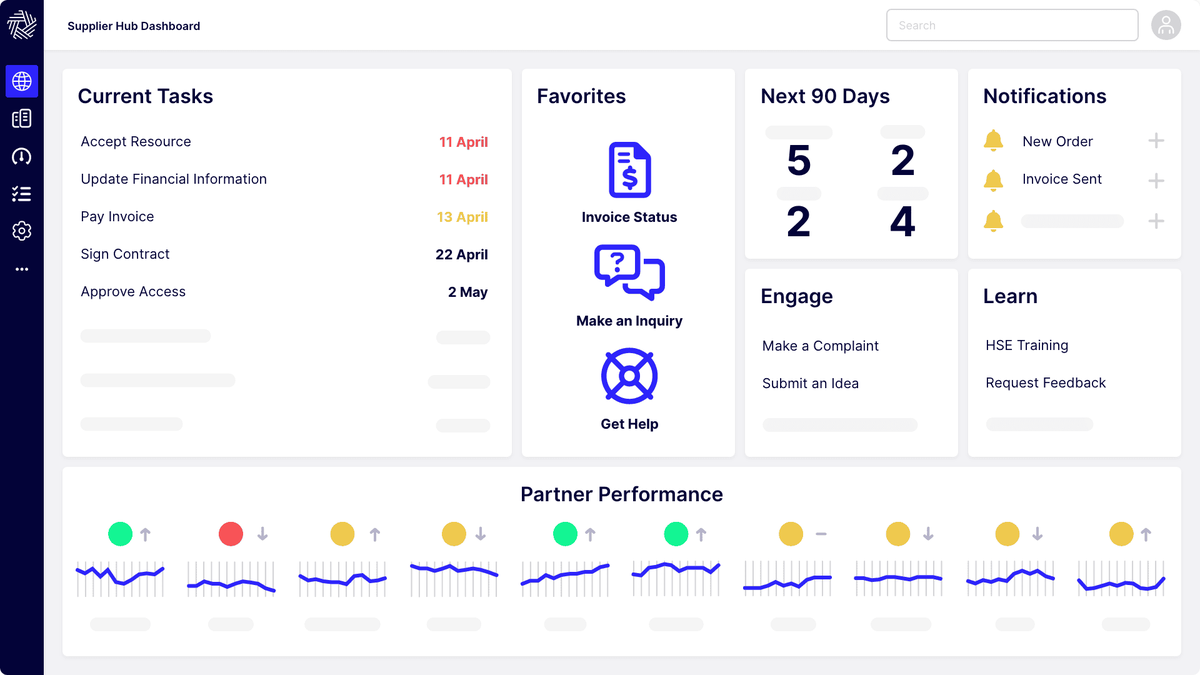
Suppliers register through workflows with built-in validation, duplicate detection and compliance document upload, and the questionnaires adapt to supplier type, category and country. In the HICX Origin add-on, bank details, tax IDs and addresses are checked on submission and invalid entries are flagged before activation. HICX validates W-8 and W-9 forms for US suppliers and monitors bank changes after onboarding. A single controlled entry point governs new data and changes and can lock the ERP against unauthorized supplier edits, which is the change control Graphite's pages do not describe. Certificate expiry alerts and W-8 and W-9 expiry tracking cover the maintenance step. Match and merge tools clean up large supplier sets after an acquisition or an ERP migration.
- you run several ERPs or business units and the same supplier exists in each of them under different records
- duplicate suppliers and unverified bank details are the problem you need to fix first
- you're a small or mid-sized team that wants self-service setup
How it works in practice
HICX has almost no public reviews: G2 and Gartner each show a single rating. The one G2 reviewer calls it highly customizable and capable of complex onboarding workflows, and says configuring it took heavy programming, including several hundred hours to redesign a 100-question questionnaire. One review is not a pattern, so treat it as a prompt for the reference call. Pricing is quote only, and implementation runs as a project with the vendor's team (G2 page).
- Starting price
- Not published, quote only
- Data validation
- HICX Origin add-on: bank details, tax IDs, addresses, sanctions
- Supplier portal
- Self-service, 100+ languages
- Origin validation
- Bank, tax ID and address checks at submission, W-8 and W-9 validation, bank-change monitoring
- Duplicates
- Continuous rules for duplicates, gaps and errors, match and merge for migrations
- Change control
- Single controlled entry point, can lock the ERP against unauthorized supplier edits
- Certificates
- Expiry alerts, W-8 and W-9 expiry tracking
- Portal
- Self-service supplier portal, 100+ languages
- Validation
- Bank, tax ID and address checks at submission, W-8 and W-9 validation, bank-change monitoring
- Not documented
- Which ERPs it connects to by name
Tipalti
Tipalti
AP automation and global payables platform whose procurement module generates POs from approved requests, logs goods receipts and matches invoices two- or three-way with amount or percentage tolerances.
Tipalti onboards the supplier as a payee: registration, tax forms and payout details in a portal, and no payment until the profile is complete.
A supplier receives a registration invitation and logs in to the Supplier Hub from the paying company's link. Setup covers contact details, payment information and tax information if required, and the profile stays unpayable until it is complete. Suppliers update W-9, W-8BEN or W-8BEN-E forms in the Tax Forms tab. The W-9 line 1 name must match IRS records, and the profile may stay unpayable until the form is validated. The vendor page also claims automatic TIN validation, without saying how. Suppliers add bank accounts, PayPal or country-specific methods under Payment Details, and changing an address or country can invalidate the payout method. Certificates and insurance documents are not described, and no risk screening is documented.
- you pay suppliers in many countries and currencies and want matching and payment in one system
- AP owns the process and needs line-level tolerances with exceptions routed by email
- you want a fully published price, since the procurement module and transaction fees are quoted
- reporting depth matters, because G2 reviewers name reporting as a weak spot
- Users like
- Ease of use, helpful support and time saved on international payments.
- Users dislike
- Invoice and ERP sync problems and weak reporting.
- Source: G2, 417 reviews
How it works in practice
G2 shows 4.5 out of 5 from 417 reviews for Tipalti Accounts Payable. Reviewers praise ease of use, helpful support and time saved on international payments, and name invoice and ERP sync problems and weak reporting. A Capterra reviewer reports a steep learning curve with vendor onboarding and custom approval workflows, with a lot of back and forth (G2 reviews). Accounts payable starts at $99 per month, and the procurement module and per-invoice and per-payment fees are quoted. Skip it if you need document collection or risk screening in the same tool, because it doesn't document either.
- Starting price
- Accounts Payable from $99 per month; Procurement module and per-invoice and per-payment fees by quote
- Tolerances
- Amount or percentage, bill or line level
- Payments
- 200+ countries and territories, 120 currencies
- Supplier Hub
- Payees complete tax forms and payout details and follow six payment statuses
- Supplier cost
- No payee fee listed on the published vendor pages
- Payment statuses
- Scheduled, Processing, Sent to payee, Paid, Deferred, Rejected
Suite portals for large buyers
Coupa, SAP Ariba and Ivalua onboard suppliers as one module of a source-to-pay suite. Onboarding is rarely the reason to buy them, but if you already run one, its portal is the first option to test, and the supplier usually joins for free.
Coupa
Coupa
Enterprise source-to-pay suite whose requisitions run through guided buying, punchout and prioritized approval chains with budget meters.
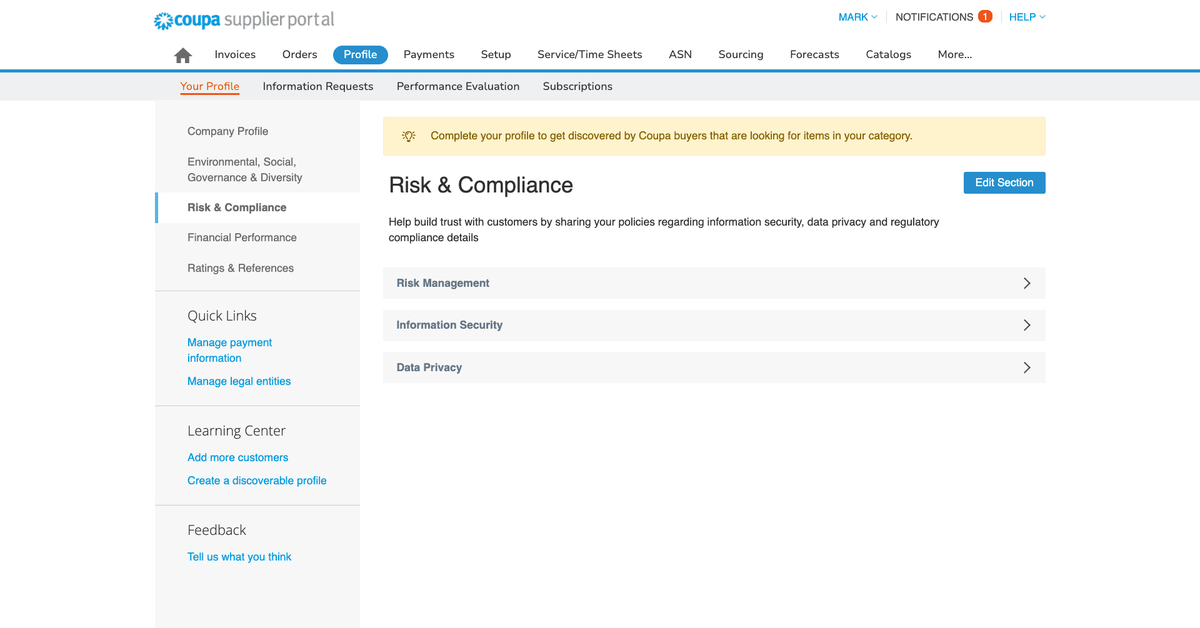
Coupa onboards suppliers through a free supplier portal that is shared across every Coupa customer, so a supplier fills in its profile once and connects to each buyer.
Suppliers join through a buyer invitation, by self-registering, from a PO email or through a forwarded invitation. Buyer invitation links expire after 30 days, and a self-registered supplier must still connect manually to each customer. A requester who raises a new supplier sees risk flags and possible duplicates before submitting. The supplier keeps a public business profile plus customer-specific profiles and answers customer information requests. When the supplier shares profile data, the buyer sees a comparison against its own record with the differences highlighted and accepts or declines the changes. Bank account details must be approved by the customer before payment, which puts the bank-change control with the buyer.
- you need fine-grained approval chains by account, commodity, item and amount across entities
- contract-compliant guided buying and punchout matter more than a quick rollout
- you're a small or mid-size team that wants a published price and a rollout in weeks
- your only requirement is renewal-owner reminders without enterprise spend management
- Users like
- Approval routing and spend compliance for indirect buying, with clear purchase limits per person.
- Users dislike
- Heavy integration work with ERPs such as SAP, and a supplier portal that confuses vendors asked to create profiles.
- Source: TrustRadius, 171 ratings
How it works in practice
On TrustRadius, Coupa scores 6.9 out of 10 from 171 reviews. Reviewers praise approval routing and spend compliance, and criticize heavy ERP integration work and a supplier portal that confuses vendors asked to create profiles. One Capterra reviewer says convincing vendors to sign up is the hardest part, another that the portal is great for the buyer and annoying for suppliers who must log in to submit an invoice (TrustRadius). Coupa gives no public buyer price. Skip it if you want onboarding without buying a suite, since the portal doesn't come alone.
- Starting price
- Custom buyer quote; no public US rate card verified
- Standard supplier portal
- Free for suppliers; Coupa Advanced is a paid supplier tier (SSO, API, QuickBooks and NetSuite sync)
- Buyer-side platform
- No verified public universal USD rate
- Requisition API
- Create and submit for approval
- Process Automator
- Document events and API call outs
- Supplier join
- Buyer invitation (link expires after 30 days), self-registration or a PO email
- Budget meters
- Show remaining budget per budget item before commitment
- Hard stop
- A budget-line setting blocks requisition submission over budget
- Dashboards
- Out-of-the-box dashboards, KPI benchmarking and savings insights
- Sourcing events
- RFP, RFI, RFQ and reverse auctions are listed in the FAQ (answer text not visible); routine events run from preapproved templates
- Award analysis
- Coupa Sourcing Optimization sets per-supplier caps, geography, tariffs and freight as constraints and compares scenarios side by side, with manual overrides
- Supplier discovery
- Pre-rated, pre-enabled suppliers filterable by diversity, rating or geography; AI suggests suppliers from category performance
- Spend analysis
- Cross-platform spend visibility, automatic classification and suggested opportunities such as expiring contracts
- Handoff after award
- Winning terms and rate cards pass into draft contracts in Coupa CLM and into catalogs on approval
- Spend classification
- AI engine maps transactions to a proprietary Coupa taxonomy of roughly 60 primary categories and 1,800 sub-categories, built for category management. It classifies by supplier first, using invoice and PO descriptions. Source post dates from 2022.
- Category strategy
- Coupa Category Strategy starts from a category taxonomy built on Coupa data, uses AI-guided stakeholder interviews and the Navi assistant for recommendations, and rolls every strategy into one portfolio view using a single methodology.
- Savings tracking
- Coupa describes tracking value through stages identified, negotiated, contracted and realized, to link negotiated savings to P&L impact. Initiative value can include non-cost benefits such as supplier relationships and resilience.
- Category supplier view
- Category Strategy page says it pairs with Coupa Supplier Information & Risk Management to segment suppliers, track performance and manage risk. Sourcing suggests suppliers from category performance. Segmentation criteria are not detailed publicly.
- Supplier risk module (checked 2026-11-06)
- Coupa Supplier Risk & Performance: monitoring of outside data sources, alerts, next-step recommendations and a supplier hold that can block transactions from purchasing to invoicing
- Risk datasheet (2021)
- Standard (onboarding, monitoring, scorecards) and Advanced (multi-domain assessments, inherent and residual scoring, multi-tier, mitigation plans); fees may apply for the Coupa risk data service
- Risk Assess
- Questionnaires across domains such as InfoSec, ABAC and GDPR, with alerts when risk increases
- Supplier risk price
- Not published, demo request only
- Supplier cost
- Standard portal free; Coupa Advanced is a paid supplier tier
- Join routes
- Buyer invitation, self-registration, PO email, forwarded invitation
- Change control
- Buyer accepts or declines each profile change
SAP Ariba
SAP Ariba
SAP's source-to-pay suite covering sourcing events with scoring and award simulation, buying and invoicing, contracts and supplier collaboration through SAP Business Network.
SAP Ariba onboards suppliers by invitation and registration questionnaire, then connects them to the buyer through SAP Business Network.
In the supplier guide that Wells Fargo publishes for its own suppliers, the buyer sends an email invitation from an Ariba address to the supplier contact, who completes a registration questionnaire and then a financial questionnaire. The supplier then accepts a trading relationship request from the buyer and picks a Standard or Enterprise account. The invitation cannot be forwarded to another person. In that guide the supplier submits a D-U-N-S number, contact, fiscal-year and merger data, tax (W-9) and banking details, a remittance address and a sample invoice, and the buyer reviews them, including contracting and risk checks, before onboarding completes. What a buyer configures is up to the buyer, so the checklist above is one example, not a product default.
- your purchasing design is closely tied to SAP processes and master data
- supplier collaboration through SAP Business Network is a central buying requirement
- you want a published buyer price and a quick rollout
- your only requirement is renewal-owner reminders without a source-to-pay suite
- Users like
- Punch-out catalogs and guided buying with approval workflows that standardize how people buy.
- Users dislike
- An outdated interface, weak reporting and hard integration with non-SAP ERPs.
- Source: TrustRadius, 770 ratings
How it works in practice
TrustRadius scores SAP Ariba 7.6 out of 10 from 770 reviews. The most common complaint, from 43 percent of reviewers, is an outdated, cluttered interface, and reviewers also cite complex non-SAP integration and cryptic error messages (TrustRadius). Praise centers on real-time visibility and a smooth order and invoice flow. SAP quotes buyer pricing on request, based on processed spend. Skip it if you do not run SAP processes or want a quick rollout.
- Starting price
- Price upon request, no public buyer rate
- Buying and Invoicing pricing
- Price upon request, priced on processed spend
- Standard supplier account
- Free on SAP Business Network, unlimited documents
- Enterprise supplier account
- Fixed subscription level fee plus transacted volume
- Supplier order flow
- PO confirmation, ship notices, PO flip invoices, invoice and payment status
- Sourcing events
- RFI, RFP, multi-round bidding and English, Dutch, Japanese, total-cost, traffic-light, basket and lot auctions (SAP slides dated May 2022)
- Award analysis
- Scoring and grading, bid comparison report, award scenario comparison and one-click awarding; AI bid summaries and award simulation on the product page
- Supplier discovery
- Search by industry, item or service in SAP Business Network Discovery; profiles show certifications and ESG data
- Handoff after award
- Follow-on documents such as POs, purchase info records and scheduling agreements in an external system; links to SAP Ariba Contracts
- Spend classification
- The newer Spend Analysis and Insights offer maps spend to UNSPSC (incl. v25) or a custom taxonomy, with a stated 95% accuracy, and ingests SAP Cloud ERP, Ariba, Fieldglass, Concur plus non-SAP data.
- Category strategy
- Guided strategy process with category profiles, hierarchy management, Kraljic, PESTLE, SWOT and Porter's Five Forces frameworks, AI-curated market intelligence (third-party content from Beroe), generative AI drafts, and approval workflow.
- Savings tracking
- Managers pick value levers, goals and KPIs per category, document initiatives with owners, timelines and estimated outcomes, and follow them in a monitoring workbench, dashboard and calendar view. Savings accounting rules are not detailed publicly.
- Category supplier view
- Category segmentation and cost structure analysis are listed features, and the Kraljic matrix segments categories or suppliers by supply risk and profit impact. Supplier performance scorecards belong to separate Ariba supplier management modules.
- Supplier cost
- Standard account free; Enterprise has a fixed subscription fee plus transacted volume
- Join
- Email invitation, registration and financial questionnaires, trading relationship request
- Not documented
- Certificate expiry reminders, bank-change approval rules for other buyers
Ivalua
Ivalua
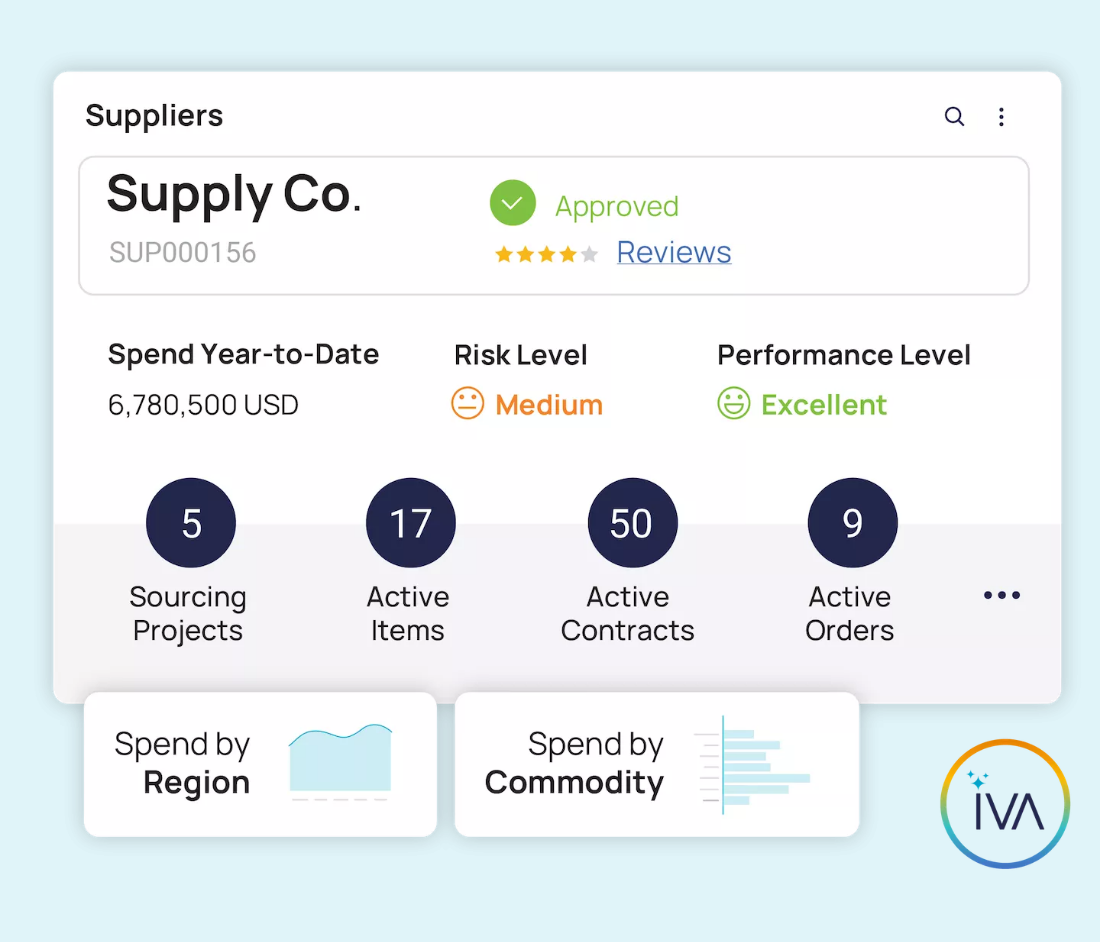
Ivalua is a source-to-pay suite whose supplier management module runs a branded supplier portal for onboarding and compliance and adds a supplier information management offering that cleanses supplier records and updates ERP records in bulk.
Ivalua onboards through a branded supplier portal inside its source-to-pay suite, and it is the tool in this list best documented for loading an existing supplier base in bulk.
Supplier data is uploaded in bulk, then grouped, deduplicated and organized by hierarchy, and suppliers receive segmented communications that link to the portal. Suppliers can self-register from an email invitation, an order notification or an RFI, and Ivalua says onboarding can take minutes. A separate Ivalua blog lists the collection of business licenses, certifications, tax information and insurance policies as a documentation step. Through the D&B integration, new registrants are matched to validate D-U-N-S numbers and firmographic profiles are filled in automatically. The supplier management page names smart approval workflows and bulk updates to ERP supplier records across the ERP landscape, without naming systems or workflow steps.
- you run several ERPs and want supplier records cleansed on demand in a review workbench and bulk-updated back to those ERPs
- you want onboarding, ESG disclosures, banking details and certifications collected through one branded supplier portal inside a source-to-pay suite
- you want a published price: Ivalua shows only demo and contact buttons
- you need named tax-ID or bank-check providers confirmed: the published vendor pages describe validation but name no provider
How it works in practice
No review rating is shown for Ivalua. One customer-published buyer FAQ says the portal is free for suppliers, but Ivalua's own pages don't state it. Ivalua publishes no price. Skip it if tax and bank validation by a named provider is a must have. The pages describe validation as a theme and don't name a provider.
- Starting price
- Not published, quote only (a third party reports a buyer-reported floor near $150,000 per year)
- Supplier portal
- Branded portal for onboarding, compliance and document sharing
- Record cleanup
- On-demand cleansing with a review workbench, bulk updates to ERP supplier records
- Approvals
- Smart approval workflows for governance
- Sourcing events
- RFI, RFP and RFQ from templates with multi-round RFx; multi-lot Dutch, English and Japanese auctions
- Award analysis
- Sourcing Decision Center uses AI and mathematical optimization, a scenario library and natural-language rule-based scenarios
- Supplier discovery
- Search the supplier repository or the web using the event's criteria
- Handoff after award
- Native link to Ivalua Contract Management; PO creation from an award is not described
- Spend classification
- Spend is classified on demand with standard or custom taxonomies. Business users create and edit classification rules without coding, and classifications refresh as new data arrives. Direct, indirect and T&E spend can be analyzed together.
- Category strategy
- Category management module offers an AI-assisted category cockpit: flag strategic categories, build action plans using AI-generated category intelligence, and share the strategy with stakeholders.
- Savings tracking
- Spend analysis ranks savings, sourcing and consolidation opportunities by financial impact, risk and feasibility, links them to sourcing workflows and tracks results. The category module adds configurable analytics for savings and compliance.
- Category supplier view
- Supplier segmentation is described as a category management activity, not as a standalone module feature. The spend analysis page says little about supplier performance beyond risk monitoring and supplier consolidation.
- Join
- Bulk upload, self-registration from invitation, order notice or RFI
- Verification
- D-U-N-S matching through the D&B integration
- Not documented
- Tax ID, bank and sanctions checks, certificate expiry, supplier fees, price
Screening and due diligence tools
D&B Supplier Risk, Venminder and Gatekeeper do not start from the supplier's form. They start from the question of whether you should do business with this supplier, and they answer it with outside data, analyst work or scored questionnaires.
Dun & Bradstreet Supplier Risk
Dun & Bradstreet Supplier Risk
Builds on D&B's business database, matching each supplier to a D-U-N-S Number, then screening financial, operational and sanctions risk and monitoring changes.
D&B Supplier Risk matches each new supplier to a D-U-N-S Number and screens it against D&B's business data, so the evidence comes from outside the supplier's own answers.
D&B describes four steps: onboarding, screening, visibility and monitoring. Onboarding uses predictive scoring and automated onboarding assessments. Screening covers financial, operational and sanctions risk through the D&B Commercial Graph, anchored on the D-U-N-S Number, and the Supplier Intelligence product adds restricted party screening against sanctions lists, watchlists, politically exposed person lists and adverse media, plus beneficial ownership screening. Audit trails show how a decision was reached. Data reaches your systems through D&B Direct+ APIs, batch and flat files, warehouse feeds and an MCP server, and no ERP or procure-to-pay system is named on its public pages. D&B's pages describe no supplier invitation, no document collection and no tax ID or bank check.
- you want a financial and firmographic backbone matched to a D-U-N-S Number for every supplier
- you have data infrastructure and can take the data by API, batch file or warehouse feed
- you want a self-serve tool that tracks news and events on a short supplier list
- you need public pricing or published score definitions: the vendor page names neither
- Users like
- Breadth of business data and ease of use.
- Users dislike
- Navigation and report cost.
- Source: G2, 68 reviews
How it works in practice
G2 gives D&B Risk Analytics 4.4 out of 5 from 68 reviews. Reviewers praise the breadth of data and ease of use, and criticize navigation and the cost of reports (G2 reviews). Implementation time is about five months on G2. D&B publishes no price and sends buyers to a supplier risk expert. Pair it with a registration tool, because on its own it screens a supplier but doesn't collect anything from one.
- Starting price
- Not published, quote only; the vendor page directs buyers to a supplier risk expert
- Data base
- 640M+ verified business entities in 250+ markets on the Supplier Risk page; the Supplier Intelligence page states 550M+ entities in 220+ countries
- Steps
- Onboarding, screening, visibility, monitoring
- Delivery
- APIs, batch and flat files, Snowflake, Databricks and BigQuery feeds, MCP server
- G2 implementation time
- About 5 months on G2
- Not documented
- Supplier login, supplier cost, tax and bank checks
Venminder
Venminder
Vendor management software where Venminder analysts can read your vendors' documents and return a risk-rated assessment, so your team does not review SOC reports itself.
Venminder gives every new-vendor request one workspace and has analysts review the vendor's documents, so a small team does not read SOC reports itself.
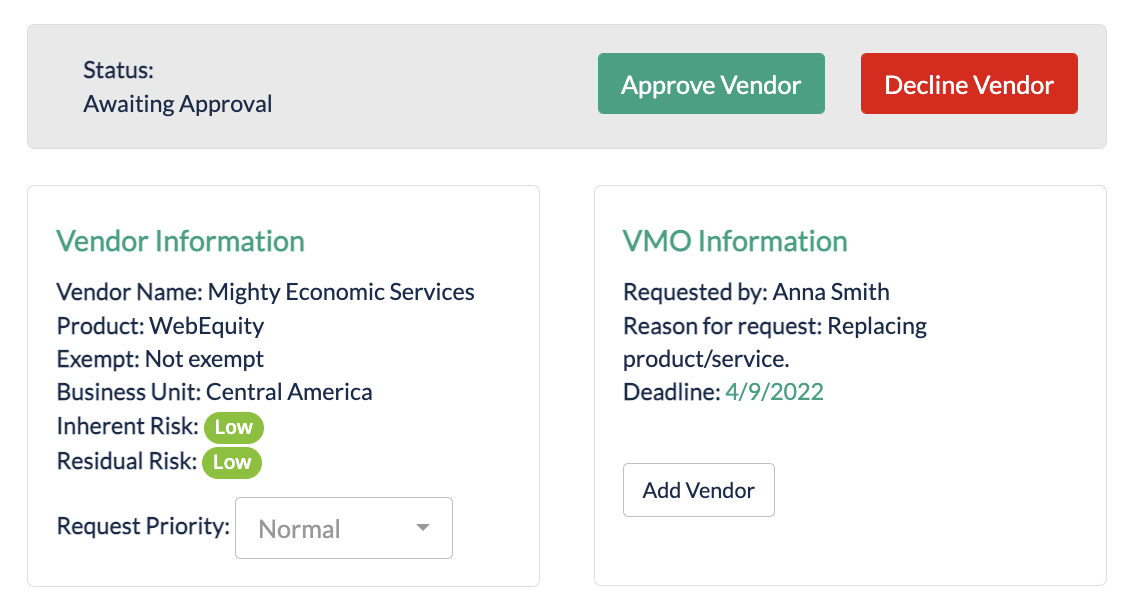
Every new-vendor request from across the organization lands in an onboarding workspace. Customizable forms define the data your team completes, and reference tracking shows each vendor's stage, including a ready-to-approve stage. Contracts and documents are stored in the workspace. Initial risk and criticality assessments check inherent risk and controls, and control assessments such as SOC, cybersecurity and financial health can be ordered from Venminder's analysts, sold a la carte or in annual packages. Ongoing business-health and cybersecurity monitoring are annual subscriptions. The pages do not document an automatic tax ID, bank account or sanctions check, certificate expiry tracking or any vendor-side effort, and no ERP sync is described.
- a small risk team wants analysts to review vendor documents and write the assessment
- you want unlimited users and vendors in the package instead of per-vendor sizing
- you need documented Coupa, SAP Ariba or ServiceNow connectors: none were found on the published vendor pages
- you want one price: SSO and API, issue and SLA management and other features are add-ons
- Users like
- Quality of support and ease of use.
- Source: G2, 115 reviews
How it works in practice
G2 lists Venminder at 4.7 out of 5 from 115 reviews, with quality of support and ease of use as the recurring praise (G2 reviews). Venminder publishes no prices and asks you to contact sales. Typical implementation is 30 to 90 days, a vendor figure. Skip it if you need document checks done by software against tax or bank data, or a documented connector to Coupa, SAP Ariba or ServiceNow.
- Starting price
- Not published, quote only; Professional and Enterprise packages with unlimited users and vendors, add-ons priced separately
- Evidence source
- Questionnaires and analyst-reviewed documents
- Packages
- Professional and Enterprise, with unlimited users, vendors and contracts
- Monitoring
- Ven-monitor, annual subscription
- Implementation
- Typically 30 to 90 days (vendor figure)
- Add-ons
- SSO and API, advanced workflows, offboarding workspace, issue and SLA management
- Not documented
- Tax and bank checks, ERP connector, vendor login
Gatekeeper
Gatekeeper
A platform that keeps vendor records, contracts, spend and renewals on one record, with date-based triggers that start a renewal review workflow with approvers and escalation.
Gatekeeper puts vendor onboarding, risk checks and contract renewals on one record, so the vendor you onboard is already linked to its contract dates.
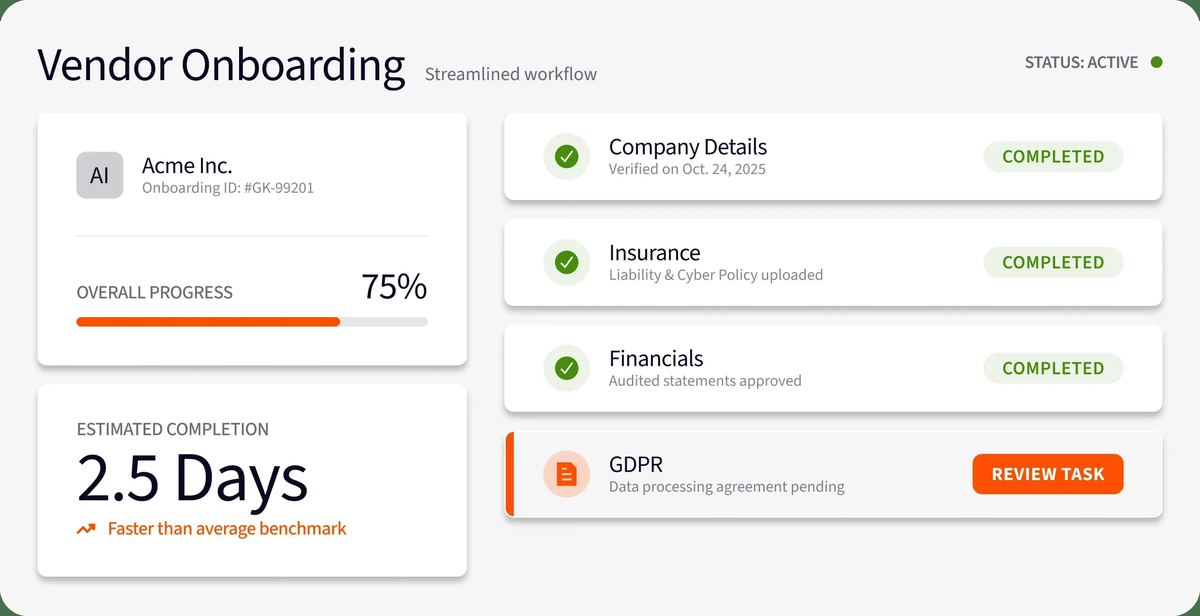
Admins invite vendors to a branded portal or switch on self-registration and share a link. Vendors fill in a vendor onboarding form about their organization and compliance standards, with attachments, and upload insurance, certifications and policies. Approvals are internal: an approval phase and an onboarding review phase, and a rejection can send the form back to the vendor for resubmission. Buyers track document expiry dates and flag expiring documents. Risk checks cover identity, sanctions, financial health and security posture before signing, with monitoring afterwards. Every portal user needs two-factor authentication. No tax form or bank detail collection is described, so payment details stay in your AP system.
- you want vendor risk, onboarding, spend and contract renewals in one system with approval workflows and escalation to a team manager
- you run NetSuite or need many system connections and want unlimited contracts, users and e-signature licenses
- you want self-serve pricing: every plan is quote only and sized by third-party count
- you only need a simple repository with date reminders: the workflow setup is more configuration than a basic tracker needs, and notice dates cannot be set automatically
- Users like
- efficient contract processing, per G2's summary of reviews
- Users dislike
- limited customization and slowdowns with larger data sets, per the same summary
- Source: G2, 91 reviews
How it works in practice
G2 shows 4.5 out of 5 from 91 reviews. The G2 summary praises efficient contract processing, and names limited customization and slowdowns with larger data sets (G2 reviews). Gatekeeper quotes every plan by the number of third parties. Skip it if bank and tax validation at registration is the main need: it's built for risk and contract onboarding, not for payment details.
- Starting price
- Not published, quote only, plans sized by number of third parties (Pro up to 250, Enterprise up to 750, Enterprise Plus 750+)
- Pricing
- Quote only, by third-party count
- Plan tiers
- Pro (250), Enterprise (750), Enterprise Plus (750+)
- Default renewal triggers
- 90 days before notice date and end date
- Vendor portal
- Invitation or self-registration link, scored questionnaires, document upload, two-factor authentication for every portal user
- Evidence source
- SIG Lite questionnaire plus SecurityScorecard and Creditsafe data
- Questionnaire
- SIG Lite, 169 questions, pre-scored, annual refresh
- Risk Module
- Risk register scored from probability and impact
- Risk checks (checked 2026-11-06)
- Screens identity and sanctions, financial health and security posture before signing; monitors financial stability, cyber posture and sanctions afterwards
- Risk response
- A detected risk triggers outreach workflows and alerts management; non-compliant vendors can be blocked
- Plans by third-party count
- Pro up to 250, Enterprise up to 750, Enterprise Plus 750-plus; unlimited users and contracts on all plans
- Risk register
- Risk register and heat map on all plans
- NetSuite
- Native two-way sync
- Join
- Invitation or self-registration link, scored questionnaires
- Plans
- Pro up to 250 third parties, Enterprise up to 750, Enterprise Plus 750+
- Not documented
- Tax and bank fields, vendor-side expiry reminders
How does supplier onboarding software connect to an ERP?
Supplier onboarding software connects to an ERP through an API, a prebuilt connector or the suite's own supplier master. Graphite Connect lists an open API with NetSuite, Oracle ERP Cloud, SAP S/4HANA, SAP Ariba and Workday among more than 50 ERP integrations. HICX synchronizes continuously with ERP and procure-to-pay systems and names none of them on its pages. Ivalua updates ERP supplier records in bulk, D&B delivers data by API, batch files and warehouse feeds, and Venminder lists SSO and API access as an add-on while documenting no ERP sync. In Coupa, SAP Ariba and Ivalua the supplier master can live inside the suite, so there is no second system to keep in step. Ask every vendor to name the connector for your ERP and to say whether it writes new records, changes to existing records, or both.
How long does supplier onboarding software take to implement?
Implementation times appear for only three of the nine tools, and each figure comes from a different kind of source. Graphite Connect says setup can take as little as two weeks, Venminder gives a typical 30 to 90 days, and G2 reviewers of D&B Risk Analytics report about five months. HICX publishes no figure, and its one G2 reviewer describes several hundred hours to redesign a 100-question questionnaire. Treat the vendor figures as best cases and ask for the reference customer closest to your ERP and your supplier count.
How to choose supplier onboarding software
Match the tool to the problem and the supplier count before you compare features. Start by counting how many suppliers you onboard per month: a team that adds a handful a quarter needs a form and a check, while a team that adds dozens a month needs routing, approvals and an ERP connector.
- Wrong tax forms and changed bank details are the risk. Graphite Connect and HICX validate at registration. Ask both how a later bank change is approved.
- You already run a source-to-pay suite. Test the portal in Coupa, SAP Ariba or Ivalua first. A second tool adds a second supplier login.
- Most suppliers are payees abroad. Tipalti handles tax forms and payout methods in one portal.
- A risk team signs off every new vendor. D&B for outside data, Venminder for analyst-written assessments, Gatekeeper for scored questionnaires tied to contracts.
- Your supplier base is already in several systems. Ivalua's bulk load and HICX's match and merge address the cleanup before the onboarding.
Two qualifying answers tend to decide the shortlist. The first is which ERP or accounting system you run, and whether the tool has a documented connector to it. The second is whether you need sanctions or international screening on every supplier or only on a risk tier. A tool with deep screening and no ERP connector doesn't remove the manual work, it moves it to the end of the process.
- Supplier registers from an invitation and from a self-registration link
- Tax form name is matched against the legal name before approval
- Bank account is verified and any later change needs a second approval
- Sanctions and ownership screening runs on every supplier or by risk tier
- Certificates and insurance carry expiry dates with reminders
- Approved record reaches the ERP without re-keying, and the connector is named
- Supplier cost and number of logins are stated in writing
- Price quoted at your supplier count in year two
What happens after onboarding
Onboarding ends when the supplier is active, but the contract is where the next risk begins. A supplier approved in March can auto-renew in December on terms nobody has reviewed since. None of the nine tools decides whether to renew, renegotiate or cancel a contract, and they aren't built to. That decision needs the business owner who uses the supplier, Finance who pays it and IT who secures it, and it has to land before the notice deadline. Our guide to the contract renewal notice period shows how to calculate the deadline, and the contract renewal checklist lists what to confirm before each decision. For the wider record that sits behind onboarding, see our guide to supplier information management software.
Frequently asked questions
How do I onboard a new vendor?
Onboarding a new vendor takes six steps: invite the vendor or let it register from a link, collect company, tax and bank details, verify the tax ID and bank account, screen risk, approve the record and release it to the ERP. Any later change to bank details should go through approval again. Software removes the re-keying and keeps the evidence.
What is the difference between supplier onboarding and supplier management?
Supplier onboarding ends when a supplier is approved and payable. Supplier management continues afterwards with performance scorecards, reviews, documents and renewals. Some tools in this list do both, but most are strong at one.
How much does supplier onboarding software cost?
Supplier onboarding software costs are published by only one of the nine vendors: Tipalti, with accounts payable from $99 per month. Graphite Connect is listed on Capterra at about $25,000 a year, a directory figure the vendor does not publish. Coupa, SAP Ariba, Ivalua, HICX, D&B, Venminder and Gatekeeper are quote only, so ask for the price at your supplier count.
Do suppliers pay to be onboarded?
Suppliers usually don't pay to be onboarded. Graphite Connect says suppliers join free, Coupa and SAP Ariba offer free standard supplier accounts, and Tipalti lists no payee fee on its published pages. Paid supplier tiers exist, such as Coupa Advanced and the SAP Enterprise account, so confirm what your suppliers will be asked to buy.
Can a spreadsheet replace supplier onboarding software?
A spreadsheet works for a handful of suppliers, but it can't match a tax ID to a legal name, verify a bank account or stop an unapproved bank change. Once suppliers number in the dozens, or a risk team needs evidence of who approved what, the form, the checks and the audit trail belong in a tool. Small teams can start with a purchasing or payments tool that stores supplier records and tax forms, such as Tipalti.
Is supplier onboarding software the same as vendor onboarding software?
Supplier onboarding software and vendor onboarding software are the same category. Supplier usually means a seller of goods, and vendor often includes software and services providers. The tools in this list handle both.