The best contract negotiation software for a procurement team is the one that can take a supplier's contract as it arrives, mark it up against your standard positions and keep every round in one version history. Concord is the only tool here with a published price for the full product and guests who need no account. Juro and Ironclad run the whole round in the browser. Icertis, Agiloft and SpotDraft add playbook review inside Word, which suits you when most of your vendor paper lands as a Word file.
Contract negotiation software is software where two parties edit the same contract, see each other's changes as redlines, resolve them one by one and keep the history. Most of it's sold as a module of a contract lifecycle management (CLM) platform, and the buyer on the product page is usually a legal team. This page compares six tools for the other reader: a procurement or operations lead who negotiates vendor contracts, receives most of them as the vendor's own paper and has to hand the signed result to Finance and IT.
Best contract negotiation software at a glance
Pick by how your contracts arrive. If vendors send their own Word files, start with the tools that review third-party paper against a playbook. If you draft from your own template and want the vendor to redline in a browser, though, start with the tools that host the round.
 Best for a published price and guests without accountsConcordEssentials is $499 per month billed annually for five users, and counterparties edit and comment without a login.
 Best for hosting the round in the browserJuroThe document locks to one side at a time and unresolved suggestions block signing.
 Best for vendor paper inside a workflow with Coupa and SAP connectorsIroncladIts editor redlines uploaded third-party drafts, and the AI playbook review of vendor paper is documented as Early Access.
 Best for playbook redlines on vendor paper in WordIcertisVera Engage reads a counterparty contract in Word, flags deviations from your playbook and applies guided redlines.
 Best for fallback clauses you configure yourselfAgiloftIts Word add-in reviews against a playbook and a clause library marks each clause as standard or fallback.
 Best for procurement teams that run CoupaSpotDraftVerifAI reviews counterparty contracts in Word against your playbook, and G2 lists a Coupa integration.
 Our product · for what comes after signingThe Procurement ManagerIt isn't a negotiation tool. It routes the renewal decision to the business owner, Finance and IT before the notice deadline.
Contract negotiation software compared
Prices and ratings below were checked on November 4, 2026. Only Concord publishes an amount for the full product. For the other five the table shows the price status, because a quote-only price is a fact about the buying process and an estimate would be a guess.
| Tool | Redlining | Price status | G2 rating |
|---|---|---|---|
| Concord | Tracked changes in the browser; guests need no account; no playbook documented | From $499 per month billed annually (Essentials, 5 users); Business $899, Enterprise $1,299; extra users $49 to $89 per month | 4.2 (133) |
| Juro | Browser redlines with one side locked at a time; Word plug-in with AI playbook review (beta) | Not published, quote only, annual billing with unlimited users, workflows and templates | 4.5 (248) |
| Ironclad | Browser editor for uploaded third-party drafts; AI playbook redlining is Early Access | Not published, custom quote based on products, users and add-ons | 4.4 (326) |
| Icertis | Vera Engage in Word reads vendor paper, flags playbook deviations and applies redlines | Not published, contact sales | 4.2 (92) |
| Agiloft | Astra Word add-in reviews against a playbook; clause library with standard and fallback clauses | Not published, contact sales | 4.5 (112) |
| SpotDraft | Editor and Word redlining; VerifAI playbook review of counterparty paper in Word | Not published, quote only, priced by users or contract volume, implementation included | 4.5 (202) |
| The Procurement Manager Our product | Routes renewal reviews to the business owner, Finance and IT before the notice deadline | From $49 per month, flat, no per-seat fees (Starter, up to 50 contracts) | No reviews yet |
Ratings come from G2 on November 4, 2026. A tool's own help center is the source for how a negotiation round works. Luminance and Docusign CLM also sell negotiation features but are not included: Luminance's public pages don't document the round, and we didn't research Docusign CLM for this comparison.
What is contract negotiation software and what does it do?
Contract negotiation software gives both sides one live copy of the contract instead of a chain of email attachments, which is where versions usually get lost. Edits show as redlines, each one is accepted or rejected, comments sit next to the clause they concern, and every saved round becomes a version you can compare. The more advanced tools add a playbook, which is your list of standard clauses and the fallback you'll accept for each. They use it to propose redlines on a draft you didn't write, but a person still decides what goes back to the vendor.
The features that matter for a procurement team come down to seven:
- Redlining, so every edit shows as a tracked change that can be accepted or rejected.
- Comments next to the clause they concern, with a split between internal and external comments in some tools.
- Version history that you can compare round against round.
- A playbook of standard clauses and fallback positions, with AI suggestions in some tools.
- Approval routing before signature.
- Counterparty access, either through a shared link or by email.
- Connectors to the tools around it, such as Word, Slack, Coupa or SAP.
A round looks roughly the same in every tool, and the differences sit in two places: how the vendor's draft gets in, and how the counterparty answers.
- Step 1Bring the draft in
- Ironclad
- Juro
- Concord
Breaks when the vendor's PDF can't be edited, so you retype changes or negotiate by email - Step 2Review against your playbook
- Icertis
- Agiloft
- SpotDraft
Breaks when the playbook covers your own paper but not the vendor's wording, so every clause gets flagged - Step 3Exchange redlines
- Concord
- Juro
- Ironclad
Breaks when two people edit different copies and nobody knows which version is current - Step 4Approve and sign
- Juro
- Concord
- SpotDraft
Breaks when an approver signs off on version four and the vendor signs version five
Two limits apply to every tool in this list. None of them decides what your contract should say, and none of them forces a vendor accept your redlines. They shorten the cycle and keep the record. Liability, indemnity and data terms still need a lawyer, and the vendors' own pages say a human reviews the AI output.
How to choose contract negotiation software
Choosing contract negotiation software comes down to what happens to a contract you didn't write. Seven checks separate the tools in this list, and these are the ones we used.
| Check | What it covers | Ask in the demo |
|---|---|---|
| Vendor paper | Whether a supplier's Word or PDF draft can be uploaded and redlined | Show me a vendor-drafted PDF coming in and a redline going out |
| Counterparty access | Whether the other side needs an account, or answers by email | Does the supplier's lawyer need a login? |
| Playbook and fallbacks | Whether positions are stored and applied to the draft | Can I load our standard positions and see a redline on a third-party draft? |
| Version history | Whether each round is saved and comparable | Can I compare round two with round four without a download? |
| Approvals | Whether approvers are re-asked when the text changes | Does a new version reset the approvals? |
| Procurement integrations | Which source-to-pay and ERP tools it connects to | Is Coupa or SAP Ariba a native connector or a custom build? |
| Price status | Whether a price is published and what drives it | What would this cost for 100 contracts a year? |
Run the vendor-paper test in the demo with one of your own recent contracts, since that's the case the marketing pages skip. A demo on the vendor's own template shows the best case, while your supplier's Word file with comments in the margin shows the real one.
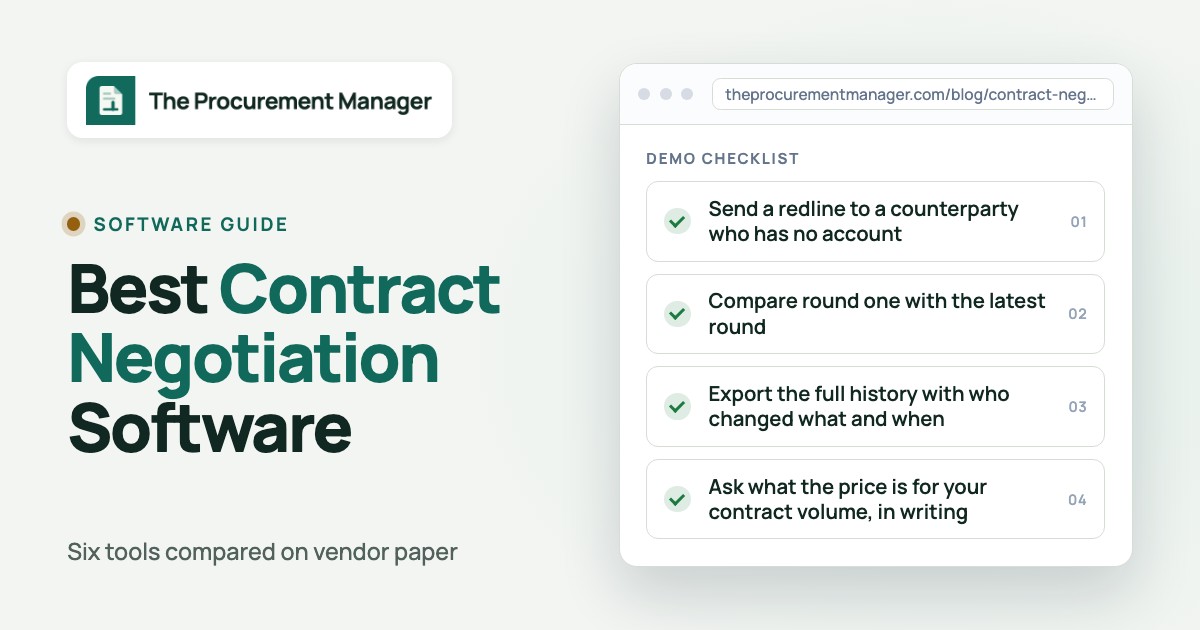
- Upload a supplier-drafted contract that has tracked changes and comments
- Send a redline to a counterparty who has no account
- Load three of your standard clauses with a fallback for each
- Change the text after approval and check whether the approvers are asked again
- Compare round one with the latest round
- Export the full history with who changed what and when
- Ask what the price is for your contract volume, in writing
Contract negotiation software reviews
Each entry covers how a negotiation round runs in the tool, what it does with vendor paper, how it fits a procurement stack, what G2 reviewers report and who should skip it. Prices appear once per entry and in the table.
Concord
A contract tool that drafts, redlines, e-signs and stores contracts, with AI-extracted renewal and termination-notice dates and a weekly deadline email.
Concord runs negotiation as tracked changes inside the contract, with each party's edits color-coded, and it lets counterparties join without an account.
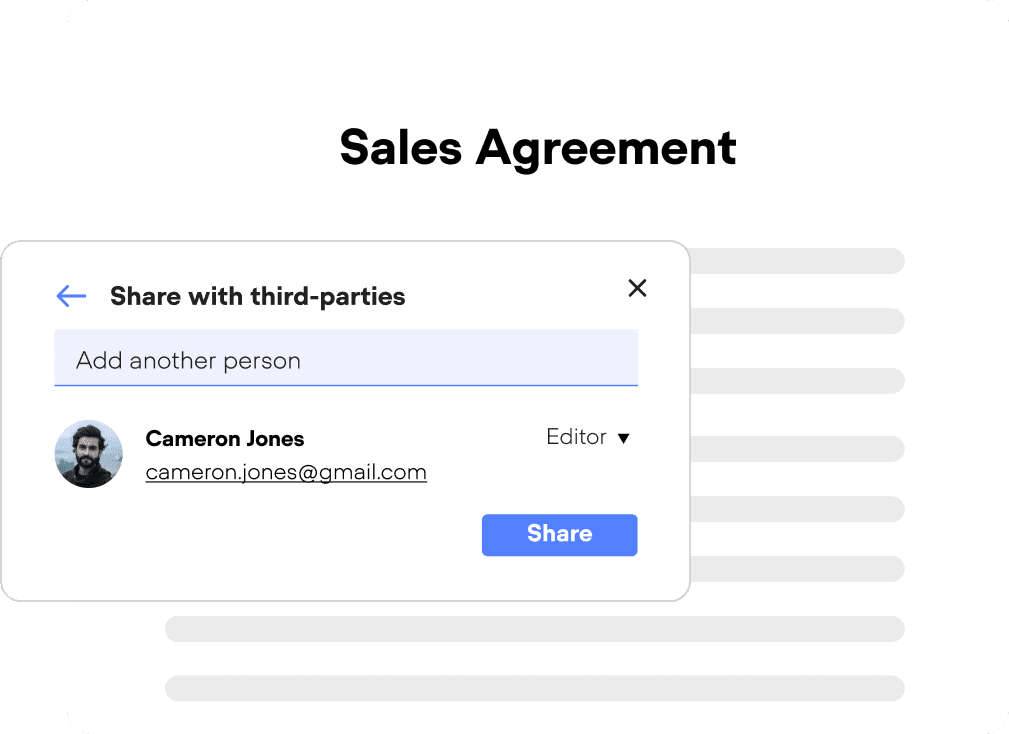
A round in practice. You upload a Word or PDF contract (Word keeps the text editable), turn on Track Changes and invite the counterparty by email as a Viewer, Limited Editor or Full Editor. The help center says they don't need a login. Both sides edit and comment, and either can accept or reject changes one by one or all at once. The signature button stays locked until every change is resolved.
Vendor paper. A supplier's Word file uploads as the working draft. You can also round-trip the document through Word or Google Docs and bring the tracked changes and comments back. Concord's published pages don't document a playbook, fallback library or AI review of incoming paper, so the review against your standards stays manual.
History and approvals. Versions are tracked with revert to any earlier one, approvals run before signature and an audit trail logs versions, status changes and signatures. Guests can see the audit trail and pending changes but, per the help center, not the approval workflow.
Price. Concord is the one tool here with a US price list: Essentials $499, Business $899 and Enterprise $1,299 per month billed annually, each with five users and extra seats from $49 to $89 per month. Third-party guests are unlimited.
- You want to budget without a sales call and negotiate with suppliers who won't create an account.
- Your team reviews vendor paper by hand and mainly needs one shared version, a clear redline and a locked signature step.
- You want playbook-based review of incoming vendor paper: the published vendor pages document none.
- You need native Coupa or SAP connectors: none were documented on the negotiation pages.
- Users like
- drafting, redlining, e-signing and search in one tool, and no document limits
- Users dislike
- bugs and slow support replies, in reviews from 2023 and 2024
- Source: G2, 133 reviews
- Starting price
- From $499 per month billed annually (Essentials, 5 users); Business $899, Enterprise $1,299; extra users $49 to $89 per month
- Entry price
- $499/month billed annually, 5 users
- Extra seat
- $49 to $89/month by plan
- Weekly deadline email
- Mondays, default 120-day window
Juro
A browser-based tool for drafting, approving and signing contracts from templates, with renewal dates stored as smartfields that carry up to five reminders each.
Juro hosts the negotiation in the browser: the counterparty redlines there, and the document is locked to one side at a time.
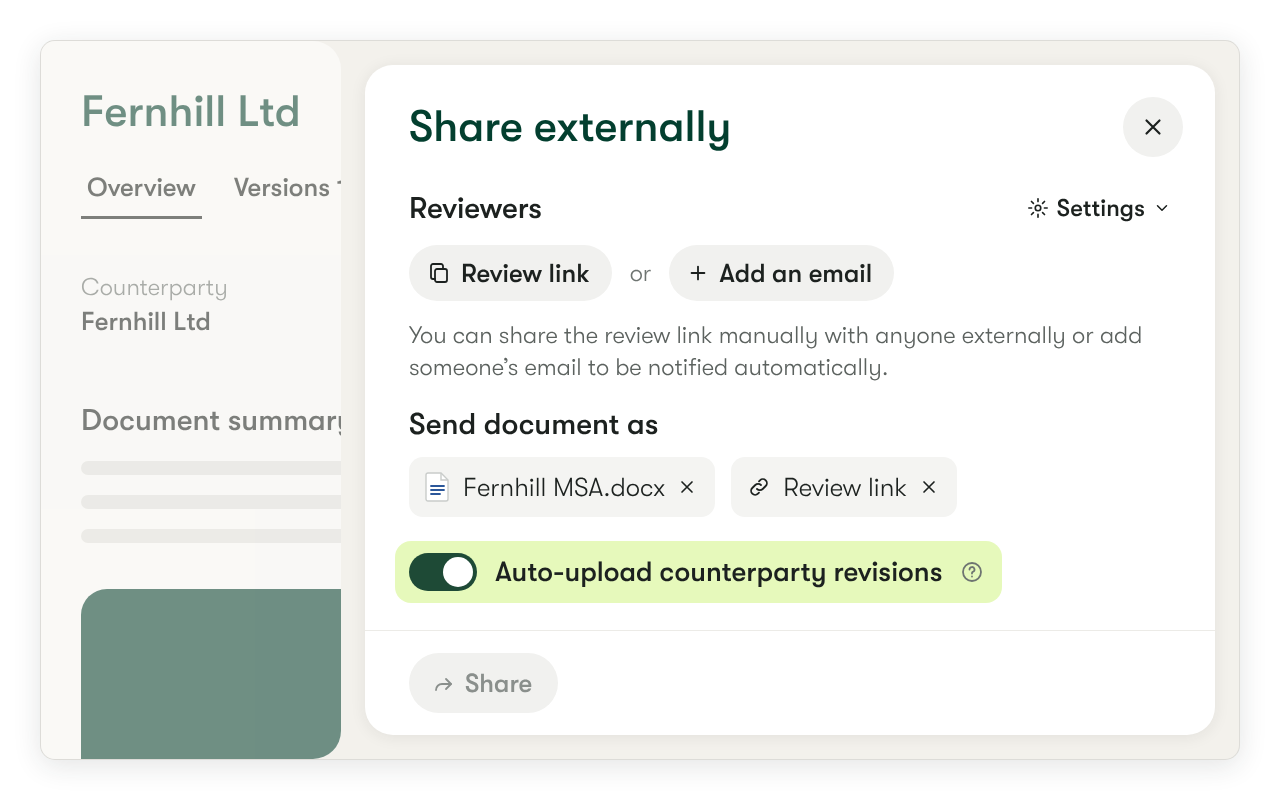
A round in practice. You switch on asynchronous mode when you share externally, and Juro emails the counterparty a link. Their first redline moves the contract to a negotiation status and saves their edits as a new version. They send it back, you accept or reject each change, and the document stays locked to the other side until the latest version returns. Unresolved suggestions block signing, and the version summary shows what changed and which threads are still open.
Vendor paper. A supplier's Word file can be uploaded, and its tracked changes become suggestions you review. Above 200 suggestions, Juro replaces the contract with the uploaded version instead of listing the changes, so a heavily marked-up vendor draft needs a clean pass. A Word plug-in can review a counterparty's template against a playbook and group redlines by priority. AI Review of counterparty redlines is labeled beta in the help center.
Approvals and stack. Approvers can be tied to specific fields and are asked again with a summary when those fields change. Juro lists Slack, email, Google Drive and Word integrations. We found no Coupa or SAP connector, and the pricing page says deeper integrations cost extra.
Price. Juro publishes no prices. It says pricing depends on contract volume and integration complexity, with unlimited users, workflows and templates.
- You draft from your own templates and want the vendor to redline in a browser with one clear turn at a time.
- Legal, sales, HR and operations all negotiate in the same tool and procurement is one user among several.
- Your vendor contracts arrive as long, heavily marked-up Word files: past 200 suggestions the upload replaces the contract.
- You run Coupa or SAP and need a native connector, or you need a published price.
- Users like
- ease of use, customer support and an intuitive interface
- Users dislike
- missing features, contract management gaps and template and formatting limits
- Source: G2, 248 reviews
- Starting price
- Not published, quote only, annual billing with unlimited users, workflows and templates
- Pricing
- Quote based, annual billing
- Reminders
- Up to 5 per date field
- Certification
- SOC 2 Type II
Ironclad
A contract lifecycle platform built around a no-code Workflow Designer for intake and approvals, a contract repository and AI review features.
Ironclad edits and redlines uploaded drafts, including a counterparty's, in its browser editor inside a workflow that already carries approvals and procurement connectors.
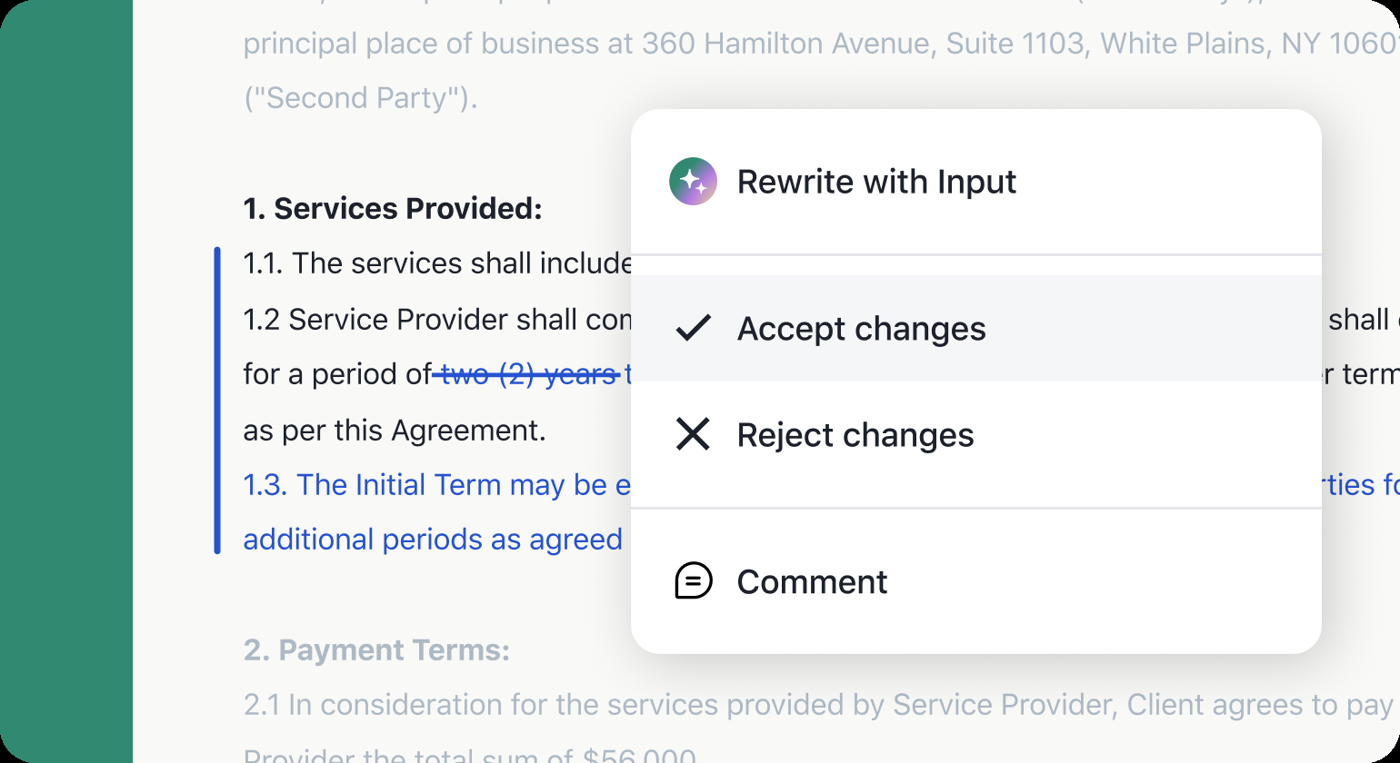
A round in practice. A requester launches a workflow, and the draft is edited in the Ironclad Editor, with Track Changes marking edits as redlines you accept or reject in a sidebar. You email the latest draft to the counterparty from the workflow. They reply with tracked changes, you add the reply back with Add to Workflow, and a turn marker shows whether the draft sits with your team or theirs. The help center says the Editor suits documents under 75 pages. Larger ones move to Word or Google Docs, and a Word add-in is available on select plans.
Vendor paper. The Editor takes DOC, DOCX and PDF uploads, including third-party drafts. The Contract Review Agent can redline a full contract against a playbook with your preferred positions and fallbacks, each edit a tracked change with a risk level and reasoning. It lets you choose first-party or third-party paper and a light, balanced or firm stance. The help center labels the redlining Early Access and says the playbook is prepared with Ironclad Services.
Approvals and stack. Adding a new counterparty version can reset approvals. Ironclad lists Coupa, SAP, NetSuite, Salesforce, Slack, Microsoft Teams, Word and Zip among its connectors.
Price. Ironclad's price is a custom quote based on products, users and add-ons.
- Your contracts start in a request workflow and you want redlines, approvals and a Coupa or SAP connector in one platform.
- You can dedicate an admin to build launch forms and workflows.
- You expect self-serve AI review of vendor paper now: the playbook redlining is Early Access and needs a services engagement.
- You want to exchange redlines through a counterparty portal: the documented exchange is by email.
- Users like
- ease of use, integrations, customer support, approval process and collaboration
- Users dislike
- poor search, a steep learning curve, integration issues and workflow issues
- Source: G2, 326 reviews
- Starting price
- Not published, custom quote based on products, users and add-ons
- Renewal alerts
- Contract date reminders on expiration or opt-out notice date
- Procurement links
- Coupa, SAP, NetSuite, Workday
- Auto-renewals
- Expiration date is updated by hand afterward
Icertis
An enterprise contract platform with an AI layer (Vera) for obligation discovery, owner routing and renewals that sync with systems such as Workday and SAP.
Icertis puts playbook review of vendor paper inside Microsoft Word through Vera Engage and a Redline Agent, aimed at large buyers.
A round in practice. You open the vendor's contract in Word with Vera Engage. It reads the draft, flags deviations from your playbook and applies guided redlines. The Redline Agent compares the contract against approved playbooks on each review pass, shows a risk score and clause references, and explains each suggestion in plain language. It changes text only where the wording deviates. You validate the redlines, escalate exceptions to legal and route high-risk drafts under rules you define.
Vendor paper. This is the tool's stated focus, and Icertis says the playbook-aligned edits work on both your own and third-party paper, buy side or sell side. Icertis also says AI can build a first-draft playbook from past agreements and precedent markups.
Stack. Its integrations page lists SAP Ariba, SAP S/4HANA, Dynamics 365, Workday, Salesforce, Microsoft Teams, Outlook, Adobe Sign and Docusign. Coupa and Slack aren't listed.
What isn't documented. The public pages don't say how the counterparty receives and returns redlines, how versions are compared or how approvals work during negotiation. Ask for all three in the demo.
Price. No price is published. G2 lists an average implementation time of about seven months.
- You're a large buyer with SAP or Workday, a legal team that owns a playbook and many third-party contracts to review.
- You want AI to propose redlines on vendor paper and a human to approve them.
- You need a quick rollout or a small-team price: G2 shows about seven months to implement and there's no published price.
- You must verify the counterparty exchange and version history before a demo: the public pages don't document them.
- Starting price
- Not published, contact sales
- Auto-renewal
- Renewal flag, max renewals and period in months
- Obligations
- Vera Obligations: AI discovery, owner routing, alerts
- Integrations
- SAP, Workday, Salesforce, Microsoft
Agiloft
A no-code, configurable contract lifecycle platform with renewal types, advance-notice emails, obligation tasks and an AI layer for extraction.
Agiloft combines a Word add-in that reviews against a playbook with a clause library in which each clause is marked standard or fallback.
A round in practice. In Word you install the Astra add-in, pick a review playbook (Agiloft calls it a Screen) and run it. Astra applies suggested redlines that follow your approved fallback positions. For contracts handled in the CLM, the Word app compares clauses with the Clause Library and inserts vetted clauses from Word. Agreements are routed to stakeholders for approval, and the procurement page says teams can see where language changed between versions.
Vendor paper. The Word route works on any draft you open, but we found no page that describes uploading third-party paper to a counterparty portal or exchanging redlines with the other side in the CLM.
Stack. The procurement page lists connectors to SAP Ariba, Coupa, Oracle, NetSuite and Tradeshift. The integrations page lists Salesforce, Slack, Teams and Word, and doesn't name Coupa.
Price. The CLM is quote only. The Astra add-in has published tiers: Free at $0 per month with 1,000 credits and three custom playbooks, and Pro at $120 per month billed annually with unlimited playbooks. Agiloft says Word review doesn't use Astra credits.
- You want fallback positions stored per clause and applied in Word, and you have an admin who can configure the rest.
- You need approvals and version comparison in the same system as the contract record.
- You want to host the exchange with the vendor in a browser: no counterparty round is described.
- You can't spare configuration time: G2 reviewers cite a steep learning curve and implementation challenges.
- Users like
- flexibility and customization, and centralized monitoring of agreements
- Users dislike
- difficult implementation and the need for specialized support to customize
- Source: G2, 112 reviews
- Starting price
- Not published, contact sales
- Renewal types
- Notify Staff to Renew, Auto-Renewing, Evergreen, One Time
- Advance notice
- Days in advance, emailed to the contract owner
- Obligations
- Tasks with owner, due date and repeat reminders
SpotDraft
A contract platform with an AI metadata repository, obligation tasks with reminders, e-signature and a Coupa integration that syncs effective dates and renewal terms back.
SpotDraft pairs a live redlining editor with VerifAI, which reviews counterparty contracts in Word against your playbook.
A round in practice. The Redlining stage is the active negotiation, with versions exchanged, edits and comments added, and pre-sign approvals collected. You redline in the SpotDraft editor or open the contract in Word, where edits sync back. Internal comments stay hidden from the counterparty, and version history is kept. The contract moves to signing once all redlines are resolved and approvals are in.
Vendor paper. VerifAI checks a draft in Word against your own playbook, flags the guidelines it doesn't meet and offers tracked-change suggestions, and it works on counterparty paper. SpotDraft publishes a procurement negotiation playbook template that includes fallback options and walk-away guidance. The docs we read don't say whether the other side needs an account to redline.
Stack. G2 lists verified integrations with Coupa, Microsoft Word, Teams, Outlook, Docusign, Jira and HubSpot.
Price. SpotDraft publishes no plans or amounts and says price depends on contract volume.
- Procurement owns vendor contracts, runs Coupa and wants playbook review of supplier paper in Word.
- You want internal comments kept apart from the counterparty's view.
- You need a published price to budget before talking to sales.
- You need to know how counterparties access the document: the docs we read don't say.
- Users like
- ease of use, an intuitive interface, time savings and customer support
- Users dislike
- missing features, bugs, ineffective AI and limited customization
- Source: G2, 202 reviews
- Starting price
- Not published, quote only, priced by users or contract volume, implementation included
- Pricing
- Quote based, by users or volume
- Reminders
- Up to 5 per obligation task (beta)
- Certification
- ISO 27001:2022, SOC 2
How long does it take to implement contract negotiation software?
Implementation time is published for only two of the six tools. G2 lists an average of about seven months for Icertis and about five months for Agiloft. Concord, Juro, SpotDraft and Ironclad don't publish a figure on the published vendor pages, so ask each vendor for a dated plan and a reference customer of your size. The tools that need a playbook built first, such as Ironclad's Contract Review Agent, Icertis and Agiloft, carry more setup work than Concord's documented path of uploading a Word file and inviting a guest.
Can you rely on AI redlines when you negotiate?
You can rely on AI redlines as suggestions, but a person has to approve each one. Icertis has the reviewer validate the redlines and escalate exceptions to legal, and Ironclad says a human legal reviewer stays in the loop, with procurement users named as the intended preparers of a first pass. Two of the AI features are labeled as preview stage, Ironclad's playbook redlining as Early Access and Juro's AI Review as beta. Test any tool on three of your own contracts and count how many suggested redlines you'd accept unchanged before you let it near a live negotiation.
How to negotiate a vendor contract with software
Software keeps the record, but the bargaining power still comes from preparation, and you'll lose it fast without a plan. These are the practices that change the outcome, and each ties to something a tool in this list can hold.
- Write the playbook before the first draft. List the clauses you won't accept as written, such as auto-renewal length, price increase caps, termination for convenience and liability limits, and the fallback you'll take for each. Tools with playbook review can apply this list, and every tool benefits from having it in front of you.
- Negotiate the renewal terms first. The notice period, the auto-renewal length and the price cap on renewal decide what the contract costs in year three. Our guides on the contract renewal notice period and auto-renewal clause examples show wording to ask for.
- Know your alternative before you reply. A credible alternative vendor changes the answer you get on price and terms. A written quote from a second vendor is stronger than a promise to look, and it's cheap to get.
- Keep one version. Every redline belongs in the shared copy. The moment someone edits a private attachment, you're back to merging by hand.
- Get the approvers in before the last round. Finance and IT often object after the vendor has signed off. Tools that reset approvals when the text changes surface the objection early, although a small team can do the same with a manual check.
What happens after the negotiation
After the negotiation, the signed contract carries three dates: the renewal date, the last day to give notice and your own date to decide. Negotiation tools end at signature. What stores and tracks the contract afterwards is a separate decision, and we compare it in our guides to contract lifecycle management software, contract management software and contract repository software. The decision to renew, renegotiate or cancel then needs the business owner, Finance and IT to weigh in before the notice window closes, and a contract renewal checklist keeps those steps in order. That is the gap The Procurement Manager is built for.
Frequently asked questions
What is contract negotiation software?
Contract negotiation software lets two parties edit one contract, see each other's changes as redlines, accept or reject them and keep a version history. Many tools add a playbook of standard clauses and fallback positions and propose redlines against it.
Is there free contract negotiation software?
Some tools have free tiers for parts of the job, for example Agiloft's Astra Word add-in, which lists a Free plan at $0 per month with 1,000 credits and three custom playbooks. The CLM platforms here are paid, and most of them sell by quote. Concord's lowest published plan is $499 per month billed annually.
Can I negotiate a vendor's contract if the vendor sends a PDF?
Only some contract negotiation tools take a vendor's PDF. Ironclad's editor accepts uploaded DOC, DOCX and PDF drafts, and Concord lets you start from a Word or PDF file, with Word recommended so the text stays editable. Ask any vendor to show your own supplier's PDF in the demo.
Does the other side need an account to redline?
Whether the other side needs an account depends on the tool. Concord's help center says no login is required for counterparties. Juro has the counterparty redline in their browser through a link. Ironclad's documented exchange is by email attachment. For Icertis, SpotDraft and Agiloft the public pages don't say, so ask before you buy.
How is contract negotiation software different from CLM?
CLM covers the whole life of a contract from request to renewal, and negotiation is one stage inside it. The tools in this list are mostly CLM platforms with a negotiation module, and Concord and Juro are lighter products centered on drafting, redlining and signing.